Hi all. I recently cropped an image in Siril to a “portrait” format. Now I wanted to rotate the cropped image into the landscape orientation. What ever I do Siril “crops” the image to a square format. I first thought it’s only moved to far to the left, there image is too big, but even if I reduce the image to 10%, as soon as I rotate I’ll get a square format??
I still run the 1.2. beta version because the rc had two bugs, (disappear/crash after background extract& partial disappearance of window) when I downloaded.
Hi,
can’t reproduce the behavior. What function do you use to rotate?
One of these buttons at the bottom right?

The rotate&crop dialog?
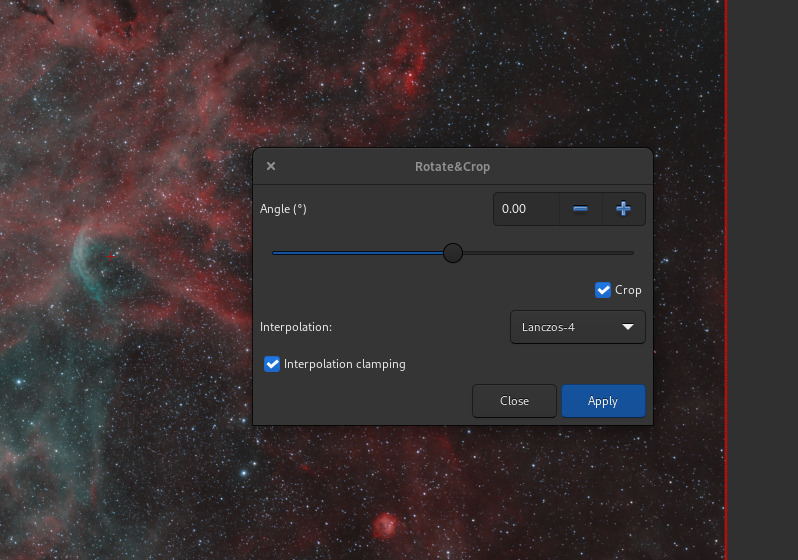
hi Ciccou*
open result fit > drag yellow line over image > right click> crop> rotate image(with the button you inserted), Image is cut and squared
Hi Cyril. did not use this feature. used the “rotate button”
Still can’t reproduce doing crop then using the rotate button… can you share a log? not sure it will have enough info but just in case
yes!
I was so frustrated, I closed Siril down, shut down computer and tried again, and now it is working fine. I can’t think of anything I did different yesterday, however yesterday it drove me insane and repeated the procedure several times always with the same result. Today, first try and it seems to work fine.
However thanks a mill for your reply, I think I would not have started the process again without your input that " can’t replicate"
1 Like
sorry, log gone with shutdown
hello Cissou8
I did some Siril work on the plane and I encountered the same problem again. However I THINK what happens it “distorts” the image. I took 2 screen shots that will make it more clear


I also saved the log file but it is empty, so no help there
ok, I think I see the “distorsion” thing but I would really need a log.
Could you:
- load the image
- apply the rotation
- save to another file?
And then go to the console tab and export the log from there? You can use this button

at the bottom right below the print out zone
C.