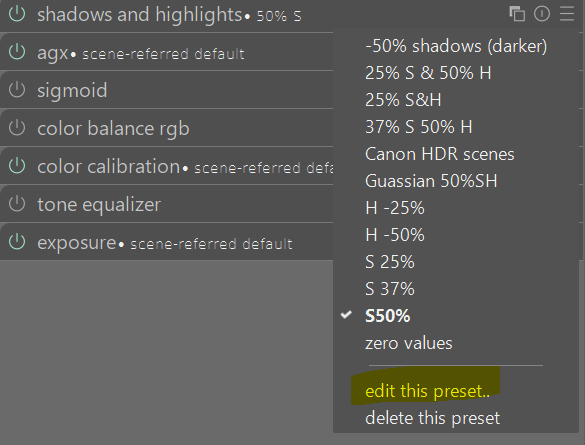
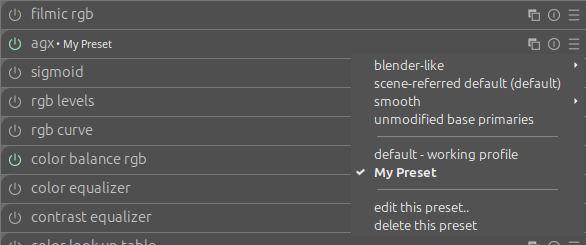
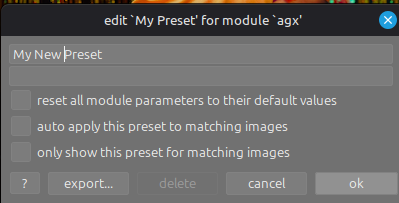
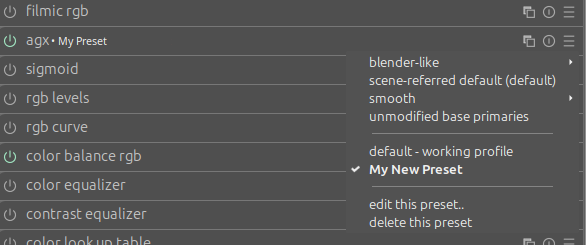
I create a new preset, and give it a name. I apply the preset and the module name is changed accordingly with preset name. This is ok, as expected.
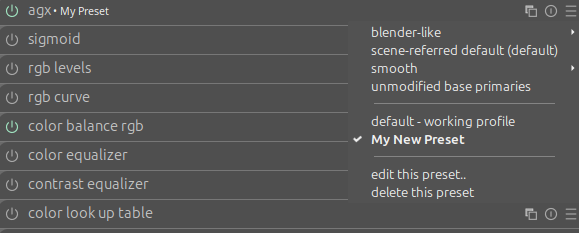
I change the name of the preset but the name of the module still contains the old name of the preset (I tried to restart DT, edit name in settings, change to another preset and then come back to my initial preset, still nothing) … Not expected.
I believe it is working as intended. When you are changing the preset in the module you are acting on the module, so the title reflects that. When you change the name of the preset the module does not have to know about it.
The name of the module is just a label, it does not have to be a preset name. The fact that changing the current preset renames the module instance is just a convenience. Once a style/preset is applied the module only knows about the values that it copied from it, it does not keep a reference to the underlying preset.
This is done on purpose so that you can change a preset without affecting all the module instances that used it in the past.
Edit: Apologies, I had clearly misunderstood the problem. I agree, that seems to be a bug.
I just tested your scenario on my windows install of DT 5.3 +670 and it selects and identifies the newly created preset as I would expect. I am not sure if a new bug has appeared in 5.3 +702. I will check the weekly build supplied in a couple of days.
Did you actually change something in the preset such as a slider value or just change the name by editing the preset and giving a new name? Regardless I can not replicate your described behaviour.
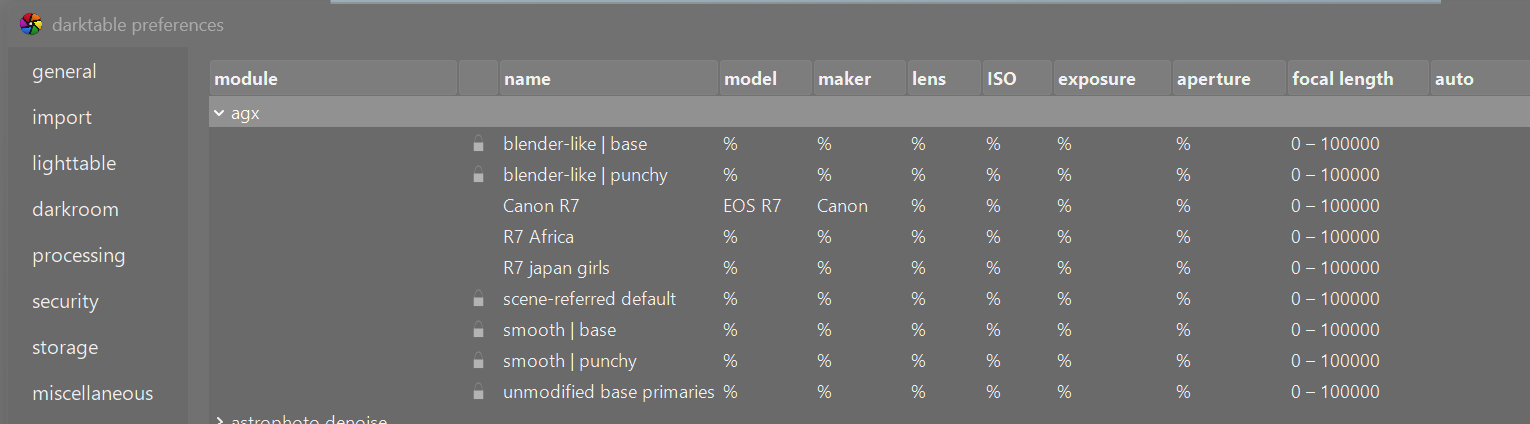
The way I edit presets is in the hamburger of the module itself. I am unsure what you mean by edit name in settings? I wonder if this could be where the problem lies?
Your problem can be resolved by changing the name of the preset through DT’s preferences options. But I agree it seems strange to me that the name doesn’t change when the preset is edited via the modules hamburger.
I have had the same behavior since 5.0 (maybe longer…I did not try making presets until then). The only way to fix it has been to delete the preset and create a new one.