Hi all,
Thanks to @dterrahe and others I started understanding shortcuts a bit better.
As I found the corresponding manual entry a bit confusing, I decided to take a stab at improving it, revising (to me) confusing terminology and adding some examples. If all is well I should have a PR before the end of the weekend.
The reason why I am writing is that there are two passages that I think are in contradiction, unless (as it is very possible) I am misunderstanding something.
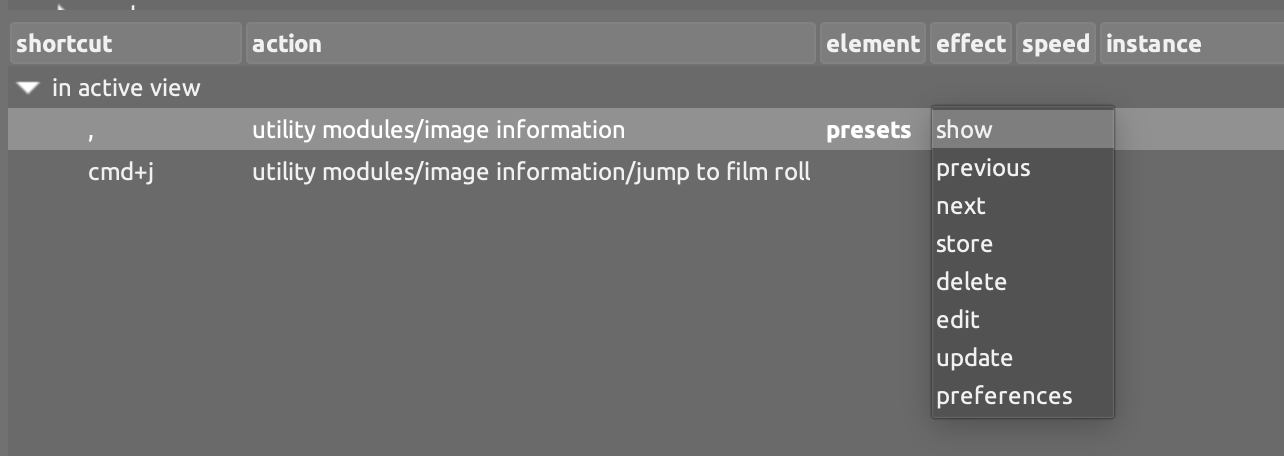
At the end of line 176 , in the context of utility modules, there is the following statement:
Extended shortcuts are not currently available for preset elements.
Which I understand as: it is not possible to define a shortcut including movement to select a preset.
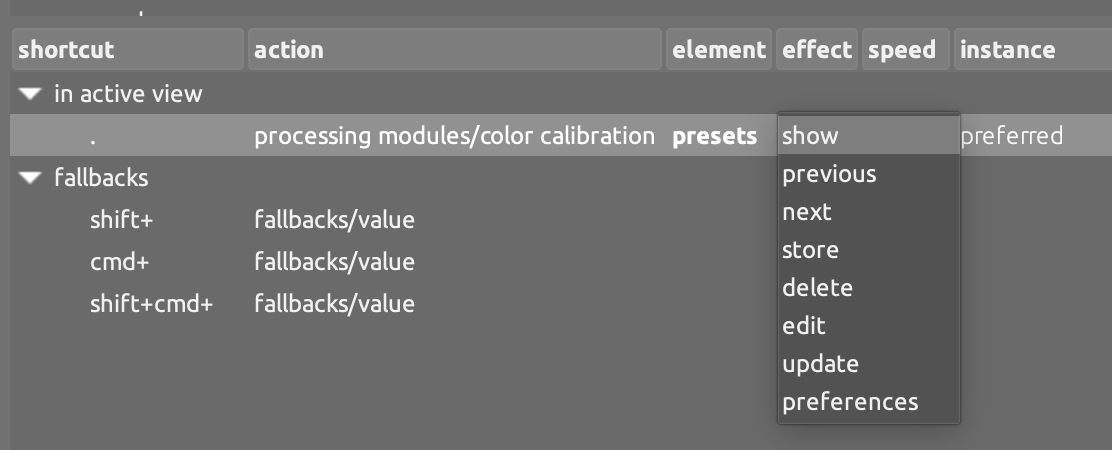
But then, on line 199, in the context of processing modules, it says:
You can also assign scroll shortcuts to the ‘preset’ menu, which allows you to use your mouse scroll wheel to scroll through the module’s presets.
Is there a difference between utility and processing modules w.r.t. preset navigation via shortcut, is this just an inconsistency or am I misunderstanding something?
I believe that you can assign a simple shortcut to both utilty and processing modules, and then use the scroll wheel to navigate the presets. You can probably also assign an extended shortcut to them, but this does not add a lot of value as you can already scroll the list when you activate the preset list with a simple shortcut. Or else?
Any clarification would be greatly appreciated.
Tagging @elstoc who was the last to edit that file (3 years ago! :D) and @dterrahe who I believe authored most of the related code (apologies if I am wrong).
Thanks for your help!