It may have already been answered, but I couldn’t find it. I mostly use darktable but I do occasionally take a trip to rawtherapee and ART. What confuses me is that in rawtherapee the shadow indicator shows that the shadows are clipped much earlier than they should be (in darktable it is as it should be, i.e. when the shadow touches black). When I zoom in on the image 1:1 I see that it is still far from black, but the indicator shows that are clipped. I’m not that familiar with rawtherapee so maybe my question sounds beginner-like, but still…I would like to know. The highlights indicator works exactly as it should, shadow don’t.
Have a look at Preferences → General → Clipping Indication.
A value of 8 seems to be the default for shadows, which is a bit high
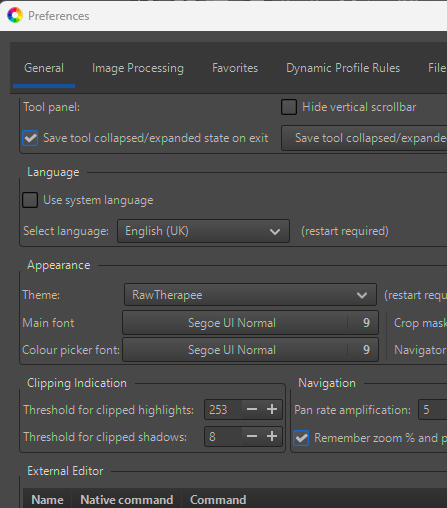
I agree with you. But then, why is it set so high? No one has ever questioned it, I’ve searched the internet, YouTube, I’ve read on Rawpedia. No one has explained it. No one has ever recommended lowering that value.
Well I’ll give this a go…
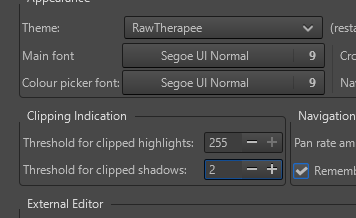
No idea what’s going to happen, actually I have a basic idea… but I’ll have a look. Thanks for asking/pointing this out @dekao and @Sunhillow always good to learn and try new ideas. 
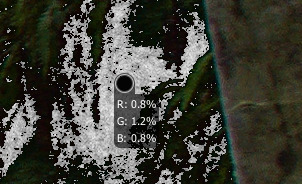
As expected… appreciating that I forced the shadows to clip (images at 1:1)
Threshold 8…
versus Threshold 2…
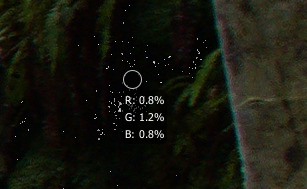
I’ll keep it set low at 2 I think…
I lowered the threshold to 3 and somehow it felt more comfortable to work with, but I don’t know why it was set to 8? Maybe it makes some sense and the developers know something we don’t or are we just guessing? Rawpedia says: “The clipped shadow indicator will highlight areas where all three channels fall at or below the specified shadow threshold.” All three channels? These examples from SCHA clearly show that the most of areas in shadows are still far from black but the indicator has marked them as clipped.
1 Like
I don’t know why the default is at 8 and would personally also prefer a lower setting but I think the overlay behaves as described in the documentation.
@ mino
Yes, it behaves exactly as described, it shows that the shadows are clipped below the threshold of 8, that’s not in dispute. But why is it 8? How does it help in image processing? As it is now, it doesn’t make it easier for me, in fact it makes it harder for me to process. I never know how much of what is marked has actually become black when obviously most of it still hasn’t. In all the tutorials on YouTube, none of these indicators are ever included (maybe in some it is for highlights, never for shadows).
I think it’s print related - there’s a point where blacks can’t get any deeper.
@Wayne_Sutton
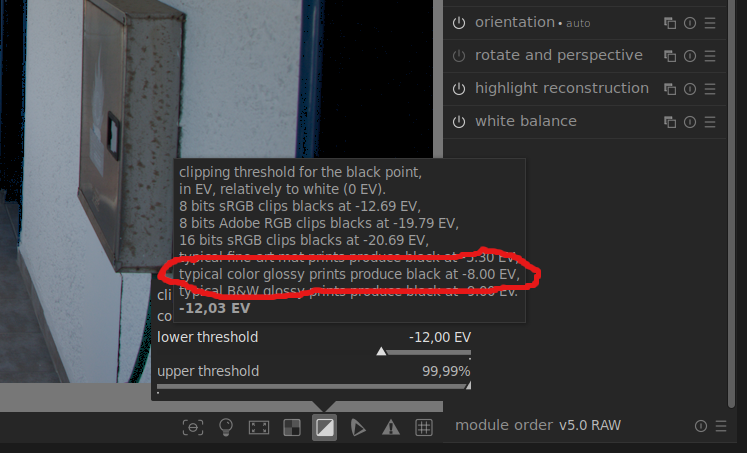
I think we’re close to a conclusion. The first image is a screenshot of the darktable with its shadow-highlight clipping settings.
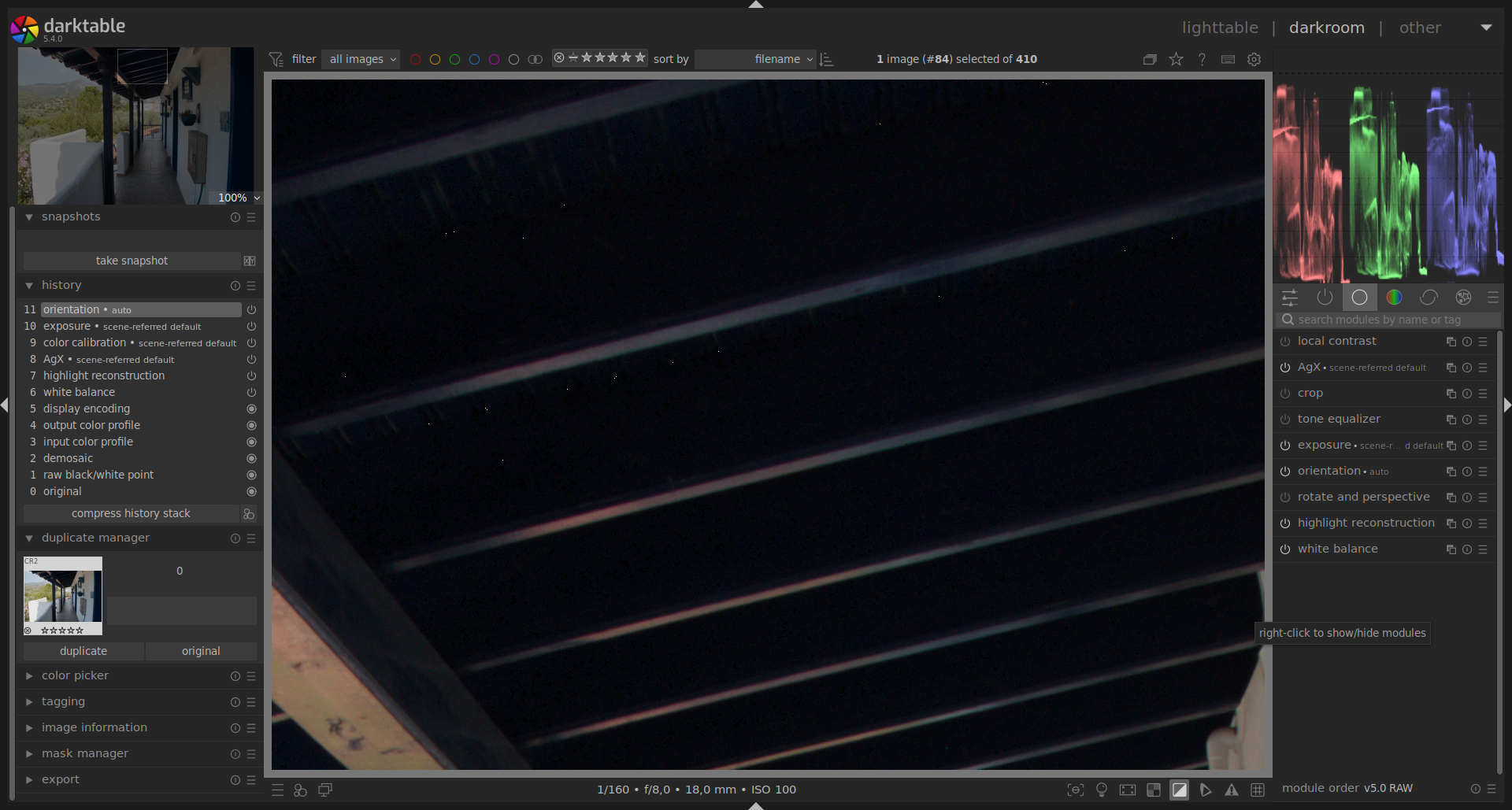
The next one has these settings:
And on the next with shadow clipping on -8
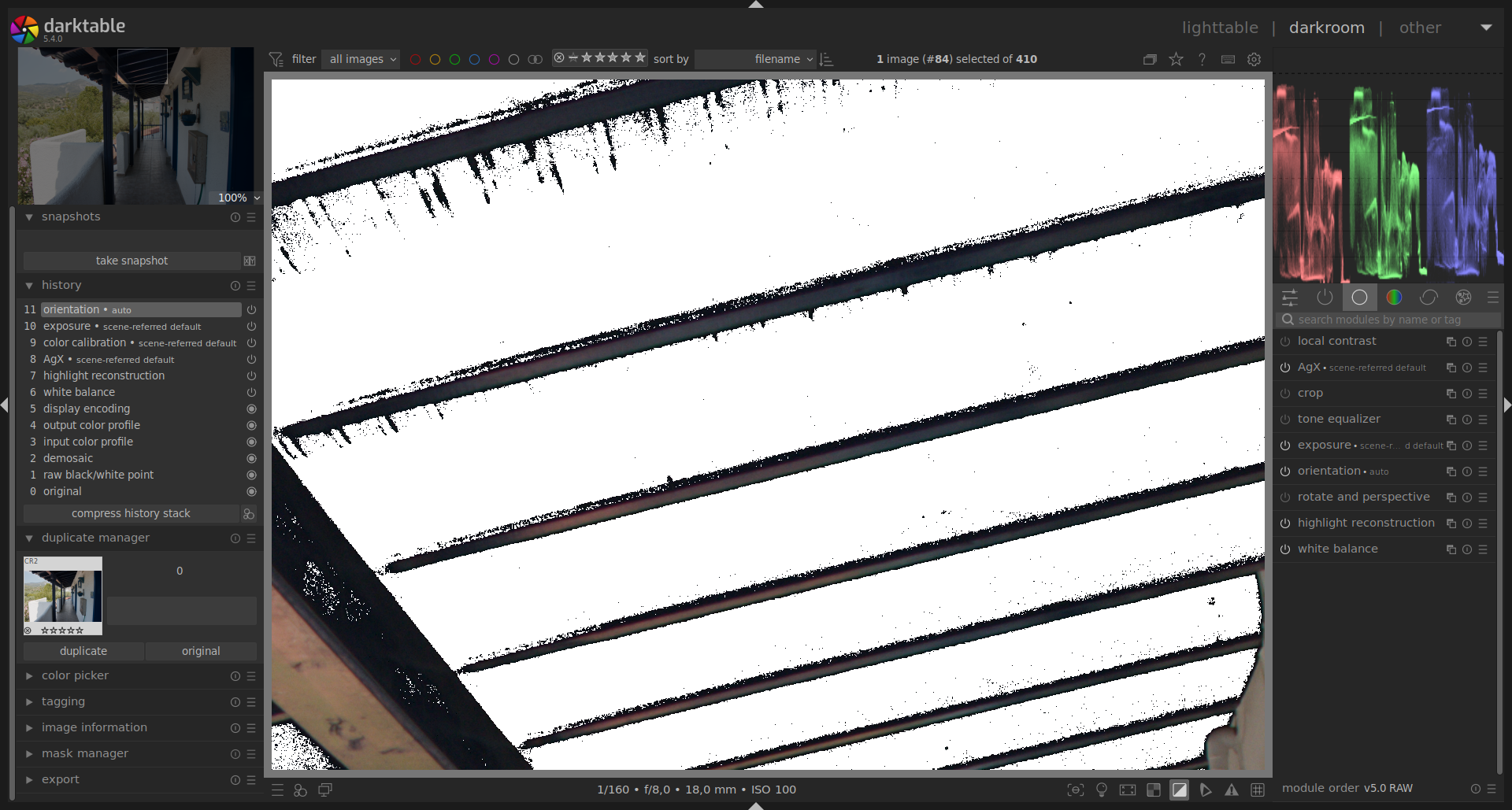
It looks very similar to rawtherapee with shadow clipping indicator. So, what would be the value for darktable’s -12 then? it seems to be 4 in rawtherapee?
2 Likes
I only use the RawTherapee clipping indicators as a rough guide and I don’t use darktable so I can’t really help with your question I’m afraid.
When I prepare images for print I make sure that my screen is properly calibrated and that I soft proof with the correct icc profile for the selected paper and printing process (supplied by the print shop). I then get them to run some test prints and make any final adjustments if necessary.
2 Likes
@Wayne_Sutton
I completely understand you. For those of you who print photos, it is important that they look good when printed. But most of us who are into photography never print our photos, but rather view them on a computer or publish them on the Internet, and for us the most important thing is that they look good on the screen, not on paper. In darktable, this is solved simply, you just need to hover cursor over the indicator and the explanation is there, you set when the shadow will be clipped depending on what you need. The explanation for the shadow values in rawtherapee doesn’t even exist in the instructions on rawpedia. If the value 8 is important for printing, what about the others? What about these other values in the darktable? They are marked with negative values there. What should that be on the 0 - 255 scale used by rawtherapee?
2 Likes
I’m not sure I understand the point of your question. The black clipping threshold is only a guide and depends on a number of factors, not the least of which is your decision as to how much detail you want to show in the shadows and the trade-off between detail vs noise etc. I get your point about most images being viewed on screens but the problem remains the same. There is no guarantee that what you see on your screen will be seen on other screens. It depends on the screen technology and whether or not the screen has been calibrated. The following link may help to explain that better than I can. Monitor Calibration Tests: Black Point
To get back to your original question my guess is that the default black-clipping value of 8 was probably set with print in mind but maybe also to ensure that the blacks wouldn’t be crushed when viewed on a wide variety of screens. As I said, it’s only a guess. I’m not a developer and I only have a passing knowledge of these things. In any case, you can change the default value in RawTherapee’s preferences.
1 Like
I appreciate your opinion and I think you hit the point of my question. Precisely because photos are displayed on different screens (and most of them are not calibrated), or printed matte, printed glossy, etc. I think there should be some values listed as a suggestion for shadow values, similar to what was done in darktable. But the point that a value of around 8 is put as a guideline for printing is enough explanation. Conclusion: Going down to 2-3 is more suitable for the screen. Thanks for participating in this topic!
2 Likes