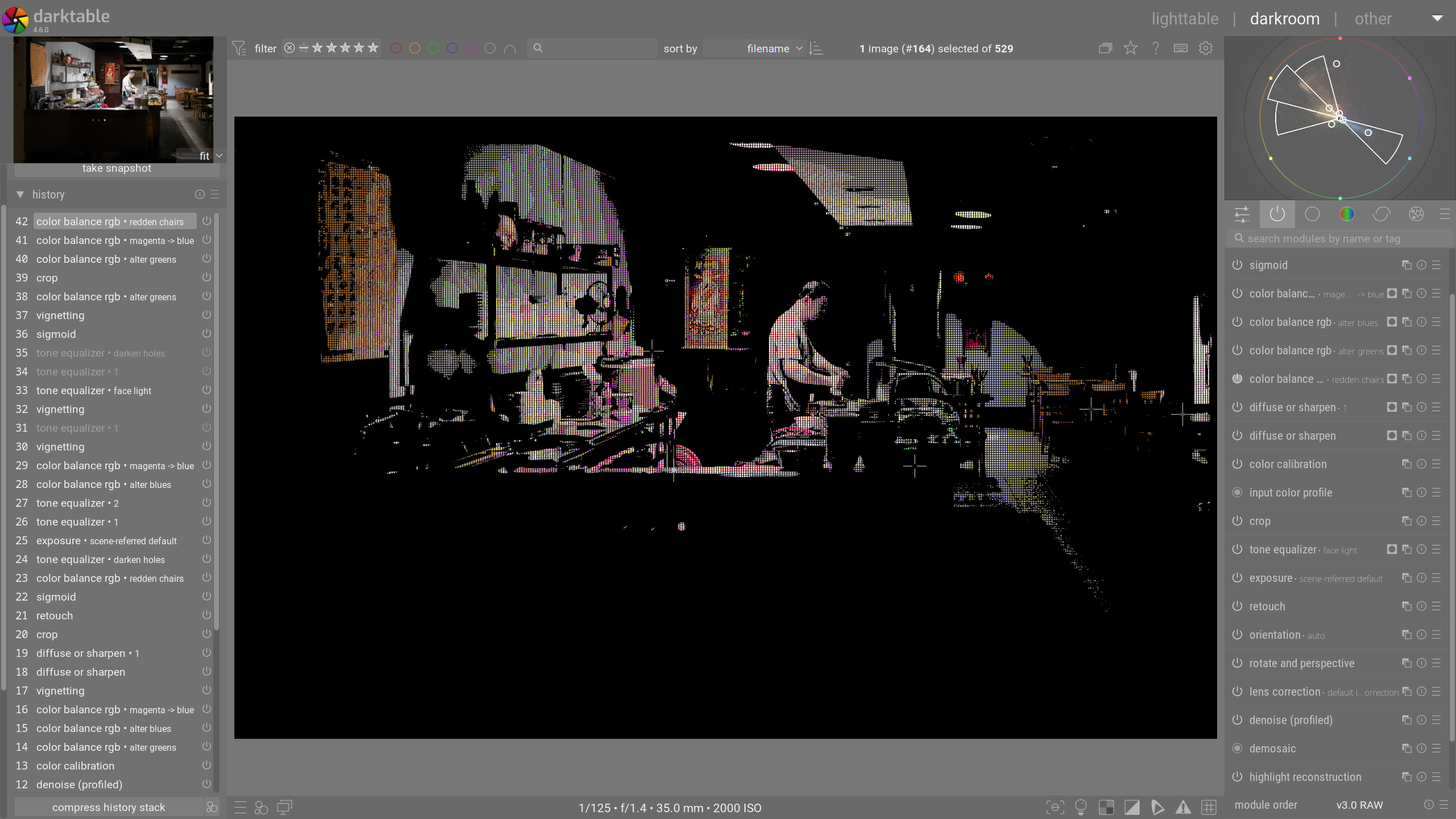
I was editing a parametric hue mask, moved one of the sliders, and wanted to move it back. I thought I pressed control-Z to move it back, but must have done something else, which gave me this coarse-grained pixelated view of my photo:
My question is embarrassingly stupid: What is this mode and how do you get in and out of it? In the end, the only way I could figure out to get rid of it was to leave darkroom mode and reenter by double-clicking in the lighttable view. But I’m curious what this was and how and why to activate it in the future? Note that I’m aware of how to view channel data by pressing the C key over a parametric mask slider, and this was definitely not that. Thanks.
looks like some sort of glitch…note the nav preview is fine. It uses a slightly different pipeline processing so I guess what ever key you hit or just by random you ended up with an artifact…did it go away if you changed the zoom or is it persistent…
It was persistent across zoom and panning. When I when to lightroom, and then clicked back in, it flashed briefly and then disappeared.
Seeing it in the nav preview is consistent with other modes like display a mask or channel data, which don’t affect the nav preview. So I assumed it was some kind of intentional mode and not a glitch. I’ve been working colors a bit, and honestly it’s kind of useful to break the image down into little squares when trying to figure out where something in the vectorscope actually occurs in your image. If this were some intentional feature, I might use it.