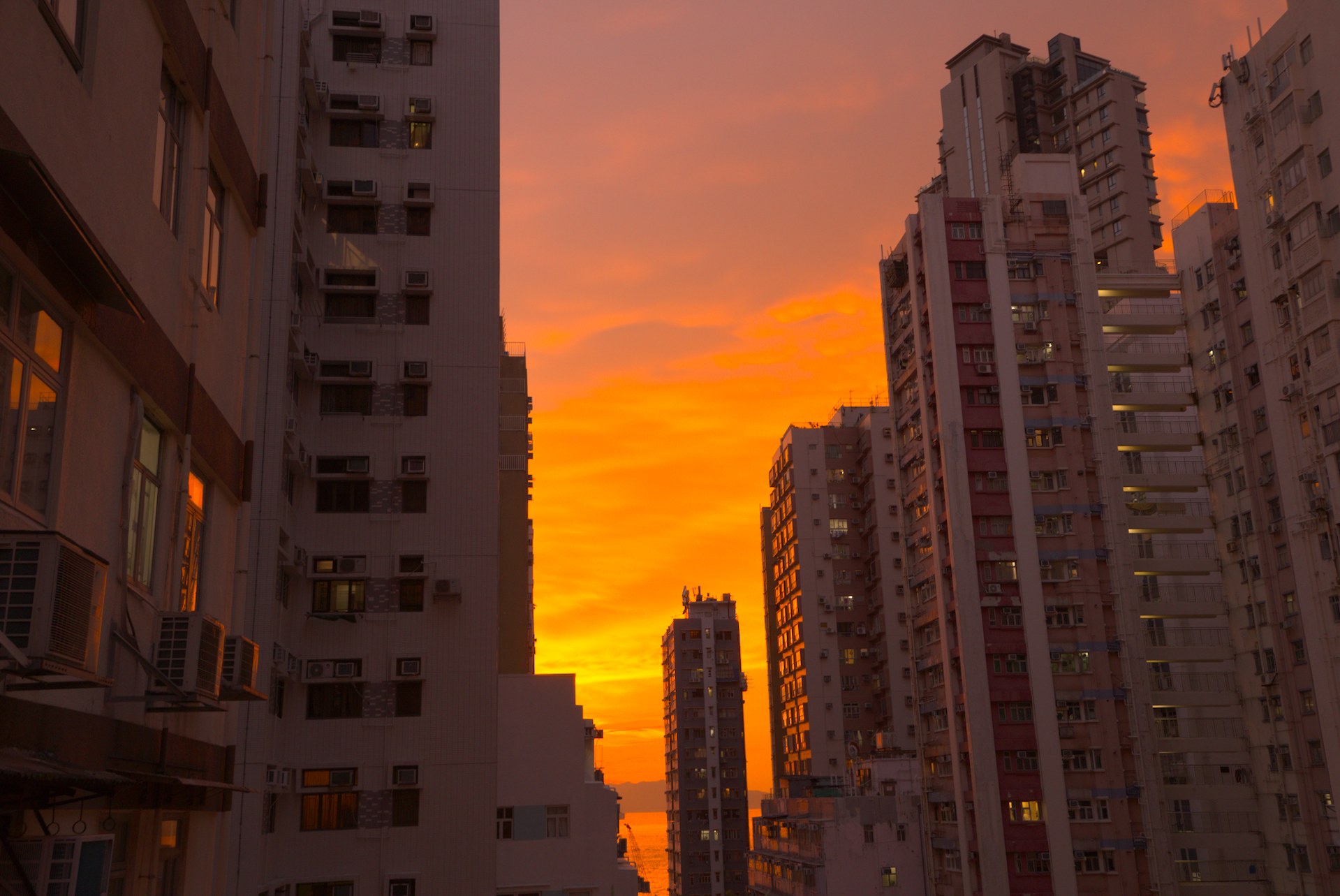
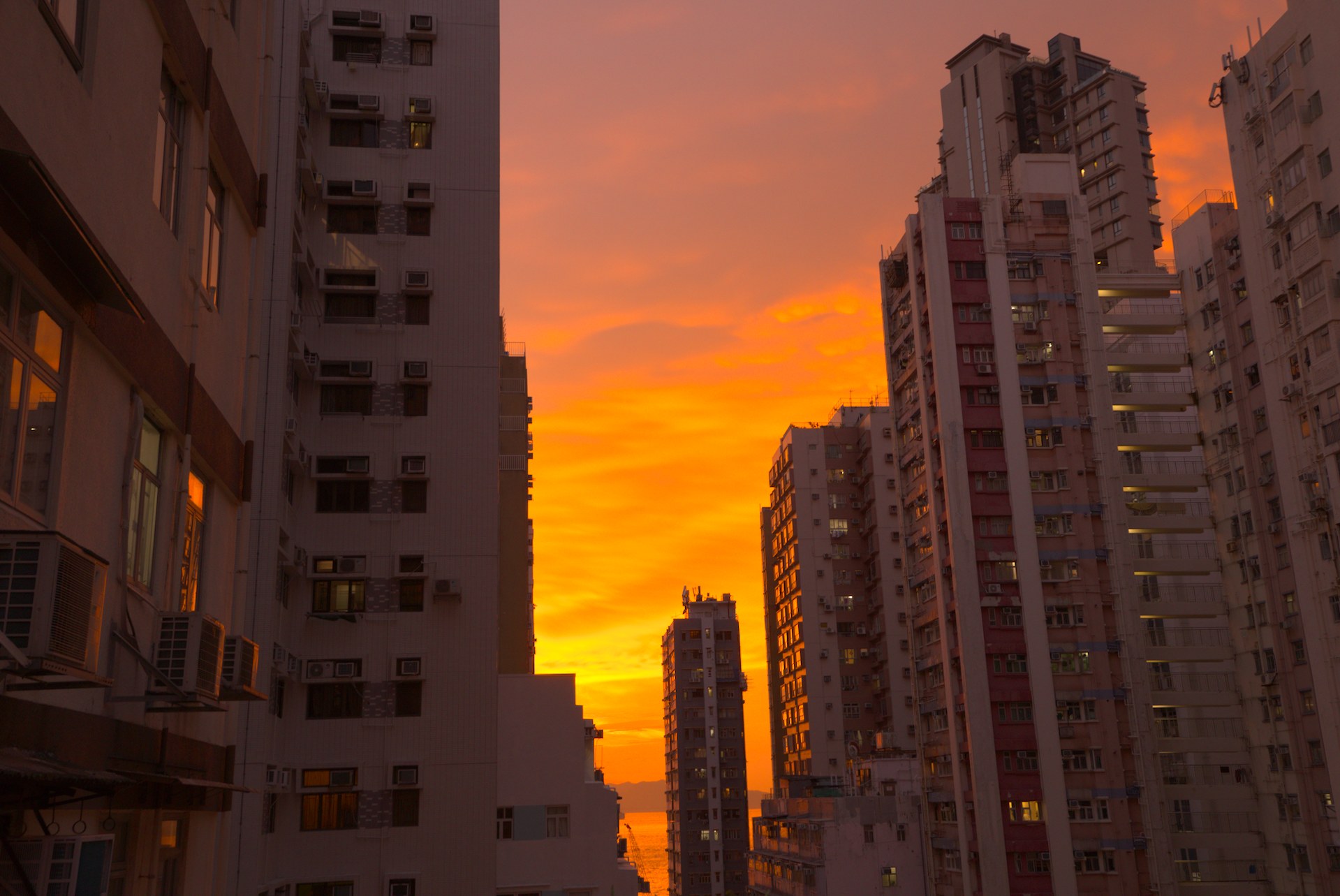
With no values set (or after clicking the module reset button), Color balance RGB is having a significant effect on my image. It is shifting the orange highlights toward yellow like AgX does. I’ve seen this effect on two computers, so it’s not a config or hardware problem, and I tested on 5.4.1 as well as a build from master, so it’s not a recent or fixed issue.
You can see in the left image, with no cbrgb, there is more orange, while the right with cbrgb has more yellow:
I’ve read about this sort of thing in the manual, and I’ve seen it happen myself once in a playraw.
Second paragraph here might be the thing: (Caveats section)
I think your colour calibration CAT is throwing the blue channel so far down that CB-RGB’s colour space conversion says ‘nope,’ despite CC clipping being on and gamut compression at default.
Part of it is from the ‘negative B from input R’ in the channel mixer, but it’s also the CAT.
I don’t have your input ICC profile (darktable is constantly reminding me such) but you could try CC gamut compression around 2 to reduce this effect a little, but that removes a lot of yellow from the sky.
Other idea: More neutral CC and then enhance the sky/buildings only in CB-RGB or AgX
I can’t really tell if you’re losing valuable info in the blue channel though.
@gwbarn Thanks for having a look at the file. I feel a bit silly about not having checked the manual, because this behavior was so unexpected that I didn’t think it could be by design. (And about the ICC error: you’re only seeing that because I forgot to compress history.)
The channel mixing settings are from a color calibration card shot in twilight. I think visually, that is right (because when we see post-sunset colors, we are chromatically adapted to something like twilight), but it doesn’t work perfectly with darktable’s math. Still, I’m hesitant to change the channel mixing settings since it’s so much easier to get it wrong than right. And as you said, the gamut compression option removes a lot of color.
When I undo my channel mixing settings and use cbrgb to accomplish the same thing, the end result is even more out of gamut. So I think until I know a lot more about this, my strategy will be to always leave cbrgb enabled on sunset photos, so I am never surprised by a hue shift when I enable it late in the editing process.
You can also try the Jz color space vs the default UCS…It maps differently…sometimes quite obvious and sometimes not but maybe better to your liking in these shots…there is a drop down in the last tab