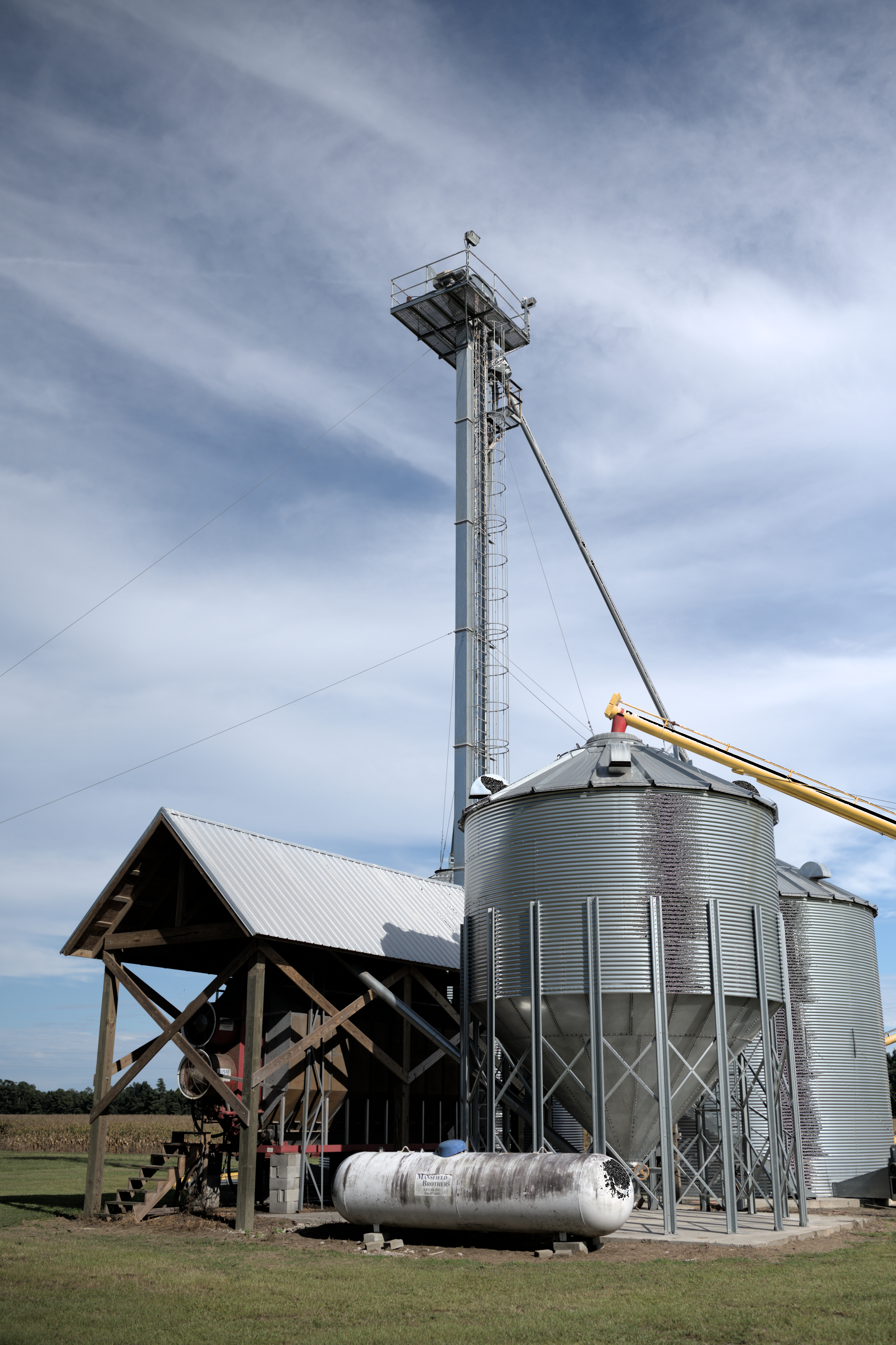
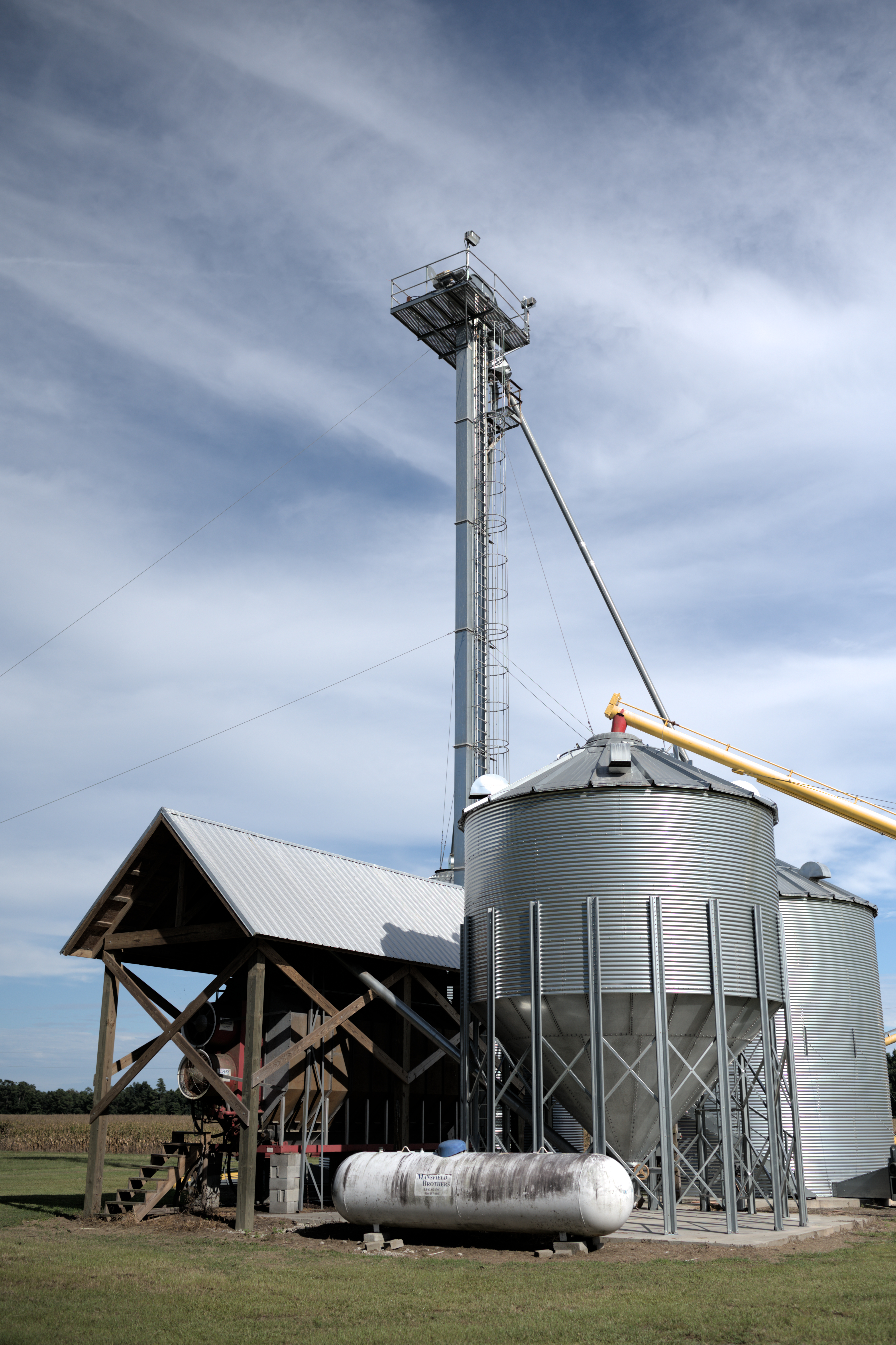
I’ve noticed for a while now that when I push the white and black relative exposure to low values and try to use color zones I get black spot in the (most not all) clipped areas. I’ve noticed this when I auto tune the levels for filmic, which often pushes white relative exposure to a low value. Whats going on when this happens? Is colorzone putting a color where there is no data? It goes away when i compress the white relative exposure.
Just curious more than anything. I can usually adjust filmic enough and it goes away without the photo changing substantially.
I haven’t done anything with these photos besides push decompress (is that the correct term) the white relative exposure and turn on color zones in the top photo and turn off in the bottom photo.
I find the White relative generally faithful and not too bad . Sometimes I drop it a bit or add more to bring in the blown areas… I think your white is just too low and it results in out of bounds values that get plotted as black. This has been commented on before I am sure and I just cant recall where to point you… There may have be a small math correction made to try and avoid it …that is just me now thinking that I also read that … Basically add more white relative and if it goes away that is likely the issue… I am sure other modules might trigger it… something like local contrast might if your white relative was low… what version are you using??
You could also see it the behaviour follows your opencl settings… try with it disabled and see
That may be what I recall some calculations related to the norms and clipping….
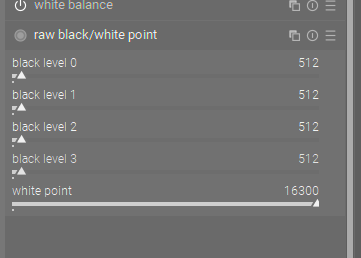
Also lately it seems some cameras have suspicious or in correct raw black and or white values as they are not read in properly …. It seems rare but did come up… you could just check to see what is in your metadata and what DT is using to be sure that the calculations are using the right number…
I wouldn’t be surprised if there were some irregularities. I am useing a Nikon z6ii. Seems to take some time to work the bugs out with new cameras. What numbers should I check to see if the values are the same? And how?
Are you just activating color zones but not making any adjustments or are you doing something in color zones?
Also, the developer of filmic recommends having the black level correction in the exposure module is set to -0.0002 (I believe this is to ensure no negative values are generated). Check this is the case with your images and see if that makes any difference.