Works fine now. Thanks
1 Like
Thank you so much for this plugin. I am completely impressed by the programming of this tool, as well as the documentation in your blog. I believe that is an essential building block that Gimp has lacked.
1 Like
Cool! Sorry for the misdirection earlier…
1 Like
Wow, thanks @Ruanjoma!
Thank you very much
Windows 11 25H2 GIMP v.3.2.4 now works properly!
The site states:
If everything went according to plan, the Layer > Mask > Color Gradation item should appear in the menu…
Correct here:
Colors > Colour grading…

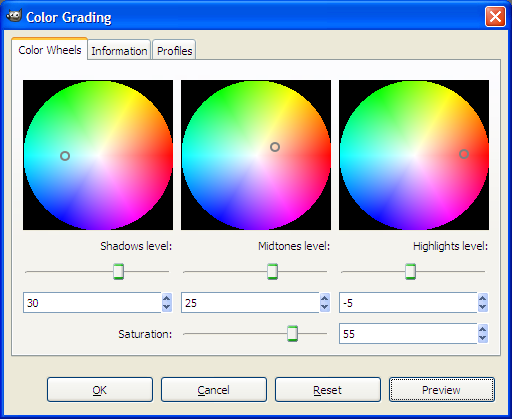
omg, when was that from?
I suppose that to escape communication error, on Windows, GIMP might have become not to use stdout to communicate with its plug-ins except verbose mode .
1 Like
That filter is made by John Lakkas:
1 Like
Just for information about John Lakkas filters:
- version color_grading_cw_v191.py works with Gimp-3.2.4
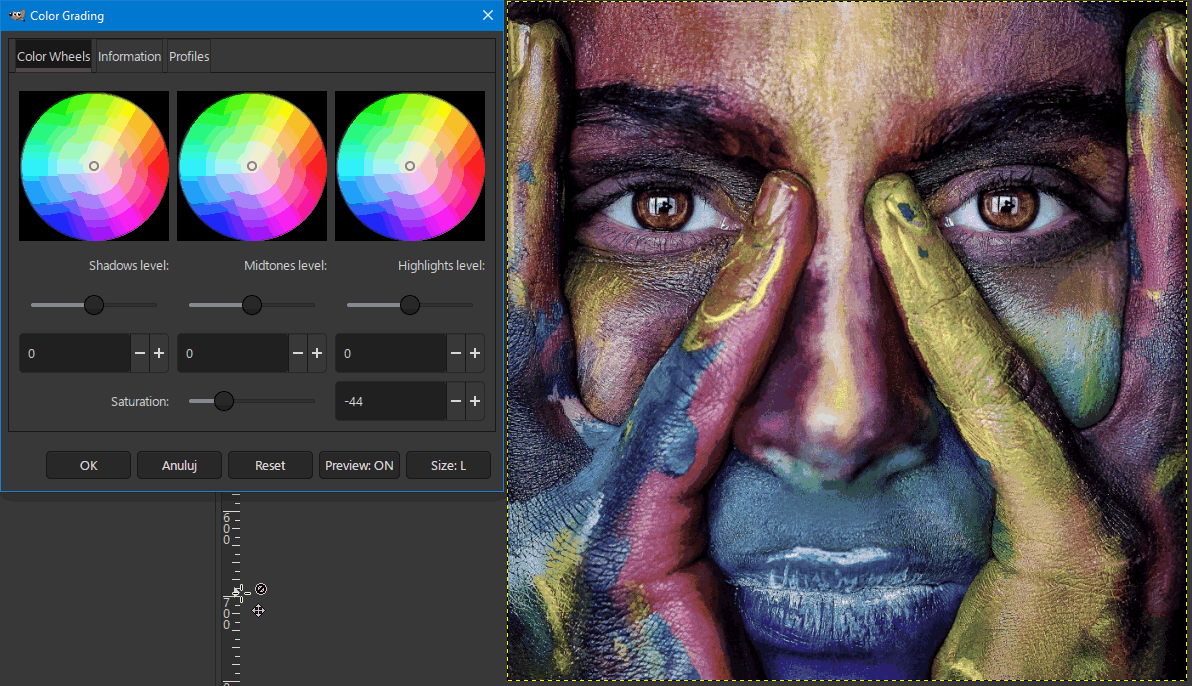
- version color_grading_cw_v174.py works with Gimp-2.10.38.
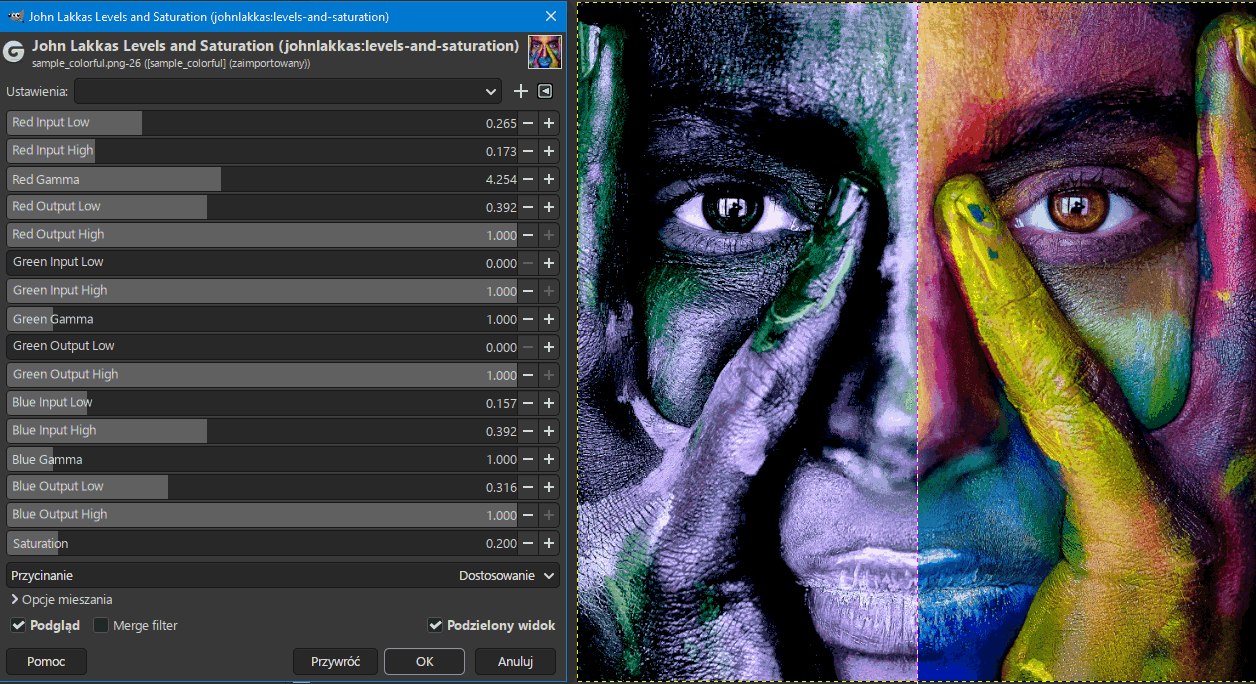
Version 191 also includes the Gegl filter johnlakkas-levels-and-saturation.dll
Thanks for that info @MrQ.
Unfortunately I have serious problems with how John Lakkas has made that plugin available.
The open source community has an opportunity and responsibility. A lot of people are leaving commercial software behind (Adobe, Microsoft, etc). Their reasons range from cost to platform frustration to privacy issues. They’re landing on tools like GIMP. They aren’t software engineers. They’re creative people - photographers, designers, artists - who just want software that works. We need to meet them where they are. That means documentation that treats users as users, not as developers-in-waiting.
I say all this as a developer, software architect, software product manager, consultant, and user with 45 years of experience delivering solutions to end users.
So consider the following as tough love from someone who’s been there, done that, and wants the best for us all.
This color_grading_cw_v191 plugin is a prime example of what not to do.
Yes, it looks interesting.
BUT
The developer includes incomplete, confusing installation instructions spread across multiple text files in the download .zip file. And those instructions (such as they are) are an insurmountable barrier to creative people using the plugin.
Buried in the download is a readme that explains that Windows users can use a bundled .dll. But Linux users must manually build an .so file (what is that?). Then, in another text file not referenced in the readme, are instructions for Linux users that start with:
# The following commands are bash commands to compile in Linux GEGL plugin
# It assumes that C compiler with Meson and Ninja are installed. Also Gimp and Gegl
# sources are installed or can be found.
# Tested in Arch Linux x64 using gimp-3.2.2 and gegl-0.4.70
Asking users — even technical ones — to manually build an .so file without giving people proper instructions on how to do that is just rude. (How are photographers are supposed to know what “C compiler with Meson and Ninja are installed” means?)
This isn’t a minor gap. It’s a fundamental failure of basic product responsibility.
Here’s what’s actually required to build that dependency on Linux:
- Install a C compiler, Meson, and Ninja
- Install GIMP and GEGL development headers (which is not the same as installing GIMP)
- Navigate into the correct subdirectory of the download
- Run meson setup, then ninja
- Copy the resulting .so file to a specific hidden directory path
None of that is in the readme. None of it is referenced anywhere in the download. It just assumes the reader already knows what all of the above means.
For comparison, the Windows build instructions document in the same download is a full terminal session log — hundreds of lines of package manager output — also with no explanation of what any of it means or why it’s there.
Worse, shipping a pre-built .so that works across Linux distributions is genuinely difficult. Binaries built on one distro often won’t load on another due to differences in system libraries and Python versions. That’s exactly why the instructions need to be thorough and clear. The difficulty of that major problem is an argument for better documentation, not less.
Photographers use GIMP. Most of them aren’t software engineers. Even those of us who are engineers shouldn’t be expected to reverse-engineer a dependency build process from a comment block in a text file.
What should the developer have done?
- Acknowledge upfront, clearly, that Linux requires a manual build step and explain why.
- Provide a shell script that automates the build and install, handling the common distros.
- Write a proper step-by-step guide that explains every prerequisite, every command, and what each one does — in plain language, not developer shorthand.
- Put all of that in a single, clearly worded, complete instructional text where the plugin download link is located so people know what they’re getting into before they download … not scattered across multiple readme/text files in subfolders in a .zip file.
Distributing software to end users comes with an obligation to make their lives easy and not make them feel stupid for not understanding instructions. That obligation is not met by dumping a build log and a comment block and calling it documentation.
I know how time consuming and laborious writing proper documentation can be. I’ve done it for decades and continue to do it whenever I release something. Nevertheless, aside from being the right, courteous thing to do, I usually find it helpful. It puts me in the end-user’s shoes and reveals opportunities for me to do better or differently.
The open source ecosystem is at an inflection point. New users are arriving who have never compiled anything in their lives and should never have to. The bar for documentation, installation, and user experience needs to rise to match that reality. We all need to do better. And that starts with treating every person who downloads our software as someone whose time and patience deserves respect.
2 Likes
and very well documented on your blog.
…but in english only with a text that can’t be selected to be translated by a suitable website…
@alex666 - Rude!
Your browser should be able to translate it for you. Or you can add a plugin to do that. I have my browser translate sites for me all the time.
Thanks. I know the quality of the translations provided by web browsers.
Hello,
I’m sorry to have to respond this way, but I find your reaction disrespectful toward the work the author has done and shared.
Especially since you’re posting on an English-language forum and all you have to do is save it as a PDF and then easily translate it using DeepL or another tool.
It would be much nicer if you shared your translation…
P.S. I am a French speaker myself; as a Belgian, my second language is Dutch, and my English leaves much to be desired.
Greetings from the Luberon, 
Christian
2 Likes
Thank you @Christian-B 
Without disparaging the work the author has done in making the new plug-in available, I just wanted to remind you:
Once upon a time, long ago 03-06-2023, I published here a guide published 01-03-2021, but in Polish, which one of the participants translated into English.
It concerned the possibility of developing an image in L-a-b space.
GIMP - image correction in the LAB space .pdf
pixls-discuss.s3.dualstack.us-east-1.amazonaws.com
a0c4df74841d8cd9c9d13e1e6ef92bb221102d3d.pdf
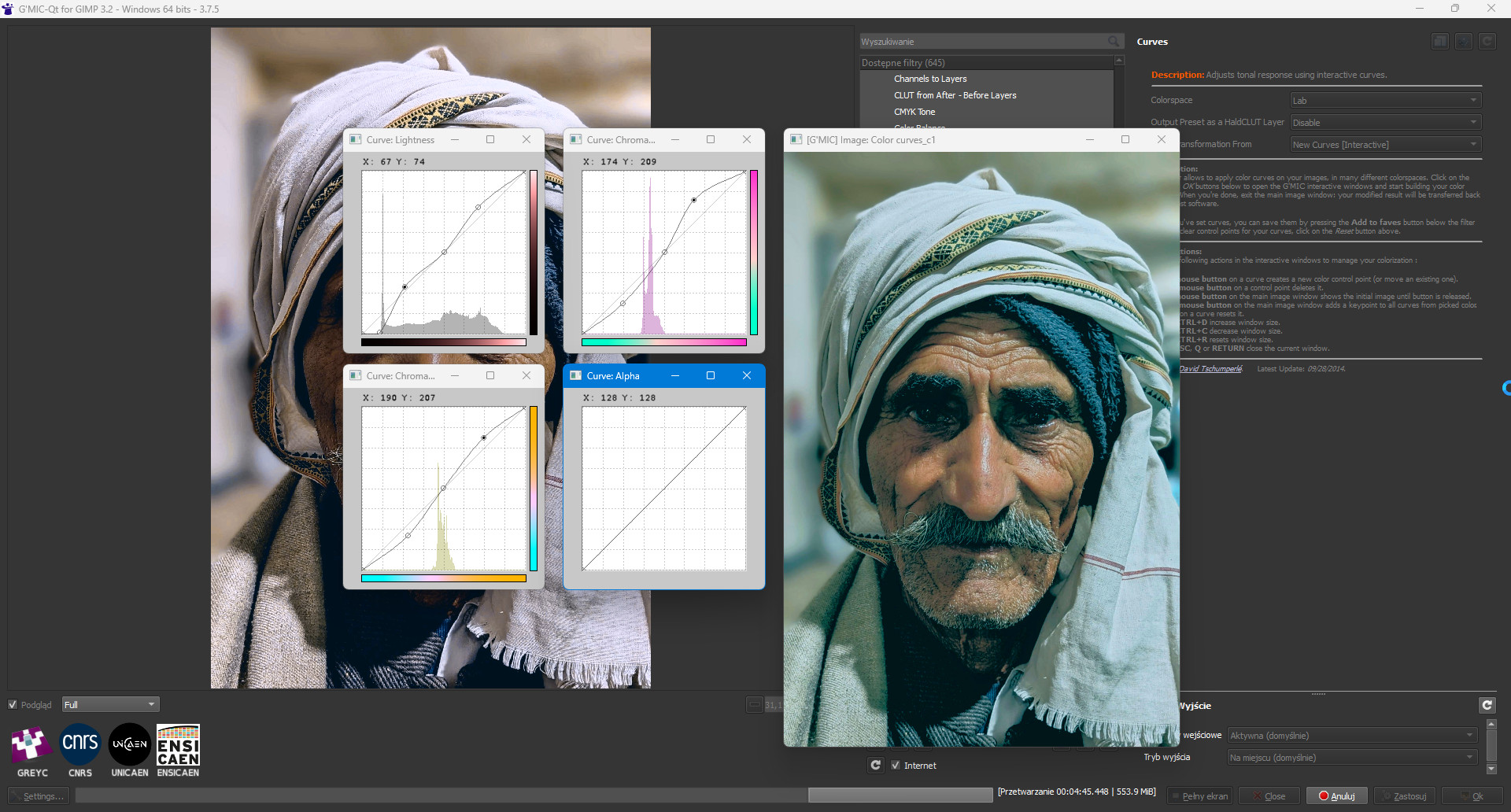
I described in detail the author’s plug-in: David Tschumperlé Latest Update: 09-28-2014r how to use the G`MIC plug-in, which provides a great interactive way to highlight colors in LAB space in order to (Color Grading). It still works correctly today in both GIMP 2.10 and GIMP 3.2.4.