Thanks @Doug-Phoenix for the help here. I was using clipping indicator in its default mode for clipping-preview-mode=full-gamut. I can see setting it to “Luminance only” can help us push saturation hard without worrying about clippings. Thanks for the suggestion and advice. Also thanks for sharing getting started guide.
1 Like
Never worry about clippings is my suggestion. Photography is about looks and not histograms, numbers and graphs. My background was film photography before digital. In a black and white image we would often try and record to the darkest pixels as black in printing and the lightest pixels as white to maximise the contrast range without lossing details. This tended to produce the best prints. We didn’t want muddy blacks or muddy whites which were just shades of grey. So in digital terms I was clipping my extreme values to get the best black and the best white.
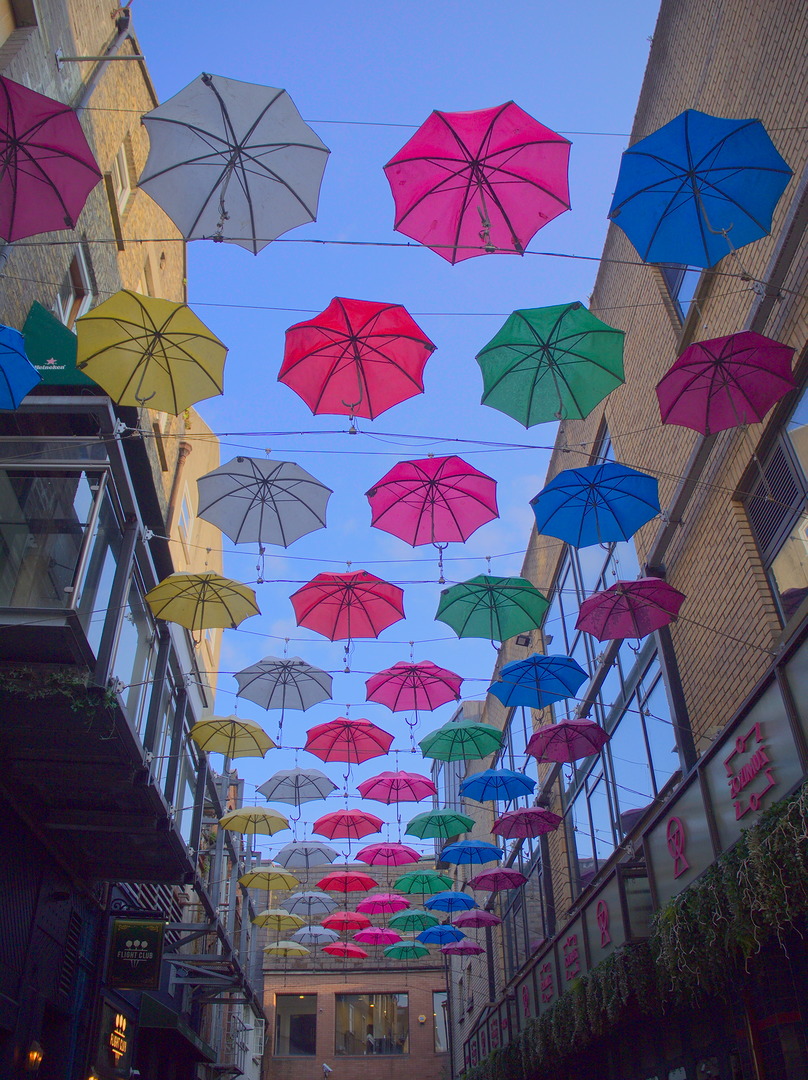
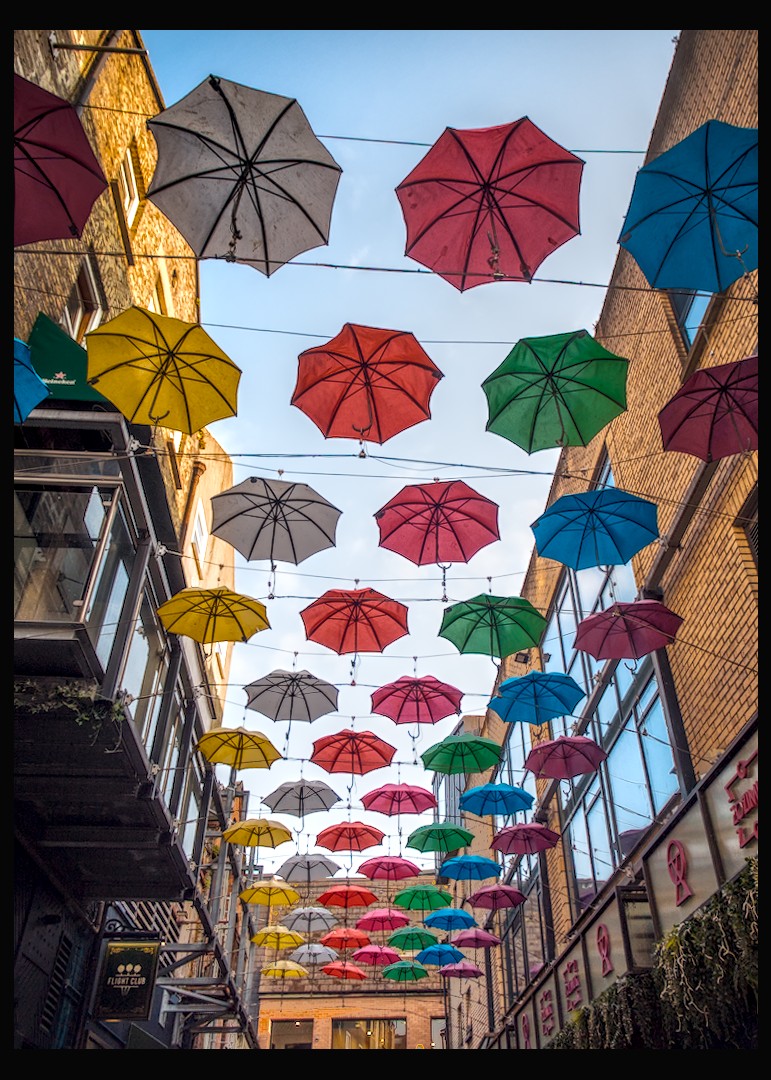
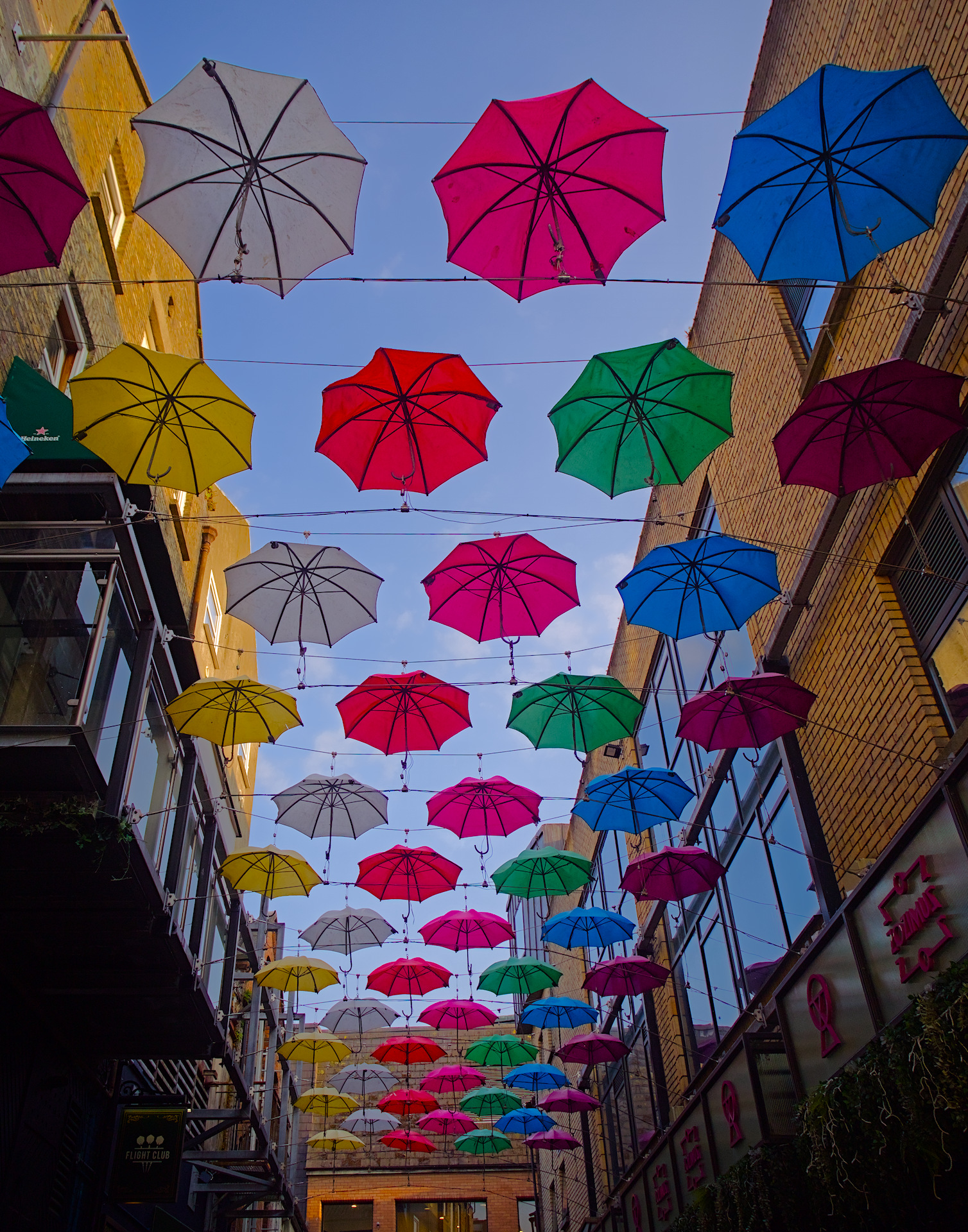
In the umbrella shot I was happy to brighten the sky to the point where it was clipped to white to just focus on the umbrellas. The dark shadows of the building then added rich contrast to the edit.
Just for the heck of it. Here is a new edit where I have activated the clipping indicator and used the paint by number approach of editing without clipping luminance. So which do you prefer? For myself I will take the first edit I did and not care about clipping. Shadows are meant to be dark and highlights are meant to be light as in my first edit.
The only clipping indicator I do use is the raw overexposure clipping indicator to try and pick the best image to edit from a series of bracketed exposures.
P6100017.ORF.xmp (17.8 KB)

2 Likes
Just FYI
4 Likes
Hey @fwdrive welcome… nice dt edit…
Just a friendly heads up… for next time, I wonder if you have you seen this: [Friendly reminder] Limit JPEGs to full HD resolution 1920x1080 pixels! Try for less than 1mb (although I have to say there are a few other uploads here a bit larger  )
)
2 Likes
P6100017.ORF.xmp (27,0 KB)
5 Likes
4 Likes