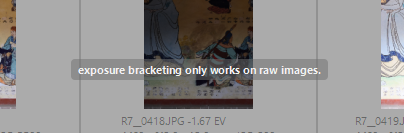
I’m currently experimenting with HDR photography on Darktable. So far, I have no problems combining .cr2 files, but when I try to do the same with the .dng files I take with my Google Pixel 8a phone, the resulting DNG HDR file appears completely dark, as if it doesn’t retain any pixel information.
Do you know how can I troubleshoot this, so I can help fixing this issue?
I can’t help with your question sorry. But I am interested that you are doing HDR from CR2 files in DT. When I have tried HDR merges in DT previously I got woeful results and abandoned the idea. I would be interested in seeing a good result.
For me I find that with my CR3 files that picking a single exposure that is ETTR without clipping the highlights gives a better result than any HDR merge using DT or any program. HDR for me was important with JPG images but I find less so with RAW. That is why I am interested in the results you are achieving.
I hope someone can answer your question for you and welcome to the community.
Are your Google Pixel 8a phone raw files supported by Darktable? I have the same problem with Apple Raw files. What happens if you use the Adobe DNG convertor?
Yes, I can open and edit the Google Pixel 8a RAW files with no problem. The problem arises when combining three of them for HDR merging.
I cannot test Adobe DNG Converter right now.
I just had a play around with some bracketed night scene shots I took. Where the HDR looked promising was with noise reduction more so than the exposures for my images. I might revisit the idea of merging to reduce noise.