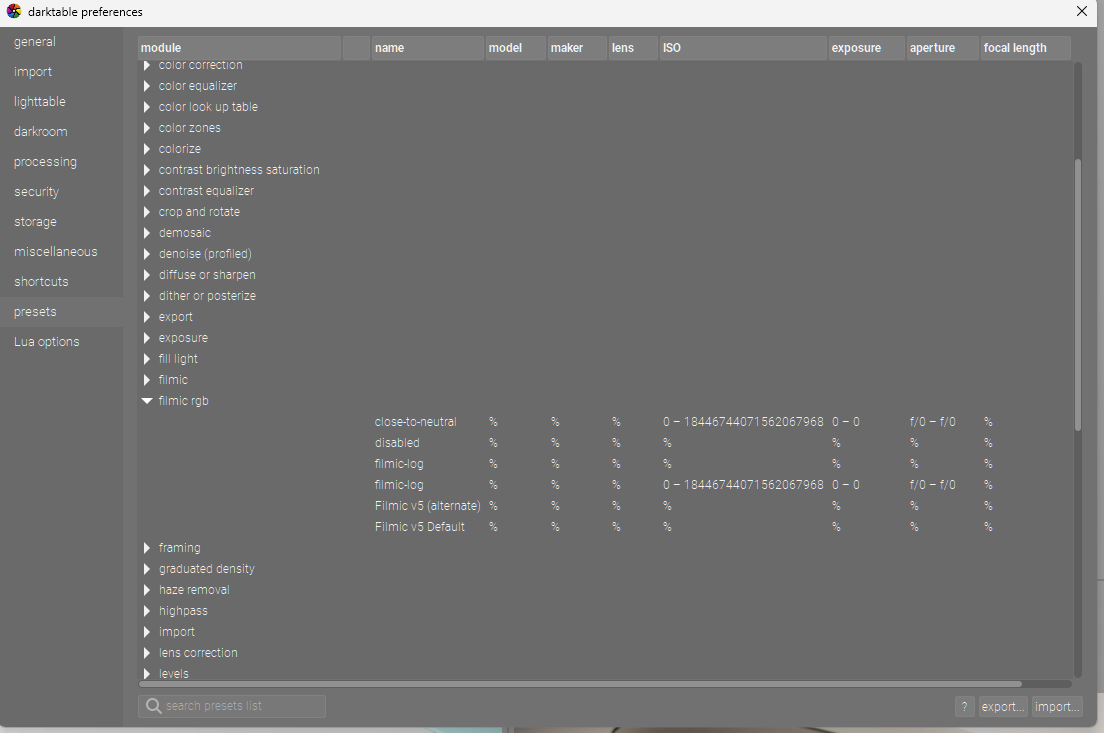
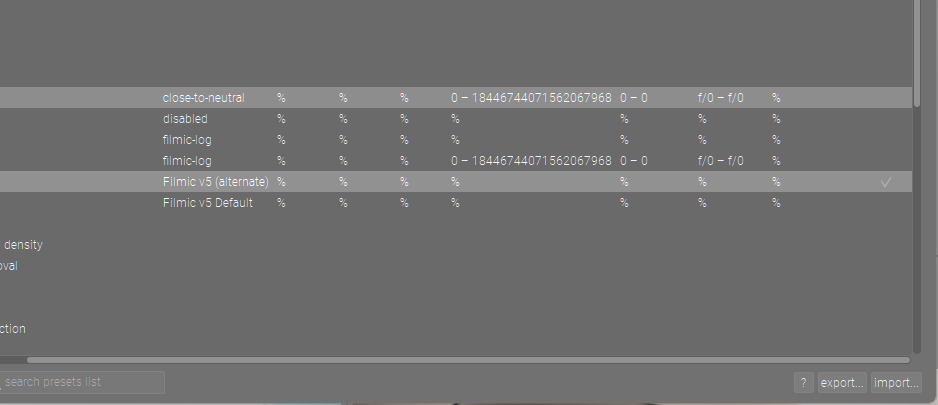
See bottom left just above import button… if I don’t scroll over I can’t see the check mark and I had somehow landed on having two different presets autoapplied but I was not seeing it… scrolling over a bit showed the presets selected for auto application… it was being hidden… that explained what I was seeing…not sure how I landed there unless I was late night experimenting and forgot to revert something…
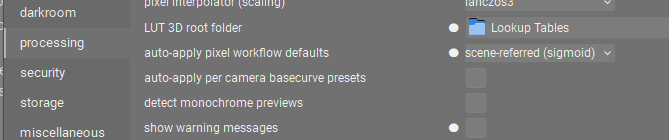
I think you have some autopreset maybe. If I understand from what you just said above you have selected to have the processing workflow to be scene referred sigmoid or filmic…there are two options…which did you pick???.. Which ever one you pick will by default apply that module… If you don’t want that you have to set it to none…and none will default the masks default blend mode rgb displayed which is what you are seeing …so in a way if you are not getting sigmoid or filmic by default and your masks are in display blend it appears that your processing is using none…which would also use legacy wb… is that where you are at??
It turns out that I was mistaken. It is my own work flow that made me think I do not have either filmic or sigmoid when I first open an image file.
filmic is automatically activated on a new image, but I always “start from scratch” by clicking “display encoding” in the history and then the “compress history stack” button. So filmic (and several other modules) is then gone and that is where I start performing my edits. It may be stupid, but that’s how I do it.
You can auto apply a module deactivated so you could do that with filmic or even both filmic and sigmoid and then just toggle on one or the other or go back and forth at some point during your edit… but you seem to have it set the way you like… If you are getting filmic then you do have one of the scene referred processing settings set so your masking should default to scene-referred where its appropriate…
Since I always create a system image backup when things are working properly, I was able to restore back to release 4.7.0+501~ga4415afa73. Both filmic and sigmoid are now deactivated by default which allows me to choose which module to use.
I can’t say for sure if the release (619) which I installed yesterday, broke the default settings or not. I’m just happy to have things back the way I want them (Processing> Scene-referred (sigmoid))
All good but still not working right unless you also have autoapplied them deactivated…
Unless I missed a change and I am certain not in this regard… If you have selected a scene referred processing workflow… one of the two should be activated…
When you say deactivated do you mean not applied at all or applied but as deactivated… The former would imply that you have the workflow set to none and the latter would imply that you have autopresets applying the modules deactivated…
Basically if you go to original in the history stack and compress are you saying no filmic or sigmoid or both but deactivated…
This gets back to the masking as when you set it to none or display referred you will get display referred masking options by default and if a different setting ie one of the two scene referred workflows then you get the scene maskings as the default when you initiate a mask…
Clear now… that is basically my set-up as well I just managed at some point recently to have two deactivated filmic instances coming up and I couldn’t understand why as I didn’t recall setting 2 of them and I wasn’t noticing the checkmarks due to my little scroll issue noted above… Once I noticed that I was able to correct it. I figured maybe Tim was seeing some version of that for some reason as well or maybe with a deactivated rgb color balance instance set to display masking… Thanks for taking the time to elaborate and confirm…
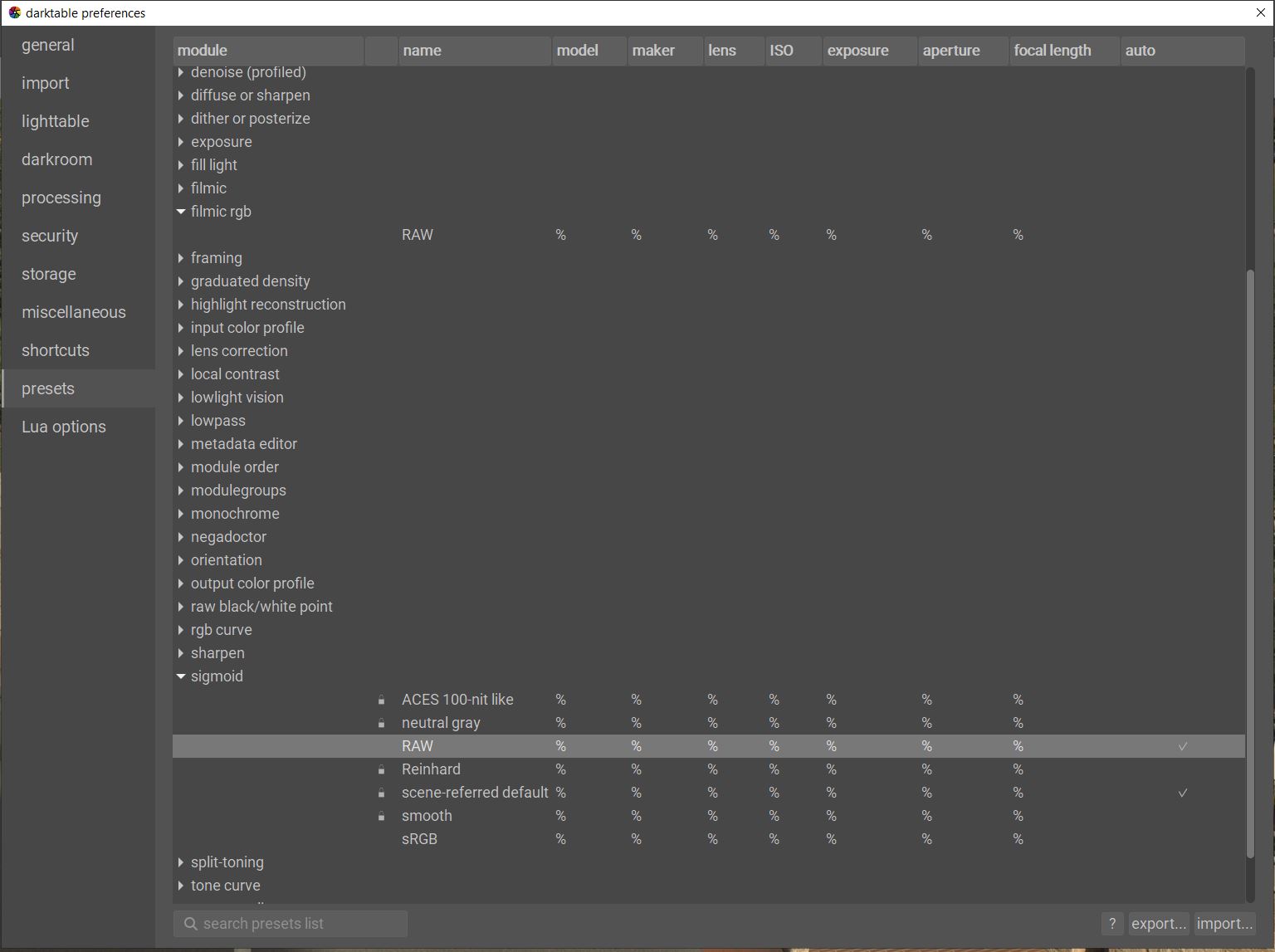
Regarding those check marks in the preferences>presets, here is what I have. When looking at the image remember that I am using sigmoid as my processing default. Whenever I create a default preset specific to a RAW file I name the preset “RAW”