I finally got to play with the branch on my linux laptop. I’m hooked. Especially for black and white image with fine structures such as water droplets on flowers or fine wood textures. I hope it will find its way into the main branch
2 Likes
I do like the chosen name but realized today, that, coming from contrast management, @Christian-B will now be Contrast Man to me.
3 Likes
Hello,
First of all, thank you very much for your feedback.
I’ve been a little less active on the forum these last few days, as I’ve been busy testing everything thoroughly. I found bugs and inconsistencies in the GPU and OpenCL parts. The whole pyramid part simply wasn’t working.
I had to make the decision to remove the OpenCL part. Honestly, I underestimated the difficulty of implementing the guided mask (EIGF) in OpenCL. If anyone has a suggestion, I’m all ears.
I renamed the module “contrast & texture.”
Here is the new version for all operating systems: AppImage, macOS, and Windows…
https://drive.google.com/drive/folders/1FmpmIxhGIf3pC7mwPuITMbsnXXuCrlAg?usp=drive_link
Greetings from Luberon,
Christian
9 Likes
Thanks for the update, Christian!
This may be an unworkable suggestion since I don’t know the structure of the module. As for how to implement EIGF, this is a prompt engineering suggestion rather than a coding suggestion, but is this part of the implementation the same as in tone equalizer? If so, could you prompt an LLM to port EIGF masking without making any changes but with a dummy operation like changing the image pixels to a repeating pattern? Then after testing consistency between the CPU and GPU implementations, add the pyramidal contrast code.
ONE BIG THANK YOU TO @Christian-B
For the creating this module. I have been testing it on linux in Virtualbox. Additionally you build also for osx_86. Yes, you did not forgot me. 
I will continue to test on both platforms, and report back.
Thank you again.
This version is adding a scene referred base curve to the pixel pipe by default. I don’t recall this happening with your earlier Windows uploads.
1 Like
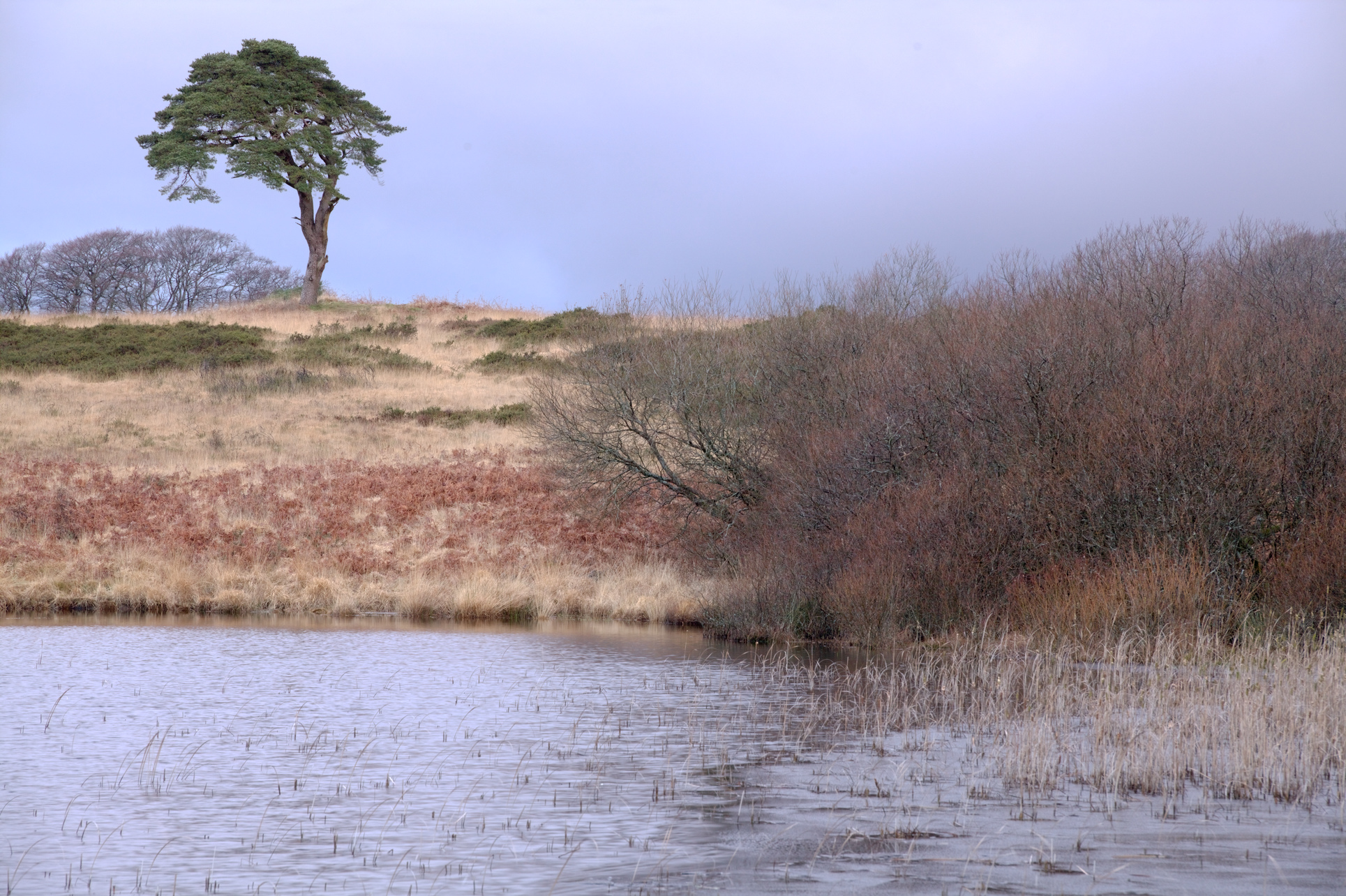
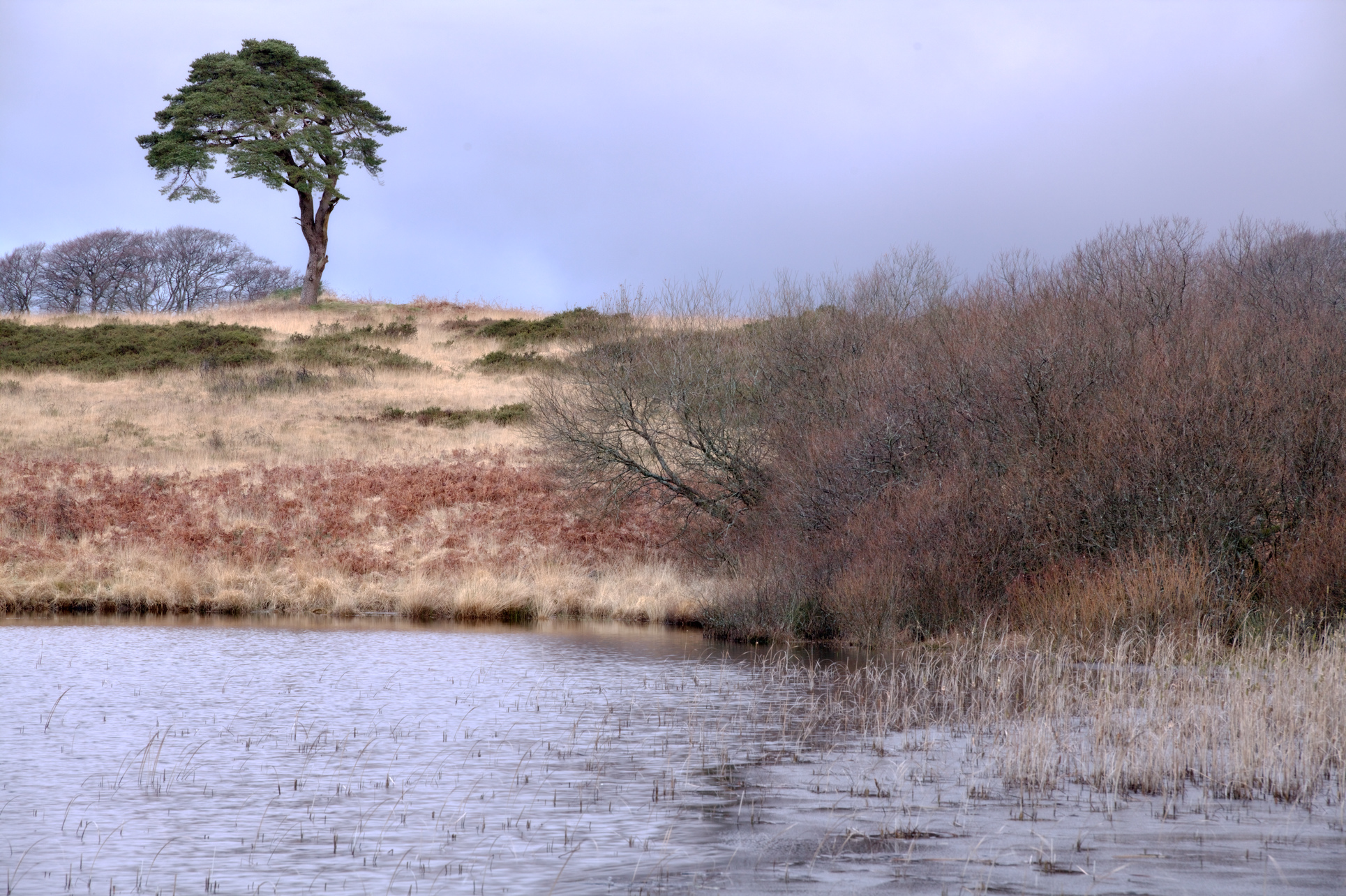
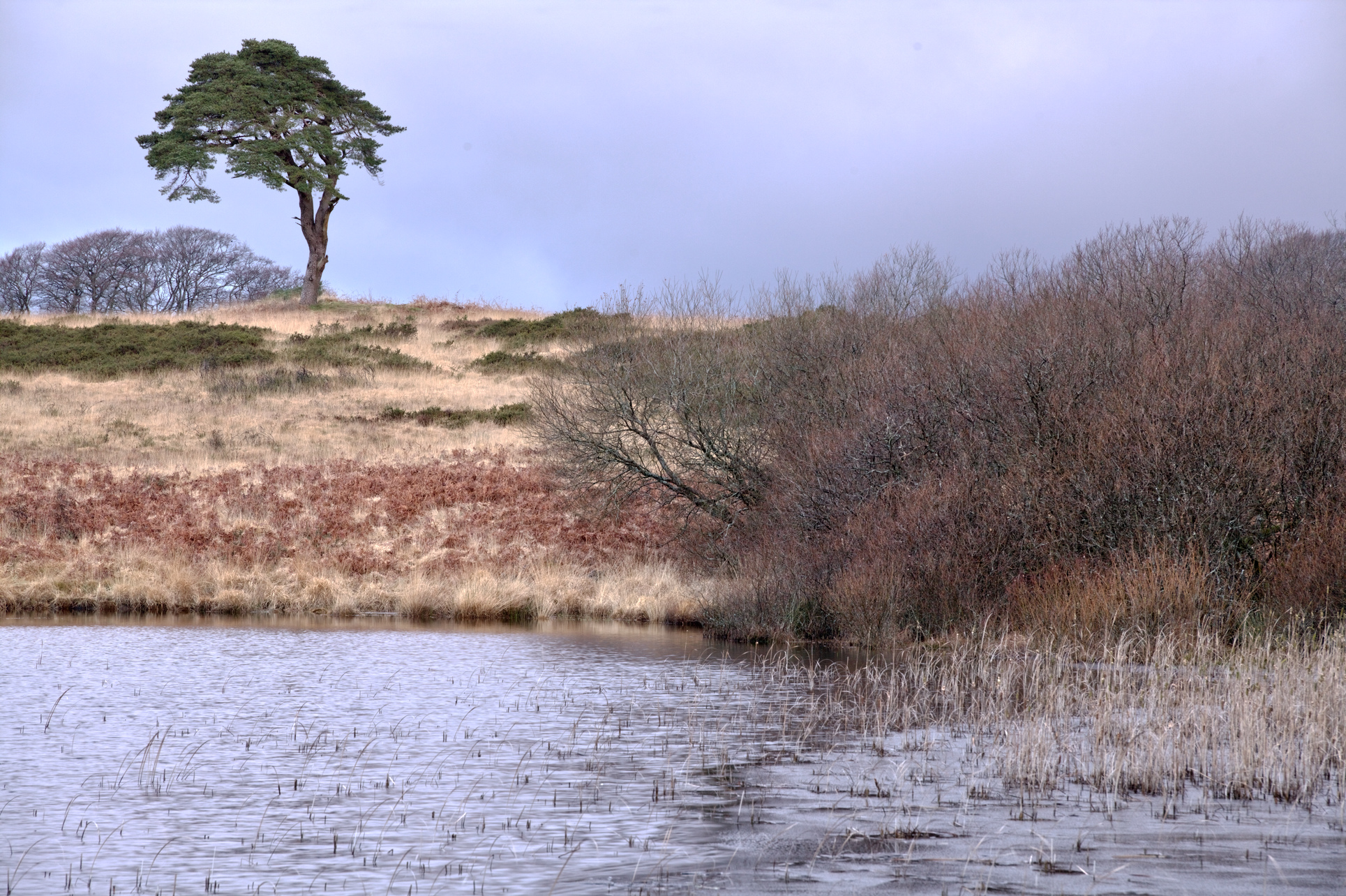
Ah, I was thinking this latest build might fix the problem of overlap between the 5 scales, but it doesn’t. Contrast Eq and DorS can focus just on the larger scale(s).
Straight (neither contrast and text nor contrast eq) -
Contrast Eq -
Contrast and Texture (60% Extended Contrast) -
Looks like a bug…there is a new addition in preferences for a sr base curve and that setting works…just the sr base curve is applied but the other workflows are getting the specified tonemapper say filmic plus the basecurve…likely just a tweak in the code needed here…
2 Likes
On my osx_86 , OpenCL is on and do not see any issues. So do you mean the modules does not behave as it should, and I must manually turn off the OpenCL for the module to work correctly?
1 Like
It means the code is not GPU accelerated and runs on the CPU, which is slower. You don’t really need to do anything in particular, it’s all automatic
2 Likes
While some overlap is to be expected, I think it’s important that extended/broad contrast should not be working on fine details. I certainly want the ability to only adjust coarse details.
@Christian-B, can you confirm that we should be able to somewhat isolate each level of the pyramid and overlap can be restricted to just one tier either side?
2 Likes
hello,
The scales are mathematically independent but physically interdependent!
Each scale is calculated independently from the same source, but their corrections combine on each pixel. As the rays overlap, the same detail contributes to several scales at once.
It is this structural interdependence that ensures smooth transitions and protects against artifacts, even with extreme settings.
You can compare it to the tone equalizer, which is based on the same philosophy, the luminance bands intentionally overlap to avoid visual discontinuities at the junction of the bands.
My goal is certainly not to reproduce what already exists. Contrast equalizer and DorS have different approaches.
Is interdependence a problem in practice? No, because the contribution of a large scale to fine detail is naturally attenuated by the EIGF filter and the difference in radius. In addition, you can give a negative value to fine detail to counterbalance the effect.
Greetings from Luberon,
Christian
1 Like
This is by design, not a bug.
Ok, so this sounds like it amounts to the same as what I was asking. It’s been a while since I tested the module, so I should go back to it and give it another try.
But if you can counterbalance the effect on other detail levels, then this might essentially perform a similar function to what I and @RawConvert were wondering.
A feature I use all the time in Contrast Equalizer is to just move the far-left node, which works on the coarse detail only. It increases texture on a broad scale while leaving fine details alone, which stops the image from getting too crunchy.
Ditto. I also raise the luma curve at the coarse end very slightly on a regular basis. It does create a very subtle effect.
It was interesting to try and answer the query by @europlatus I ran the module code throught our corporate copilot/chatgpt portal. It noted that your spacing on the pyramid was linear and not exponential…was there a reason you chose that?? Also it noted that your code favoured being edge aware with the guided filter vs true scale separation that you would get with other approaches… I prompted if there was a way to get the best of both worlds and it proposed some local laplacian curve that was a hybrid of your approach… sadly I am not a coder so the merits of any of it might be beyond me but I’ll share if with you off line as it is AI slop  I guess but just incase any of the suggestions might actually be of use…
4 Likes
I really don’t want you to get too discouraged by any of our feedback and comments, but I just thought I should highlight your above comment in light of recent discussions on module proliferation.
Maybe it would be a worthwhile endeavour to see if this new module could replace an existing one. Much as I welcome a new tool that does things differently, I’d rather not be in a position where I still need to use 2 or 3 other local contrast modules to get all the functionality I want.
Plus, there was some work being done by @Wilecoyote and @jandren on local contrast, which I don’t want to discourage either. But it does raise the possibility of even more local contrast modules, each one doing something slightly different. Just food for thought.
The implemented method is not a pyramid filter like the local laplacians or wavelets.
Each filter is calculated independently by running 5 edge aware high pass filters in parallel. Thats why you can tune the filter size of each level in contrast to a wavelets that doubles in size for each level. The end effect is that you need to manually reduce higher frequencies to form a band pass filter.
Im still not convinced its worth the extra ui and code complexity compared to just manually duplicate the module one or two times. Would love to see some good arguments for the multiple internal instances. Or making it more wavelet like with band pass behavior and more rigours scaling of the filter sizes.
5 Likes
The pyramid is built around local contrast with extremely simple mathematics.
  // The multipliers determine how the base epsilon for the guided filter is scaled for each detail level.
 d->f_mult_micro     = p->f_mult_micro * 0.50f;
  d->f_mult_fine     = p->f_mult_fine * 0.75f;
  d->f_mult_local    = p->f_mult_local * 1.0f;
  d->f_mult_broad    = p->f_mult_broad * 1.50f;
  d->f_mult_extended = p->f_mult_extended * 2.00f;

  // The multipliers determine how the blending parameter maps to the radius for each scale.
  d->s_mult_micro    = p->blending * 0.25f;
  d->s_mult_fine     = p->blending * 0.50f;
  d->s_mult_local    = p->blending;
  d->s_mult_broad    = p->blending * 1.85f;
  d->s_mult_extended = p->blending * 3.00f;
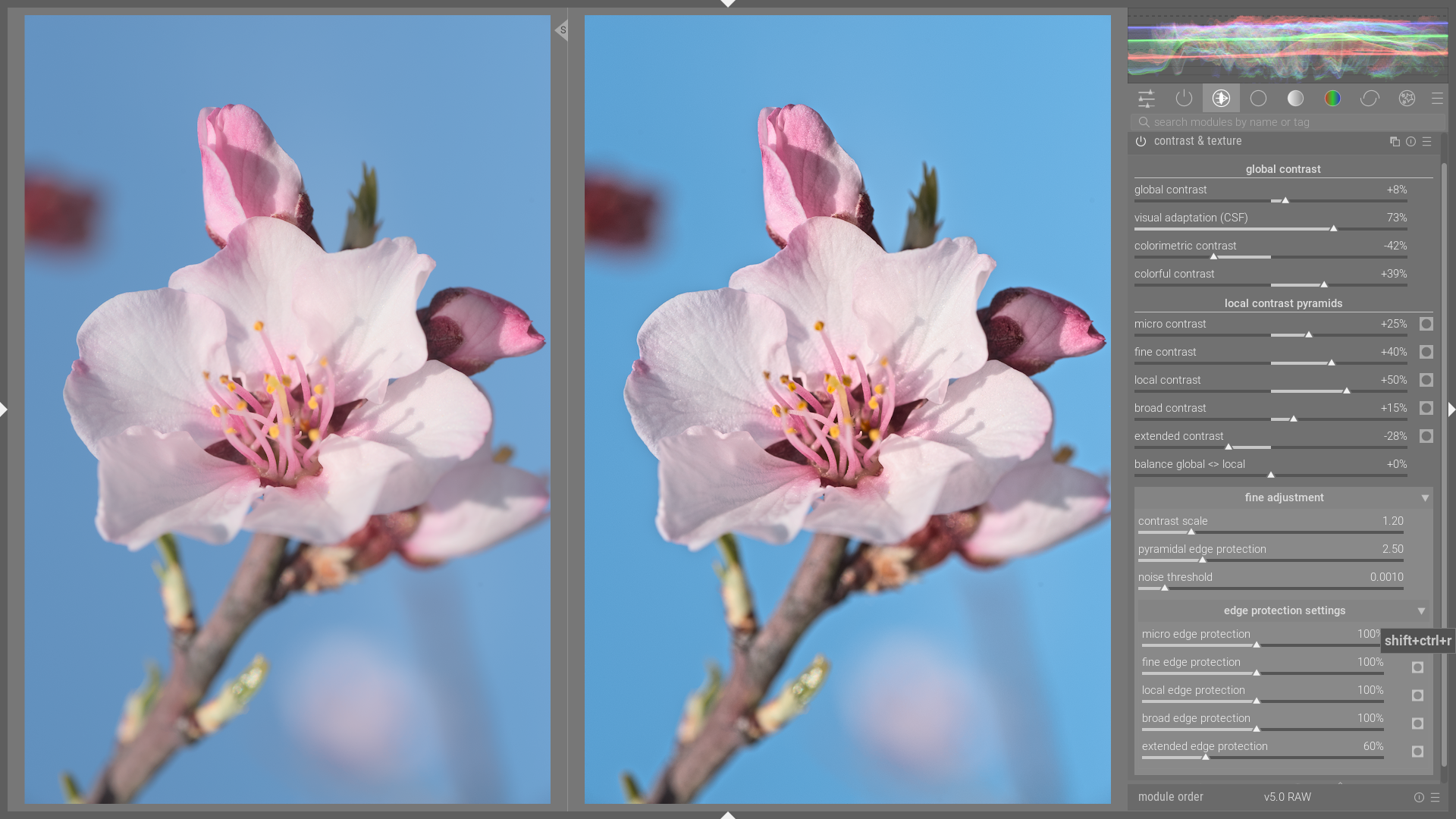
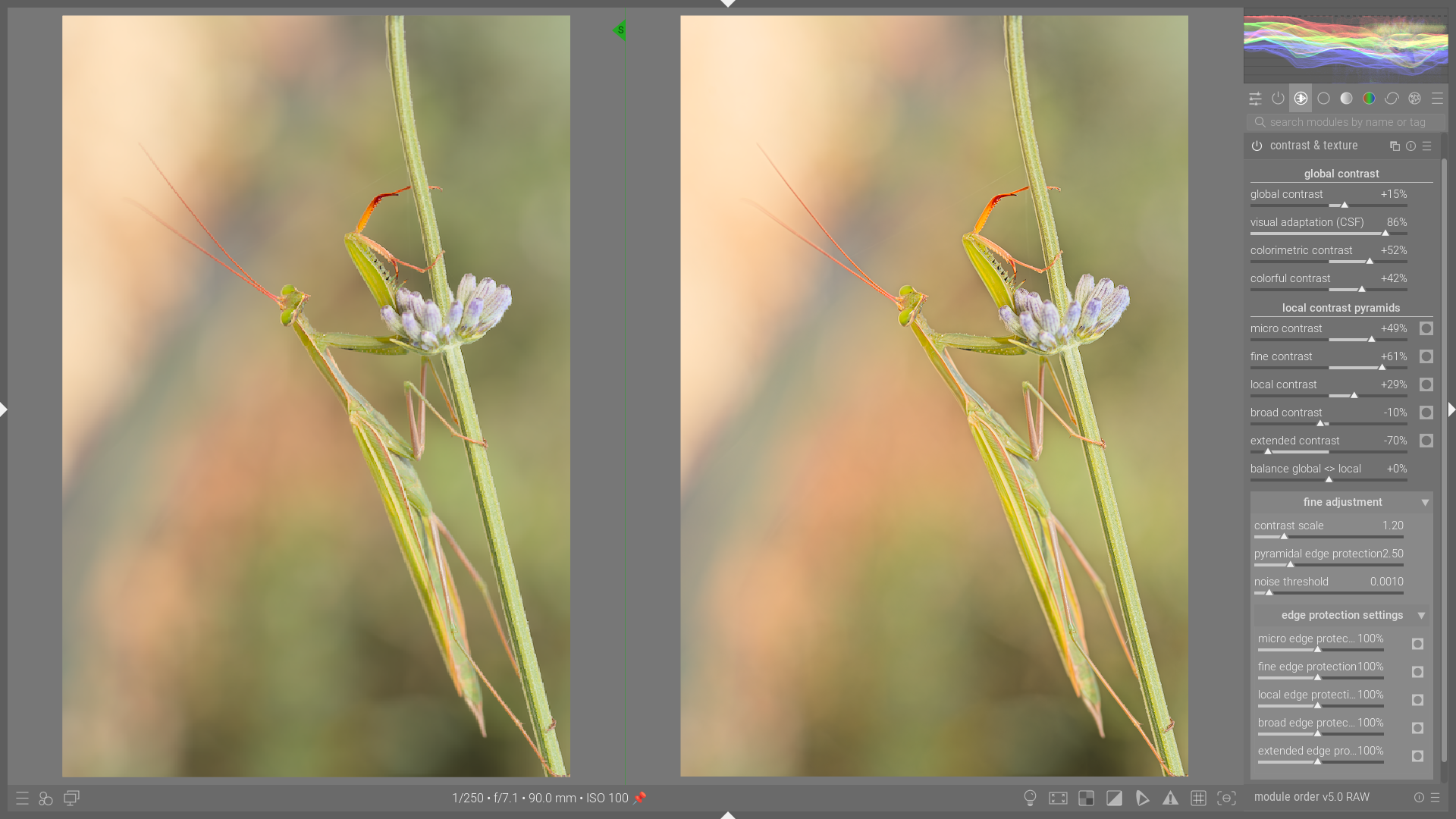
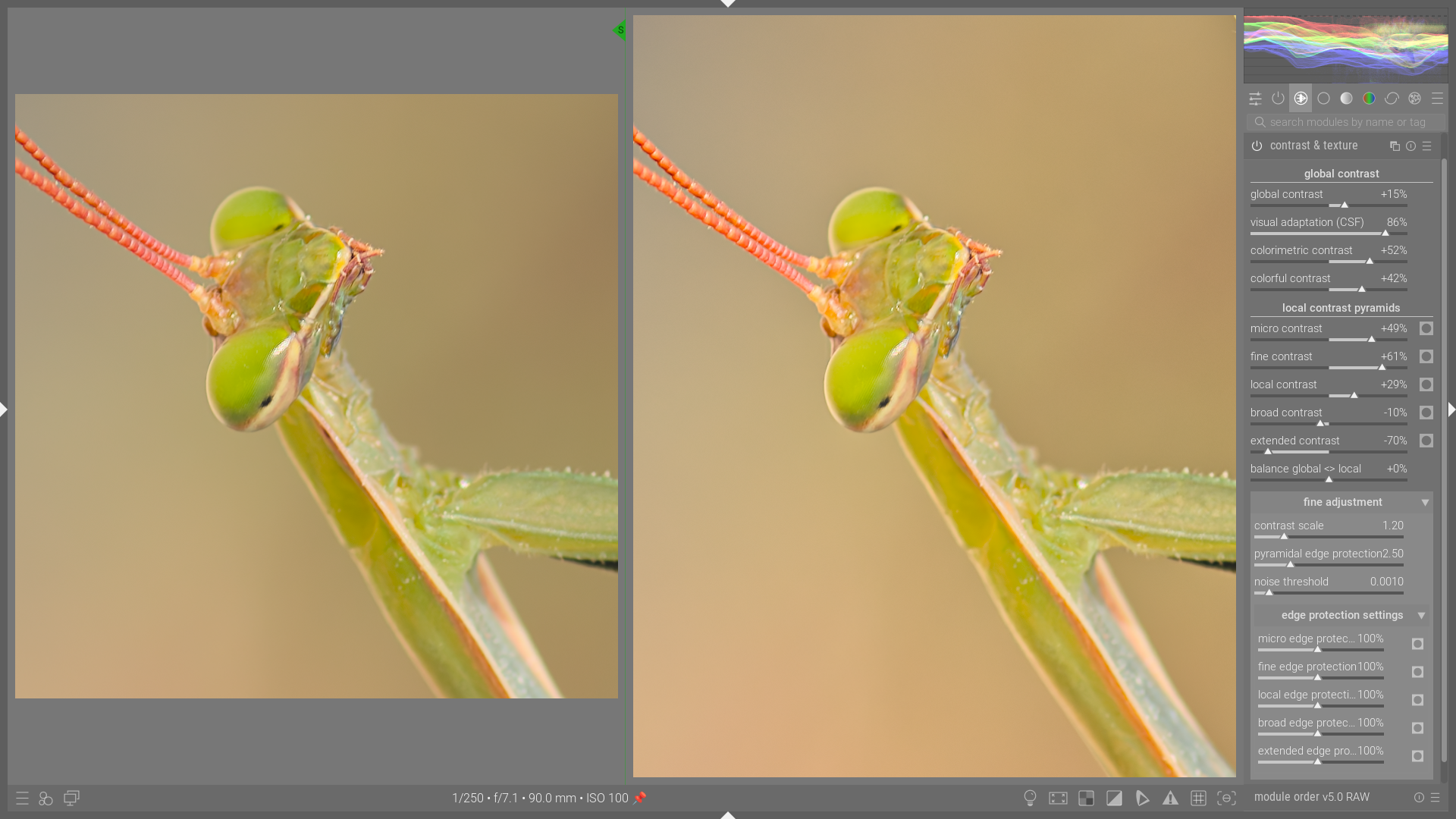
The purpose of this module is to simultaneously control all contrast levels in order to model, add texture, and give the image a sense of depth. The results obtained are exactly what I was looking for. As far as I’m concerned, this module does exactly what it’s supposed to do.
Here are a few examples illustrating what can be achieved.
These are examples with just basic tone mapping settings, a little vibrance (the image on the left), and the contrast & texture module.

8 Likes
I feel that you have created a fantastic module Christian. I love the way that it currently works, and I personally find it far more intuitive to use than existing modules.
4 Likes