I chanced to try and open an older (2021) filmstrip and found that my system
stalled during the loading time and then crashed. I am not having problems
with other filmstrips.
When I open the folder in the file manager everything appears to be normal except that it does have a mixture of RAF and DNG files.
The following is the pre crash data from a ‘darktable -d all’, which I tried
to try and find the cause … can anyb0ody suggest a solution. Should I for
instance simply remove the folder and rebuild it?
There is nothing of great importance on the roll, so one solution may be for
me to trash the sidefiles through the file manager … would this be a problem
for the db?
Terminal info:
35.6518 [pixelpipe_process_on_CPU] [thumbnail] diffuse or
sharpen ( 0/ 0) 168x 225 scale=0.0693 → ( 0/ 0) 168x 225
scale=0.0693
35.6558 [blend with form on CPU] [thumbnail] diffuse or
sharpen ( 0/ 0) 168x 225 scale=0.0693 → ( 0/ 0) 168x 225
scale=0.0693
35.6559 [refine_detail_mask on CPU] [thumbnail] diffuse or
sharpen ( 0/ 0) 168x 225 scale=0.0693 → ( 0/ 0) 168x 225
scale=0.0693
35.6596 [opencl memory] device 0: 82300740 bytes (78.5 MB) in use
35.6599 [opencl memory] device 0: 43152072 bytes (41.2 MB) in use
35.6602 [opencl memory] device 0: 4003404 bytes (3.8 MB) in use
35.6604 [distort detail mask] [thumbnail] diffuse or
sharpen (3636/2764) 3637x2691 scale=1.0000
35.6617 [lighttable] expose took 0.0000 sec
35.6620 [add_job] 12 | 35.6620 load image 34782 mip 1 | queue: 1 |
priority: 0 35.6620
35.6621 [add_job] found job already in queue: 35.6621 load image
34782 mip 1 | queue: 1 | priority: 4 35.6621
Segmentation fault (core dumped)
[david@david-W530 ~]$
Older edits done on some version of the master branch might not be supported. I haven’t had that happen for a long time but I went back some time ago to some edits I did in 2020 or 2021 some time and they were corrupt… this may also not have anything to do with it but if you were to copy an xmp or two and try it on a test image and things choke maybe that is part of it… its rare but some old edits do fail…
I wouldnt delete them, but move them to another directory. if the problem is resolved, then one of the xmp files is the issue. I would ad them back a few at a time to try and find the culprit.
And just copy all your xmp files to a temp directory for that folder and then delete them in the original folder…
I could be wrong but then when you import them again it should flag the difference between the database and you could keep the database edits … I guess I could try to do this with a file and see if the logic works…but if your database is corrupted for these entries then I guess that wont’ help…
In any case as long as you have the xmp copied you can put them back…
EDIT
I tried it both ways and it didn’t matter the database has priority so the edit are still there and applied which makes me think that likely the xmp are not the issue but the database…
@AdmFubar was referring to moving the xmp files, using your file manager, as a reversible alternative to deleting them, nothing to do with the image files.
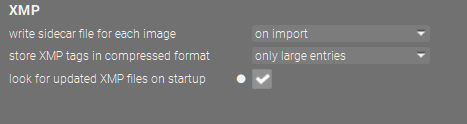
I finally removed all of the xmp files using the file-manager.(From RAW and DNG)
I then opened dt again and found that the failure still occurred. From this I assumed that something in the database (that had not changed) was corrupted.
As a next step I remover the (small number of) dng files taken with my phone. After this the remaining files did open correctly.
I will import the dng files into a new folder. Fortunately none of the images are critical in any way.
Problem … sort of … solved