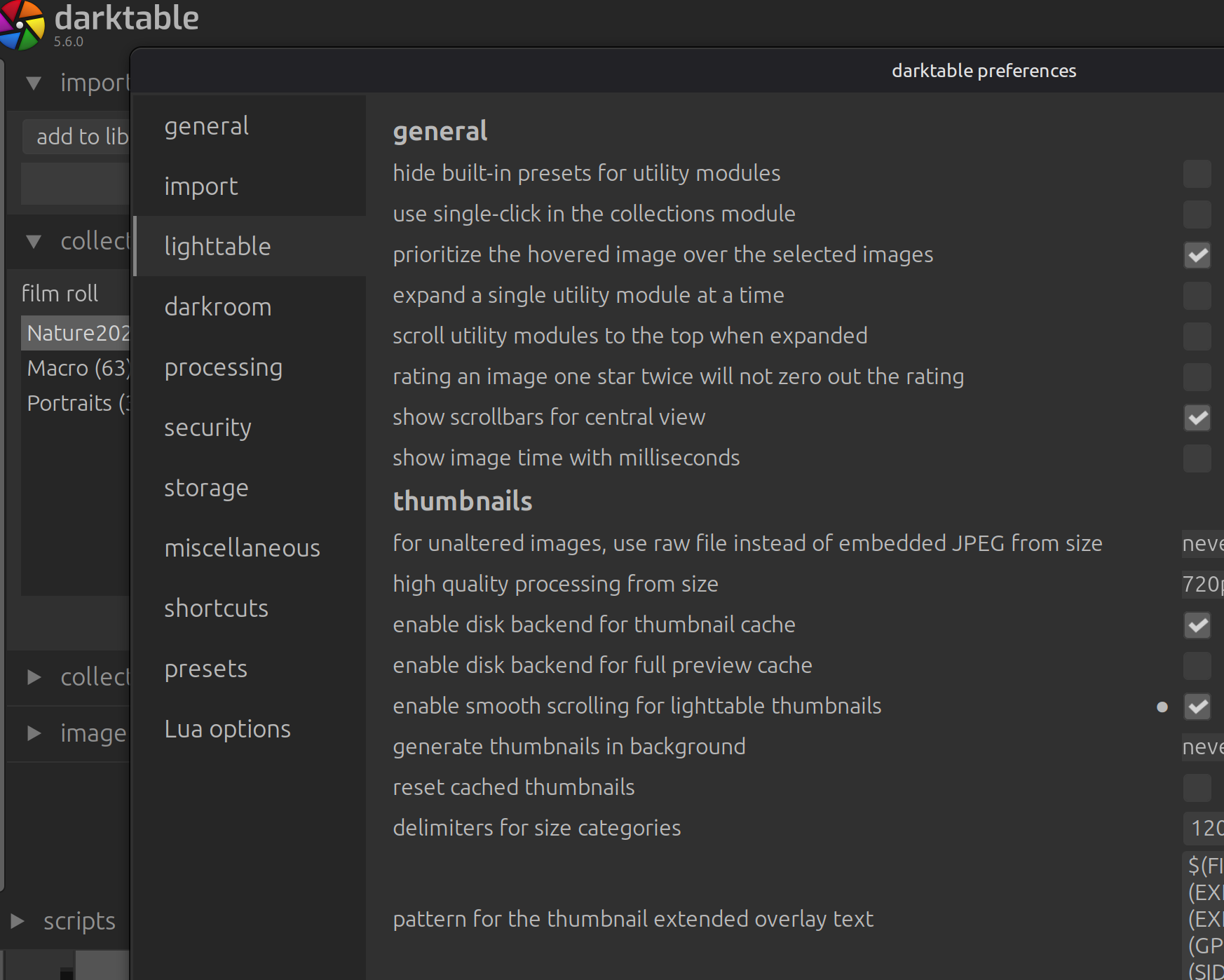
I do not see AI option in darktable 5.6 updated today from flatpak on a linux mint machine. Any help would be highly appreciated.
1 Like
You need to reach out to the maintainer of the flatpaks to build the flatpaks with the AI features.
1 Like
Just upgraded same here.
@paperdigits - if I am not mistaken you were creating the flatpak. Would you be able to include AI please? Or is there a particular reason that it is not included?
I’ve the same problem in the same environment.
I will wait for an update of this flatpak
Sorry I am no longer contributing to darktable.
I am sorry to hear that. Did you happen to know who maintains the flatpak?
Start an issue here: Issues · flathub/org.darktable.Darktable · GitHub
1 Like
Just opened one
There is a previous question related to documents but no answer on it.
1 Like
It looks like AI is excluded as part of a policy decision: 5.6.0 - no AI in the Flatpak version · Issue #241 · flathub/org.darktable.Darktable · GitHub
If the omission of the AI features was a policy decision and not a simple omission
I’m going to move to the AppImage as I would like to use the AI features.
Where is this policy statement?
@hub seems to be the one who did the version bump on the repo. Maybe he can chime in  ?
?
It’s a shame to receive this information. I’m concerned that AI won’t be available within the Flatpak.
I’m not a Linux specialist, which is why I have these questions:
Is it advisable to switch to a ppa with dt, or is it better to implement the application as a system package? Are there any experiences or guidelines on how to do this and how to transfer settings, databases, etc.?
You can think of a PPA as an extra place where the software manager of Linux mint (or Ubuntu) can look for a program.
As this is not the official Linux Mint version or an official PPA from the darktable developers you should be carefull about the origin.
For ease of setup I’d recommend simply using the Appimage.
1 Like
Can you recommend this? What limitations do you have, especially regarding dt.
And how to transfer the settings, databases etc.?
Yeah I do recommend it. After all it is the primary method of installation for Linux listed at darktab.org :-). There are no limitations per se*.
If you have been using the flatpak before I would recommend starting the AppImage once to generate the .config directory. Then you can simply move the whole contents of the configuration directory over from the flatpak location to the location the AppImage defaults to:
Flatpak: $HOME/.var/app/org.darktable.Darktable/config/darktable
AppImage: $HOME/.config/darktable
Feel free to ask if you have further questions .
* (the AppImage currently doesn’t support proper native Wayland; it will start into X11/XWayland on native Wayland sessions but except for a few corner cases everything should work. )
Ditto re AppImage. When I started using Linux last year, flatpaks and their sandboxing appealed to me and tried to install most of my apps as flatpaks. But they also come with downsides, as some functionality breaks due to the sandboxing - despite tools like flatseal.
With dt 5.6 I’m actually in the process of switching from flatpak to the AppImage (as someone - maybe mino? - previously recommended me to do). The AppImage can be downloaded from the dt website, which should be safe. The AppImage allows running all(?) of the LUA scripts, whereas the flatpak version is somewhat limited in that regard. Also, printing via Turboprint works with the AppImage. Only app updates have to be handled manually by replacing/updating the AppImage from time to time, but I think there are tools out there to handle that.
Thanks guys.
in the meanwhile I’ve switched to die AppImage with yours and AI help.
Till now it seems it works fine. My first images are done, partly with AI in dt 
Great.
Thanks for your informations and helping me. Have a nice day.
Best regards
Thomas
1 Like
If this is the case - then I don’t think the flatpack can be an official package. I view it as a fork. This is because it moves away from what Darktable development decided.
I agree - the experience is rather negative for the users.
AppImage is good but lacks automated updates. A user would normally check manually for updates. There might be tools to automate AppImage update but many users will likely just update manually (when they realize they are behind).
1 Like