What I use:
Panasonic Lumix DC-TZ99
Darktable 5.4.1 on Ubuntu 24.04.4 LTS
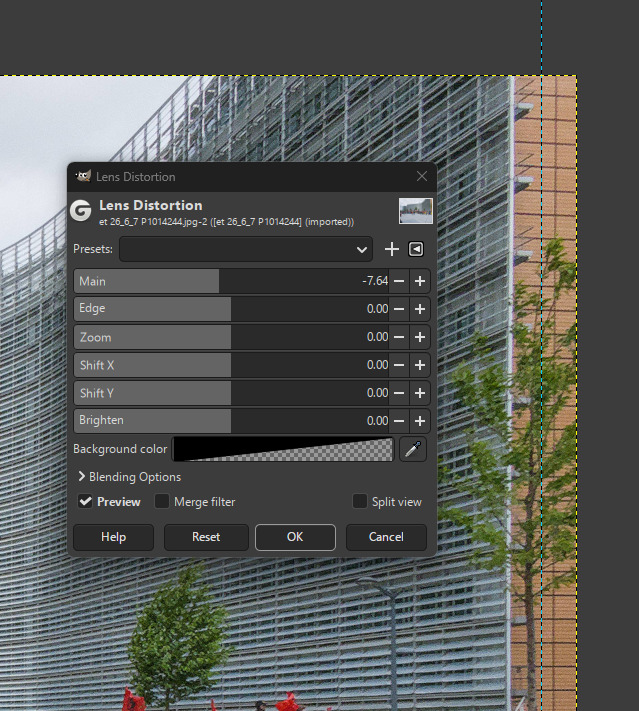
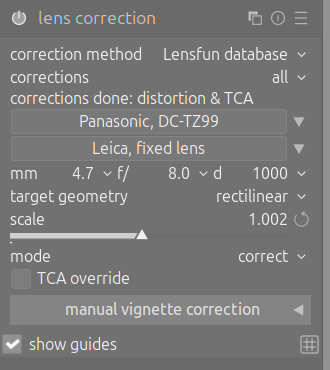
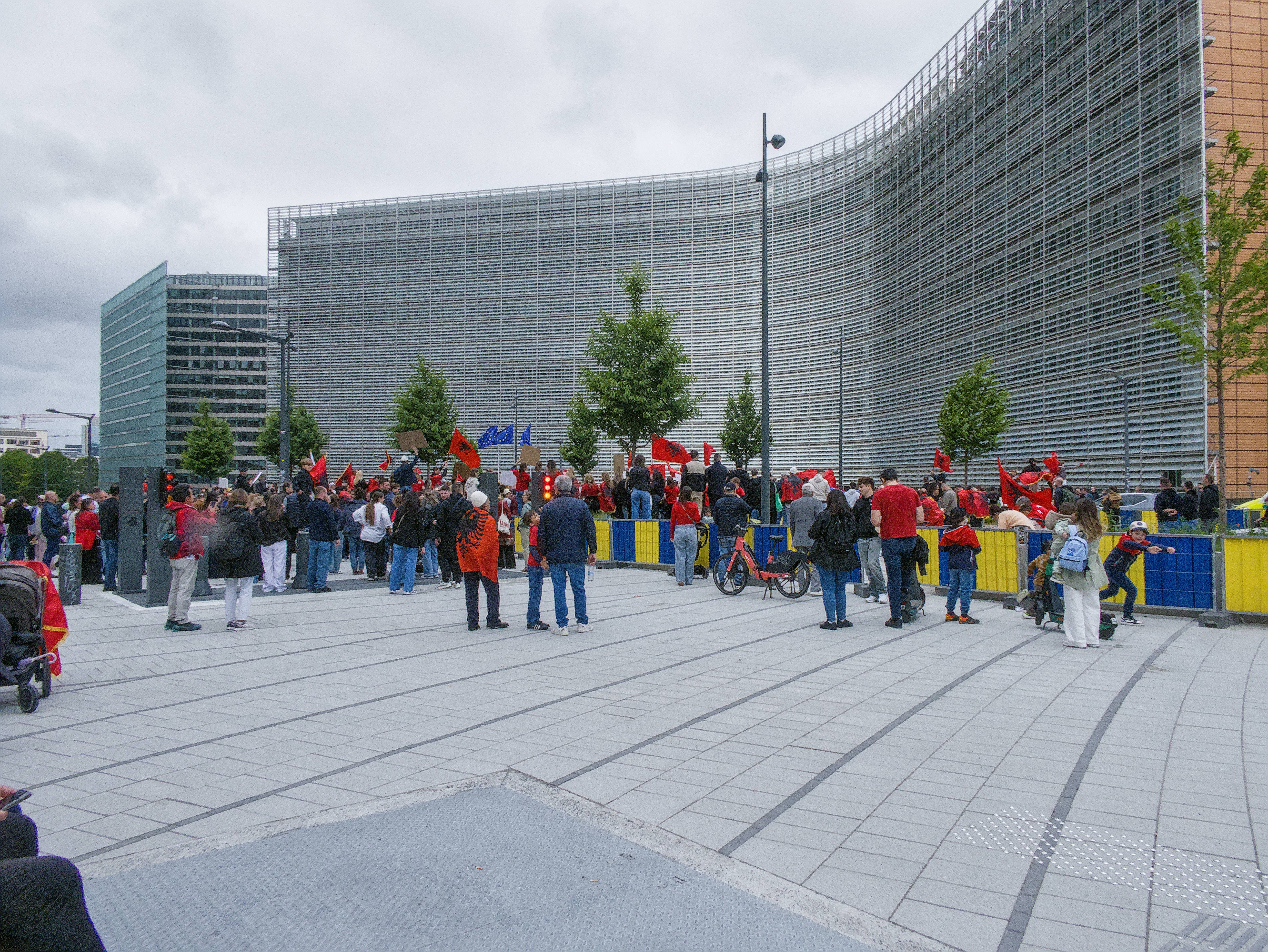
Today I took a raw picture of a protest in Brussels. Lens correction module is applied, but still some residual fish eye remains at the edges of the picture. Look specifically at the right edge of the image, where the orange part of the Berlaymont building is visible. I know for a fact this part is straight, but still shows some bulging here. I’ve noticed this before when using Darktable, but in the past always I’ve worked around it by cropping a bit. Now I want a real fix.
In the past, I didn’t always shoot raw. When I shot directly in jpeg, I edited in Gimp, and didn’t have this problem. So the integrated software of Panasonic (?) clearly knows how to handle this. I’d like to find a way to fix this in Darktable myself.
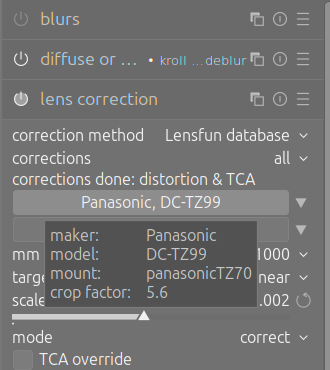
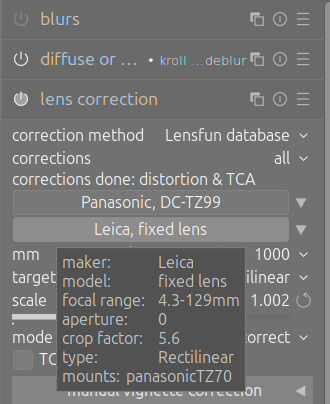
Here the extra information when hovering over camera and lens fields in lens correction module. Darktable seems to use TZ70 presets? Maybe this is part of the problem?
AI-services (which I begrudgingly use for troubleshooting) suggest using rotate & perspective module to fix this, but that doesn’t really makes sense to me.
Hello, thanks!
Maybe somewhere in the mid term future, I’d make my own lensfun profile. However, for short term fixing: which DT module would you recommend?
I don’t fully understand your last option. Do you mean trying a whole different program, like Rawtherapee?
There is a raw CA module you can try in darktable.
An LCP file is generally shipped with programs like Adobe DNG Converter. They’re proprietary, so lensfun can’t ship them, but lens fum does provide a converter for them. You’d need to track down the LCP file, then run the converter script.
I feel the lens distortion module in GIMP could help correct this distortion. I would love to see a manual override module or option like this in DT… hint hint to any developer so inclined.
Are you sure the camera was perfectly horizontal when taking the image? If the camera is tilted upward even a little bit, you’d get some perspective “distortion”, which of course would not be corrected by the lens correction.
Taking that into account, the AI reply could make some sense (even though I’m not a great fan of those LLM AIs).
here an Ai assisted port [lens_manual.zip|attachment] - that needs plenty of improvement (e.a. autocrop, …) until worth to be mature to be discussed as a pr lens_manual.zip (5.8 KB)
instructions to adapt CMakeLists.txt and io_order.c i included in the header comment
I think the camera was slightly angled upwards. So even without the lens distortion-problem, the vertical lines of the building wouldn’t be 100% parallel with the frame. But shouldn’t the lines be at least straight (though not parallel with frame)? In any case, it’s barely tilted upwards, I didn’t know perspective distortion could arise so quickly
I’m looking into this method. I got Adobe DNG converter to work through Wine. Coming days will to find specific LCP file and run lens fun convertor script
An update: was out and about again taking pictures. While taking a picture, I very intently left some parts of a light pole out of frame. Back behind my computer on Darktable: the raw image contained the parts I narrowly left out, and then some. So if I’d crop all my raw images to the point that my camera shows when taking the picture, I don’t think there would actually be a problem.
 hint hint to any developer so inclined.