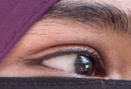
Hello new friends- I’m fairly new to portrait photography. I did a few photo days at my toddler’s daycare, and the facility works with teenagers. So I am sitting down to edit photos of teens and - I need help!
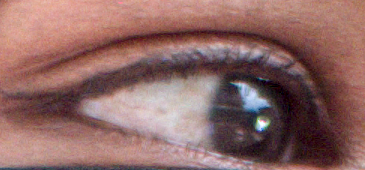
Particularly, I need help with eyes. Example below. You can see the reds in this model’s eyes and the iris isn’t particularly clear. I’m not sure how to “clean this up” without accentuating the reds!
What Darktable workflow/tools can I use? I have an idea of how I would tackle this in Photoshop (eyedropper, brush, dodge, burn, etc) but very unsure how to do it in Darktable.
If you have other sage wisdom for editing portraits of teenagers, I am all ears!
1.) This seems like a problem only apparent when pixel-peeping.
2.) Do you know how masking works in DT? You can mask any module. Here you could select for the sclera with a combination of a brush + parametric mask selecting for bright areas.
3.) The iris might blurry due to motion blur because of eye movment at the moment of capture. You could try to sharpen this up with various tools but then again see 1.
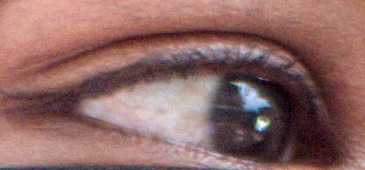
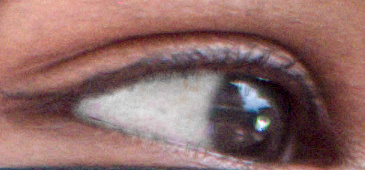
This is really pixel peeking to find a problem that isn’t worth worrying about in my view. But I easily drew a mask using the path drawing tool, I desaturated the red and then brighten the same red pixels to get a cleaner white in the eye. I have attached the PNG I downloaded and xmp file so you can see how I have achieved this in the color equalizer module. Color zones could also do this trick.
To me this seems to be a problem of focus not 100% perfect and the choice of the region the person is looking at, as this will be reflected off the eyeballs.
For focus, capture sharpening in the Demosaicing module or one of the sharpening tools in diffuse and sharpen can help but improving focus or reducing motion blur (kids moving, you moving with the camera) might help more.
For the iris visibility a better location and or better lighting (comes with the location) might help as well.
And to be honest, from the crop I can’t tell that there’s anything wrong.
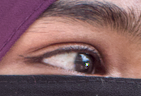
I would like to see the final image with the intended crop…because a lot of times these things aren’t as apparent when the image isn’t zoomed it to 400%.