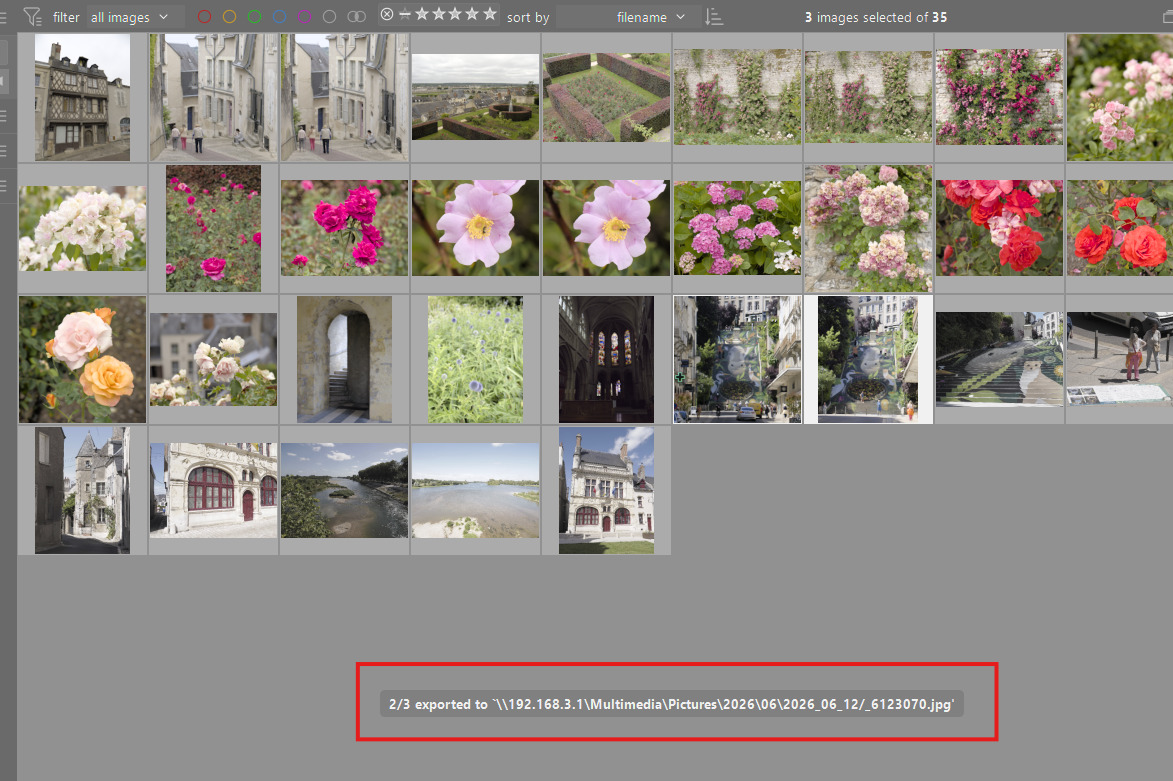
I have an issue when exporting images from darktable (5.7.0, but may have been there already earlier). Each time an image is ready there pops up a small window saying “Exporting image n/m”. On my Windows this window graps the focus, and I’m suddenly giving random keyboard shortcuts to darktable, instead of typing a document or writing an address to browser. I have set up two virtual desktops in my Win, and dt even switches the desktop. This makes it impossible to do something else while waiting the images to be exported.
Is there any setting that I could use to turn the progress window off? Or should I add a feature request / bug report in Github?
-Juha
Donatzsky
August 11, 2026, 8:57pm
2
Searching the GitHub issues for “focus” gave me this:
opened 01:51PM - 03 Mar 26 UTC
reproduce: confirmed
scope: UI
bug: pending
scope: windows support
### Is there an existing issue for this?
- [x] I checked and did not find my is… sue in the already reported ones
### Describe the bug
When darktable is in the background and I pass the mouse over a lighttable thumbnail, darktable focuses itself so the window I was using is behind it. Depending on where my mouse is, darktable also breaks task switching (such that alt-causes the task switching UI to flash on screen then disappear).
Mousing over the film strip in lighttable also steals focus, but it does not in the darkroom view.
I experienced the problem with my own build and with the official nightly: darktable-5.5.0+448.g73f7976e53-win64.exe
When I launched it from WSL ('/mnt/c/Program Files/darktable-dev/bin/darktable.exe'), the problem stopped and didn't recur for a while. It doesn't happen every time.
3. Task switching not allowed during switching to lighttable
This scenario seems relatively easier to reproduce.
Open the darkroom.
Press `l` to go back to lighttable.
Quickly press alt+tab and hold alt so the task switcher stays on screen.
What happens: the task switcher is cancelled. Even if you try to switch tasks again, it doesn't work for a couple seconds.
What should happen: darktable should not force any application focus changes.
I was not able to get a descriptive screen capture because the alt+tab behavior (3) was all I could reproduce consistently.
### Steps to reproduce
1. focus stealing
Open the lighttable view.
Optionally, press `f` to start a full screen view.
Optionally, show the film strip at the bottom of the screen.
Put another window such as File Explorer or Firefox over darktable, but not covering up all the images.
Without defocusing the new program, mouse over an image.
Your chosen program will lose focus.
2. task switching interruption
Focus darktable as in the previous step.
Put the cursor over an image.
Try to alt+tab to change tasks: hold `alt` then press and release `tab`.
In some cases, you will not be able to change tasks, even when you repeatedly press `tab`, since task switching is cancelled.
### Expected behavior
_No response_
### Logfile | Screenshot | Screencast
No log messages are produced with `-d common`.
### Commit
_No response_
### Where did you obtain darktable from?
GitHub nightly
### darktable version
darktable-5.5.0+448.g73f7976e53
### What OS are you using?
Windows
### What is the version of your OS?
Windows 11
### Describe your system
16 GB RAM, most of which is in use, according to Task Manager.
### Are you using OpenCL GPU in darktable?
Yes
### If yes, what is the GPU card and driver?
_No response_
### Please provide additional context if applicable. You can attach files too, but might need to rename to .txt or .zip
_No response_
Terry
August 12, 2026, 1:23am
3
I have issues with DT5.6 on Windows stealing focus and this is a known issue. Can be a bit of a pain. I presume it affects all Windows users but I am not sure.
No, I don’t think this issue is caused by that focus stealing issue. If fact, I’m pretty sure that one is fixed. I will close it.
The exact cause is not known but there’s a workaround in this ticket:
opened 09:14PM - 24 Jul 24 UTC
bug: upstream
lua
scope: windows support
**Is your feature request related to a problem? Please describe.**
It's reall… y "ugly" that Darktable opens multiple terminal windows on startup, which close immediately. After all, Darktable is a GUI application, and _no_ other GUI (which are not geared towards developers or really really special purpose) application opens a terminal screen on startup.
This is even worse, because you think that the Ui is opened, and then a terminal window quickly pops up directly in focus, thus preventing being able to click around in the UI.
**Describe the solution you'd like**
Just start Darktable without any terminal screens :)
**Alternatives**
I think there is no alternative. This behaviour is just completely unnecessary on Windows and it does not make any sense.
**Additional context**
I have this issue on Windows 11 Home. I think it might have something to do with the lua interpreter being loaded, and for each lua script loaded there is yet another terminal screen opening? Probably the lua interpreters should be started as GUI process?
Anyway, I cannot imagine how this was not yet discussed, but this is really one of the weirdest UI things I find with Darktable :)
I would also try to give it a go on fixing it myself, although not sure where to start. Any pointers would be appreciated :)
In short, make a launcher instead of running the native .exe.
Hi,
This is not about the terminal window at the start. This relates to the small progress message appearing during export.
A comment from a recent user on the first issue (focus stealing) said the launcher workaround fixes focus problems during export.
If that turns out to be wrong, it would be helpful if you added a comment. If you test to confirm first.
ChiMo
August 12, 2026, 9:38am
7
I have Windows 10, a single monitor, and two versions of darktable (5.6 and 5.7+70), and it doesn’t happen to me now, although I think it did happen when I first installed 5.6. So, I’ll tell you what I did. I don’t know if this explains it, or if Windows 11 behaves differently, because I don’t have the necessary computer skills.
I saw that the new version 5.6 had been installed over 5.4. So I uninstalled everything. I restarted. I downloaded and installed the new versions, and now, if I don’t want it to bother me, I minimize darktable, and it doesn’t regain focus while exporting. It only regains focus if I have several windows on the screen and I hover the mouse over a photo in the light table.
Please, out of curiosity, if you try this, let me know the result.