The Usage entry in the README for the darktable Film Simulation Panel on github says:
“The styles are meant to be applied after Sigmoid with 1.5 Contrast, 0 skew, per-color processing with 50% preserve hue”.
What additional/other guidance should I follow when using Agx in place of Sigmoid?
Before there are a lot of questions about where that Film Simulation Panel is,
I think it’s a user-contributed LUA script (in combination with film-specific styles. So not present in a “default” darktable installation.
That said, if you want to get the intended film simulation, you’ll have to use Sigmoid with the recommended settings. Any change there would move you away from the film rendering.
So would switching to a different tone mapper…
I’m not saying that that’s wrong, it’s just no longer a simulation of the rendering of the selected film…
Also, you will have to be careful with the choice of modules you use besides the style, if you want the “proper” film simulation… Exposure, white balance and color calibration should be safe to use, anything else may mess with the simulation…
Again, you can get decent results with those styles even when using other modules/settings, it’s just no longer the intended film simulation…
1 Like
Thanks for this explanation and the cautionary advice- that is very useful. I do like the Fuji’s colour processing and the simulations, within the recommendations from the script author, are quite good, in my opinion. So, given that I much prefer Agx over Sigmoid, I will just have to carefully select which images I can reliably apply the simulations to.
If you want the Fuji filmsims:
3 Likes
Excellent - I will try them. Would really like Sepia, though…)
I think you could roll your own version of sepia.
I’m on the road, so working from memory. Start with a basic edit in color, setting exposure and default AgX (adjust contrast and other curve parameters). Then I think you would:
-
Convert to monochrome in color calibration. There are a few monochrome presets (or you could tune monochrome r, g, and b as desired on the monochrome tab).
-
Add a sepia tint using the master tab of color balance rgb. For a uniform tint use the global settings and set a hue and chroma (amount). For a more artistic take you could instead try e.g. setting the same (or slightly different) hue(s) in shadows and highlights, and giving more chroma to shadows than to highlights.
-
Once you are happy, save a preset for color balance rgb called “sepia.”
-
If desired you could save a dt style, but I’m not sure I’d bother.
1 Like
Just to check - did you mean to say colour calibration here?
Yes! Correcting post above now. Thank you! 
1 Like
Actually, for toning there are quite a few options.
Starting from an edited colour image, you would first convert it to B/W (several options here, already), then add a tint to the grayscale, either through color calibration (used as a channel mixer), color balance RGB (4-ways tab), the split toning module, and there are probably others.
1 Like
Noted—I might look into it. I’m not personally interested in Sepia and thus didn’t consider i.
But you might have luck using the monochrome presets I made and apply a color correction module on top of it.
I have just dabbled with your monochrome presets and they are extremely good. I am impressed. As for sepia it comes in many different shades (based upon my film days). I have created sepia effects in GIMP using the colorize option. It works really well. I wonder if Darktable has a module that would replicate the colorize module of GIMP?
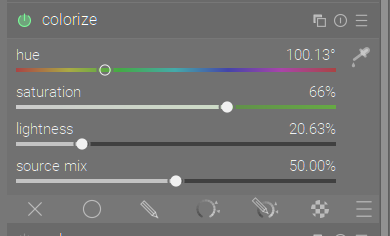
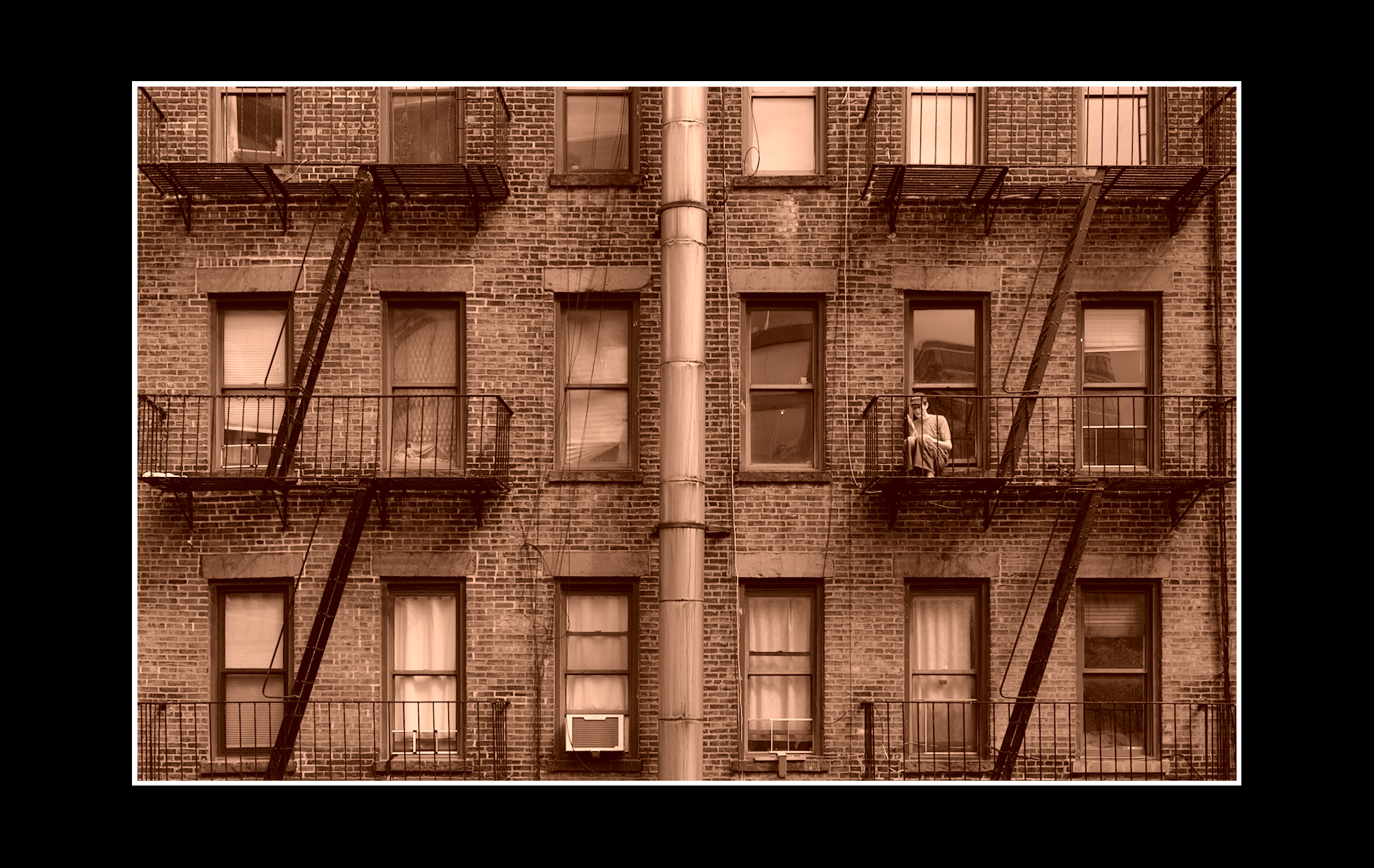
Yer like that one Todd 
Not 100% happy with result but here is a recent playraw as sepia
NZF_6199.NEF.xmp (17.9 KB)
I indeed compiled these styles from Sigmoid renders. However, if you’re using the Sigmoid-like preset in AgX (with 50% hue preservation), the styles still work exactly as intended. That’s how I use them right now.
And frankly, the styles are merely a starting point anyways. They use the lookup-table module and tone map module, which are fairly robust against editing – moreso than many LUTs in my experience! So even if you do change contrast and saturation and colors, the styles still hold together reasonably well.
After all, the whole point of raw editing is to give you flexibility. You’re meant to change your tones and colors!
(And if you don’t want to change tones and colors, but want to adapt the styles to your favorite tone mapping, the repo includes all the files necessary to build your own, no tools besides Darktable required)
1 Like