Darktable is as fast as it is, this needs no discussion. But it makes sense to be aware of bad configuration.
Last time I learned, that my renderings got a lot faster, setting “darktable resources” to large.
I should have access to a 24.04 manchine with the same graphics-adapter but faster cpu. I will try a benchmark there. I do benchmark too, to see if opencl works.
On my archlinux machine I also noticed that Darktable is slower since 5.6. In my experience what is slow is when I switch between modules : the first time I use the exposure module, I’ll have to wait a bit, then each exposure modification will be fast, but if I move to another module, let’s say RGB Curve, the first alteration will be slow and then reasonably fast again.
I did not experience this with 5.4 and I did not change my configuration. 5.6.1 behave that same way than 5.6 for me.
I did not talk about it before because I didn’t want to bitch about my very beloved software that I couldn’t contribute a single line of code to.
There were some changes that slowed down darktable for 5.6.0. Afaik, those changes have been reverted for 5.6.1
Indeed, bitching isn’t nice. But reporting an unwanted change is the only practical way to get bugs corrected(*). And asking about it here is an easy way to see if there are more that have the same issue before posting a bug report on github. And filing bug reports is a way to contribute, even if you can’t code, if you are willing to follow up on the reported issues (not just file the report and disappear).
Note that you can’t ask for someone else to file a bug report for you: the devs may have to ask you for extra information.
(* : some bugs can appear only on certain hardware figurations, OS versions, or combinations thereof; the devs don’t have access to all possible combinations…)
The only thing, why I am discussing this, is not optimal configuration by me. Some nice people here posted their Nvidia-benchmarks a while ago, and I wondered a lot of the differences compared to my nvidia-card.
I have no problem with the dt speed itself.
I have no idea, but there could be new configuration options in dt, which influence the benchmark.
It could happen too, that a new driver of the graphic adapter influences the speed.
That’s not an NVidia card afaik… (but it is the same as in the log of your first post)
So if you do have an Nvidia ward in your computer, something is misconfigured, as that card isn’t seen at all (going by the log in the first post)
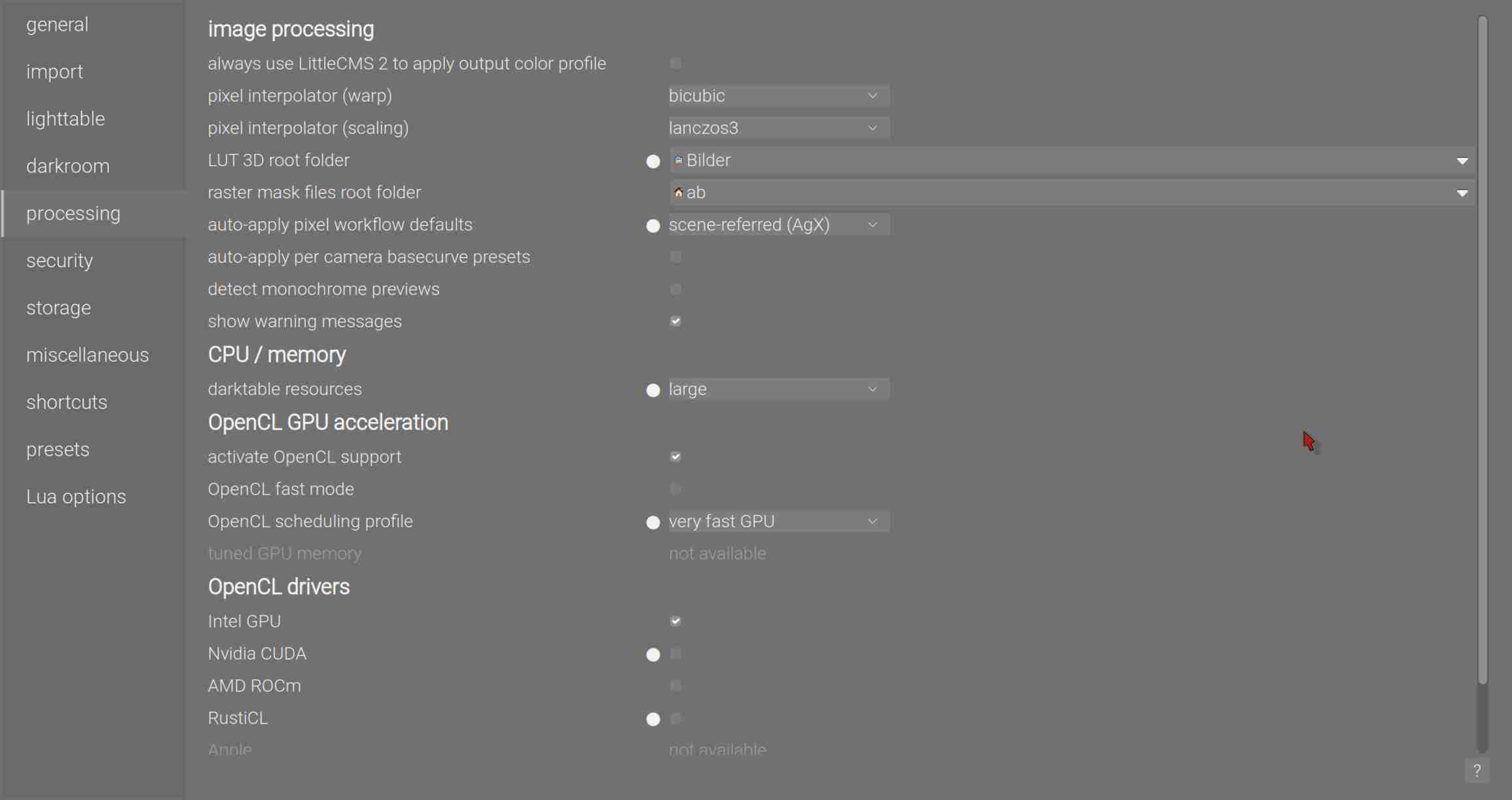
The screen shot you posted shows that you in fact told dt not to use any NVidia card/driver on your system. (the white dot next to the unchecked box), or rather, you forced dt to only use an Intel GPU
But the topic is about not oprimal configuration, and I think mainly you can do things wrong with configuration:
And then it doesn’t depend, if you use Intel or Nvidia. With my pcs, setting sysresource to large makes a big difference, which is not default.
I had discussions here about a better card than NVIDIA TU116 [GeForce GTX 1660]. So I tried to compare benchmarks and found out, that my card has benchmarks nearly as good as a lot more expensive card. There ware 2 reasons: dt-configuration and Linux vs Win. At the end I landed at Intel.
So I am discussing here, if there are options which could slow down dt. I am not talking about, that dt is slow.
If dt got slower, no problem for me, but I know then, that it is not a configuration issue with my pc.
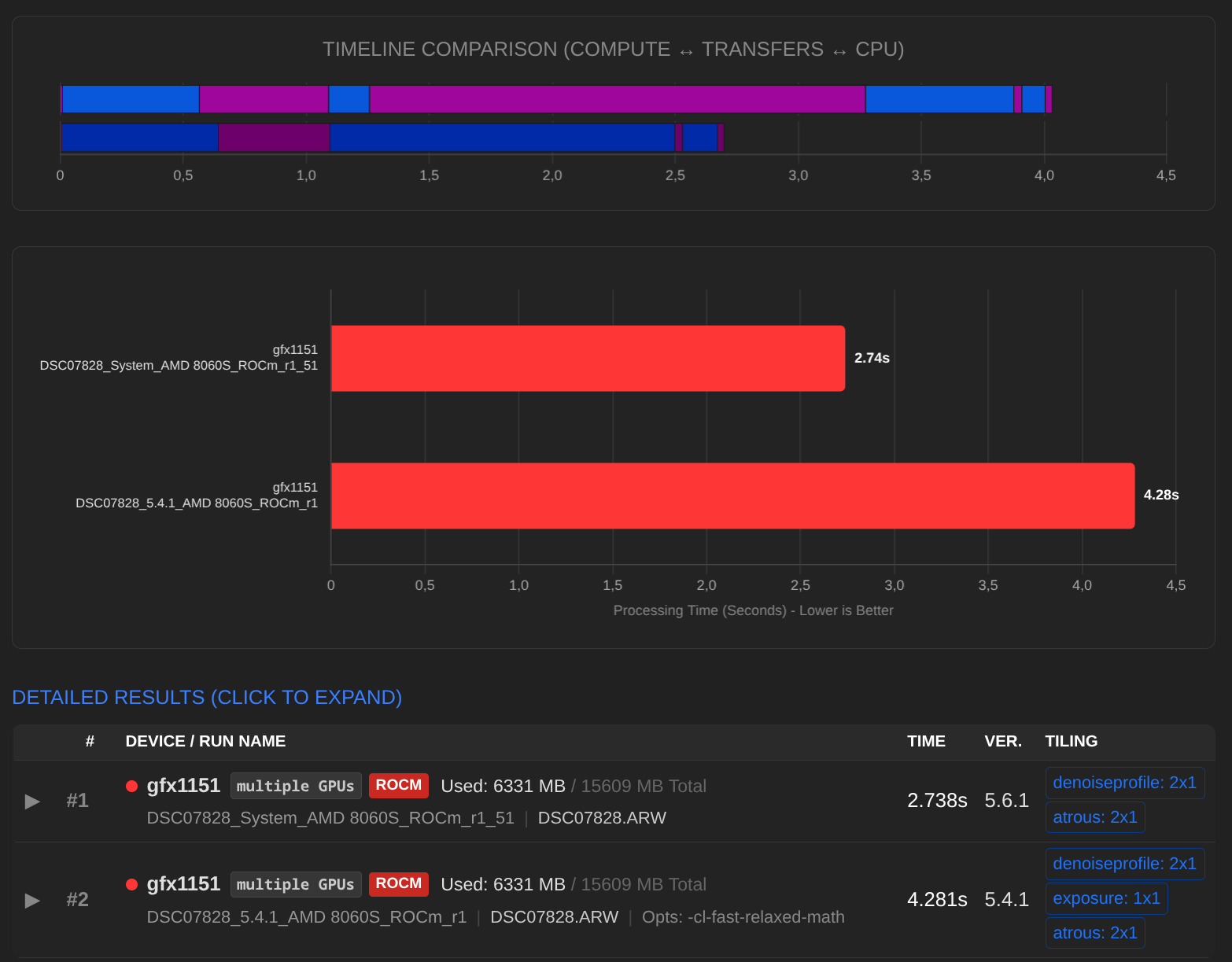
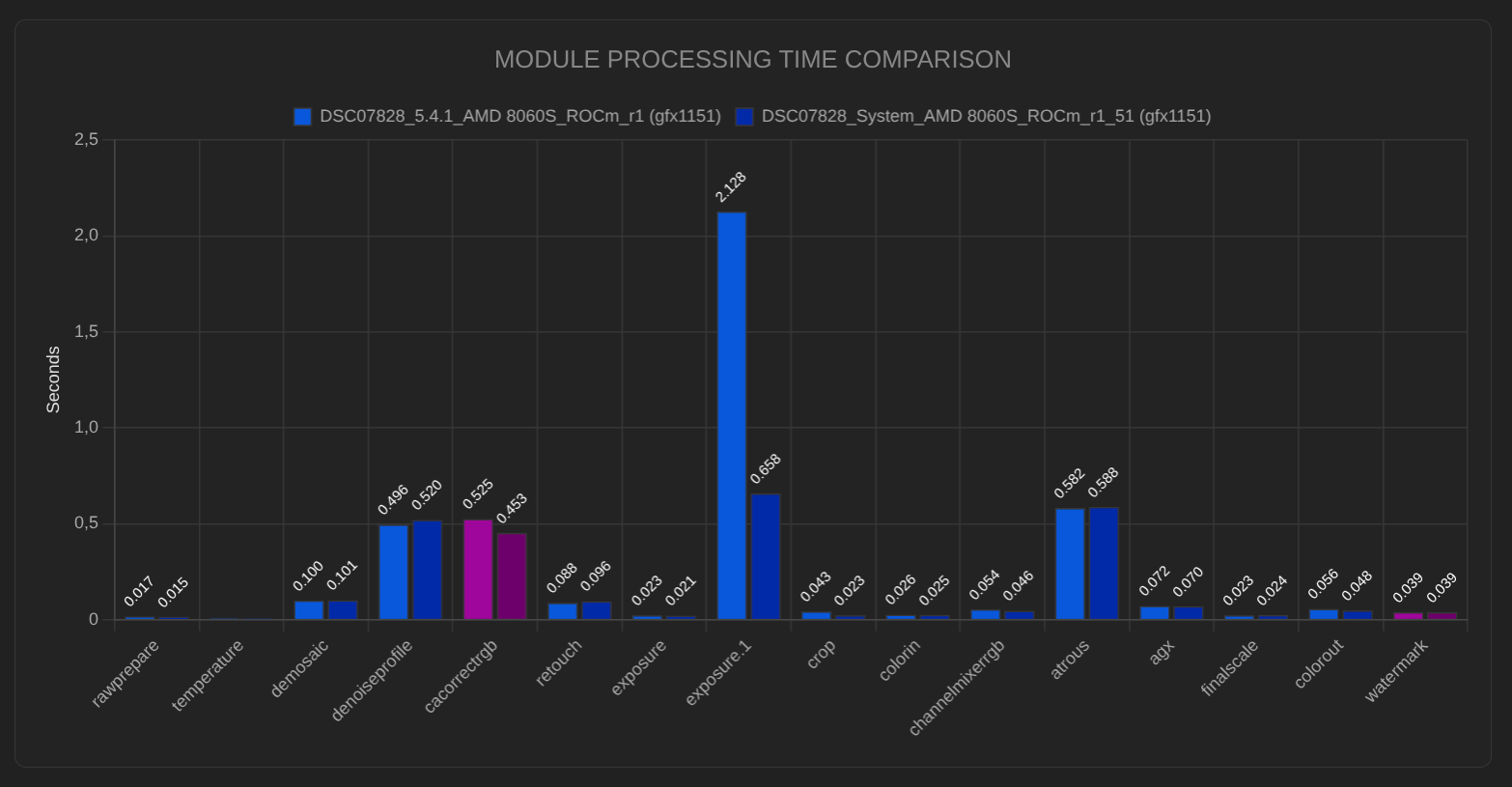
I ran darktable-cli benchmark on 5.4.1 again just before upgrading to 5.6.1. Then benchmark on 5.6.1, and there was no difference in timing, neither for CPU-only, nor OpenCL on GPU processing.
However 5.4.1 processing was now a bit slower compared to tests several months ago:
CPU: 10.4 → 11.4 (s)
GPU: 2.7 → 2.8 (s)
darktable 5.4.1 didn’t change of course, but OS did, including, but not limited to, Intel kernel module xe and OpenCL runtime.