Here’s the link to the latest weekly build of darktable 5.3, https://www.dropbox.com/scl/fi/qy6wux5fjzkyla0zmveho/darktable-5.3.0-975-g7bc039ff0f-win64-NSIS-deprecated.exe?rlkey=o9kkkb3liwbtan84vif8d5tqv&st=26w80jtf&dl=0. The list of latest changes is at Comparing b5210c0312…7bc039ff0f darktable-org/darktable · GitHub
2 Likes
Hi Bill,
I have the lua script for external editors activated so that I can export to collection. It is exporting the image to the correct folder but the image is not being added to the collection. I am wondering if you can replicate this problem. Thanks
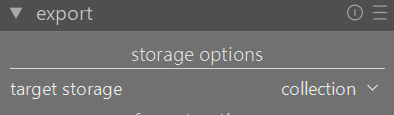
I just tested and it worked for me. What operating system and version of darktable?
Thanks for looking at this Bill. Windows 11 insider program 12/07/25 DT 5.3 +975.
Hi Bill, I reverted to DT 5.3 +951 weekly build and problem persisted. Any ideas what I should do about the LUA script not functioning as designed. Worked fine until I did this weeks weekly build of DT5.3 +975. That could be coincidental.
I just tested with my weekly build and it works.
I would run it from the command line with the -d lua flag. It will write to the darktable log file in your Documents folder. Hopefully that will shed some light on this.
Apologies for my troubles here and asking for your help.
I started DT with this prompt and it started fine, but it did not seem to generate a log. I tried twice with no luck.

Open a command prompt and the command should be
"C:\Program Files\darktable\bin\darktable.exe" -d lua
1 Like
Hi Bill,
I still couldn’t generate a log file, but I looked in the lua folder and found that the lua script for external editor showed it had been modified on the 8/12/25 which is around the time I installed the latest weekly build and detected my problem with exporting to collections. Here is a text file version of the lua script that is now installed. I hope it can shed some light on what might be causing this. I also wonder why the file changed on that date. I appreciate your help with this.
ext_editor.lua.txt (17.3 KB)
The change was me wrapping the unique filename (for export 2 collection) in a sanitize statement because there was an issue reported where the user was using characters in their path/file names that needed sanitizing so the export2collection would work.
I tested on Windows and it works for me.
Do you have spaces or special characters in your filenames? Could you give me an example of one of the path/file names involved so that I can test to see what is happening.
Thanks Bill for looking at this. There is a space because I identify my Pictures folders with a drive letter of X in brackets with a space before the first bracket.


I just tested by making a folder called test, placing an image in the folder, adding folder to DT library, exporting jpg of image and all worked fine. This supports the idea that the space in my folder file name is possibly the problem. I hope this helps.
1 Like
Hi Bill,
will I have to remove the space in my file path to continue using the collection feature with export or do you plan to change something so it will handle the spaces? Is it possible to get a copy of the older lau script that worked for me so I could install that? Thanks
Haven’t had a chance to get to it yet. The change I made should have taken care of spaces in the path, not caused problems because of them (I wrapped a path in a sanitize function to prevent that from happening).
I will try and get to it this week.
In the meantime, you can edit the script and remove the df.sanitize wrapper at line 331, but leave the df.create_unique_filename part
Thanks Bill. I found an old copy of the lua script on my computer and substituted it into the latest weekly build and it is all functioning as it used to do for me now. I hope that helps you.
1 Like
fixed now
1 Like