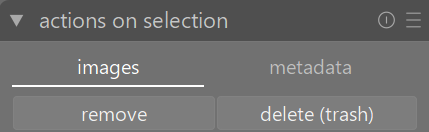
I have a problem with the lighttable module. When I use filename to create a collection, I observe many cases of identical file names. In most cases this is normal - different photos have the same filename. In some cases, however, the same photo (with identical full path) is referred and show up twice. I have been using DT for five years and have updated along the way. Now I wonder how I can remove doublettes. If I click on one of the identical photos and select “remove” in the group “actions on selection” both photos were removed from the darktable library. Are there other techniques to remove doublettes in the darktable library?
I would hover over each image that appears to be identical and check the image information module to see if the id is the same for both images.
We need more information to try and suggest a course of action
1 Like
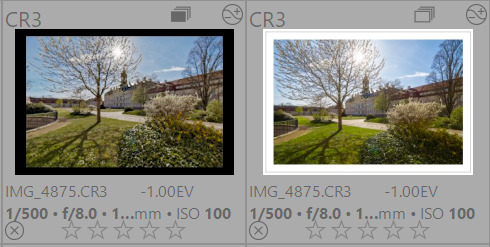
This answer seems too obvious, but if you have duplicate xmp files for the same image it will appear as two images with the same file name. I often use duplicate manager to try different editing approaches so I get multiples of many images. They will have same group ID # but different image ID #
1 Like
Hi, in the case I do not understand, filename, filmroll and full path are identical, however, the image id’s are different.
You can have duplicate edits for one image. In that case, the raw file (and the path to it) are the same.
Image IDs will be different of course (or you’d have two identical database entries, which should not happen).
I have just tested on my Windows 11 DT 5.4 installation. If I have two images with identical path but different image ID and I select one of those images it and only it is removed or trashed depending upon which action I select. In this case the original RAW file is left untouched but one of the XMP files associated with this single raw file is removed or trashed. A single raw file can have multiple xmp files because of the non-destructive nature of DT editing.
Check the image ID on these images to confirm they are different versions of editing of the same raw file.
I do not know if this applies here, but I once had the situation that the names of two images only differed in one having a suffix _01 (like image.nef and image_01.nef). If both are imported into darktable and get an xmp file, you will see the image without the suffix twice on the lighttable because the xmp of the second is taken as a duplicate version.
And that’s exactly what should happen, as darktable distinguishes duplicates by adding a suffix to the basename (like “_01”).
Exactly, but at that moment I did not think of it and was confused. Just as a caveat, if you rename images using a timestamp.
Only for the XMP not the RAW which is never copied.
@deekay said:
Maybe share a screenshot of how the files with overlay look in your system, otherwise folks will continue to guess what the problem is.
1 Like