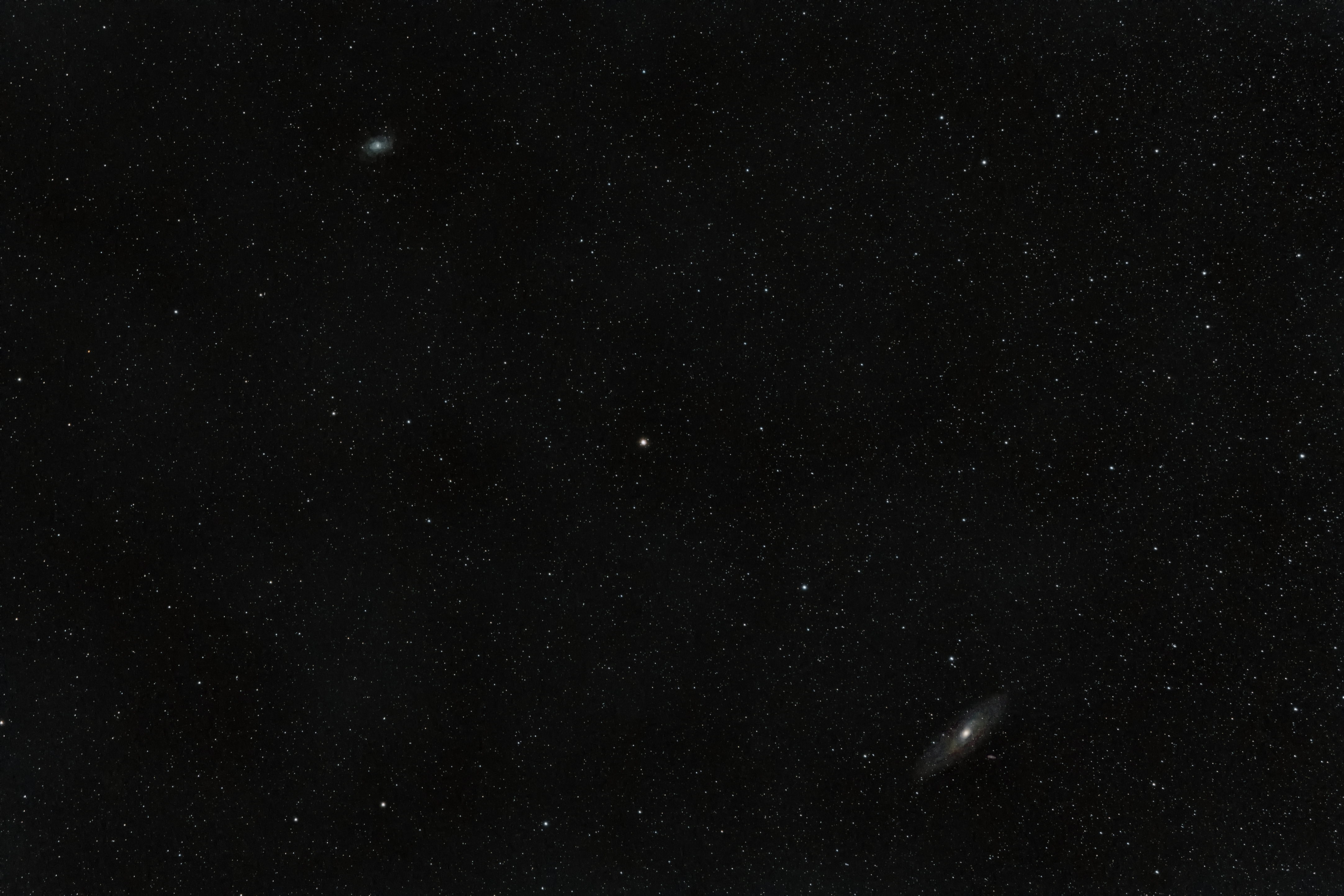
Hi, I’m a Mac Ventura user using Siril version 1.0.6-2. The first image is the result of a stack with OSC_Preprocessing of lights, darks, biases and flats and a simple pre-processing, cropping, background extraction, green noise removal, color calibration (I couldn’t use the photometric because it gave me some error), deconvolution , default histogram stretch and saturation retouching.
I thought the Flats, among other things, removed or softened sensor blemishes, which hasn’t happened here. I don’t know if this is normal. Nor do I know if the appearance of the image is what could be expected from the equipment I have used (Sony a550 and Sony 18-55 lens on an unguided Star Adventurer), with a fairly bright sky due to the proximity to Madrid and a almost full moon)
I think something is wrong (if not everything) and I would like to know if Siril has done its job well.
Hello Luis, it looks like the flats were taken with different lens settings as the lights: a different day, with different water droplets or dust on the surface, a different zoom value maybe, or rotated somehow?
To make better flats it’s always best to not move the optics relative to the sensor between flats and lights.
I hope this helps.
Thank you very much for the answer Vincent. I took the calibration shots in the same session and after the lights, without moving the camera from the mount, without moving the optics or the focus and with the same configuration (same ISO and speed for darks, same ISO and maximum speed for biases and same ISO and aperture priority for flats)
Spots appear on all the photos I’ve taken so far, so I’m not sure.
@LuisC if your camera has a built-in dust reduction feature which activates when you turn on your camera (mine does), if you turn your camera off and on to change a battery mid-session, or if it goes into deep sleep/auto off mode, then when the camera “wakes up” again, the dust will have moved around because the sensor vibrates to try to shake the dust off. Because the dust is now in a different location, your flats will be “broken.”
The same problem happens if you turn your camera off between shooting your lights and your flats.
What I do is make sure I have enough battery to last the whole session, or run off of an external power source.
I also will use a blower bulb on my camera sensor and rear lens element before mounting to reduce the amount of dust that’s on there to begin with before every session.
Indeed, my camera also has a self-cleaning system and it vibrates when I turn it off. So far, only in one of the sessions have I had to change the battery, the rest I have done without turning off the camera and taking all the shots in a row. Also, before each session I clean the sensor and lens with a dust blower. The only thing that occurs to me (perhaps it’s dumb) is that, despite everything, there are traces of dirt and the temperature that the sensor is taking together with the orientation of the camera upwards in many cases cause these remains to adhere to sensor.
Anyway, from what I’ve read, it doesn’t seem normal for these spots to appear if the calibration shots are well done and Siril works properly, is that correct?
I will continue practicing taking into account all the advice.