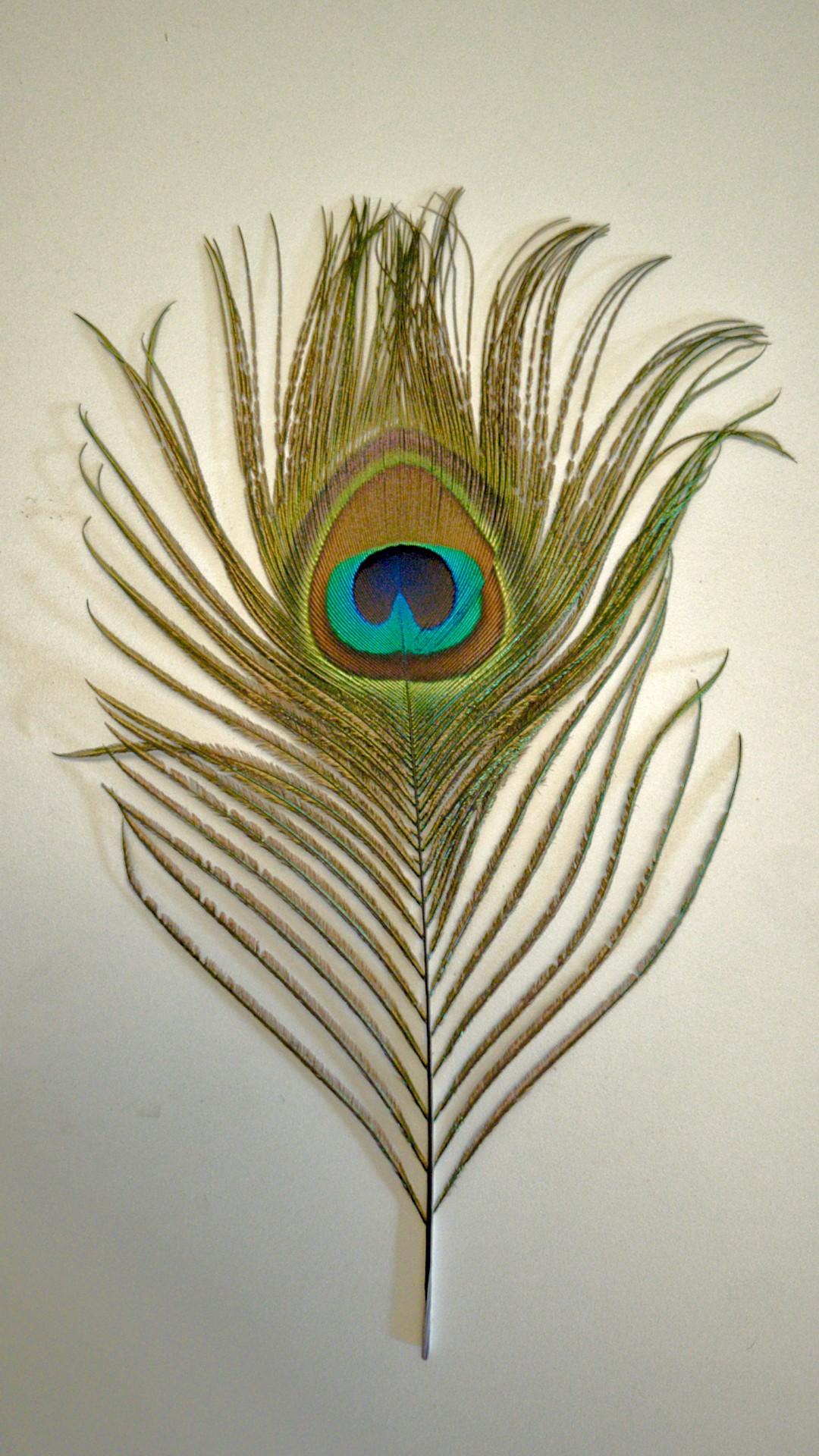
I have been learning DT (V 5.6.1 App image) so used this .tif image of a peacock feather on a plain paper taken by a smartphone to test my masking. The image is noisy due to the smartphone use.
AI mask wasn’t helpful possibly due to intricate shapes. Parametric masking was a challenge due to so many shades. Would like to request comments on masking done. Thanks.
Hi @arvindppixls.us , took a look at your masks and have some suggestions - no more then suggestions…
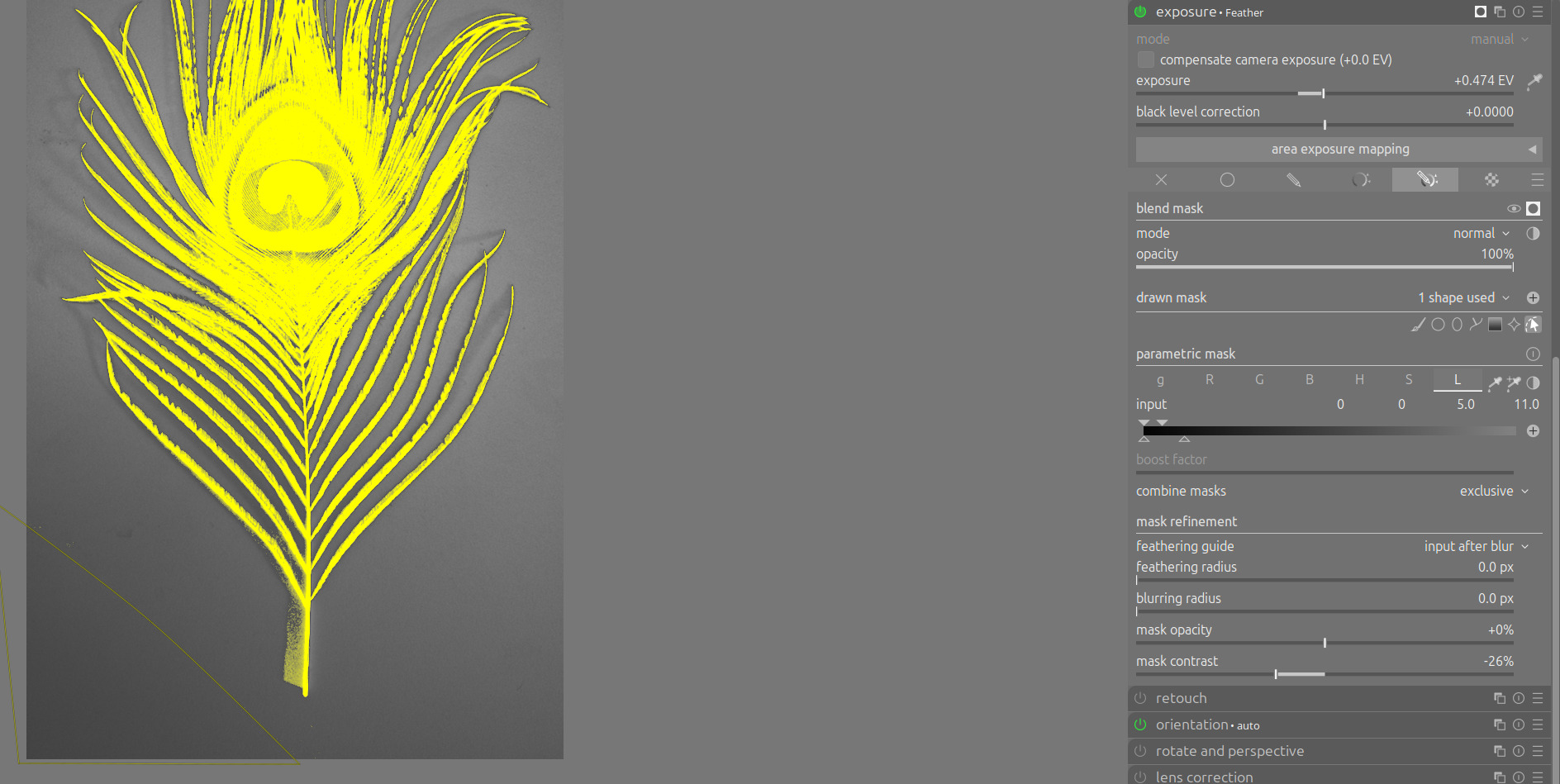
Exposure module ‘feather’ mask:
Using the Luminosity slider makes you’re ‘missing’ (included) the left down corner, this might be intentional or not. If you want this corner excluded of the mask you might want to draw a path around it, ‘toggle polarity’ of this shape and set combine masks to ‘exclusive’.
You might use the green channel for this mask as well.
A bit of ‘feathering radius’ and/or ‘blurring radius’ might help to get more beautiful looking borders at the edge of the mask.
Playing with ‘mask opacity’ and ‘mask contrast’ may help to improve the mask.
Exposure ‘bkgrd’ mask, you’ve used a similar parametric mask as before. Once you’ve done a good mask and are satisfied with it you may choose to re-use it. You do this by pressing the ‘raster mark’ tab and seek for the module with contains the proper mask. After choosing this mask you may still invert it for to select the opposite pixels as the original did.
Ha, just see that you used this in color balance rgb’s masking - without the inversion though…
I think you’re on to something very useful the way you’ve started using masks. It is very powerful and once you get the hang of it’s often very quick and easy. And the fun is there is much more to it once you’ve started on your journey.
Give yourself the time to practice a lot because bit by bit you’ll discover new ways to make and use masks.
I would suggest from time to time to (re)read the manual and discover new possibilities: darktable user manual - masks
After getting past the first stage of making and using masks, the ‘mask manager’ might be another useful functionality.
Hope others with different views and experience will chime in.
Have fun!
PS. Taking part in play-raw and see how other developers do certain things is a wonderful nice & swift way to learn.
The details threshold slider isn’t available on this picture because it’s a tif. It might help if it were available.
I am silly, I’ve never considered this. Thanks for waking me up to it.
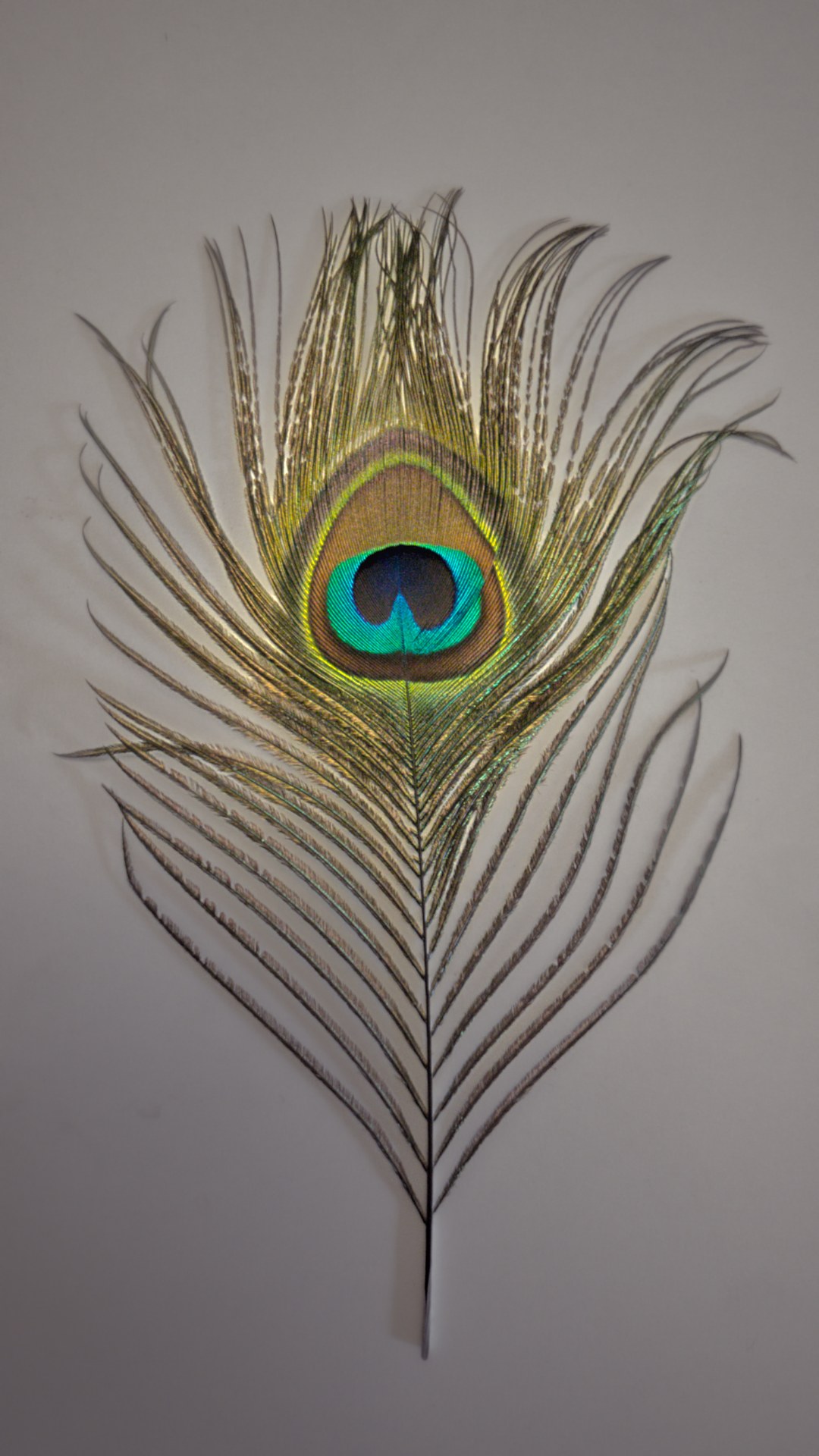
I’ve just done some playing around with masking. Didn’t get a good result first time, then I decided to do something with DorS, and the mask just kinda worked there. Small difference in process but it helped. Then I went back and did the same sort of thing with CB-RGB.
Maybe a bit too bright between the fronds at the top. Not sure if I can use the brush to unmask that enough.
Just my opinion but if you want to learn masking, just start learning on your favourite photos. The problem with these sorts of exercises is that it’s masking for the sake of masking. But in real photos, if you have to make very complicated masks then you are probably doing something wrong or fighting the light instead of working with it.
The problem is that a lot of beginners think they should become mask masters and use masks to fix everything, when it’s really something they’re not thinking through fully in their photography.
Of course it is of utmost importance to keep on evaluating ones own photography… On the other hand - this evaluation is very much dependent on what kind of photographer one wants to be. And of course dependent of ones character… No iron cast rules here - in my opinion.
But there is something else as well. Suppose one takes a picture, carefully framed and exposed, sharp where one wants it to be sharp and only there. But already then it is clear that not all will be as the photographer wishes.
So something subtle has to be done in post.
Would not it be marvelous when this photographer - using darktable - would know exactly how to subtly mask the region of interest for this - again - subtle change making the picture perfect - in hers/his/its eyes?!
Not masking for masking sake - but simply skilled masking may be the interest of this thread. A start in the long journey darktable provides enthusiasts to get better and better in expressing their views on the pictures taken.
Let this forum be one of the ways photographers develop themselves in photography and use of darktable.
So - to finalize - I agree with you and feel there is more than what you’ve expressed.