I think it just depends on where the image files are stored…
In general any program to which you pass over a file as a parameter will be called by
<pathToProgram> <pathToFile>
Path may be absolute or relative. You may skip the path to the directory of the executable, if this path is already included in the %PATH% variable though.
I don’t know if the analyzer tool has changed regarding the method of looking for image files. Perhaps some default locations (e.g. the Pictures folder) are included, where the tool will automatically look for pictures and perhaps that changed. No idea, but this is something @Qor may answer better
These files are no longer on my computer since I had to do a system restore. However, as I recall they were placed in the darktable\bin folder when the command was originally run which is not happening now.
Just as a side-note: I would recommend not putting anything additional into the Program Files folder, because it’s a general “security thing” one should avoid; and you always need to confirm access rights when doing so…
Sorry I’m totally puzzled now, but perhaps I got something completely wrong. So do I understand you right, that the image and XMP sidecar are no longer on your computer? If so, how do you expect darktable-cli.exe being able to process an image that is not there?
This it what I meant by “…this solves the problem…”: if the image you reference in the command line is not there, then you get the error message about the image file not being there…
Hello everybody! - I’d like to share my results with the RX6950 XT with you (attached), which is - as far as I know - the fastest GPU for darktable.
While testing darktable with an RX7900 XTX, I had to realize that the performance is far from what I expected reading the marketing data. The problem is that the OpenCL compiler can’t effectively exploit the “dual-issue stream processors” of the RDNA 3 and RDNA 4 architectures.
I don’t think there will be a benefit because of that “dual” thing after reading what that is about. Maybe in some cornercases after we switch to OpenCL 3 compilation …
Ah I thought, that darktable would already switch to OpenCL 3, if a capable device was recognized. What is your expectation, will it bring noticeable performance gain on an Iris XE integrated graphics? Since I also have the feeling, that over the time, master evolved to be somehow slower in darkroom, this would be quite nice. Sorry, that I can’t nail it, as I have not consequentially recorded log-files…
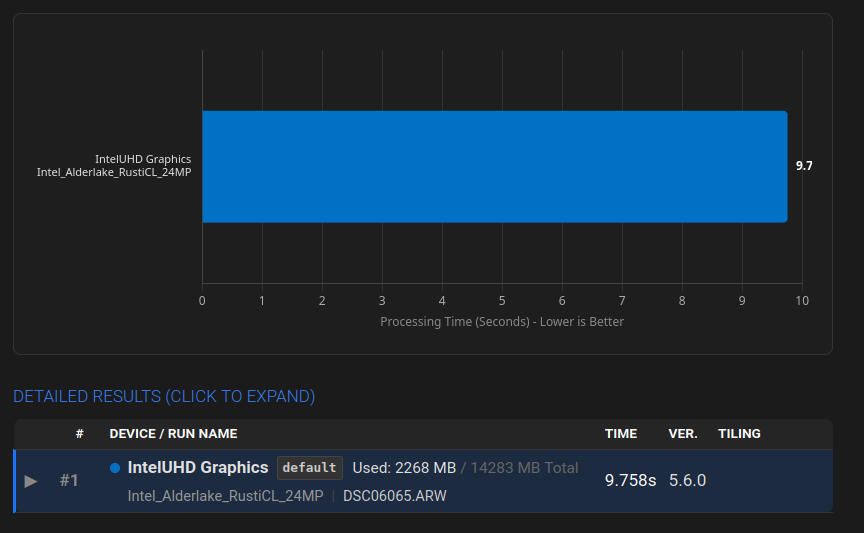
Ok, so further digging around it seems I need dual channel ram installed to unlock the Intel Alder Lake Iris XE graphics, as it defaults to Intel UHD graphics in single channel mode.
So I’ll probably slap a second 16gb sodimm stick in, especially as I can get those online for around £25.