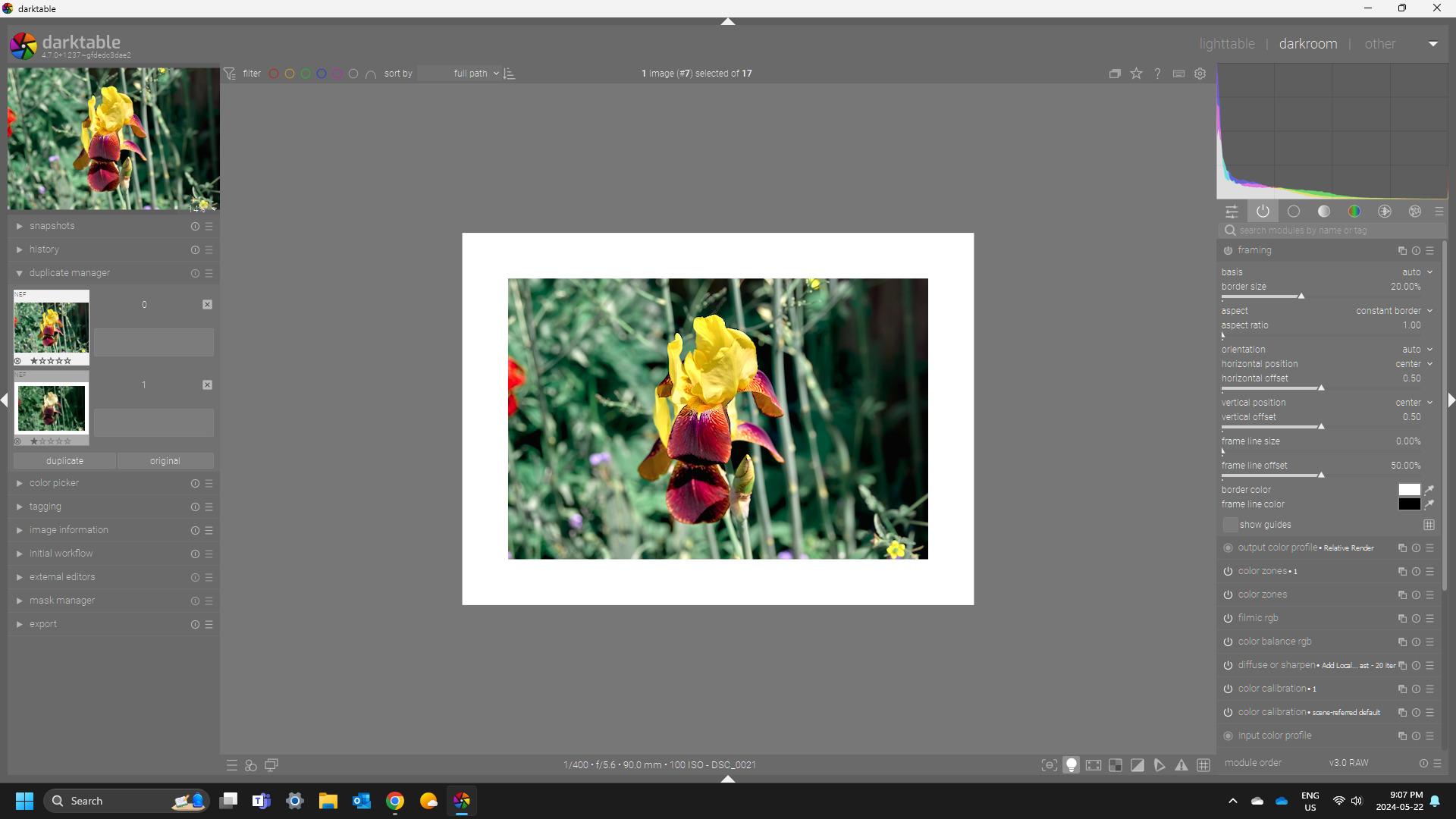
Hi,
it is possible to enable ISO 12646 view (“white border”) in darkroom permanently (in config file)?
Kind regards
Hi,
it is possible to enable ISO 12646 view (“white border”) in darkroom permanently (in config file)?
Kind regards
Hi all,
I’m also wondering if it is possible to activate the ISO 12646 color assessment condition by default upon editing pictures.
I’ve searched in the user guide as well as in the git repo, to no avail !
Any hope ?
Thanks
GLLM
Not on my computer but the framing module with an auto preset and maybe you would need to use the correct gray theme but I think you would come close…otherwise Ctrl B turns it on…
Yeah, for now I auto press CTRL+B lol 
So I was at my PC… framing module with zoom set to small and only had to change the border to 20% and its pretty much what you get with that iso 12646
Iso mode on Framing off
I use the grey theme so it work pretty much identically… so you trick would be a preset with the border on 20%… rest at the defaults of the module…
Definitely worth raising as a feature request (if it hasn’t been already)
I think this functionality could be easily added by some lines of lua code.