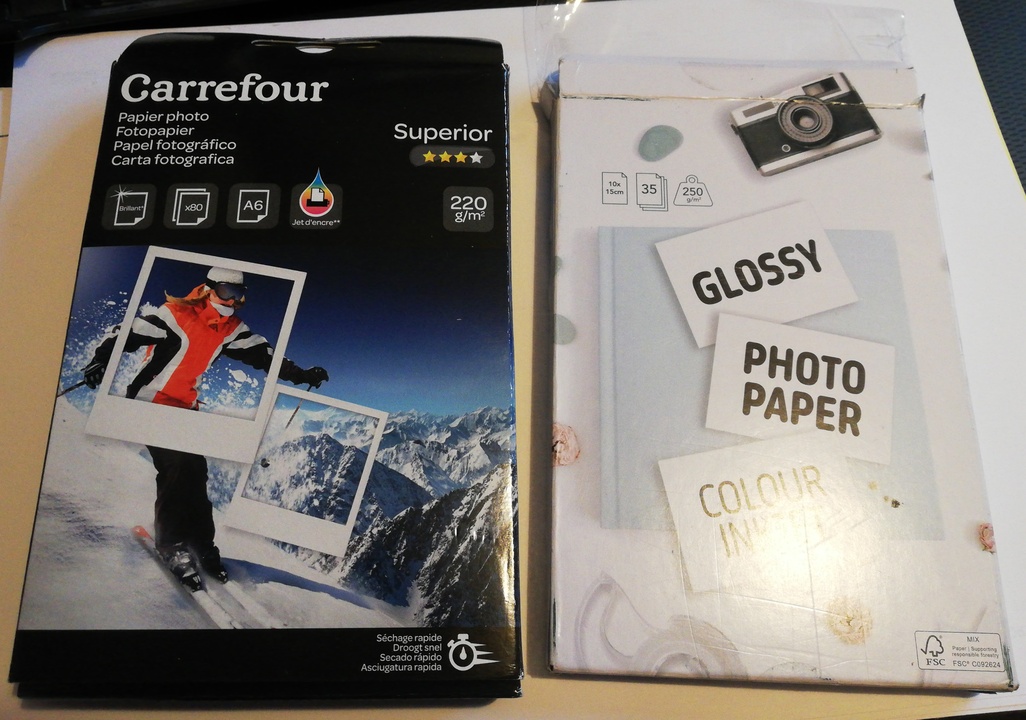
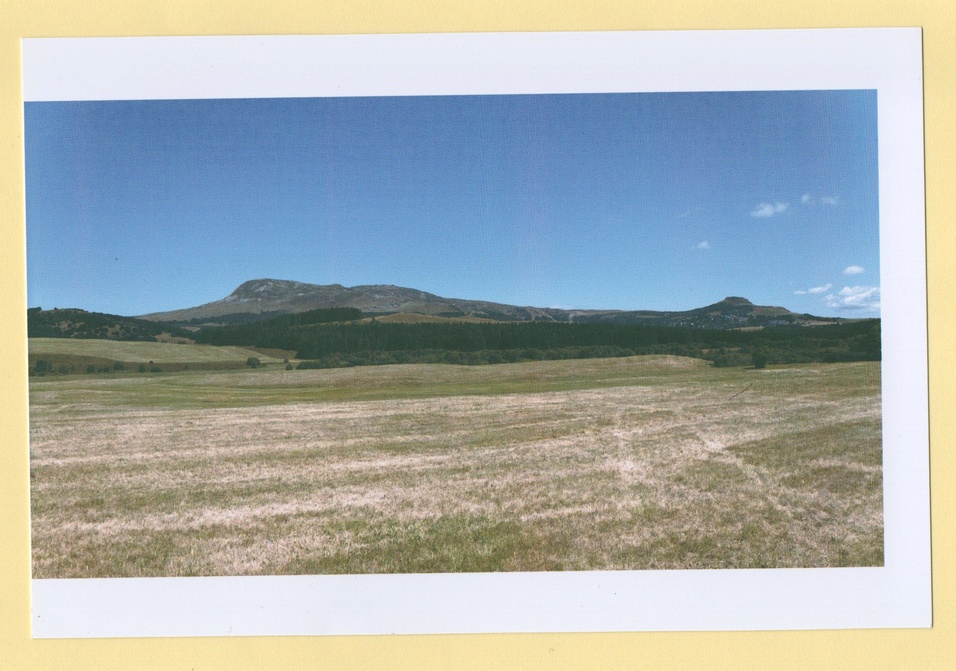
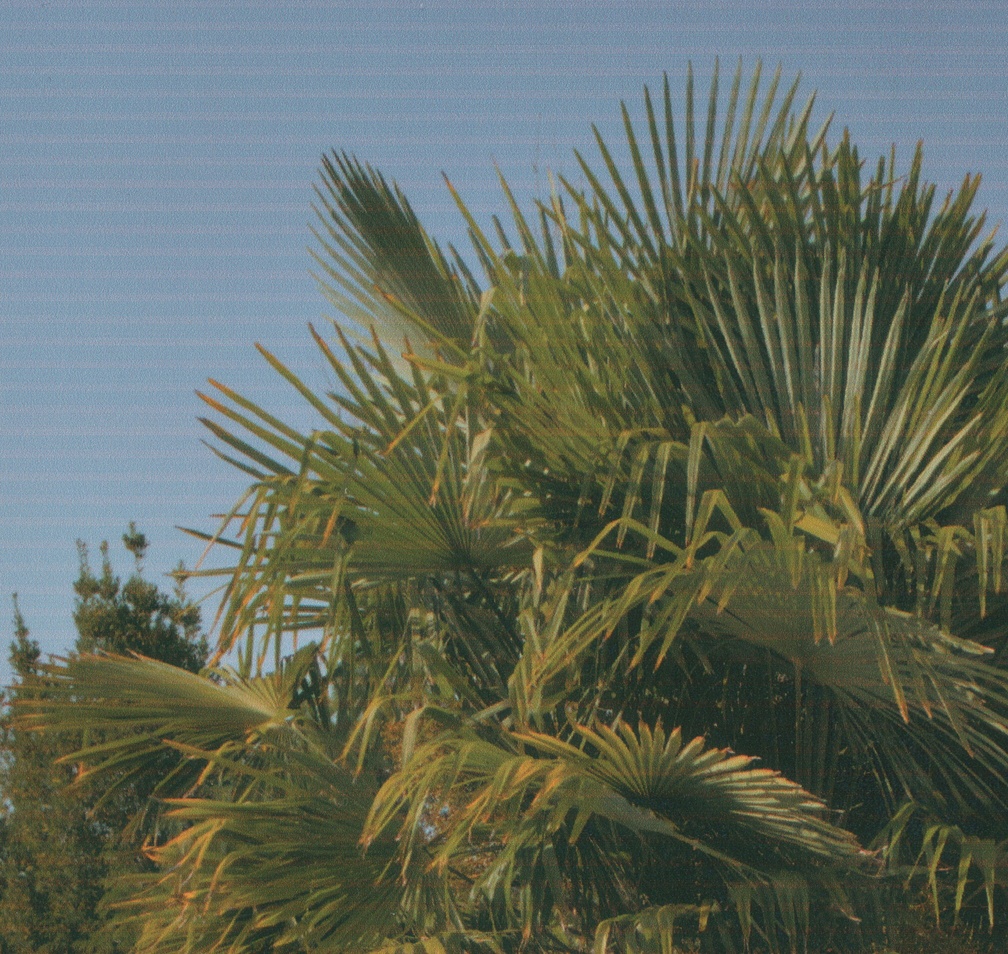
I just bought an EPSON Printer, because I wanted to switch to an EcoTank model (ET-2711). I previously used and HP printer (HP ENVY 5032) and had no problem printing on noname generic photo paper such as these :
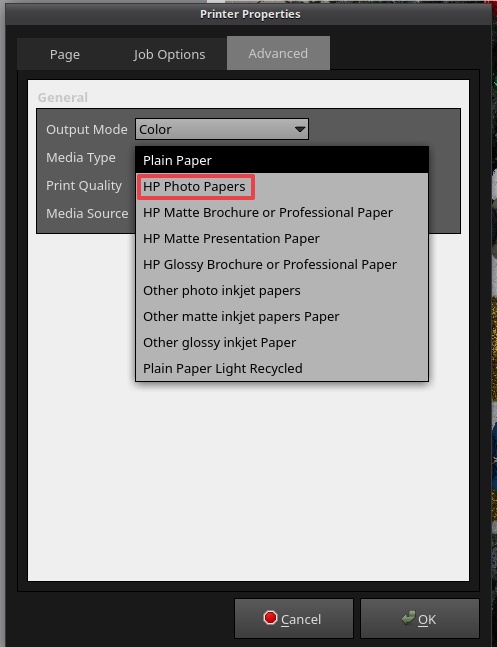
By using the HP profile “HP photo papers” I get totally satisfactory results. Colors are OK to me, even when printing on A4 photo paper that is not of the HP brand. No need to get into printer profile with Argyll, it’s fine.
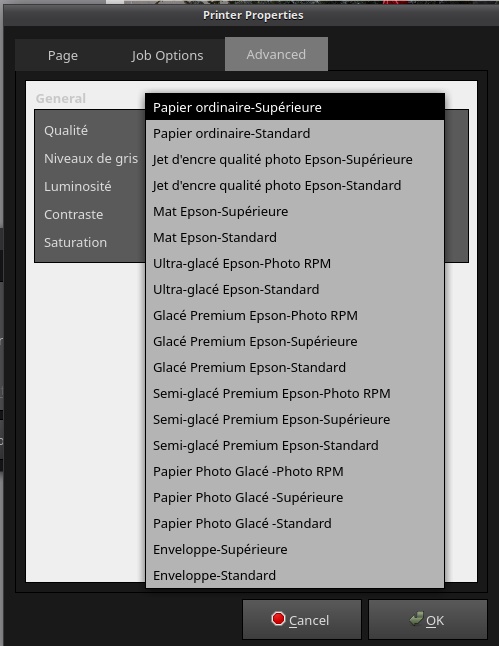
No I want to reproduce this with the EPSON printer, by picking the good generic photo paper profile. After installing the driver (this one : epson-inkjet-printer-escpr 1.8.6-1 ) , I find myself with a lot of options to choose from (sorry it’s in french):
I made a first printing test with “Papier photo Glacé -Standard” (in english “glossy photo paper -standard”) and the result is very cold, very blue, so not the right one.
I obviously don’t want to waste too much paper by testing everything.
Does anyone here have experience to share about these EPSON paper profiles ?
I own an ET-7750. Unfortunately, I didn’t have much success with the original Linux Epson driver (tried it with Ubuntu). The Turboprint Linux driver worked better (see https://www.turboprint.info/). You can use the trial version for a month without having to pay. I don’t know how it is today, but in the past, the trial version had no functional limitations.
However, because even that never worked to my complete satisfaction, I switched back to the Epson Windows driver in a Windows VM.
For two Hahnemühle papers there are profiles. I profiled another one in the past but please don’t ask me if it was easy or not. It’s been years ago and I have no clue anymore how the process was. I don’t print that much and I’m sure I will not have to profile further papers in future. Hahnemühle is by the way offering icc profiles for their papers as well.
Probably the Glossy Photo paper will give you the best result.
Having worked at Epson for a while, what they say about the paper is true. If you want to use 3rd party paper, at least find a brand that gives you driver setting to use, this means they cared enough to test things. Red River paper does this, for example.
Thanks everyone for their input. Here’s my experience, I guess it could useful to somebody.
So, I tried Turboprint.
If you’re like me on Arch, don’t instal from aur (AUR (en) - turboprint) except if you already have a license, because it will install a version that doesn’t consider the 30 day trial => It will add a logo to your print works. Pick the software from the Turboprint website. Installation from the downloaded .tgz was very easy.
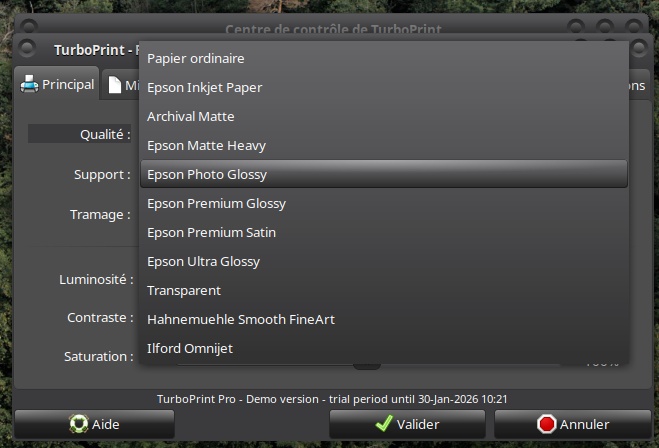
As other people said it before, yes Turboprint do provide better results, indisputable. It’s not magic though, the prints are OK, but not stellar. BUT this is, in my opinion, due in part to the printer quality. Apparently the EPSON ET-2711 is no Ferrari (plus it’s a 3 colours + black model). With the EPSON driver picking “EPSON Glossy” gives me very blue/cold results whereas with Turboprint choosing “Epson Photo Glossy” gives more neutral results with my noname brand 10x15cm paper.
For info this is the paper profiles available with Turboprint :
And sometimes it even starts to print before the paper is even here! I have no idea if there’s a setting to correct that. With regular paper it prints fine, but not with photo paper.
The scanner is awful (nothing to do with Turboprint of course!). Barely useful to print black and white invoices.
Even with Turboprint I can get awful banding issues. Here’s an excerpt from a A4 print :
Even with the awful scanning you can see it. I guess I should play with the “quality” settings to correct this. But should I pick immediately 2880dpi because it says “photo” or is it overkill for my needs ? The manual does not give a lot of info to make the right choice.
My issue with the manual is that I wished it was more detailed so that I could avoid wasting photo paper making tests. And boy did I already waste some sheets!
Turboprint gives access to options that are non-existent with the regular driver. But for 50€ I wish the manual was richer.
Also, the EPSON ET-2711 doesn’t appear to be some “hidden gem” cheap and good photo printer.
EDIT : It seems impossible to connect this printer via WIFI. It should be easy, there is the WPS mode… but the printer never connects. (again, absolutely no relation with Turboprint)
Sorry to hear you’re having issues, printing can be very frustrating.
I suggest definitely exploring all the printer settings available and choosing a standard set you use all the time, this makes for more predictability. Try the highest quality, like the 2880 you mentioned maybe. It may slow down the printing but do you mind when you’ve already invested time in an image. The banding you show may simply be due to using a lower quality print setting. Presumably the print heads are not slightly clogged?
Thanks for your answer Andrew. I have no problem if it’s going slower, of course. It’s more about being able to make the right choice while fully understanding that choice. Is a high dpi always the right way, or, I don’t know is it useless for lower quality printer ? Is it overkill ?
Trying 2880dpi is on my test list, but first I have to see about the image being printed correctly in the middle of the sheet.
Hello, is that with TurboPrint or with other printing software? I’ve seen that as well sometimes when printing on an Epson ET-8550 via gThumb on Linux. That might have to do with scaling options.
The banding you showed comes from two sources: or your print heads are clogged as Andrew already suggested (do a nozzle check and clean if necessary) or you print with low quality settings. I suppose you use original Epson inks.
I think 2880 is the high end and you might find 1440 is fine, if that’s a setting your printer has. I’ve never had misalignment like your example. I know this is obvious, but you have adjusted the paper guides haven’t you! Otherwise maybe return the printer as faulty.
After further tests and 10x15cm + A4 wasted paper sheets, I can say that the Turboprint driver for my printer is really satisfaying. If I can get good colors with a no-brand photo paper when choosing “Epson Glossy Photo Paper” with Turboprint why the hell does the Epson drivers give me off-color results ?
My banding issues were resolved after I picked a more fitting printing resolution (1440 or 2880 dpi). Thank you Andrew.
Now I am left with two problems with this printer :
WIFI connection is impossible to acheive.
More importantly, with photo paper the printer is not able to start the printing job at the right position on the paper. Images are at best not centered vertically or worse, butchered. It seems that with regular paper this problem is either non-existent or way less noticeable. Did anyone already have this problem ?
A few years ago, I tried photo printing on Linux as well. I could not get it to work reliably. I tried TurboPrint, but colors didn’t come out well, and it had really bad artifacts (stripes, too much ink, so much ink that it dripped off the paper afterwards). At that time, I resorted to a Windows VM for photo printing.
Later, I replaced that printer with an Epson XP8500 (not related to the ET8500). This was at the time an older model, which was said to be compatible with Cups directly. If memory serves, Epson even provided a native Linux driver that mostly worked. But what really made the difference was the AirPrint driver, which “just worked”.
I switched back to MacOS later on, and mostly discovered the same thing: the official native driver is a bit unreliable, but AirPrint works.
I still have that printer, alongside my Canon Pro 200, now relegated to document printing. In direct comparison, the Epson was not a particularly good photo printer. It doesn’t have great color accuracy, nor driver reliability, nor ink longevity, compared to the (much more expensive) Canon.
BTW, I still have about 30 sheets of Epson premium glossy photo paper and semigloss paper, that I no longer have a use for. I’ll happily send it to anyone in Europe if you pay for postage.
I own the ET-8550 as well, alongside a bigger SureColor P7000 (I run a little print shop). For years I used to print from Linux, with gThumb, but I often had problems with margins.
Two years ago I changed to a Windows laptop for printing, with the famous IrfanView installed. That was already better but it had problems printing on the big printer (A2, A1, 60x180cm…).
Last year I bought a second-hand iMac, just for printing, and I’m quite satisfied with it. The margins are 98% of the time OK, but sometimes it prints from the border of the paper, so without a margin there. No idea why.
advertising on
For printing under Windows, I have had really good experiences with Qimage Ultimate. Together with the Epson driver (assuming suitable printer profiles), I no longer have any problems with printing, neither with scaling, margins nor colours, unless I am being stupid myself. It was a good investment for me because I regularly make A3 and A4 prints to hang up on our walls.
advertising off
Do you know a good equivalent of QImage for MacOS? At the moment, I’m using Canon’s Professional Printing and Layout application. It works, but is very limited.