It is unsigned, so you need to make it executable with xattr
It is limited to the sRGB color space
The former requires an Apple Developer Account.
The latter is a limitation of GTK3, which can’t currently read the display’s color space in macOS, and defaults to sRGB instead. Over in Darktable on macos: are there bugs with ICC profiles?, some fine folks figured out that you can patch GTK3 to default to Display P3, which isn’t as good as actually reading the Display’s color space, but is surely better than sRGB.
So here’s an experimental build of Darktable 5.6 with these two issues addressed:
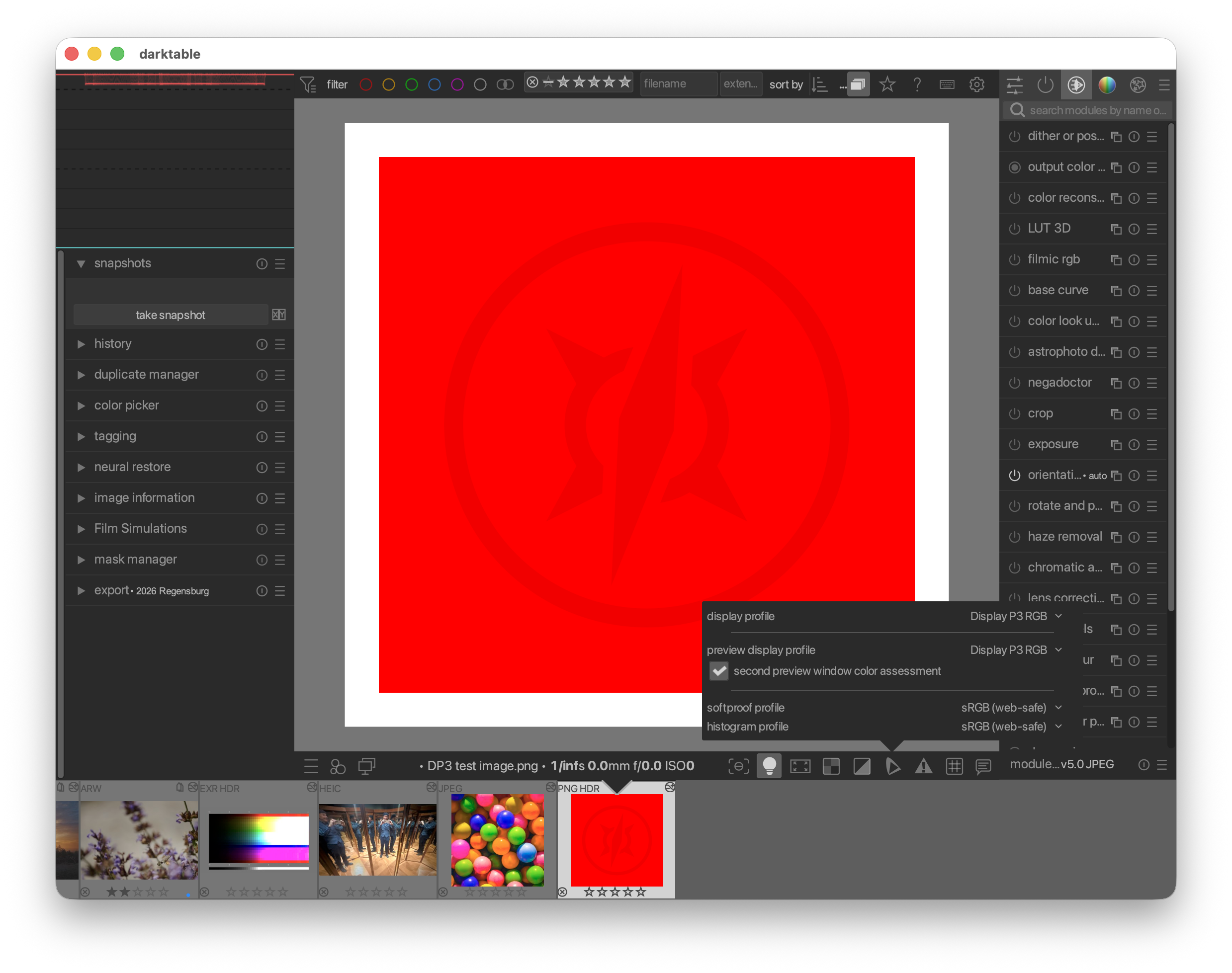
If you have an sRGB display, macOS will take of converting from DP3 to sRBG. You will need to set your soft proofing display profile to Display P3 RGB to see DP3 content.
(in a DP3-capable browser, darktable and this screenshot show a logo. The image is full-red without a logo in sRGB)
This is at the moment just an experiment. Please let me know if the DMG works for you without xattr, and whether you can see DP3 colors. Please do not share the DMG outside this forum for the time being. I’m still figuring out the legal side of code signing.
Thanks… I managed to see it by manually adding a Display P3 Profile to KDE and firefox, everything is a lot less saturated now though.I don’t want to pollute this thread though I’ll create post if there are developments
So you applied the simple quartz patch which is used by ART already and compiled against the patched gtk+3, everything else equal?
EDIT:
Never mind, I got it already. I have got a local installation of patched gtk+3 in /opt/local specifically for ART (which I build from sources) and it’s picked up by the darktable build as well, because its path has precedence over the homebrew package.
Can you elaborate on what you are trying here?
Signing a macOS app bundle requires a valid certificate of an official Apple developer account. There is no other way.
I created an Apple Developer Account, payed for the developer subscription, and signed the app bundle and app with my signing certificate. Apparently this didn’t work, or wasn’t enough.
My goal is to “donate” my Apple Developer Subscription to the darktable project to sign their MacOS binaries.
Those instructions tell the user how to authorize the package to run with the xattr command (by the way, I get a pop up window request, no need to run xattr).
This is not like signing the bundle with an Apple Developer Account, which otherwise wouldn’t require the manual authorisation of the user.
’’’
4). Create application bundle from build files. To properly sign the app bundle you can optionally provide your developer certificate email/id by defining CODECERT:
export CODECERT=“your.developer@apple.id” # optional, not required
3_make_hb_darktable_package.sh
’’’
First set your credential: export NOTARY="--apple-id user@email.com --team-id ABCDE12345 --password abcd-efgh-ijkl-mnop"
Specify which app: export APP="/Users/me/MyApp/build/MyApp.app"
 .
. I’ll create post if there are developments