Having tabs instead of instances isn’t very darktable like. What have you won with tabs over instances?
2 Likes
Also true. Another thought I had was having
Detail
Detail scale
Detail 2
Detail scale 2
This doesn’t add too much complexity (I think) but allows one to easily dial in a second “instance”. It of course is also somewhat half baked because it misses the other controls for the second “detail boost”
I haven’t tried it yet, but I rather like the ideas of of a combination of @jandren and @bastibe approaches - a “coarse” and “fine” slider that work similar to the commercial software approach ‘out of the box’ but can be fine tuned as suggested if the detail scale needs refining.
That would seem to suit both the novice (or refugee from Adobe) and the more technical users.
1 Like
I can actually see the charm of duplicated controls here.
It’s a logical consequence of the module design if we want to introduce multiple scales.
If the reason why multiple scales are desired is that multiple modules should be avoided, then at least also the edge refinement parameter should be adjustable for each scale because it has a huge impact on the result and behaves differently for different scales.
If there are only multiple detail strength slider for multiple scales and the detail scales are fixed (relative to the main detail scale), if seems like a half-baked solution to me when thinking it through as
- it is not immediately clear how the main detail scale affects the finer / coarser detail scales
- it there is no precise control of the other details scales. if you want to fine tune your results, you may hence still end up with multiple separate results
- You can only visualize the main detail scale
But I also prefer not to use tabs. Instead, it would be more like the diffuse and sharpen interface in my opinion - but grouped by detail.
So for N detail groups, it would be something like:
— Detail Scale 1 —
Detail Boost
Feature Scale
Edge Refinement
Show Mask
…
— Detail Scale N —
Detail Boost
Feature Scale
Edge Refinement
Show Mask
— Advanced —
Filter Diffusion
Luminance Estimator
Feature Extractor
I’d hence propose to keep the advanced controls global. It might be useful to have them per scale, but we’re leaving the sweet spot between versatility and cluttered UI in my opinion - that’d finally be an use case for multiple modules
The default preset should IMO set only the first detail boost != 0 to give a simple clarity effect
9 Likes
I don’t see the point of offering multiple detail scales or graphic eq like controls, it seems like an over complication of the module, when you can just duplicate it and target a different edge frequency instead.
Plus, IMO fixed values are a mess because different scenes and different camera resolutions will inherently target different scales for the same kind of object. Might as well leave it to the user to select what he wants. It’s almost like an audio graphic equalizer. It has its usefulness but you can almost always do better with parametric eq.
3 Likes
Have you tried either the RT or ART tools that I linked above?
My last words on this, as we have in German the saying “Viele Köche verderben den Brei” which translate to: Too many cooks spoil the broth.
I think @Wilecoyote has to decide. We have as many opinions as community members. I found the first version already damn good. So I shut up and will see how the final module will look. Absolutely convinced it will be great. No matter if there are more or less sliders.
@kofa as you probably know I’m using RawTherape from time to time. For me the 6 sliders for detail level doesn’t bring a real advantage. If we want something like that, I personally would prefer an interactive curve like in dt contrast equalizer where there is a a curve and I can decide if I want to touch it in a larger or a smaller range
12 Likes
Maybe a stupid question.
If this module will become the recommended way to do local contrast, would it then not be helpful to call this module ‘local contrast’ and rename the ‘old’ one ‘local contrast - display referred’ or something like that.
I don’t now the internals of dt, but I would assume that the name of module is just a label?
The convention has been to append ‘rgb’ to the name of an existing module when a replacement using the scene-linear RGB pipeline was provided: filmic → filmic rgb; color balance → color balance rgb.
@Popanz : I agree, it’s of course for @Wilecoyote to decide.
Regarding fixed levels versus arbitrary curves: I think that in contrast equalizer, and also in ART’s local contrast tool, we have a curve, but internally it’s fixed levels (wavelet scales), and the effect is blended together.
Okay, I understand, but given that we are now much further with the move scene referred, would it not make sense to turn that around. Just a thought / suggestion.
That doesn’t matter it’s a matter of how do I interact. On the interactive curve I can lift a whole area at once or just decide to lift a very small part of the curve. Anyway I still don’t see the necessarity of having an equalizer. Settings like that simply don’t make sense for me on local contrast:
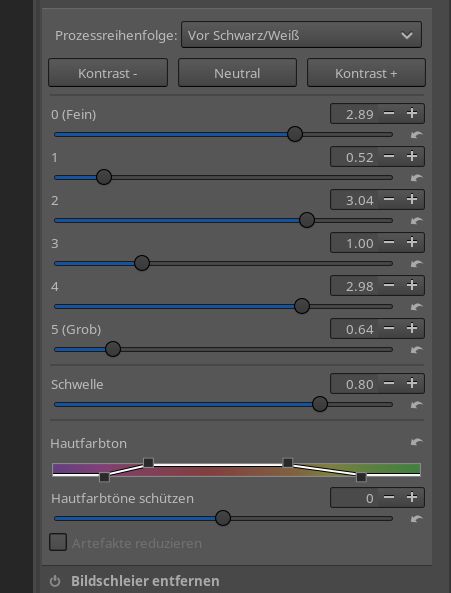
1 Like
Keep in mind that with this module, similar to the contrast equalizer, you can also reduce local contrast. For example, you can reduce coarse local contrast and only increase fine local contrast and vice versa. I need this very often.
1 Like
Just out of curiosity, in what situations do you use this? (As a wildlife photographer there are hardly situations I bump into this)
In your use case: Reduce coarse contrast in foliage, bump fine contrast to make animals pop.
3 Likes
I believe contrast equalizer is just another local contrast adjustment tool. So, if it’s useful there, why not here? Whether a curve is used to set the adjustment at the specific detail levels, or a bunch of sliders, is a question of convenience; I would also prefer a curve like contrast equalizer has, instead of several sliders, if multiple levels are to be supported.
Probably my bad, but I have no clue what the units are from that GUI. What is “0”, 1 pixel, 5 pixels, 10 pixels? Similarly 1, 2, etc.
And once I figure that out, what if I want a scale in between? Or a sharp cutoff of the effect at a particular scale?
I would rather keep the original design and just use multiple instances. At least with “feature scale” and “feathering” I have an idea of what I am doing, roughly.
I can imagine a 2–3 scale design (eg coarse/fine) like color balance rgb divides up the luminance to low/mid/high, overlapping. But what I like about the initial design of this module is the simplicity combined with the flexibility.
My understanding is that this module was born out of a desire to improve on that, so just copying its features may defeat the purpose.
2 Likes
I would prefer sliders to a curve, because sliders can be bound to shortcuts.
Case in point, I use an auto-preset for the contrast equalizer that does a coarse local contrast, with a uniform mask with weight zero, so effectively disabled. I then have a shortcut set up on the blending strength, which behaves much like a “Clarity” slider.
But it would be much more convenient to not have to resolve to such workarounds.
Good point.
Here is an example from the tread:
There is a lot of unrest in the foreground due to the dry grass:

With the first instance, you can first soften these rough local contrasts…
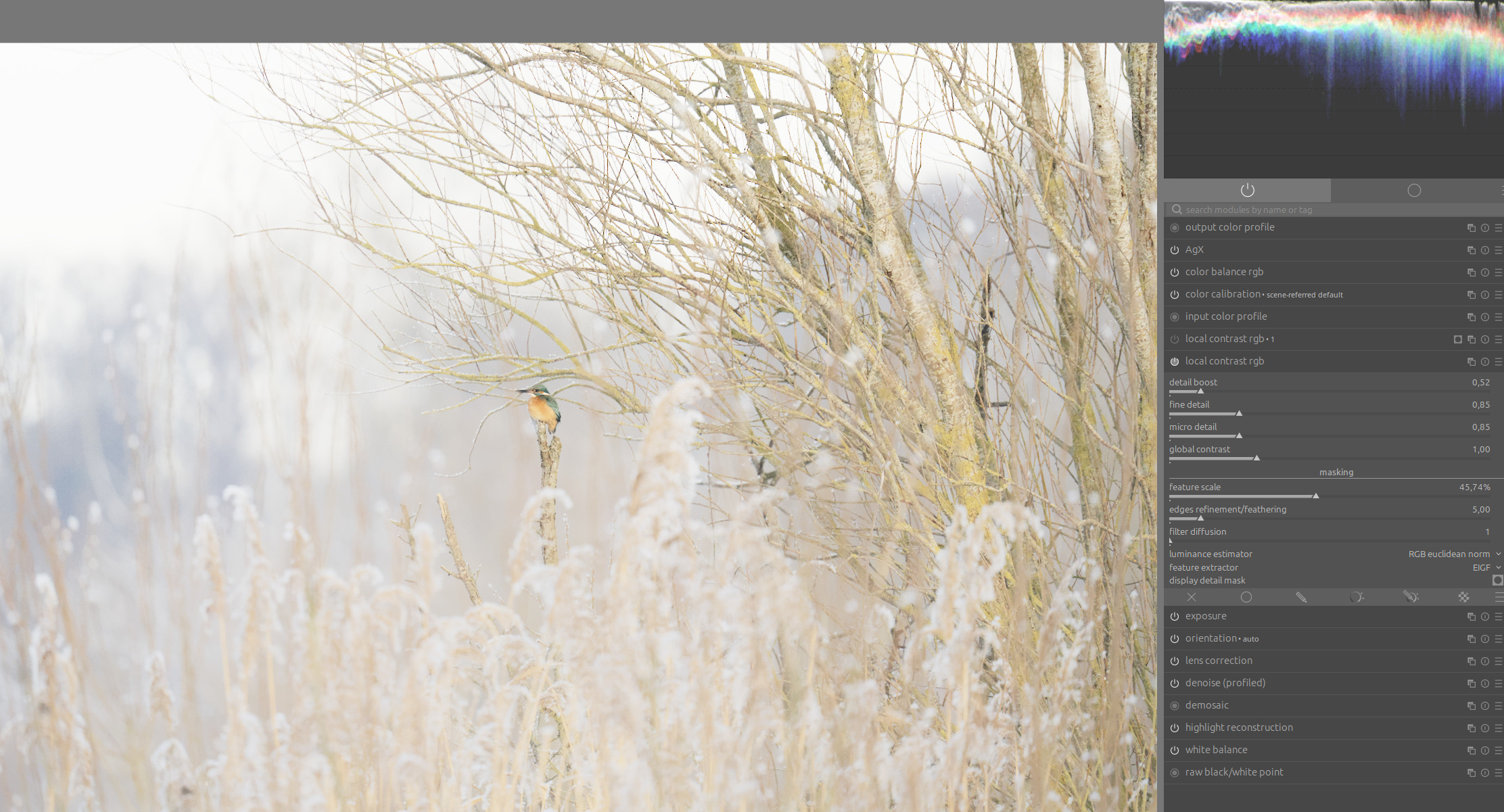
…and with the second instance, you can enhance the fine local contrasts:
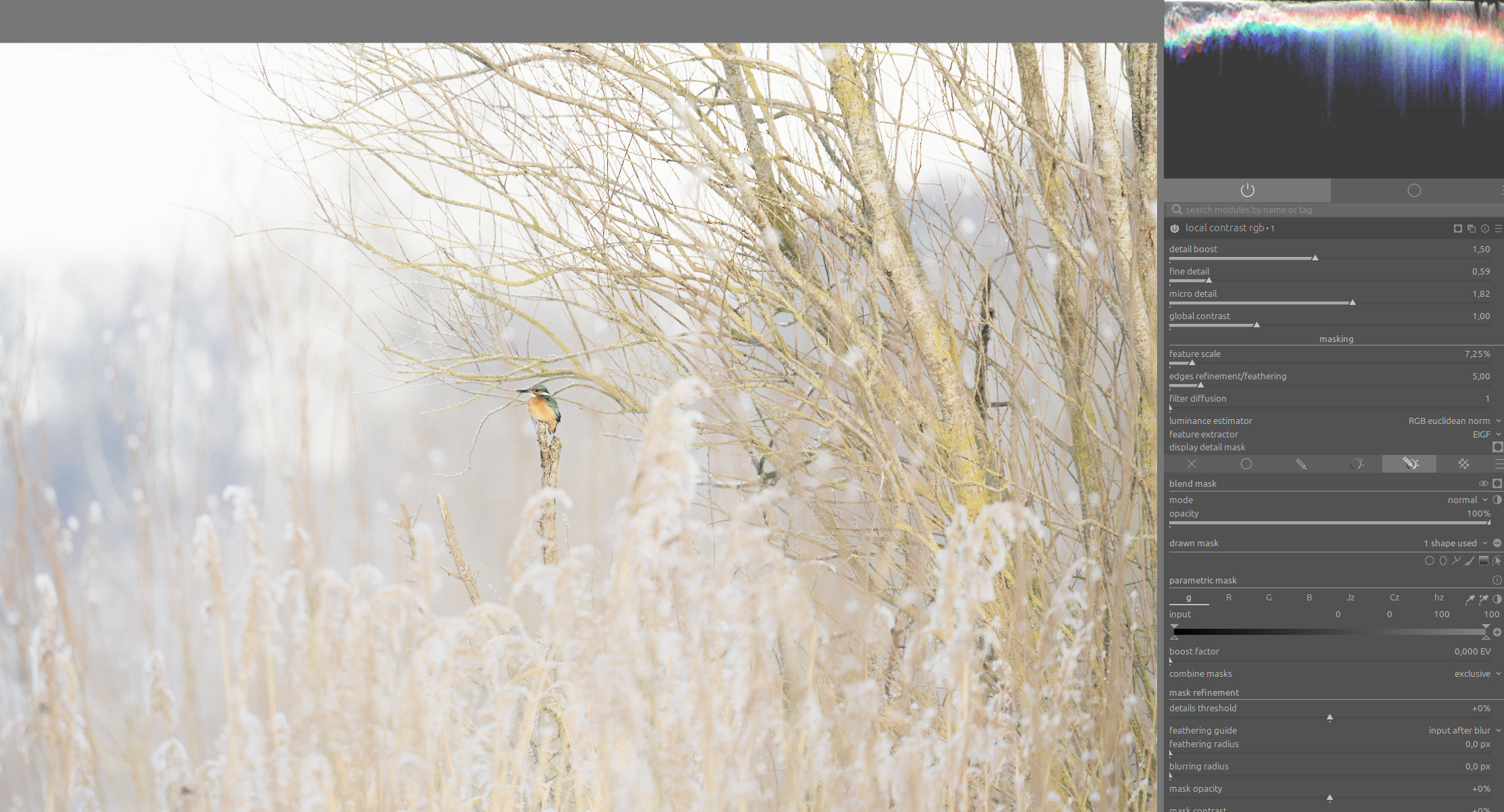
Here is a before-and-after comparison. Now the bird is no longer embedded in the texture and stands out a little better.:
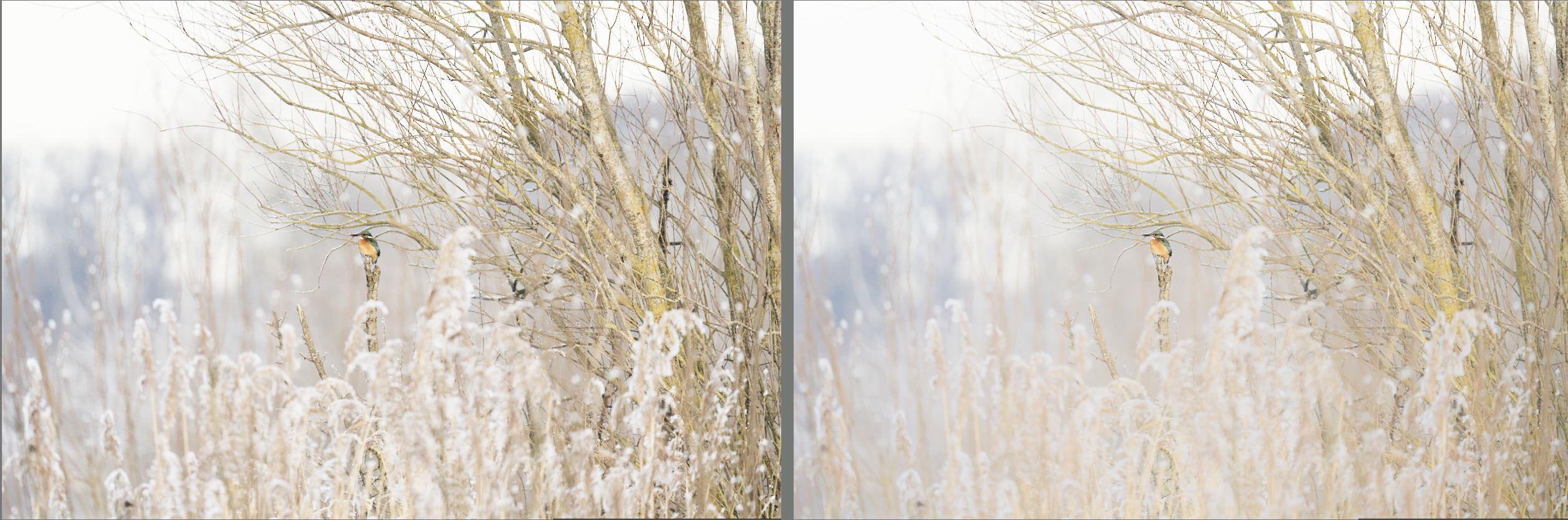
It would be nice to be able to do that in one instance.
8 Likes
Copying (some of) its user interface (not code) is not pointless. Uli said:
I don’t insist on any approach (and if I did, that would be very foolish). I used to use the contrast eq a lot. However, its edge behaviour was often problematic. I’d be happy to see an improvement there, and the approach based on guided filter could provide just that. I’ll be grateful for whatever I’ll get in the end; for now, we are discussing, brainstorming, and @Wilecoyote will make the calls.
2 Likes