Hello all!
Update [2025_01_23 +] New Multiscale Version
The current version of my multiscale version can be found here:
https://github.com/wilecoyote2015/darktable/releases/download/local_contrast_rgb_multiscale_0.2/Darktable-5.5.0+106.g488568219d-dirty-x86_64.AppImage
Update [2026_01_20]: Alternative Multiscale Versions
There are now two versions that explore possible UI layouts for covering multiple detail scales in one instance!
(see also the posts around Experiments with a scene-referred local contrast module - proof of concept - #114 by Wilecoyote for related discussions):
- @Christian-B shared an implementation with different simultaneous scales that are defined relative to the main scale set by the feature scale slider here: Pyramidal contrast – Google Диск and the post is found here: Experiments with a scene-referred local contrast module - proof of concept - #160 by Christian-B whereas the windows build is https://www.dropbox.com/scl/fi/idxoeff6a0r7kgmkvjfnx/darktable-5.5.0-121-gb3f8a9ef9d-dirty-win64-NSIS-deprecated.exe?rlkey=6ca9q52c3rgu1znweftrsheo8&st=409d7s9z&dl=0
- I Implemented option 3 from my post #144 above: There are multiple (3 for now) scales with independent control of feature scale and feathering. The appimage is here: https://github.com/wilecoyote2015/darktable/releases/download/local_contrast_rgb_multiscale_0.1/Darktable-5.5.0+101.ga5261ae469-dirty-x86_64.AppImage and the github branch is here: GitHub - wilecoyote2015/darktable at local_contrast_rgb_multiscale
Original Post
I am currently playing around with some ways to achieve fast and controllable local contrast / clarity enhancement within the scene-referred workflow.
Within the process, I’ve experimented with a new module that leverages the luminance masking logic of the tone equalizer module to extract the local features to emphasize.
It aims to provide direct artistic control and is relatively consistent when zooming the viewport except for very small feature scale settings.
It’s really just an experiment out of interest and most boilerplate-code is just vibe-coded around the core-logic with AI. But maybe it’s interesting for some to play around with it 
You can try it out from my branch:
and here is an Appimage:
(For some reason, the import dialog is blank in the AppImage. Any help using the appimage build script properly on arch linux is wamly appreciated)
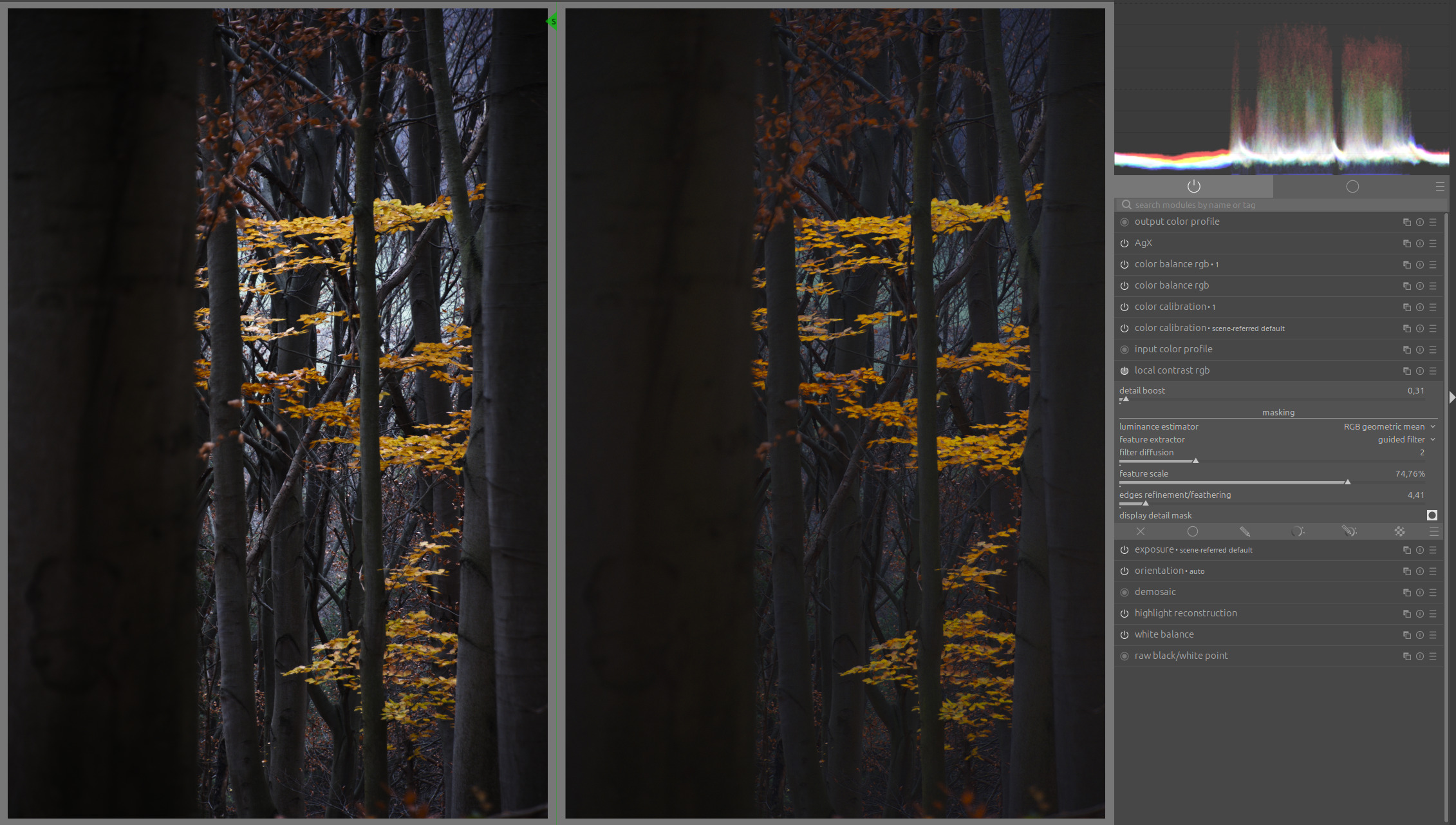
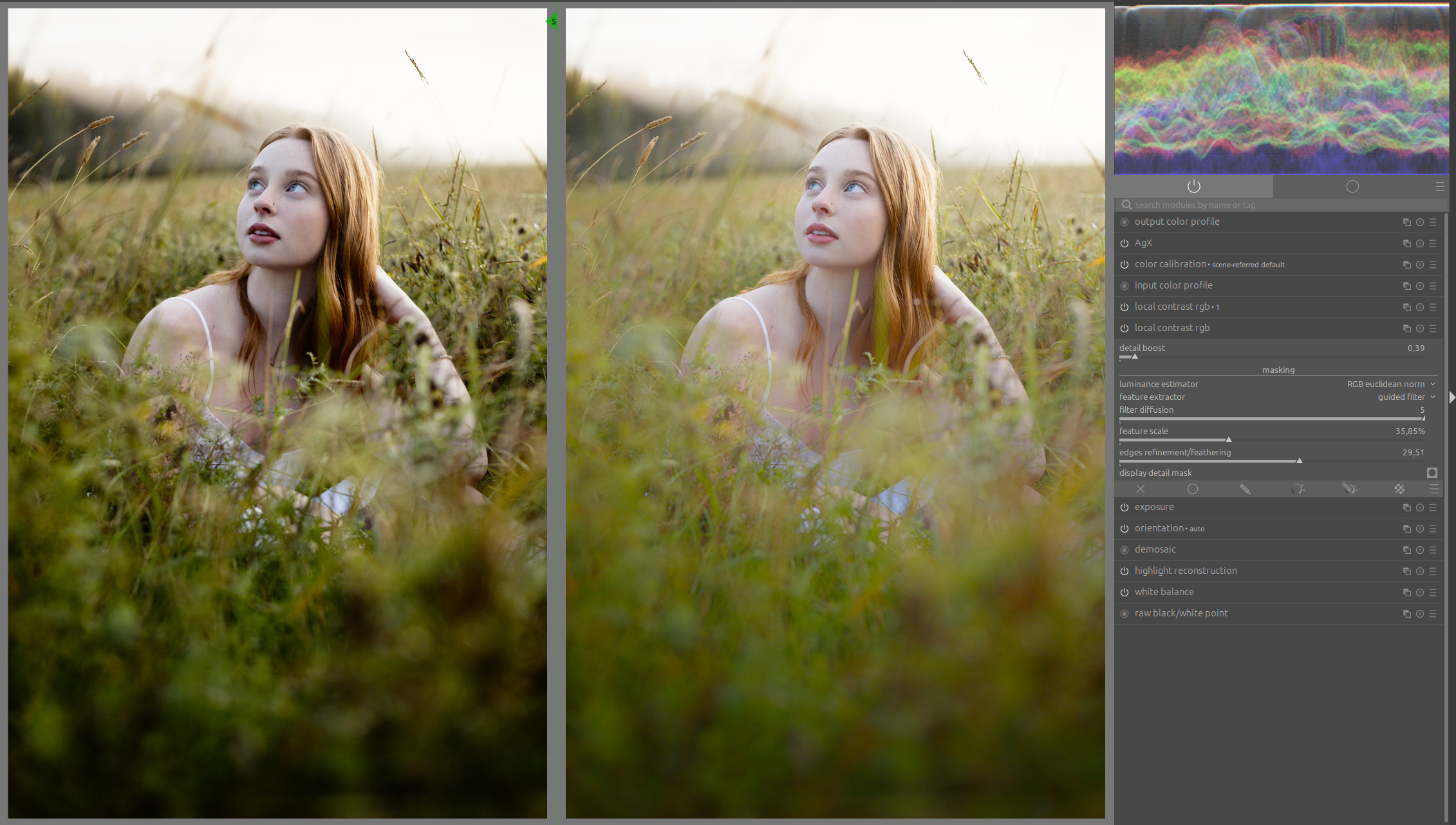
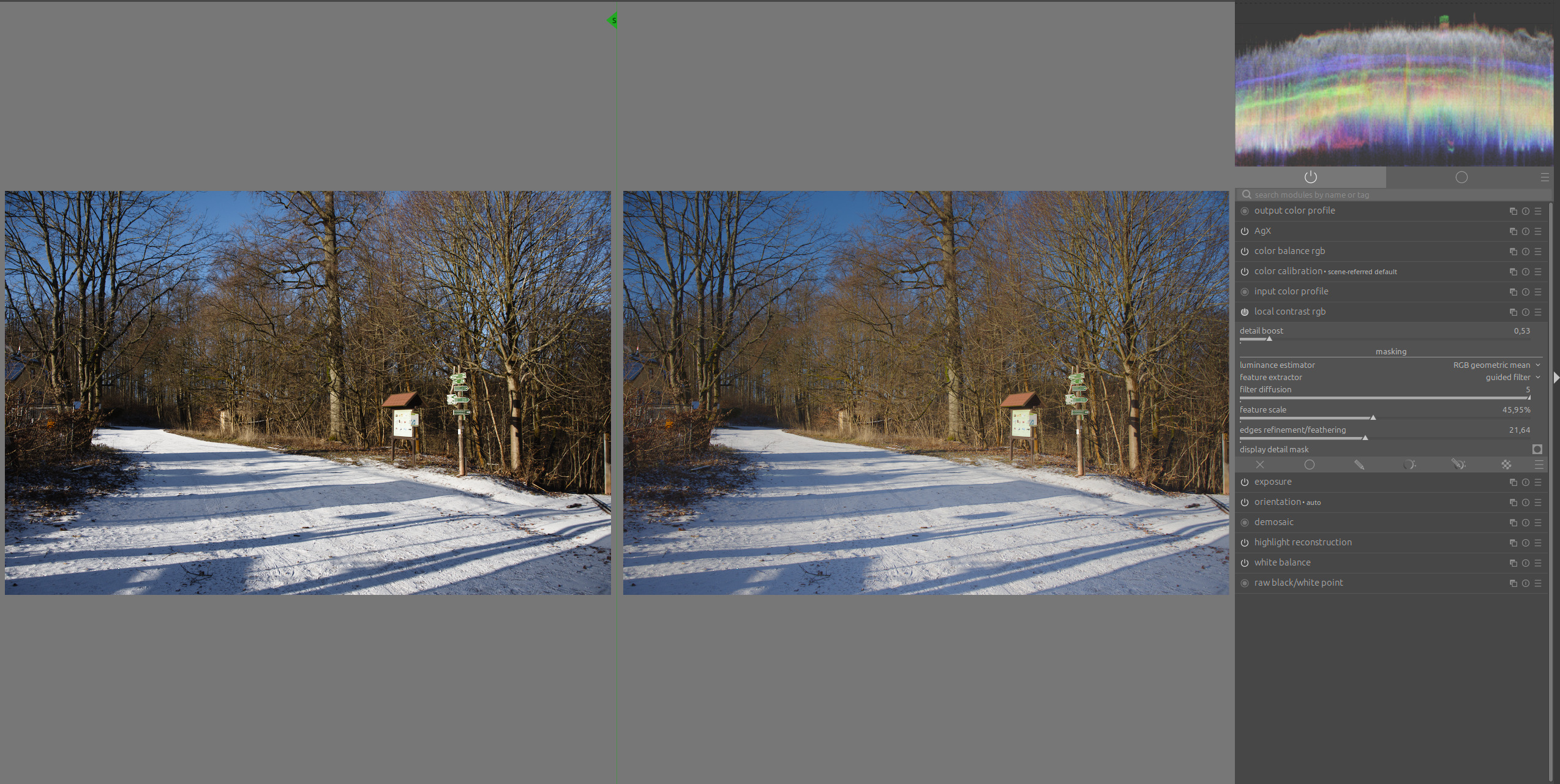
Let’s start with some visuals (with A Winter Scene to Play With - #14 by Zbyma72age)
Basic development:
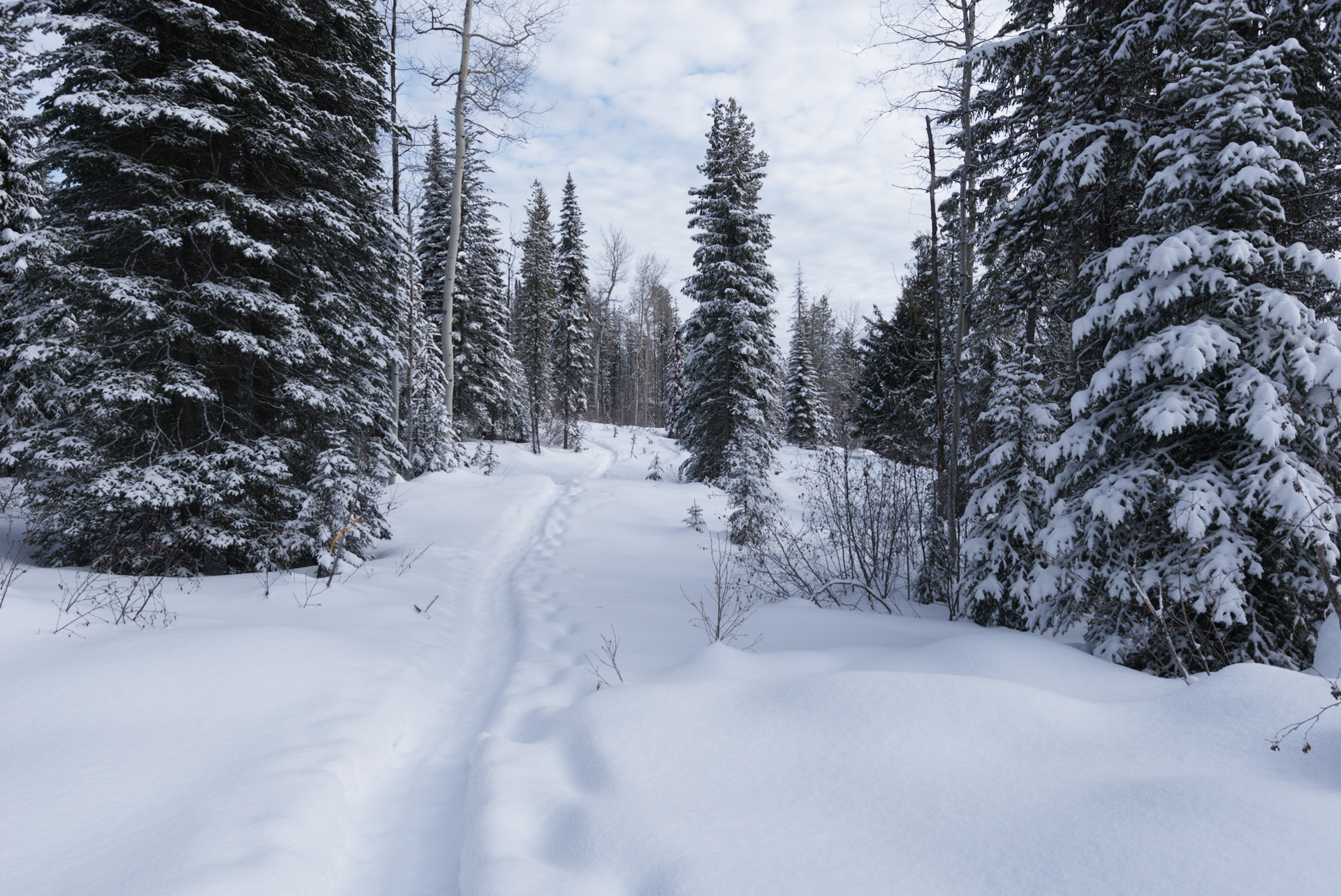
With local contrast RGB:
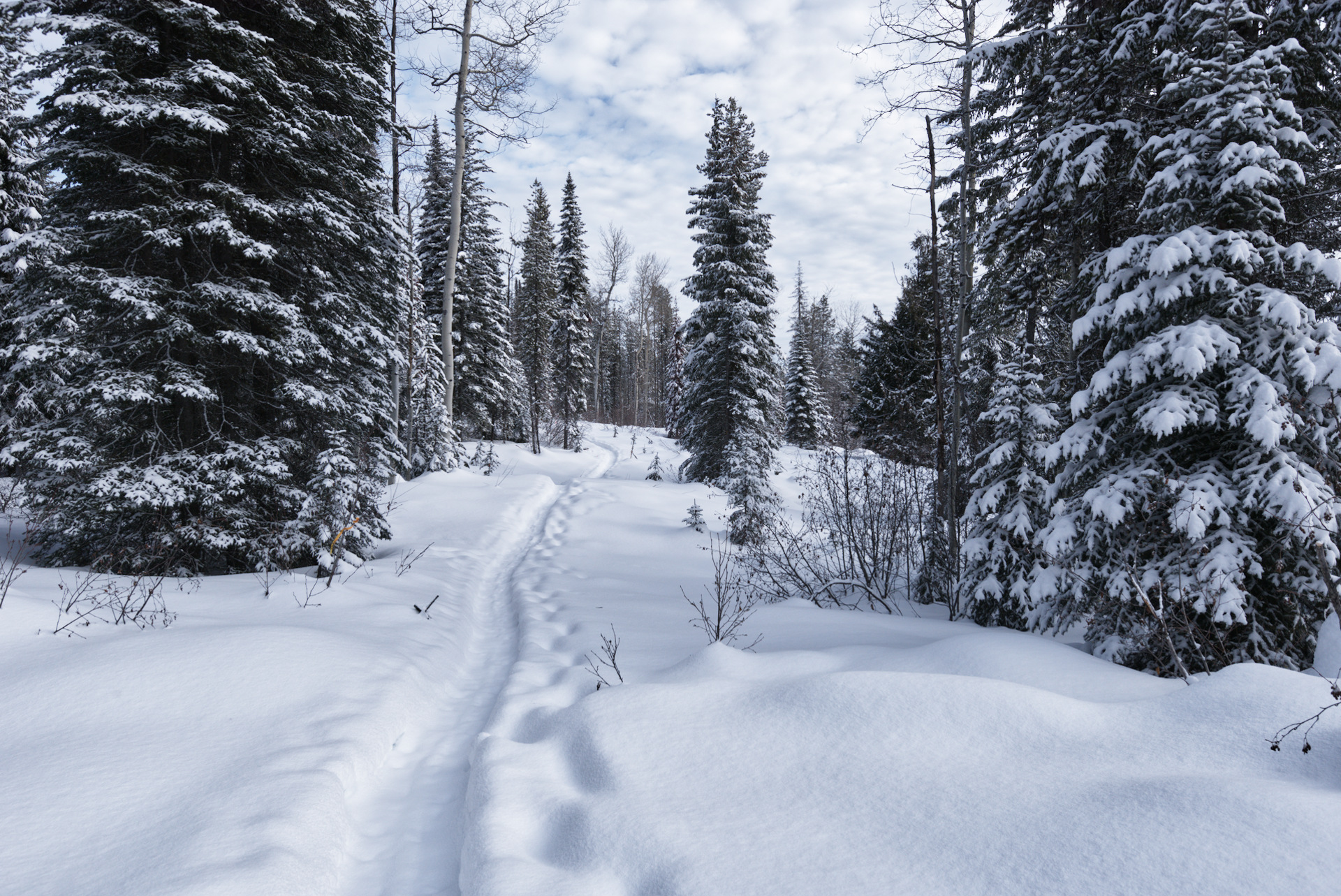
Motivation
I tend to struggle with the existing tools for local contrast alteration in the scene-referred workflow:
- With Contrast Equalizer, it is often hard to achieve results that do not look overprocessed. Although the edge preservation control exists, edge artifacts are common and it is hard to target the desired detail levels exactly.
- Local contrast is designed for the display-referred workflow and hence not really usable before the tone mapper. It also breaks colors and global contrast easily.
- Diffuse and sharpen is a very versatile tool, but due to it’s design as an all-purpose-precision-tool, it is inconvenient for focusing on the task of controlling local contrast. The settings are complex and do not directly correspond to the controls over the local contrast you want to achieve. Also, it is relatively slow. What’s most problematic for me is the scale variance. With most local contrast presets, you really need to have high quality preset mode on all the time when editing your image once D&S is enabled to get an accurate preview. This renders the whole editing process quite cumbersome.
In sum, I’d like to have a simple module for local contrast that allows me to control which details to enhance while not producing strong halos or other artifacts.
Principle
The module applies scene-referred unsharp masking.
First, it generates a smoothed and edge-aware luminance mask like the tone equalizer.
Then, the luminance is also calculated for each pixel locally (without any smoothing).
The exposure difference (in EV) between the smoothed and the local and smoothed luminance is then calculated for each pixel and used as a detail mask.
To enhance / reduce those local details, we simply increase the exposure difference by some factor (the “detail boost” parameter).
For example, given a pixel is 1 EV darker than the smooth luminance mask at this location and the detail boost parameter is set to 2.
We hence want to double the exposure difference, so that the pixel will be 2 EV darker than the smooth luminance mask value.
So the pixel’s exposure is reduced by 1 EV.
As the alteration of the image data is simply a per-pixel exposure shift realized by multiplication in scene-linear space, the channel ratios and corresponding image properties for the downstream processing are preserved.
Usage
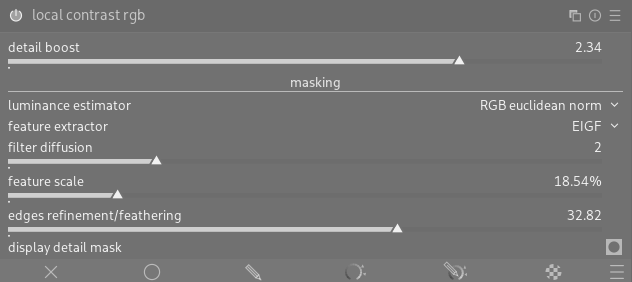
detail boost: The strength of the effect. values > 1 will enhance features and < 1 will mute features
The other settings control how the features are extracted (most important first):
- feature scale: Remapped version of the “Smoothing diameter” from tone eq. It controls which scale of features to enhance
- edges refinement / feathering: like from tone eq. Larger values control edge halos and reduce the effect on already pronounced features so that only the more subtle features get enhanced.
- display detail mask: Show the extracted details. It helps to understand which details the current settings extract that will be modified.
- luminance estimator: Exactly the luminance estimator of tone eq
- feature extractor: the preserve details setting of tone eq. Renamed to make it more clear that it now acts for feature extraction
- filter diffusion: Like in tone eq
A good workflow is to sweep through feature scale to find the scale you are interested in and then adjust the other parameters.
Examples
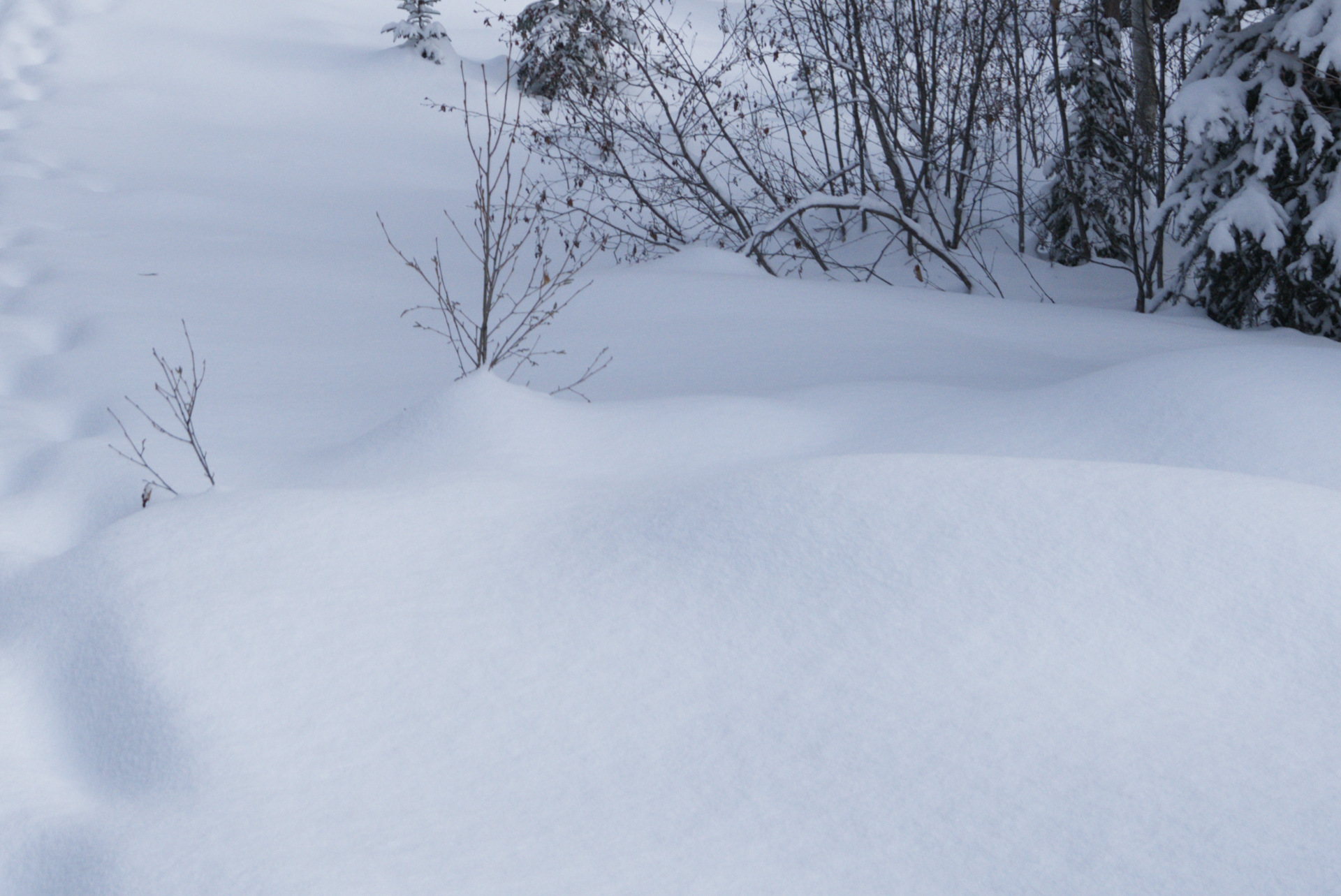
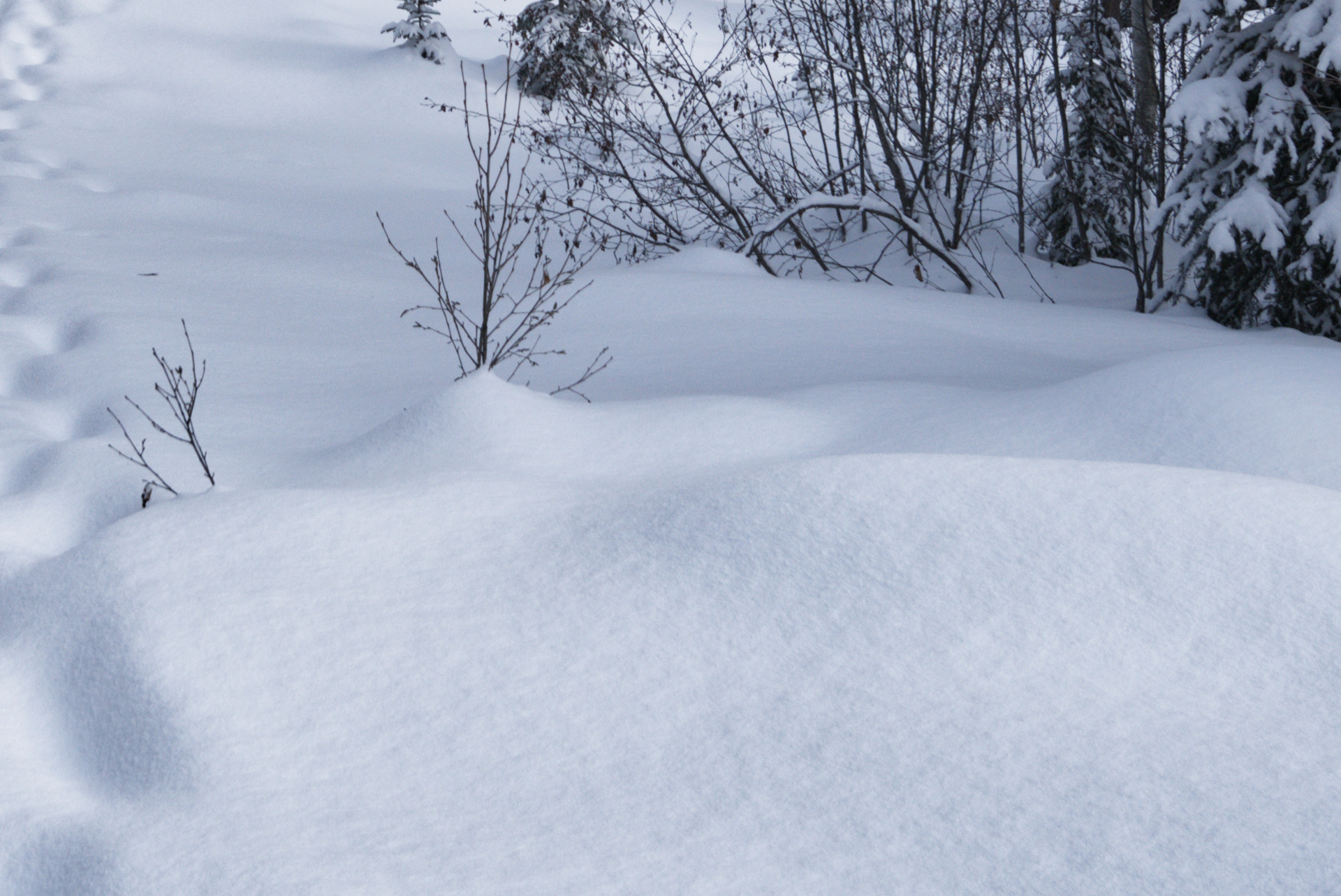
Crops from the images above - notice that the snow texture is enhanced without halos on the branches :
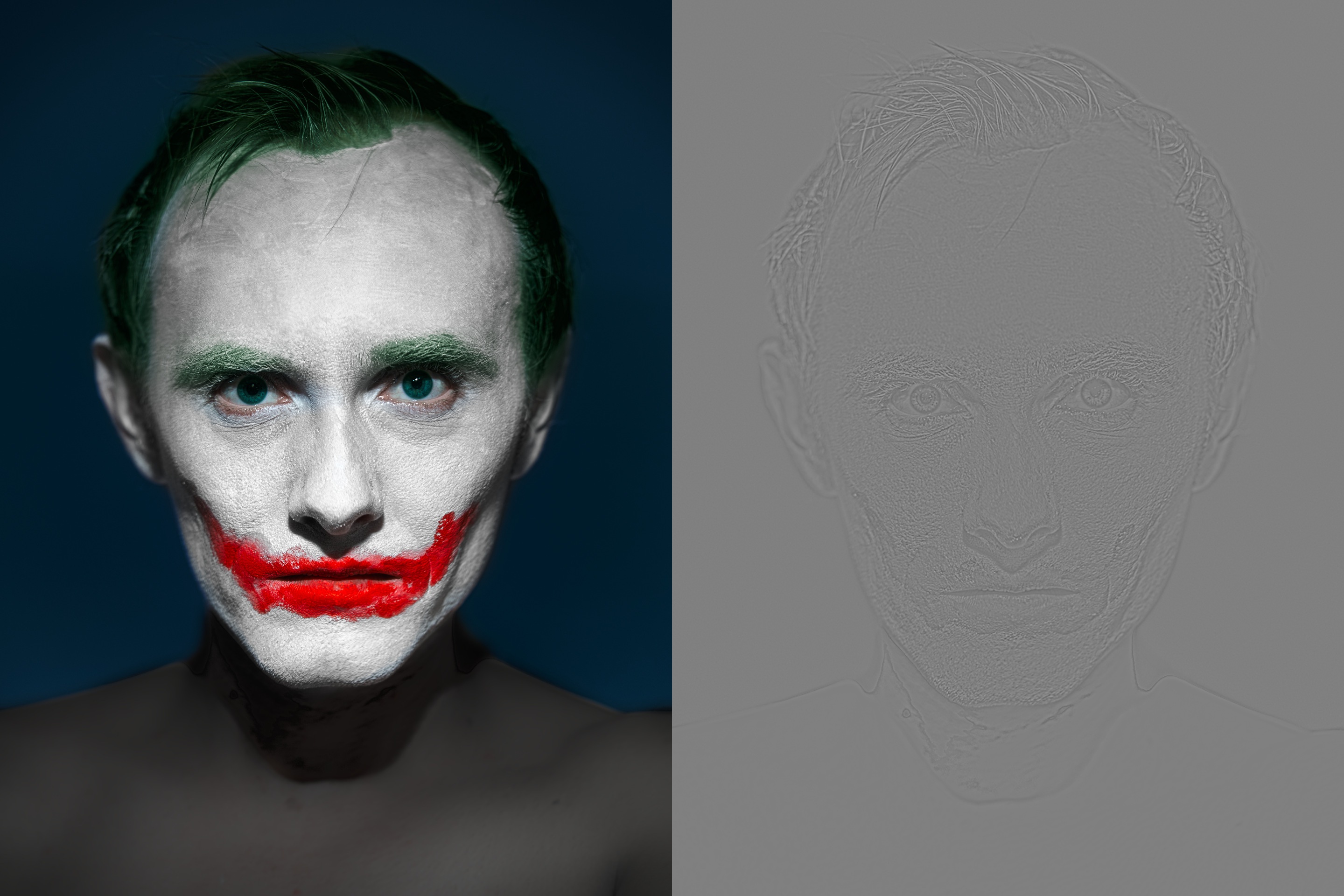
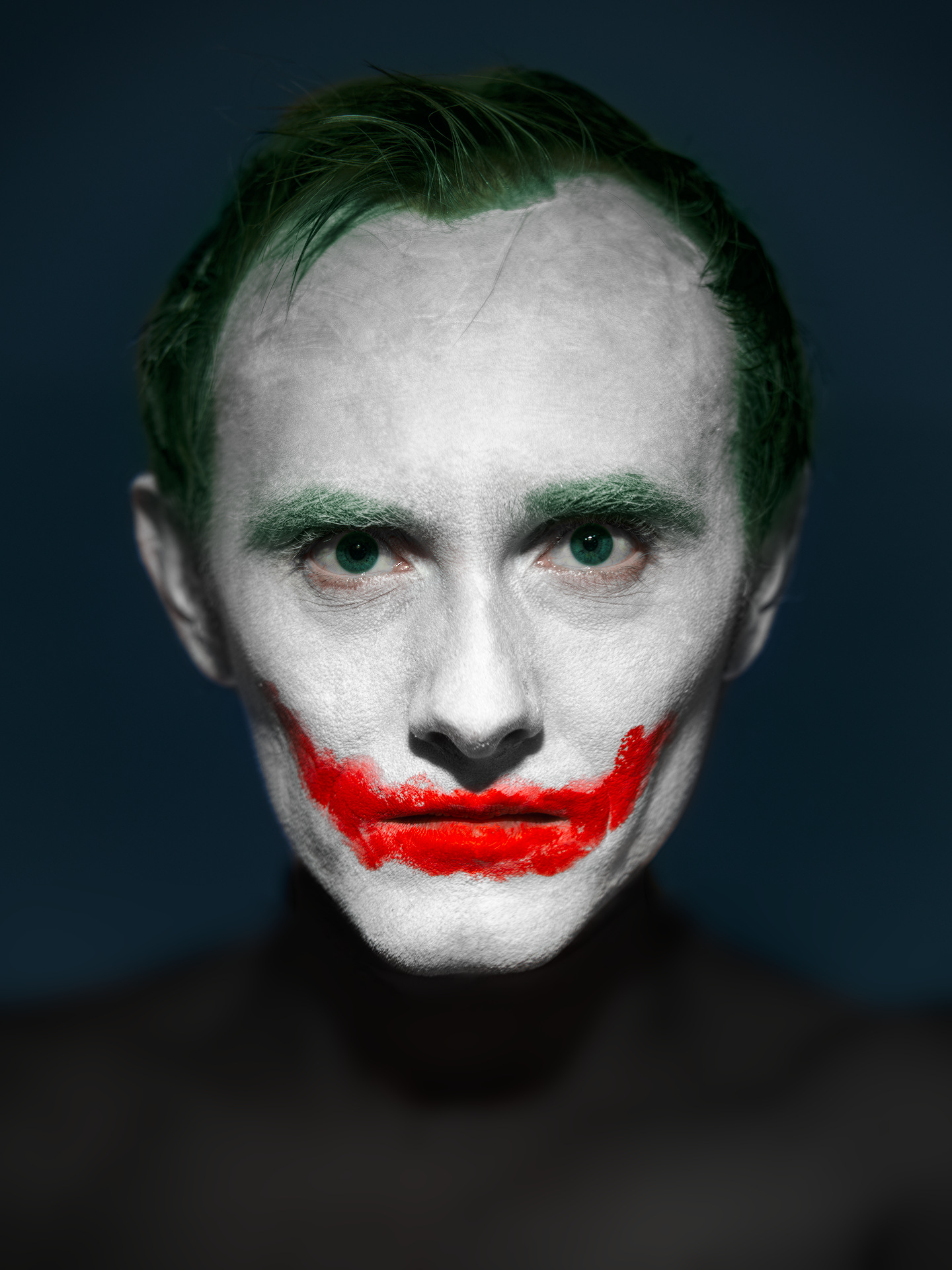
Some portrait stuff - toying around with the skin structure. Also showing the detail masks:
Without local contrast:
Larger Details - enhance the rough patches of makeup
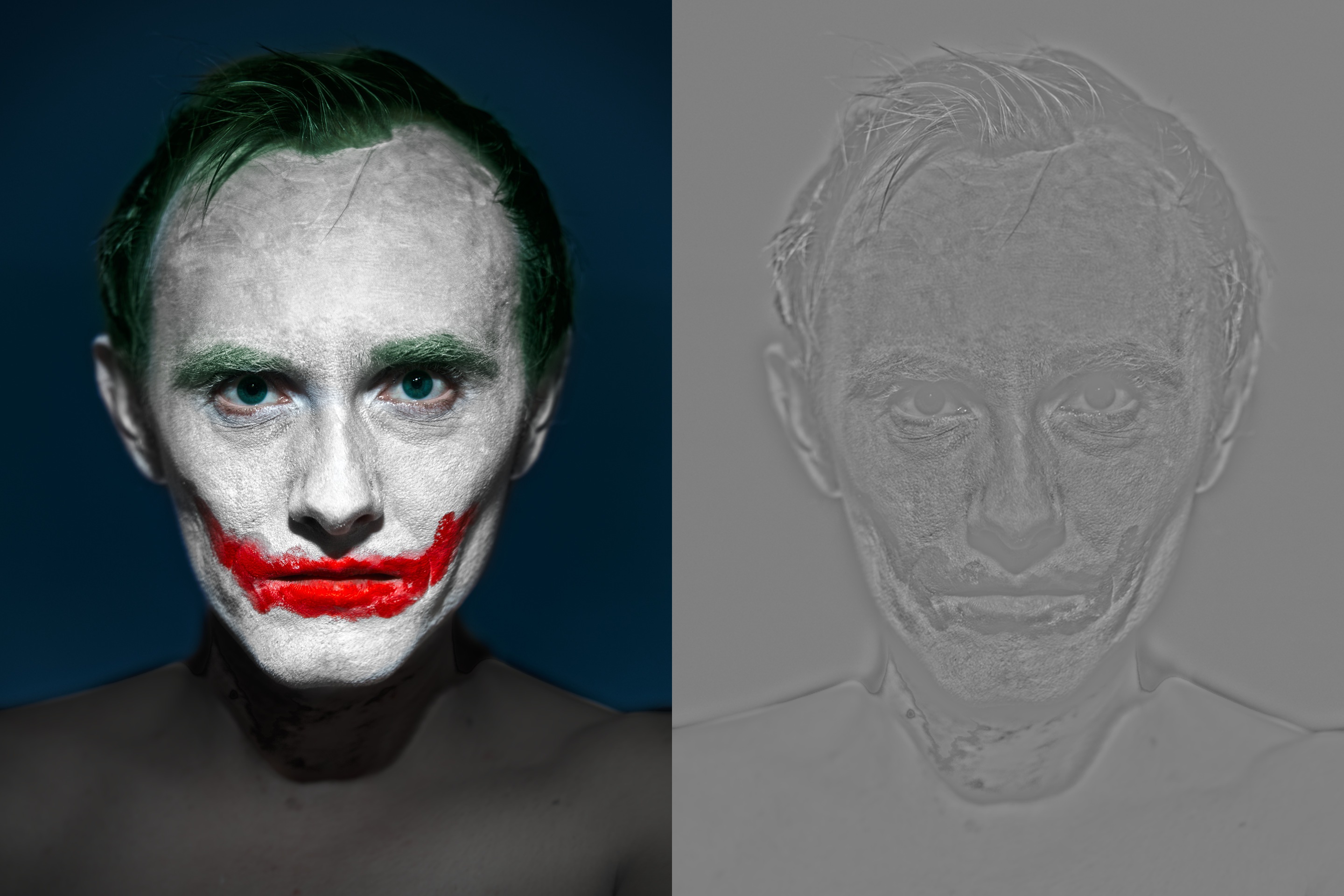
Finer Details - pronounce the small skin features and make edges look sharper: