Thank you very much for the kind words, bitpainter75. I really appreciate it.
Honest and independent reviews are what I try to do with OSP. That means giving credit where it is deserved, but also pointing out things that could be better. I know that honest criticism can sometimes come across a little hard, especially when it concerns something people have put a lot of time and effort into. But in your case there really isn’t much to criticise from my side, nothing but praise for what you have already built with FerrumPix.
It is still a young project and there is clearly room for it to grow, but that is part of what makes it interesting to follow. I was genuinely impressed by what I found, and I’m glad the review was useful to you as well.
Keep up the good work !
Marc
You’re welcome, Paul. I mentioned you because your testing was genuinely relevant to the story, not just because you happened to be one of the early users.
From what I saw while following the discussion, you really put FerrumPix through its paces and pointed out quite a few things that needed attention. And judging by the fixes and changes that followed, I suspect you deserve at least a few stripes for helping to get FerrumPix to where it is today.
That said, I’ll leave the developer to confirm how many stripes you actually get. I’m just the writer who came along afterwards and wrote about what I found.
Either way, your feedback was a valuable part of the story, and I’m glad I could include it.
@bitpainter75, today I installed a new graphics card (a low-end model, NVidia GeForce GT 710) and tried your AI denoiser again.
In Settings I let it search for the new card, which was found. I activated the switch “Use graphic card”. Then I opened the same high-iso NEF as earlier in this thread, I clicked on the AI denoiser and after 1m10s FerrumPix crashed.
I repeated that step and the same thing happened.
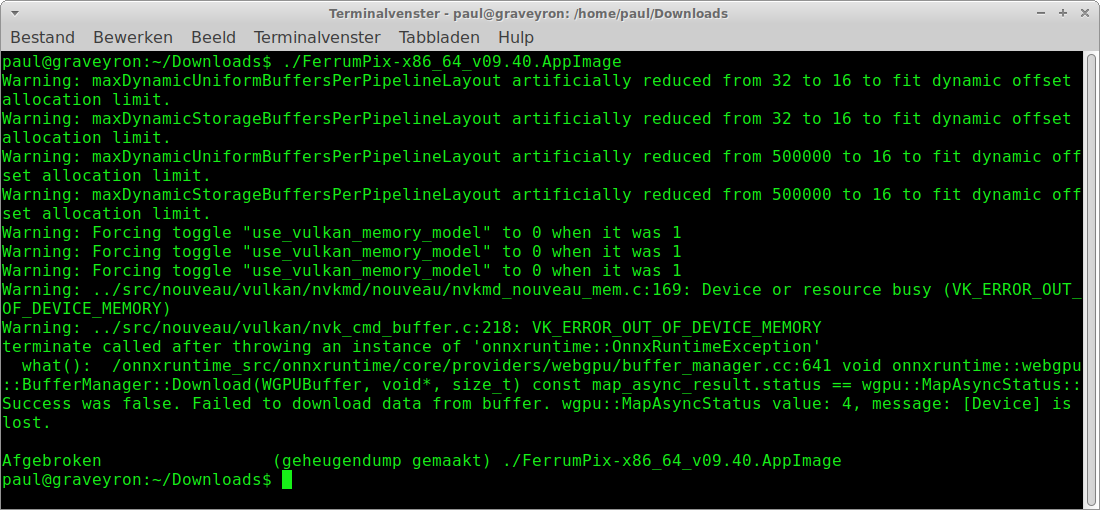
Then I started the AppImage from the commandline and now it gave some useful info, see screenshot in next post. My card has 2GB of GDDR5 memory.
The problem is visible in it: the GPU ran out of video memory (VK_ERROR_OUT_OF_DEVICE_MEMORY ), the Vulkan device was then lost, and ONNX Runtime terminated from native code. The important part is the last one: this happens below FerrumPix in the native runtime, so the application does not get a normal managed exception it can reliably recover from.
The GT 710 only has 2 GB of VRAM, and the thorough denoise model needs more than that. You are also using the nouveau driver, and the warnings before the crash show the Vulkan implementation reducing some of its available limits.
Measured here on a 24 MP image, the thorough denoiser needs about 2.3 GB of VRAM , while the quick model needs roughly 450 MB . That explains why the quick model works on your card and the thorough one does not.
The good news is that this is not a hard limit. The denoiser already works in tiles, and reducing the tile size brings the thorough model below 900 MB of VRAM , at the cost of roughly 20% more processing time.
I’m currently working on a new version that takes the available VRAM into account and automatically chooses an appropriate tile size. So smaller GPUs should be able to run the thorough model without hitting an out-of-memory crash.
FerrumPix should ideally handle this automatically rather than letting the native runtime take the whole application down, and that is what I’m working on now.
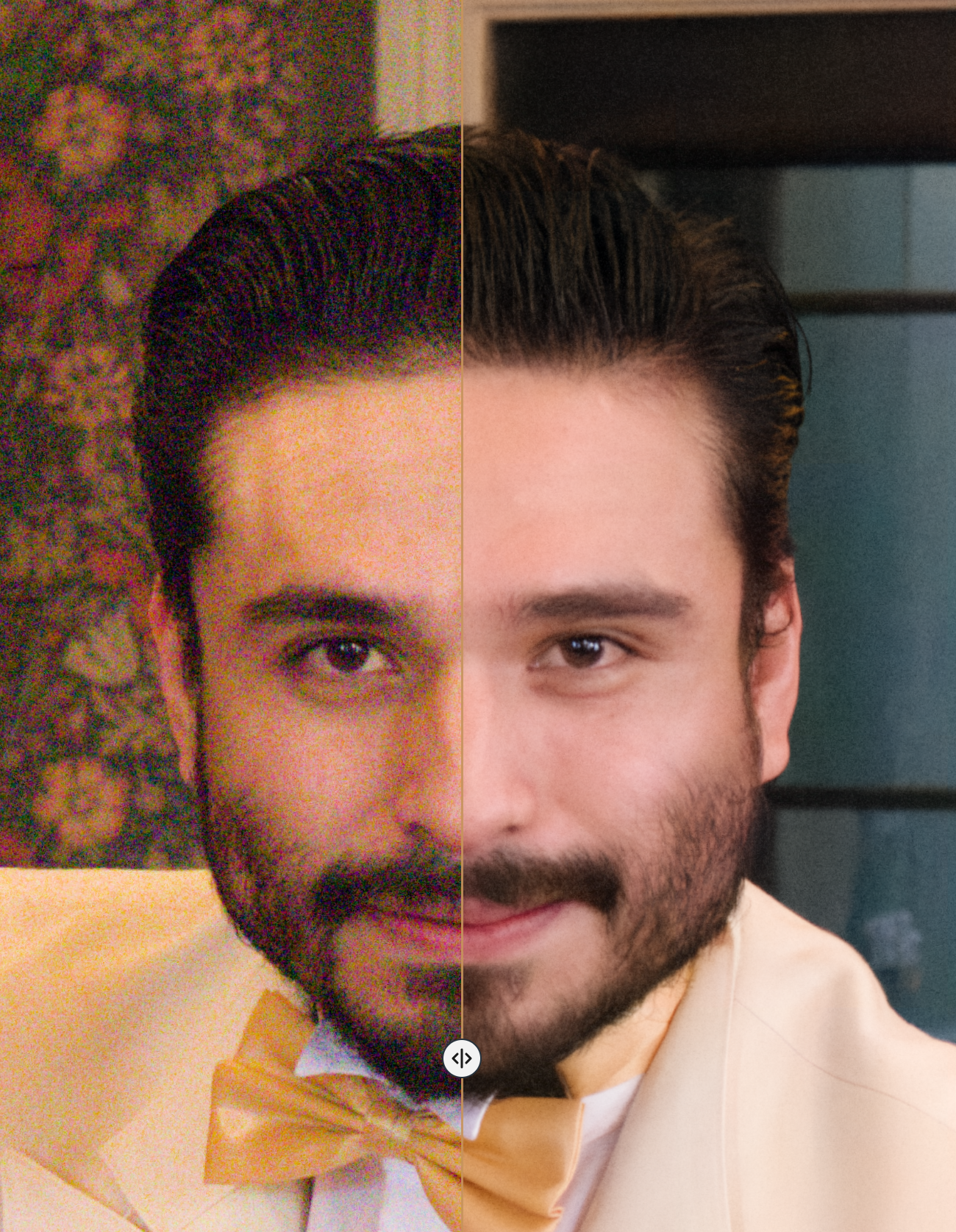
AI NR works really well (RTX 2060). Suggestion: at the moment, it’s hard to determine where the AI tool is available to use. It’s also confusing to have two NR methods in the same place, for example. It might be worth highlighting the AI tool in Model Settings — just add it below each model’s Adjustments > Details > Noise, and mark the AI tool section with a label or appropriate icon.
@bitpainter75 I have a small question. I looked through the online information first, but couldn’t find an answer.
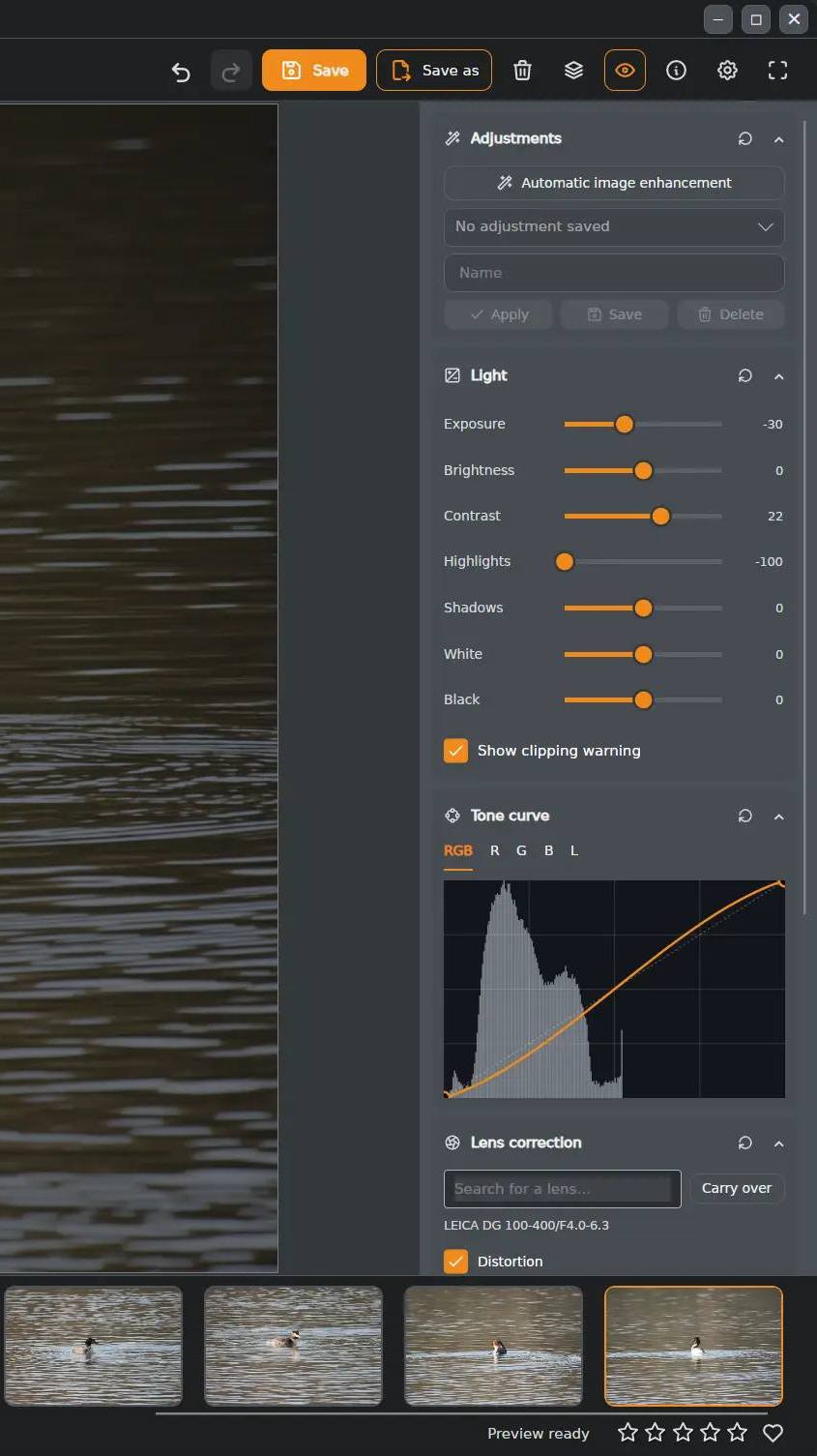
In the attached screenshot you can see the Adjustments panel. The sliders work fine, but compared with RawTherapee, where the +/- controls allow for very fine adjustments, I find the sliders a little less convenient for precise tweaking.
So my actual question is simply: can the Adjustments panel itself be made wider, for example by dragging its edge or in some other way? A wider panel would give the sliders more room and make fine adjustments more comfortable.
The panel has a fixed width today, so no, you cannot drag its edge yet.
But the precision you are looking for is already there — it just does not have visible +/- buttons:
The number next to each slider is an input field. Click it and type an exact value, or use the Up/Down arrow keys to change it one step at a time. That is essentially the equivalent of RawTherapee’s +/- buttons.
The mouse wheel also works directly over the slider, one step per notch, without clicking first.
Double-clicking a slider resets it to its default value.
I will look into making the panel resizable and improving slider precision further.
Hello, this is not correct. If I run the quick model, the app crashes. You say that this model needs roughly 450MB, my card has 2GB, so why the crash?
I just tried the thorough model for the first time and it simply stops after a minute or three, without any changes in the image BUT without a crash. During those 3 minutes, it blocks the seconds of my clock for 6 or 8 seconds (so the thing shows :14, then :22, then :26; etc.).
About the nouveau driver, my system (Xubuntu 26.04.1) does not offer a nvidia driver. So I downloaded the one for the 710 card and tried to install it, but it was complaining about X running. I’ll have a further look this afternoon.
Paul, let me be straight with you about the hardware, because I would rather you not spend more evenings on this.
On your current Linux setup with the Nouveau driver, the GT 710 is simply not a useful acceleration path for FerrumPix’s learned models.
It is a Kepler-generation entry-level card (~2016 ?) with 192 CUDA cores, no tensor units and limited memory bandwidth. More importantly, with Nouveau on that hardware there is no usable hardware Vulkan path for FerrumPix to take advantage of. What can appear instead is a software Vulkan implementation such as lavapipe, which runs on the CPU and can actually be slower than using FerrumPix’s CPU path directly.
That also fits what you already measured with the GeForce 210: enabling GPU processing made things slower rather than faster, around 13 minutes instead of 3.5.
So on this machine I would leave Use graphics card for learned models disabled and treat CPU execution as the normal path. In your case it is not really a fallback, it is the faster and more reliable option.
What FerrumPix should do better is recognise this situation automatically, and that is what the next build changes: software Vulkan rasterisers such as lavapipe will no longer be offered as a GPU, and every denoise run will log where it was executed and with what configuration.
There is one other change in the upcoming build that may actually be more useful for your high-ISO NEFs: the regular noise-reduction controls now use an edge-preserving filter instead of a simple blur. That removes more noise while preserving significantly more detail, and it runs essentially instantly compared with the learned models.
A small FerrumPix follow-up - version 0.9.42 is out, with quite a few workflow and stability improvements.
RAW to DNG conversion. A selection of camera RAW files can now be converted to DNG via dnglab, which gives another option for keeping the files in a broadly supported raw format.
There was also quite a bit of work around metadata and export. Saving over JPEG/PNG/WEBP originals now preserves camera data, dates, keywords and copyright correctly, and exports from RAW now carry camera/lens/exposure/GPS information into the resulting JPEG, PNG or WEBP. Several resize, aspect-ratio and image-size issues were fixed as well.
The Adjustments panel is now resizable, so making it wider also gives the sliders more travel and therefore finer control. The chosen width is remembered.
Noise reduction has changed considerably. The normal luminance denoiser now uses an edge-preserving filter, smoothing flatter areas while keeping edges and fine structure better than the previous blur-based method. The earlier methods remain available, so existing edits are unaffected. The AI denoiser also now defaults to a more useful strength of 70 and remembers the last setting.
AI denoising and object removal should also behave much better on GPUs with limited VRAM. FerrumPix now checks the available graphics memory and reduces the processing tile size where necessary instead of simply running out of GPU memory and closing.
Finally, debugging startup problems is easier now. --debug writes a diagnostic log even if normal logging is disabled; it additionally prints startup progress and the final exit code directly to the terminal.
@bitpainter75
Just tested the sliding menu : AWESOME!!! Thanks!
Also, thanks for the tip about the arrows.
And seriously, no jokes this time: make sure you get enough time for rest and relaxation. Working like this non-stop is going to cost you somewhere in the long run.
Nvidia dropped support for those cards years ago , you need at least a GTX 16 series or a RTX 20 , 30 , 40 Series generation card which are still supported can be had for cheaper prices on the used market. You could also look into getting an Intel Arc B580.