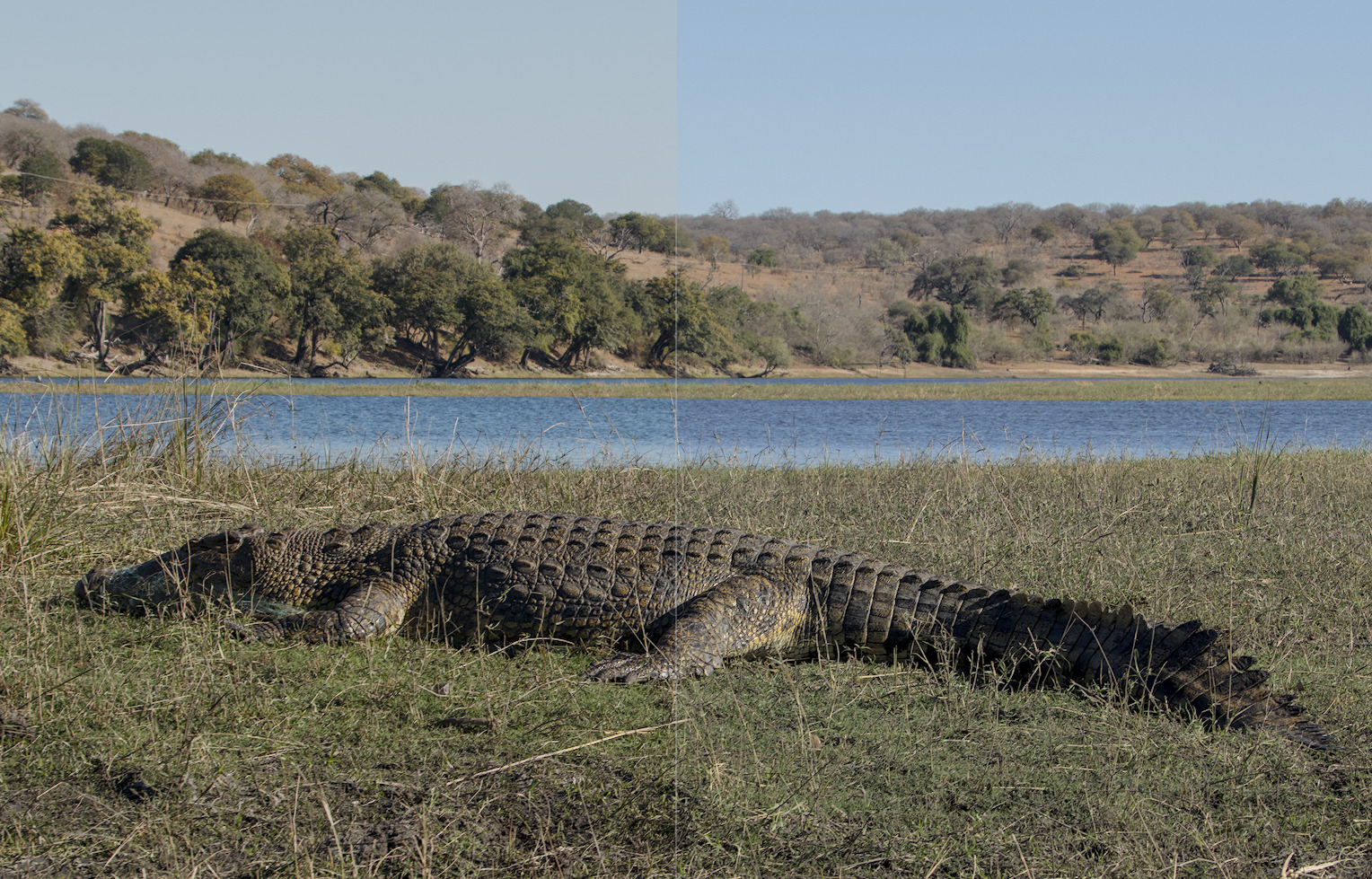
While processing an image with blue sky and water recently I compared filmic to AgX. Based on the blue sky alone I prefer the filmic rendition. AgX on the left and filmic on the right.
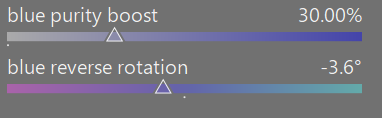
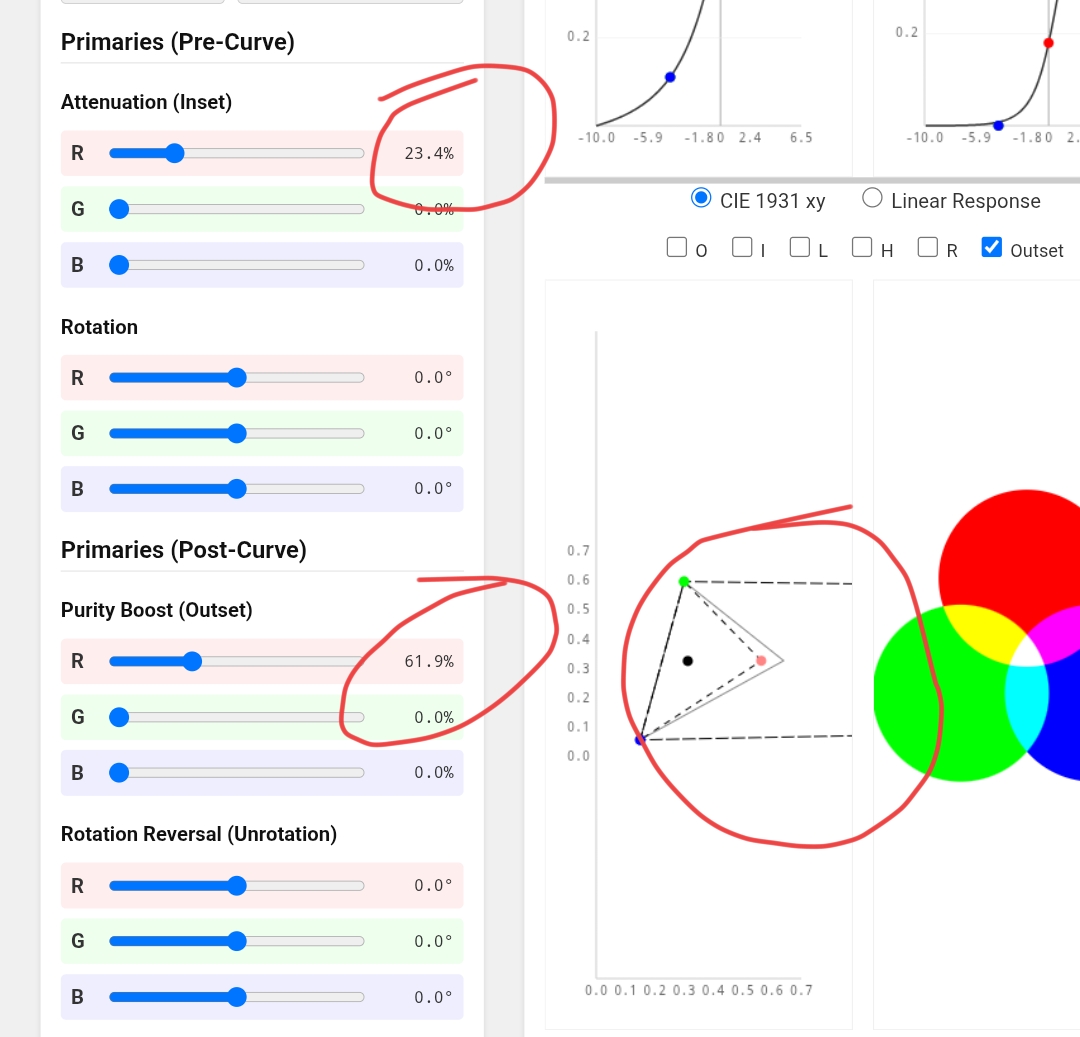
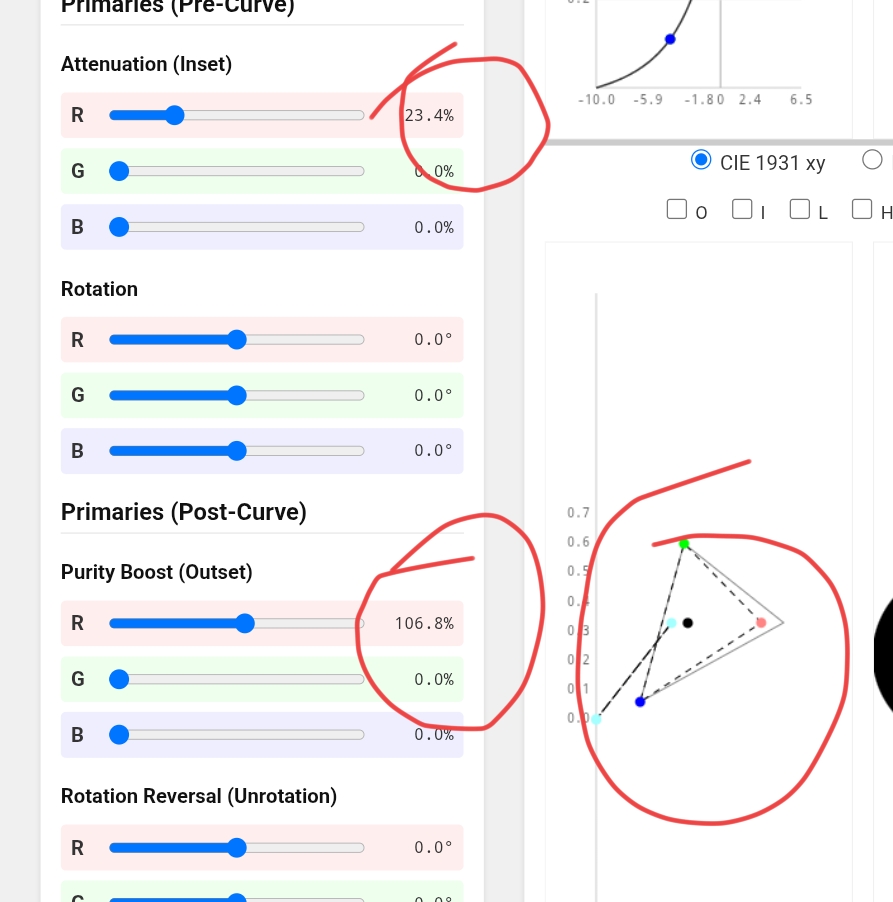
But then I experimented with the primaries tab in AgX. I found that by raising the blue purity boost after tone mapping and leaving every other slider alone I could get a nicer blue sky. Here is the comparison with AgX + blue boost on the left and filmic on the right. I am only judging the blue sky as not all editing steps have yet been applied to this image. I wonder if I am misusing the sliders to achieve this or using them for what they were designed for. Maybe @kofa has an authoritative opinion on this.
One thing I’ve found really helps for my images is to white balance the images. Adding contrast on an image with a colour cast pushes that cast to extremes, where as if I white balance, I can push much further and still have sensible colours. I then use the opacity slider on the color calibration tab to bring back any tint that I wanted to maintain.
Also I feel like Agx benefits from more of a bump in saturation then I often anticipate. Either through Colour Balance RGB or it’s own slider. I feel like AgX look/saturation slider also brings more saturation to highlights/brighter skin tones.
I am immensely appreciative of your work, in bringing AgX to darktable Kofa.
As a big fan of head-shots taken with directional light, I always struggled to successfully process such images, before AgX came along. AgX has been absolutely transformative in this respect, and I cannot thank you enough.
I hope that you will forgive me seeking some clarity regarding how best to increase colour (if and when required).
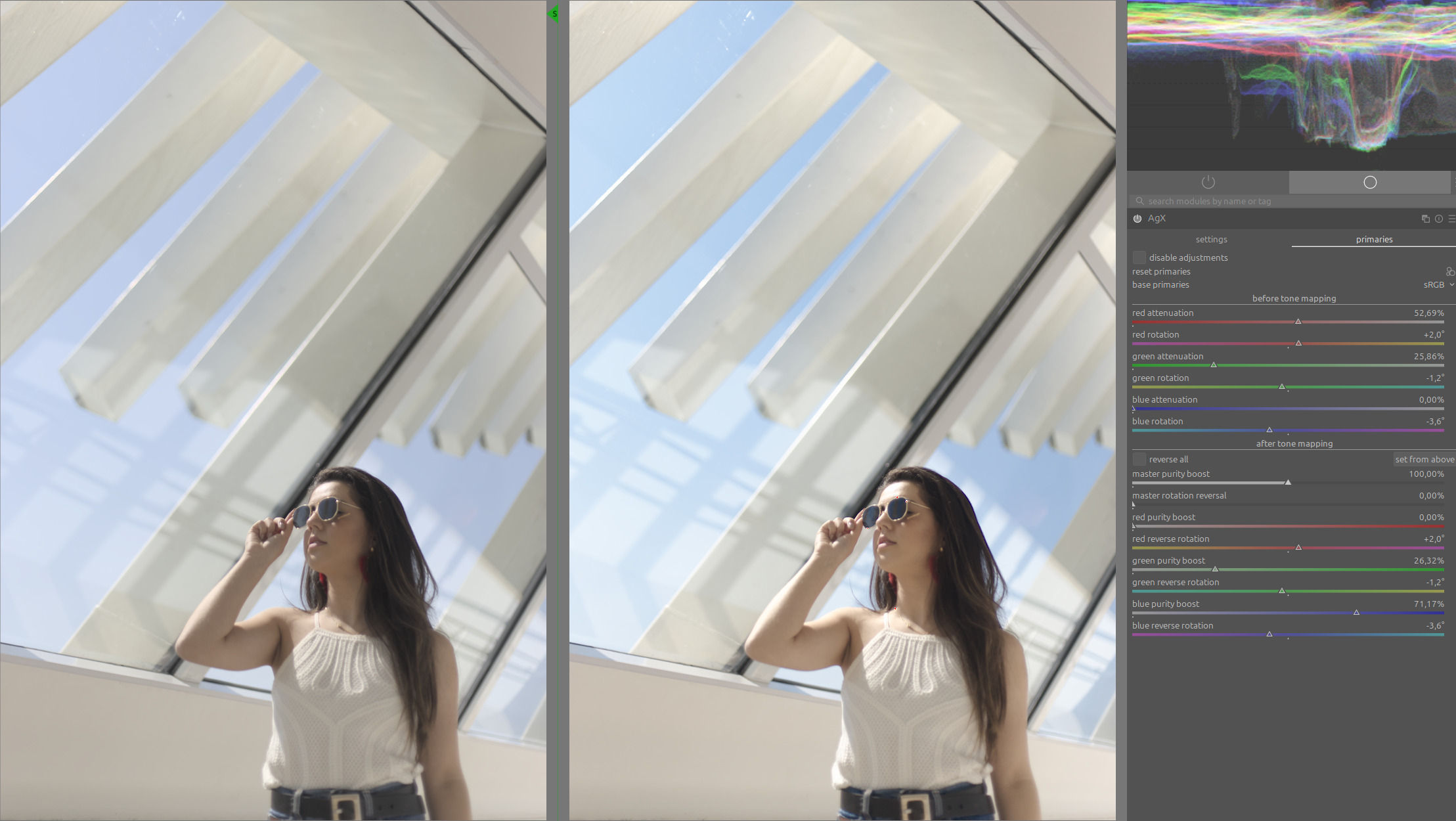
Does your answer above suggest that the saturation and master purity sliders are effectively interchangeable when simply used to increase colour? Are they both display-referred operations? Is there any technical advantage in using the likes of color balance RGB instead? I cannot discern any visible difference either way, but would appreciate your view on this.
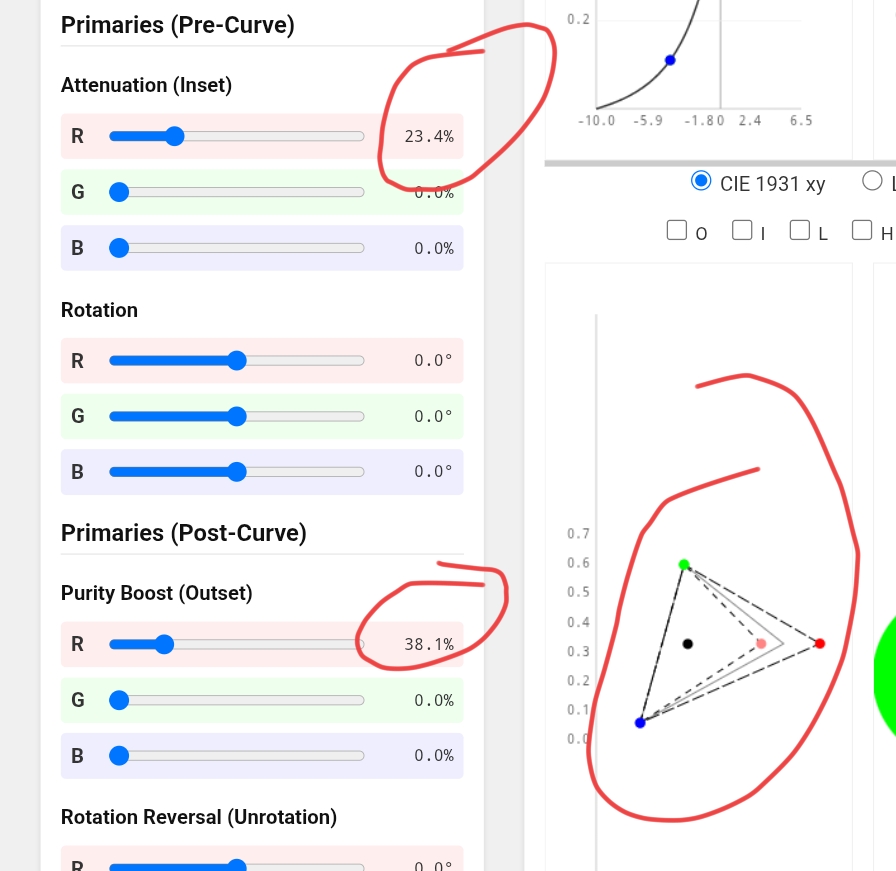
The sliders on the primaries page work by creating temporary colour spaces. I’ve posted the HTML AgX simulation several times, please search for it, I’m travelling, on the phone. You’ll see that increasing the purity boost can ‘explode’ (that includes the master slider, too) - look at the O (output) primaries.
I’m not sure what ‘display-referred’ would mean for colours, I’ve always thought of the scene vs display-referred distinction as a tonal one.
I’d use both purity boost and saturation carefully, for smaller corrective adjustments, and the other, more sophisticated modules of darktable for general colour adjustments and grading. AgX is just a tone mapper, not a complete image development solution.
I am not especially technically minded, and the simulations will have unfortunately passed over my head. Your comprehensive guide indicates that the Look tab items are display-referred, so I assumed this must apply to the saturation slider.
As an ignoramus I have no real understanding of the difference between display and scene referred, but I have been led to understand that we should always aim to use the latter where possible.
In practice, I find that when I have the contrast right, the colour is usually right; hence I seldom have the need to add additional colour. Any corrective adjustments are therefore bound to be minimal.
What I meant is that the outset behaves in a very non-linear way, and, due to limited mathematical precision, can even break (at least in this JavaScript / HTML demo, but I don’t see why C would behave differently).
Current thought: AgX is interesting and powerful. Sigmoid is quick and easy.
I’ve read posts from people who say that Agx is quick and easy for them, and has decimated their processing time. Somehow it doesn’t work that way for me.
I currently have a backlog of pics, about a dozen concerts, that really have to be done. Thank goodness I am not a professional, and and am not under contractual pressure to deliver! I don’t even work every day, let alone every hour, but when I do, in this busy time, minutes count.
For quick and easy, sigmoid delivers. So I am back to that setup, at least for a month or two. Sigmoid and Colour Balance RGB are the backbone of easy processing for me.
Nothing wrong with that. Sigmoid is an excellent out-of-the-box tone mapper. It has been my go-to tone mapper since it was first introduced, and I rarely needed to make many adjustments to it once I got the overall contrast where I wanted it.
But I appreciate the extra control that AgX gives me, so one of the first things I did with Darktable 5.4 was approximately match the Sigmoid defaults I was using, then saved that as a default preset for all RAW images. So whenever I open an image, I’m starting from a very similar position to my Sigmoid workflow but with AgX instead. I can then tweak the white/black points and highlights/shadows compression to my liking. That said, I’m still experimenting with AgX and my workflow may change over the coming months.
My distro finally provided darktable 5.4 this morning. I have been “playing” with it much of the day.
My thoughts on the tonemappers are that, yes, I can get quick and easy results with Agx, but I don’t feel that they surpass my filmicRGB edits. I am comfortable with filmicRGB and, of course, I am seeing AgX for the first time, and I probably need to spend more time with it. I certainly will, but for a while, I’ll probably be using both in parallel. One day, I’ll see where I land.
I have no doubt that I could live with sigmoid for ever, and it might even turn out that way! The only slider I usually touch is contrast plus I occasionally tweak the black point to recover some detail in black hair. I don’t think I have ever needed to touch the Primaries section: colours come out nice, skin tones are good and with nice detail.
With AgX, I have to recover the saturation in pale skin, and often have to correct the red and green sliders away from yellow and tweak the red attenuation. Mind you, I recently discovered that the “Preserve Hue” slider does a lot of that for me.
It is not difficult. The results are nice.
Although I have speeded up with practice, I have always found that raw processing, rather than tweaking a jpeg (eg in GIMP) encourages a more contemplative workflow. That’s nice, I like it. But every slider adds to the tweak-contemplate-tweak cycle. Which is fun when one has the time.
I never really got my head around filmic. Perhaps I might do now, as AgX has taught me a lot more about the curve, with all the toe, pivot, shoulder stuff. Maybe it’s just because I know more now than when I first opened darktable, but I think that AgX, despite its complex appearance, is more approachable than filmic.
I’s absolutely point the beginner towards sigmoid. Just as I’m pointing myself there now.
I’m using the master branch, so AgX is not new to me. But I think there are keys to getting my result easily, which I have not quite found.
I’d never go back to filmic, but probably will to AgX.
Differences in subject matter should perhaps be taken into account as well.
Quite often, I have no need for a gradual roll-off in highlights (limited dynamic range and no sky). But I do need some kind of S-curve. That rules out sigmoid, as you cannot remove the highlight compression. You can in filmic (use the “safe” option for highlight contrast). I haven’t worked enough with AgX to know whether it is possible there.
use the shoulder start to define where the linear portion ends;
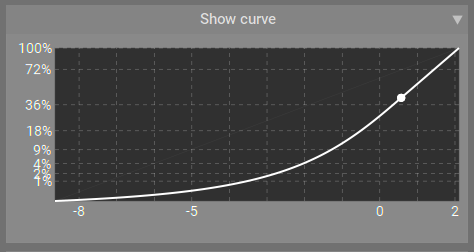
if the combination of white relative exposure, pivot output, contrast (and gamma) would mean that with constant contrast we are unable to reach white from the pivot, the shoulder will be inverted and curve upwards, and the slope/gradient/contrast will increase as you get closer to white, instead of tapering off. This will trigger a warning sign, but is not an error, it just tells you that the shoulder power slider is ineffective. See Blender AgX in darktable (proof of concept) - #2389 by kofa
For me, that works two ways: for simple tweaking, I adjust white/black, and maybe contrast. For more complex adjustments, for images that come from a single set I usually tweak AgX once and then just copy the settings. Then adjust exposure because camera metering is not that consistent.
It is possible when you lose the S curve, and it’s one of the things I love about AgX. As @kofa notes, you can even invert a part of the S curve to increase contrast the closer you get to white or black rather than have the more common roll-off / compression.
This is occasionally very nice when dealing with some scenes with snow or clouds, for example.