I ran into that with exiv2 0.27, didn’t explore further as I put it aside to work on a command refactor. cppreference.com says the earliest library version in which to find std::uniquestd::make_unique is c++17. oops, c++14.
I worked it out with some friends online and one of Filmulator’s cmake files was specifying C++11.
2 Likes
Since I will need to implement interpolation, do you find it worth the effort to do something better than bilinear?
I don’t see a material difference in the few photos I’ve done, but once I coded up something beside nearest-neighbor, it was just a copy-paste exercise to do bilinear and lanczos3.
1 Like
Auto CA correct now hides itself when a non-Bayer file is opened.
I also managed to fix the dates being way off for Leica M cameras, and I added support for full-color DNGs such as those produced by Iridient X-Transformer. Both of which I had to test because of the above feature.
Non-Bayer sensor, unknown lens model: no lens corrections available.
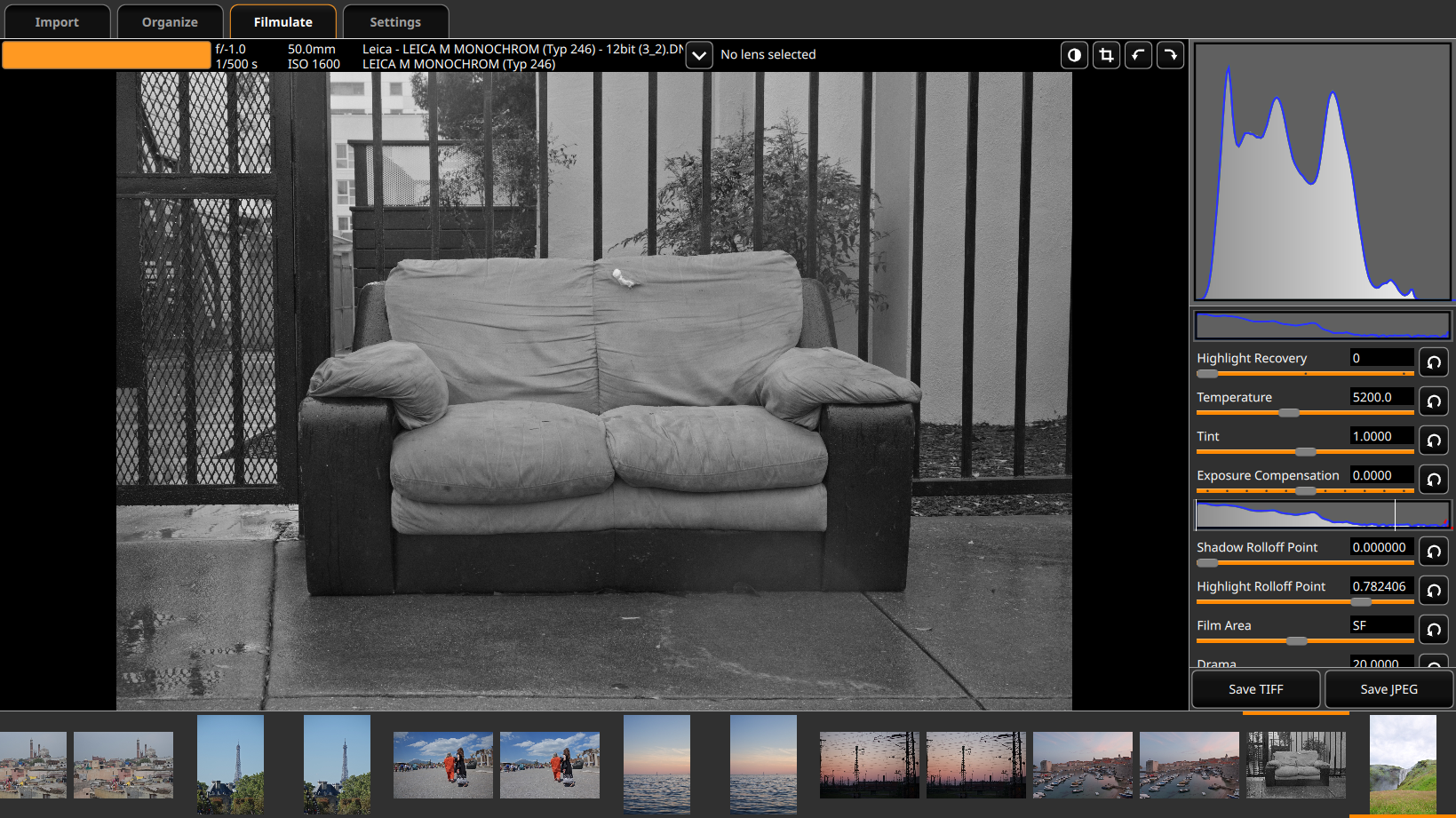
Manual lens, only auto CA correct available.
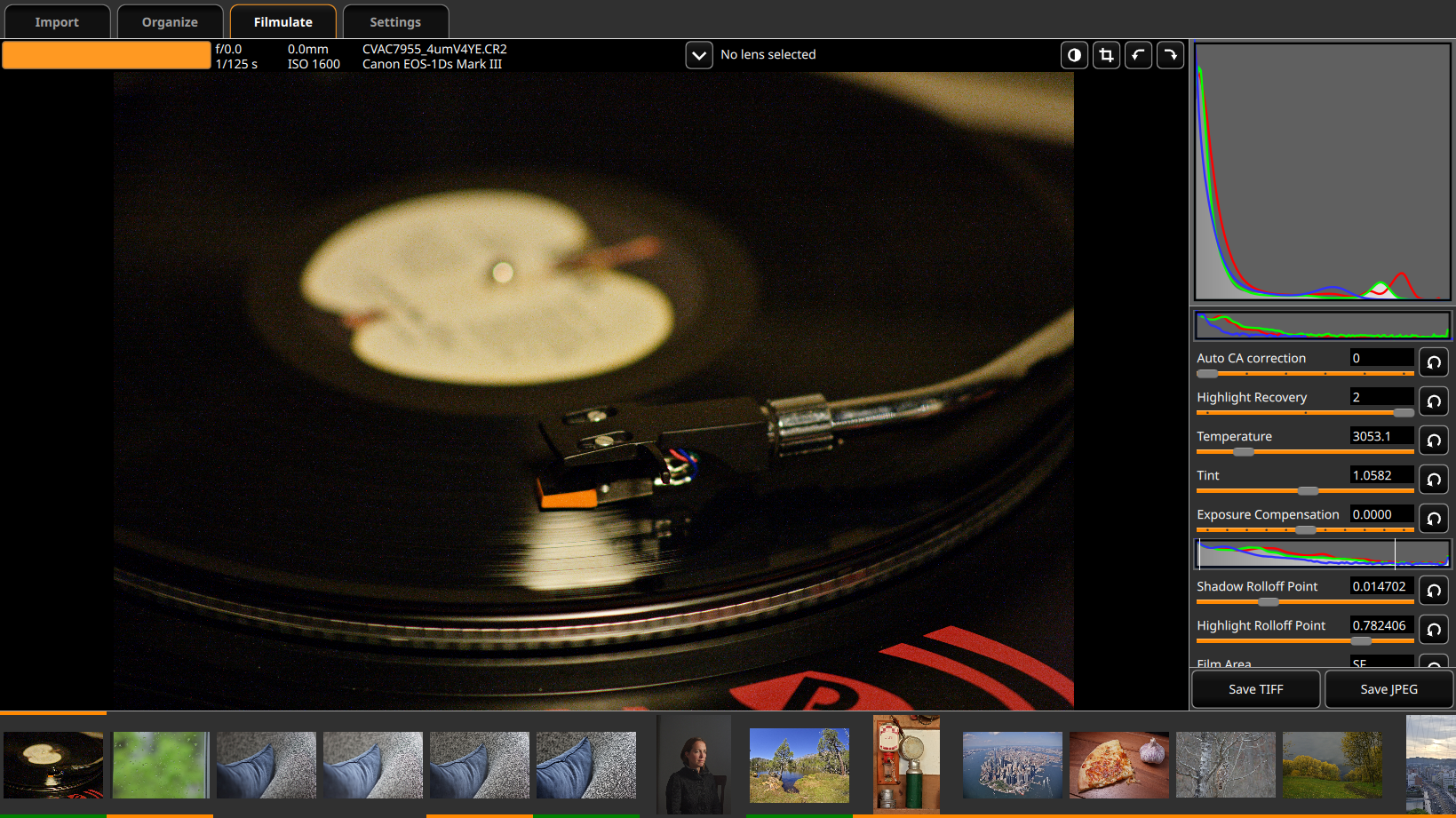
Known lens with only some Lensfun corrections available, plus auto CA correct.
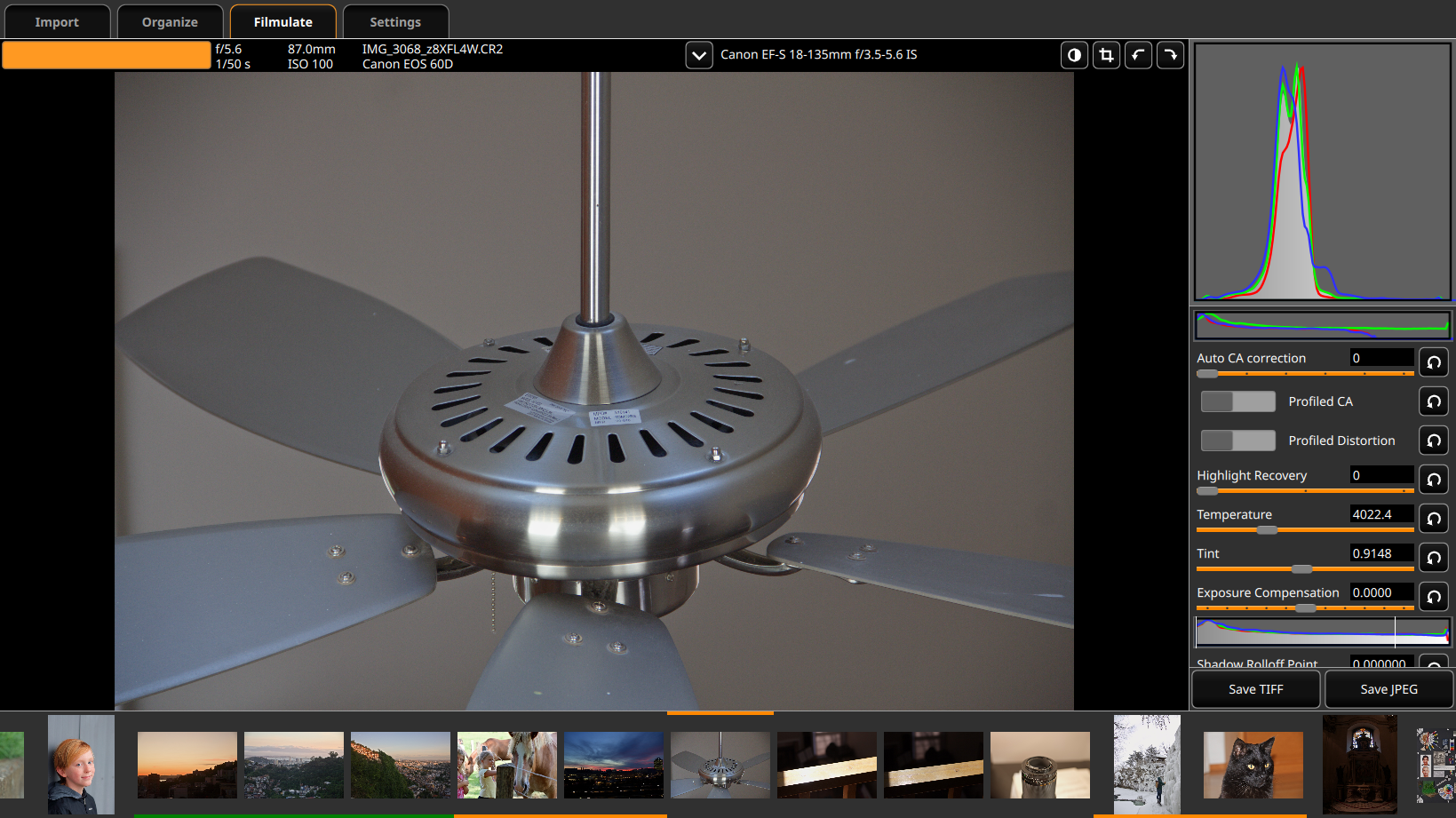
Non-Bayer sensor, all Lensfun corrections available but no auto CA correct. (Image by @bastibe)
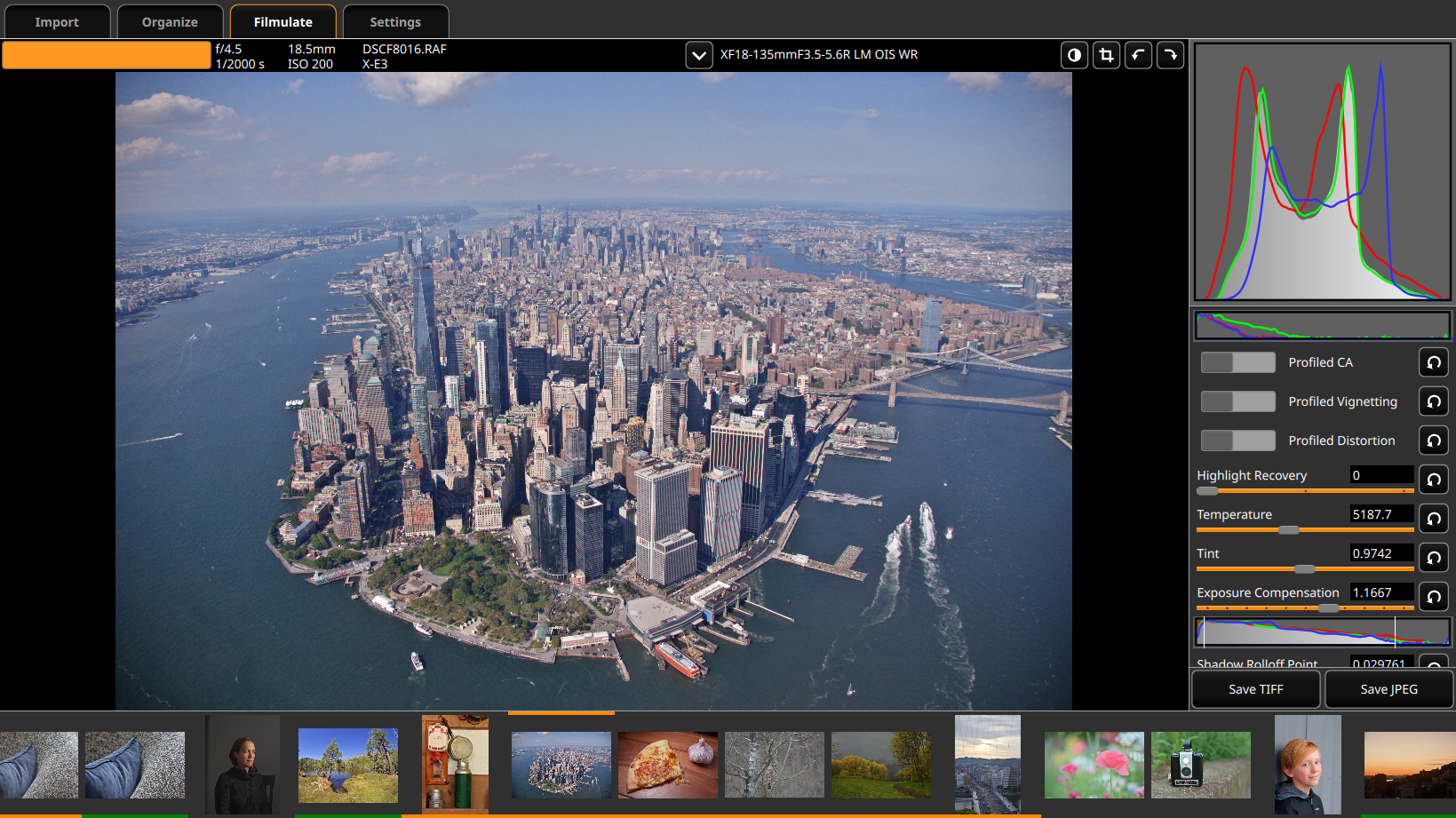
All corrections available. (Image by @Jonas_Wagner)
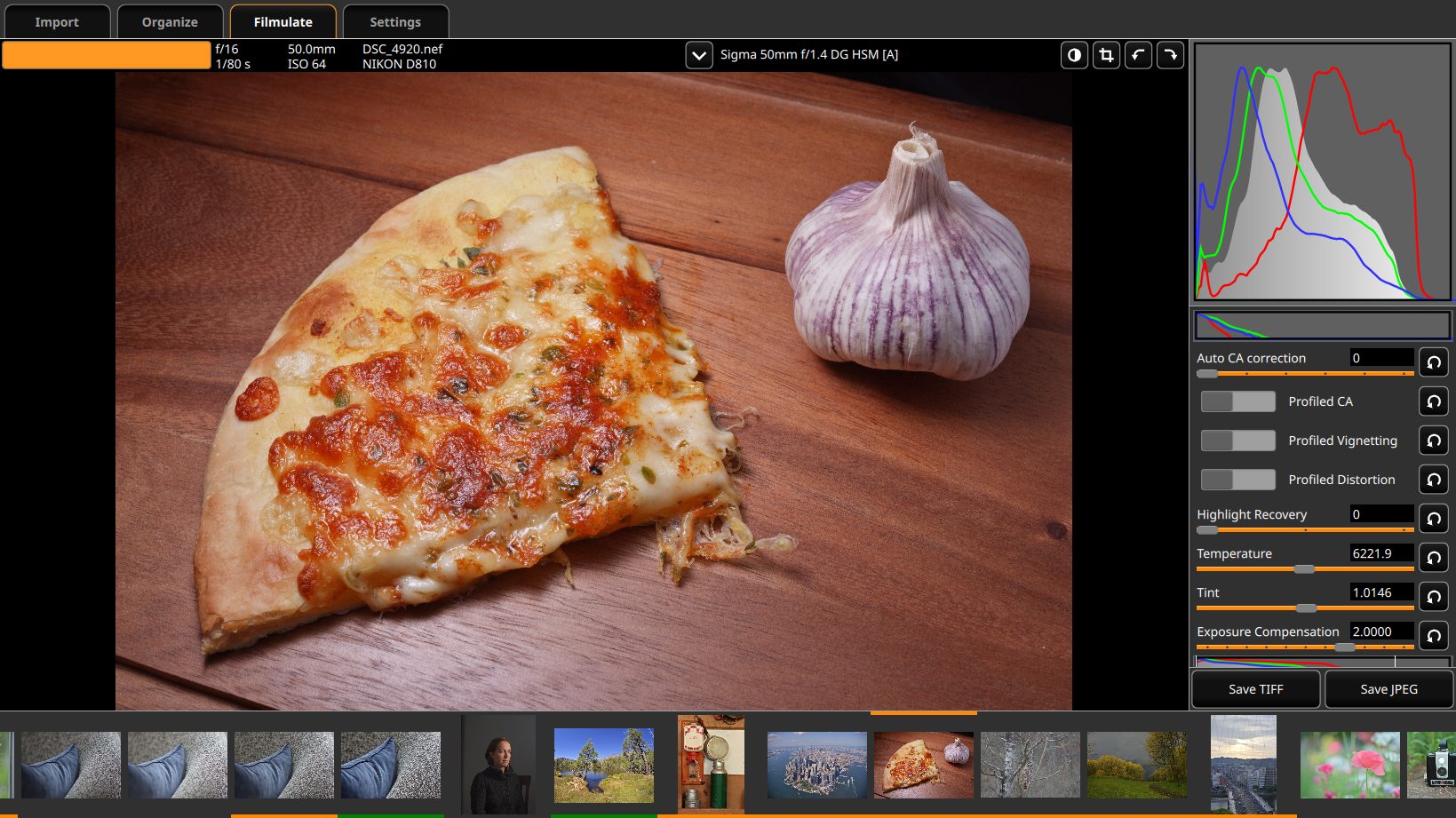
…I still haven’t actually implemented the corrections, because I’ve been wrestling with the bit alignment requirement for Lensfun’s vignetting correction routine. I think C++ 17 might take care of it? I’m not sure.
2 Likes
I’ve implemented vignetting correction, woo!
Next is distortion and CA correction.
4 Likes
CA correction is now functional.
However, on the images that I’ve tried, Auto CA correct seems to perform strictly better.
I’ve set the two to be mutually exclusive, but I might also make the Lensfun CA correction hide itself completely whenever auto CA correction is available.
1 Like
Distortion correction is now functional as well.
Now I need to make it automatically crop a corrected pincushion-distorted image.
1 Like
Aaaaand with the help of an autoscale method in Lensfun, that’s done too.
Woo!
2 Likes
A few more notes:
- I added a check so that monochrome cameras never have either form of CA correction available.
- I found at least one lens (Panasonic 14/2.4) that gets better results from Lensfun’s CA than from Auto CA Correct, so I’m leaving both options open if available. Still mutually exclusive, though.
Now to figure out how to build lensfun from source in msys2. It’s been holding up the Windows builds ever since I discovered that 3.95 isn’t new enough.
In MSYS2, I’ve only had success with static builds of lensfun. With dynamic build, missing support libraries; I handled two, then gave up…
At the moment, I’m not even getting cmake to run, when I’m doing the same things as in my Linux builds.
Here’s my cmake command for git-cloned lensfun 0.3.2:
$ cmake -G "MSYS Makefiles" -DCMAKE_INSTALL_PREFIX="$MSYSTEM_PREFIX" -DBUILD_STATIC=ON ..
I discovered that it was restricting too strongly to lenses for the camera mount, meaning you couldn’t correct for adapted lenses, so I tweaked the search routines so that if you put a backslash ("\") as the first character in the search box, it stops taking into account the camera model.
1 Like
Since I’m done adding features for now, I think tomorrow I’ll work on updating the documentation to account for all the new features.
And then back to work on Monday.
Dynamic build of lensfun seems straightforward. my lasts build is lensfun_master_v0.3.95-517-g609148cc.
mkdir build
cd build
cmake -G “MSYS Makefiles” -DBUILD_TESTS=OFF -DCMAKE_INSTALL_PREFIX=<LensfunInstallDir> -DCMAKE_INSTALL_DATAROOTDIR=<LensfunInstallDir>/share
<PathToRepository>
-DCMAKE_BUILD_TYPE=Release
make
make install
be aware that the DB in your local repo seems not up to date. I use @ggbutcher SW to update it.
To use the library in your app build script
before cmake:
LENSFUN=<LensfunInstallDir>
PKG_CONFIG_PATH=“$LENSFUN”“/lib/pkgconfig:”$PKG_CONFIG_PATH
Copy the dll and the DB located in
$LENSFUN/share/lensfun/version_2
I see that I was using -G "Unix Makefiles" instead of MSYS Makefiles, but changing that alone didn’t help.
Next I’m going to try omitting the .., since @gaaned92’s seems to leave that off…
The … is how cmake finds the CMakeLists.txt file, in the parent directory, after you mkdir and cd into build from the top lensfun directory.
I understand that, and I had that before, but it wasn’t working so I had to try it. Unfortunately, Azure Pipelines doesn’t show any of the cmake output, so I have no idea what’s going wrong.
edit: it now does say that it can’t find a CMakeLists.txt file, so clearly it was running before… just it’s impossible to debug.
edit 2: seems like the reason it’s not showing any output is because it’s running inside of msys bash. Now I’m trying running cmake in whatever shell that azure gives us.