I’m evaluating right now some photos taken with speedlite in ETTL mode and I read the flash exposure compensation using the exiftool for every image.
To speed up the process, it would be nice to get this tag value (FlashExposureComp) in the “image information” module.
Is there a way to add it here? This tag is not yet on the list in preferences.
Thanks!
You might look at the camera specific tags. Canon has a FlashDetails tag that you would probably have to decode to see what it provides. You could use exiftools documentation to figure out the fields.
1 Like
Yes, what I need is a specific Canon tag, I have found it on the exiftool doc page https://exiftool.sourceforge.net/TagNames/Canon.html.
$ exiftool -FlashExposureComp _R6A8780.CR3
Flash Exposure Compensation     : +1
Now I want to have it displayed also in the “image information” module and I don’t know if it is possible or how to do it.
Of course, I could write a short LUA script to display it somewhere else, but this will take more space on the left side panel, which I dislike right now. 
you need to check if thats also provided via exiv2 since that’s the library used by darktable
1 Like
Thanks for info. I searched the exiv2 documentation and this is indeed provided:
Exif.CanonSi.FlashBias
If there is a little chance to add it to DT, I could create a feature request. Thanks!
No need for a feature request, this feature already exists.
From the manual :
To add new metadata fields to the module, press the “+” button at the bottom of the dialog. This will allow you to search for the tags you want to add in a new dialog. Tags can be added by either double-clicking on a tag name or pressing the “add” button. Press “done” to update the metadata editor with the new tags.
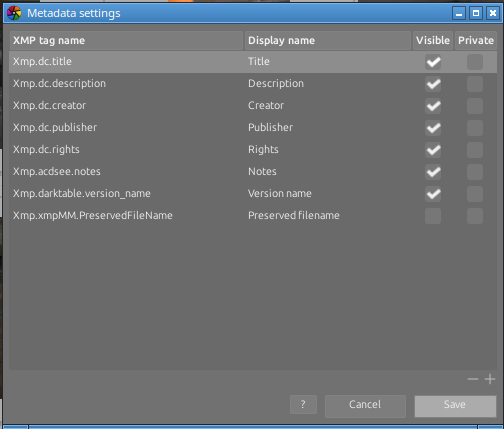
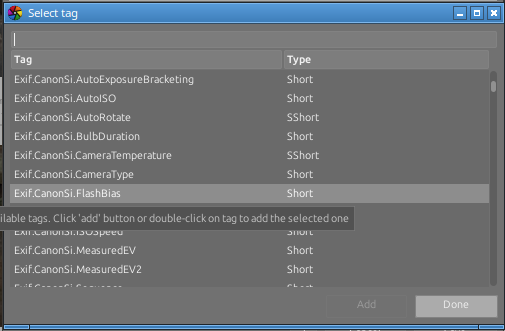
Interesting. I assume, that the metadata entries are used to store information that I provide.
What I need is to read the already stored information in the raw file.
Anyway, I did as you say and the entry is empty as expected (because I didn’t fill myself the entry in “metadata editor”):
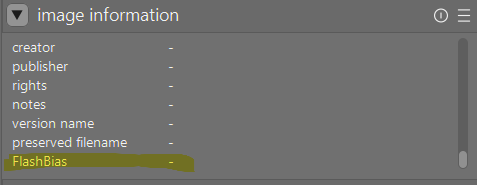
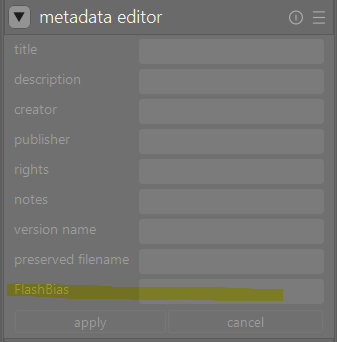
On the other side, I get meaningful results when reading the tag value using the exiv2 tool:
$ exiv2 -pt _R6A8780.CR3 | grep FlashBias
Exif.CanonSi.FlashBias                       Short       1  1 JV
Did you try “refresh exif” ?
1 Like
I see your point: need to re-read data from raw file and update the database.
Thanks, it works.