I’m tagging my bird photos using an hierarchical structure, viz specie|subspecie|location. It mostly works well however as in the attached instance it places the tagged group under “uncategorized”. I’ve untagged the images, deleted the tag, retagged, still no change. Assistance will be appreciated
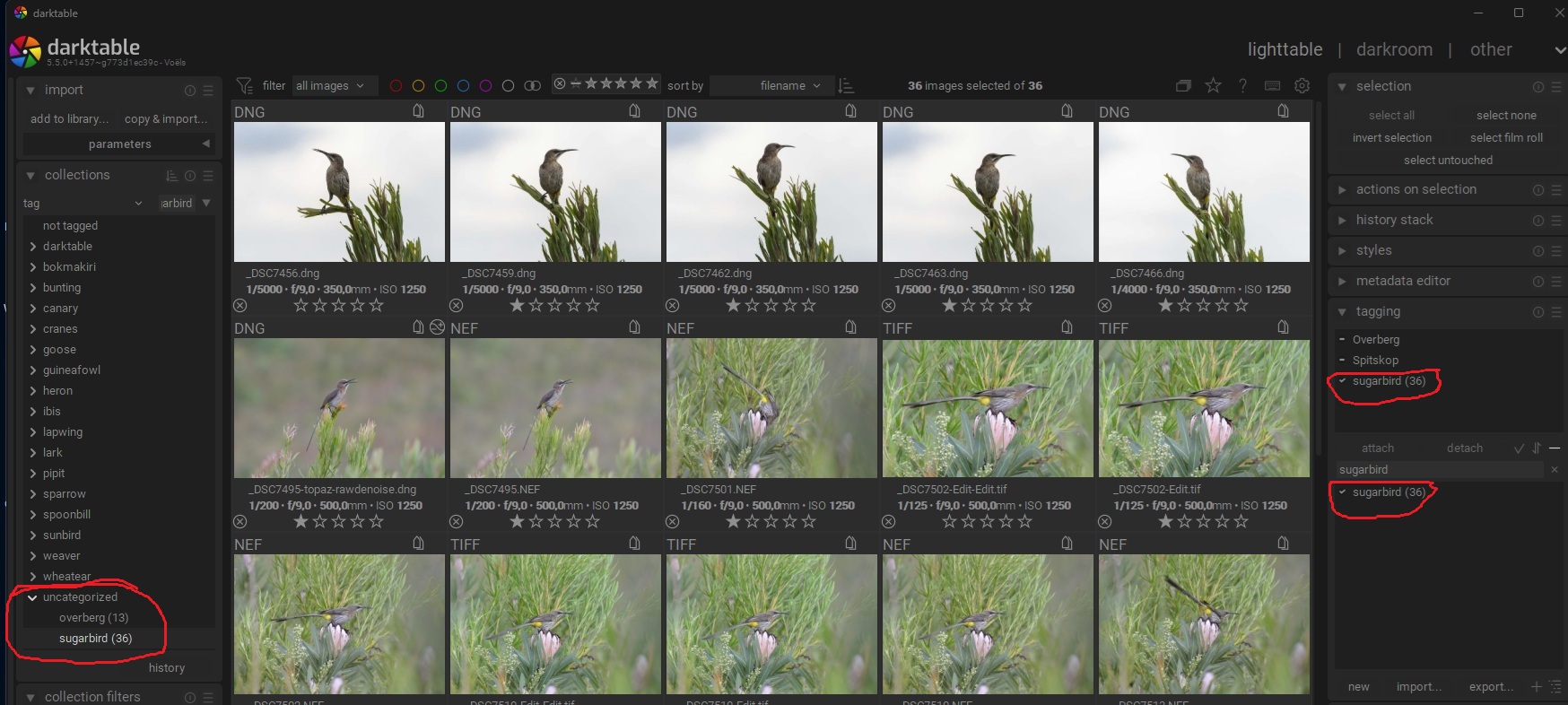
I think the reason is that overberg and sugarbird do not have a parent tag, but are on the top level of the hierarchy.
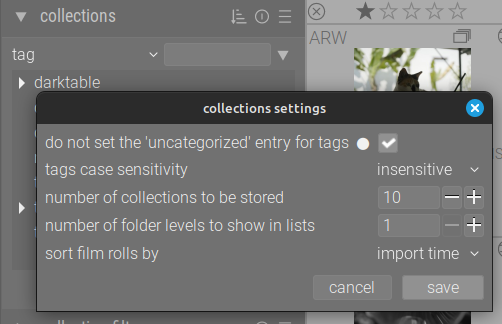
You can switch off the “uncategorized” category in the preferences of the collections module: change “do not set the 'uncategorized’entry for tags” to TRUE.
4 Likes
Nice that you know this… learned something new again.
Hope it solves OP’s question…
2 Likes
Thanks for your response, appreciate it.
All the other specie tags do not have a parent tag either, therefore why the behaviour is strange to me. As I am using multiple workspaces, in this instance “Birds”, I do not want to create an artificial duplicate “birds” tag just for sake of having some parent. Will untag the images and delete the specific tags. Hopefully I can resolve the issue somehow as I still have a couple of thousand images to import.
1 Like
I think my explanation was not quite right. According to the manual, by default all tags without children are shown under “Uncategorized”. With the preferences setting I mentioned, this can be switched off.
So, before you delete the tags, maybe try out the preferences setting I mentioned above.
3 Likes
Thanks Deekay, it is much appreciated. I more or less came to the same conclusion as it was only with images that had a single tag. I’ll adjust the setting for my workspaces. Will make it a lot simpler.
2 Likes