Just before leaving my home to go to Paris until around January 4th (I should still have internet access, but more limited means), I opened a Pull Request. Pull request
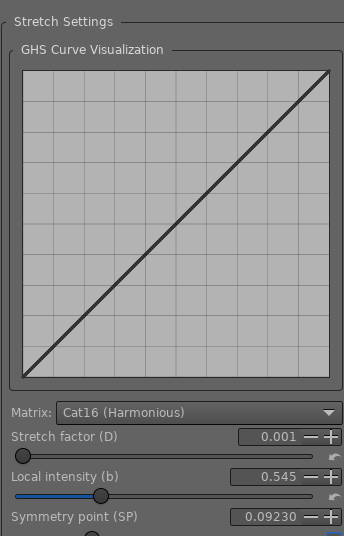
In extreme summary, this modification now allows four forms of use in colorimetry with GHS.
None (Neutral) - GHS alone
Agx - (Pleasant)
JzAzBz - (High dynamic)
Cat16 - (Harmonious)
The vocabulary is intuitive, but it still conveys something.
I replaced the “AgX Matrix” checkbox with a combobox with 4 choices, as mentioned above.
The explanations are detailed in the PR text; I’m not going to copy them.
In more scientific terms, there are now 3 transformations (based on LMS matrices) that change the behavior of GHS. LMS
It is clear that with each different matrix, the behavior of GHS changes, and therefore the user settings change: Stretch factor, Local Intensity, and those that can be automatic: WP linear, BP linear, Symmetry point.
I don’t think there’s THE right “trendy” solution just because everyone’s talking about it, but rather image/matrix pairs to find.
Of course, I’ve kept the AgX matrix by default.
Executables Binaries
Hello Jacques, @jdc, when you want to switch between the various options to see what the effect is, you need to position the toolbar carefully to avoid having to scroll up to deactivate the auto black and white points then scroll down to change the option and then back up to reactivate the auto black and white points. Would it not be preferable to have the combobox above the graph rather than below it?
Clean up CIECAM and improve it a bit, especially regarding its handling of Hue (rotation), which is currently global. This will be difficult because CIECAM is anything but simple. As a reminder, the first process converts the data to the CAM16 color space, taking into account the parameters accepted by CAM16 (simultaneous contrast, Hunt effect, absolute luminance, surround, chromatic adaptation, etc. ). Then, within this space, the six data types are processed (J : Lightness, Q: Brightness, C : chroma, s: saturation, M : colorfullness, h : hue - sliders, curves). Then, in the third process, we reverse the first step: converting from the CAM16 space to the Working Profile, taking into account the viewing conditions (with, of course, the physiological effects considered as in the first …: absolute luminance, surround, chromatic adaptation, Hunt’s effect, etc.).
Try to implement something in GHS regarding the matrix selection (none, AGx, JzAzBz, Cat16), at least for JzAzBz and Cat16, that reduces cognitive biases (applying a matrix to RGB data isn’t very rigorous). I hope to achieve this fairly simply; it should involve (nothing is written in the code yet) two additional choices.