when i am opening an image from the file > open menu none of my images have previews. i have to click to generate preview for every single image to see what i want to open. this introduces an immense amount of clicks to find the image i want to load. this is on jpeg and tifs mostly as this is what i work on typically. windows explorer is showing thumbnail previews already. once i click to generate preview on an image gimp seems to cache this somewhere as it keeps the thumbnail for the dialog. is there some way to automatically generate the previews of every image in a folder i have shown in the file > open menu every single time? or just use the preview thumbnail that windows explorer is using?
perhaps this is a dimension restriction of some kind? i just noticed that one folder which has images with lower dimensions (2048x1536) does auto generate the preview compared to an image with dimensions of 11728x8816. There still is no thumbnail of the images in the open menu and i still have to click every single one to see what the file looks like which still introduces a significant amount of clicks when im trying to find what to open. i would almost (unfortunately) prefer the windows file chooser dialog, which from a post i found in 2009 it seems that is not a desired path of development in gimp.
In Windows Explorer, open the folder where your files are at and set the View to ‘Icons’. Right-click on the image file of interest, select ‘Open with …’ and select the GIMP.
When the GIMP opens, all the image files in that folder will have previews in the ‘Open’ dialogue which can be seen by scrolling with the up and down keys.
Unfortunately GIMP is not able read the thumbnail embedded in RAW-files or generate a preview. In this case you have to scroll/view the folder using file explorer and then drag-and-drop the image you select into GIMP (GIMP will then call darktable to open the RAW-file. When you exit darktable the image will open in GIMP).
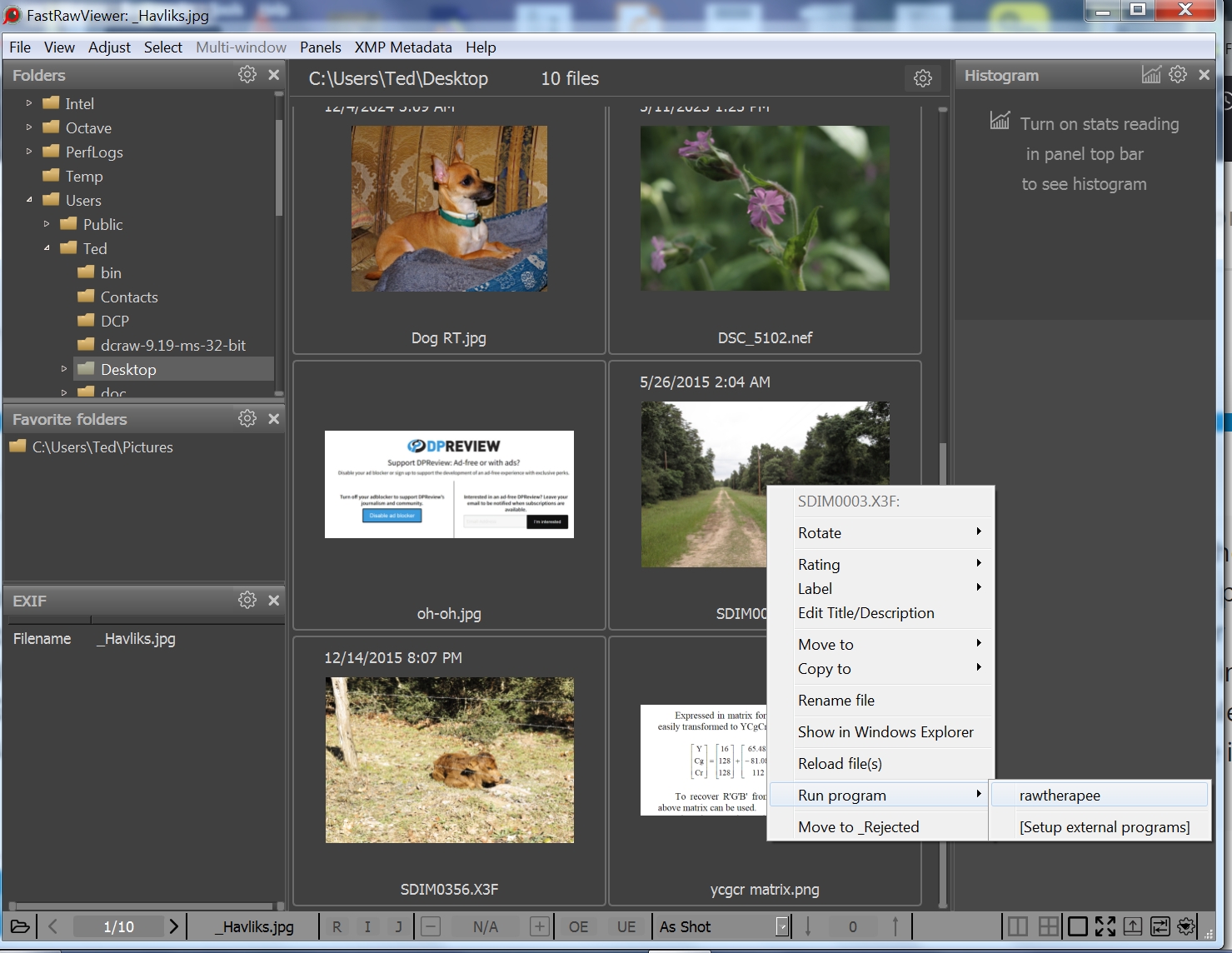
You can right-click on a thumbnail and open it in RawTherapee or other as shown above. You can also see the raw histogram and also the embedded JPEG and it’s histogram - really good for previewing and culling.
My workflow is within Capture One and then usually once exported over in gimp i am refining/editing the exported images. I’m not typically browsing around in the file system. I feel it would significantly improve the user experience to simply generate the previews when the file open dialog is opened and not have to click a file and then click “generate preview” in the same dialog. this would save a user 2 clicks for every single file. the suggestions are helpful but are working around a potential to improve user experience.
Thank you for the advice.
Actually I don’t use GIMP but I have been looking into GIMP recently because I was unable to install my old version of PSE on my new Windows 11 pc. That problem is resolved now so I’m using PSE.
It has been interesting to get a closer look on GIMP and discover some of the (many!) differences between GIMP and PSE.
GIMP has made impressive progress in the possibility to reset/change layer edits.