I installed GIMP 3.0.8 as system package (not flatpak) from the Linux Mint 22.3 repo and
extracted gmic_3.7.0_gimp3.0_ubuntu25-04_plucky_amd64.zip to the plug-in folder.
I randomly tested some filters and they worked, but not the one I need at the moment:
Extract Foreground [Interactive].
I can mark fg and bg, but when I close the interactive window with RETURN, nothing happens.
It might just be your mix of packages. Mint 22.3 is still based on ubuntu 24.04 (Noble) so the default Gimp in the repo is 2.10.36
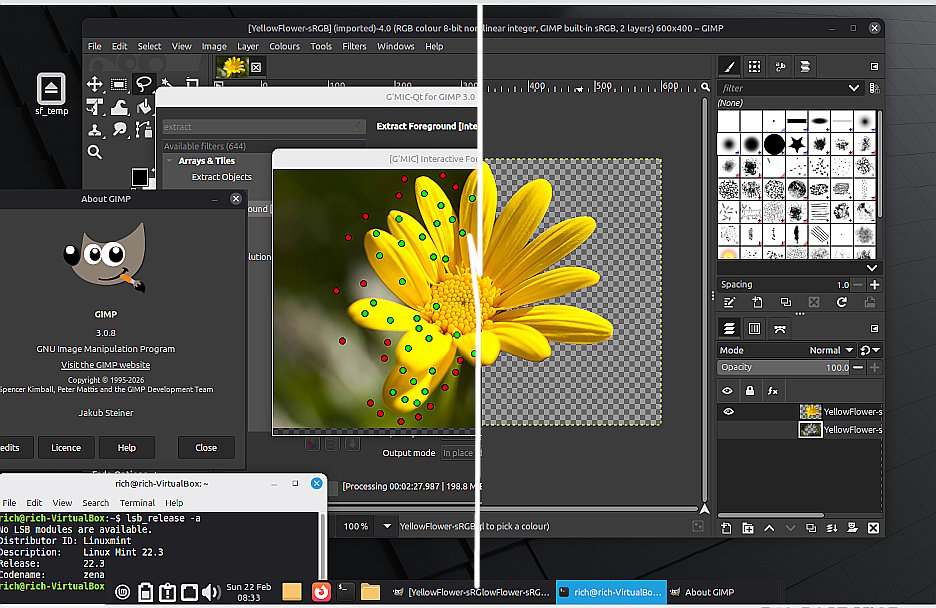
I can get a Gimp 3.0.8 from a PPA and using a gimp_gmic_qt 3.6.6 compiled against that, extract(interactive) and it works. FWIW This before - after screenshots.
…but then there is a matter of Mint DE versions. I do know from another forum that what works with Mint MATE does not always work with Mint Cinnamon.
1 Like
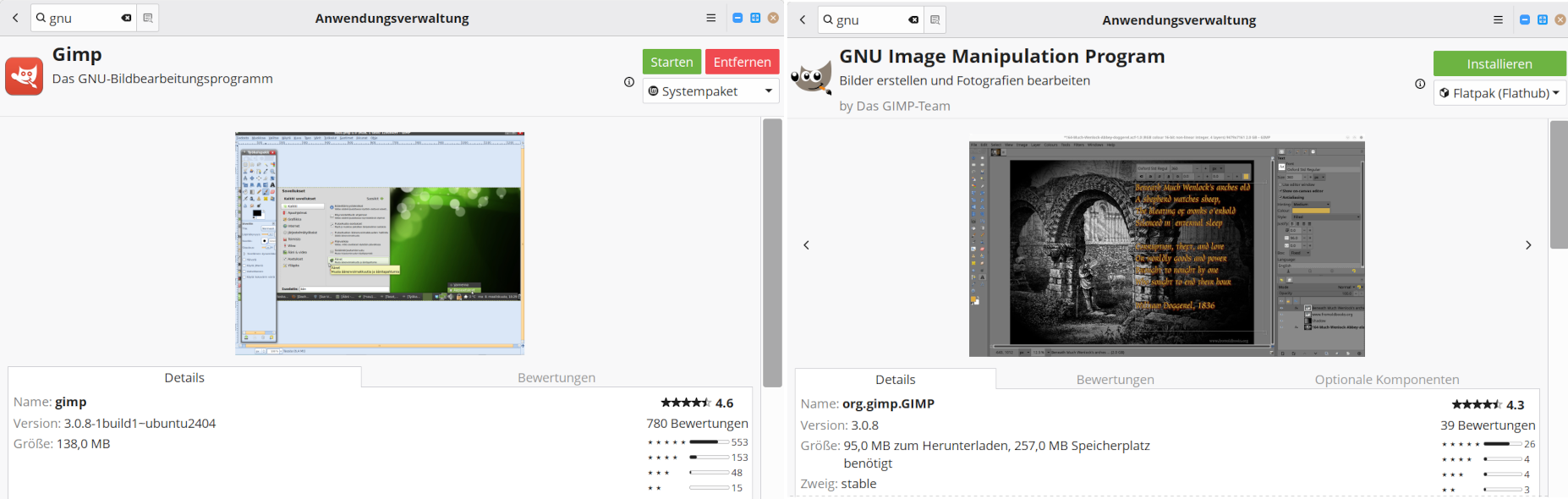
If you search for “gimp” in the repo, a lot entries with “gimp-*” turn up, They are 2.10. But there is also an entry “GNU Image Manipulation Program” as flatpak. If you open it, you can switch to “system package” and install 3.0.8.
I am sort of old school - still using synaptic for installing programs and there is no 3.0.8 (unless you add a PPA)
Are you using the Software Manager ? Something like this:
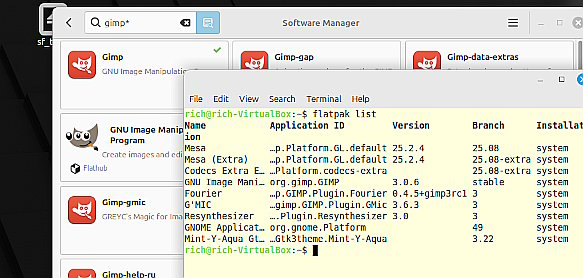
You should confirm that you are not inadvertently using a flatpak In a terminal flatpak list shows.
I have just compiled gimp_gmic_qt 3.7.0 for 'buntu / mint (noble) and that works fine, so as far as I can determine, it is not the gmic code.
You could try running gimp from a terminal gimp -verbose and see what errors show.
1 Like
I just rechecked “https://www.youtube.com/watch?v=jeVDs5XVcms”. I do the same, but after I close the interactive window, the ‘Apply’ and ‘OK’ buttons are unresponsive.
With a photo like the one in video or your flower I would first try rembg and if the AI doesn’t recognise the foreground use gmic (if it works).
Well, this is about Gimp 3.0.8 and not AI
I also have a 3.0.8-1build1~ubuntu2404 but it comes from this PPA - not the Mint repo. GIMP 3.0 : Panda Jim
Regardless of where you installed Gimp, if the base is Ubuntu 24.04 why expect a gimp 25.04 plugin to work ? Amazed that it even partially works.
If you want try the gimp_gmic_qt I compiled earlier,
Edit: changed from dropbox to my own storage:
https://u.pcloud.link/publink/show?code=XZ01Il5ZtCA73qYw3BQOcLncXR8QxfgISne7
5.5. MB zipped, unzip and put the folder in your user plug-ins. ~/.config/GIMP/3.0/plug-ins/
Might work for you, who knows. Had enough, going for a beer.
Unfortunately, your gmic didn’t work either, and GIMP3 from the ppa didn’t make any difference.
Well, I guess the end of this discussion. Very often what works for me does not work for you.
Using Mint 22.3 / Gimp 3.0.8 (PPA) / todays compiled gimp_gmic_qt version 3.7.0
1 minute 30 seconds demo https://youtu.be/ybsKcRi4LgY