DT 5.0.1 no problem to export to Gimp but DT 5.0.2 need to install Lua Gimp ( was not the case in DT 5.0.1 already installed). Script works but Gimp 3.0.4 don’t start.
Inverse is OK Gimp export to DT and come back.
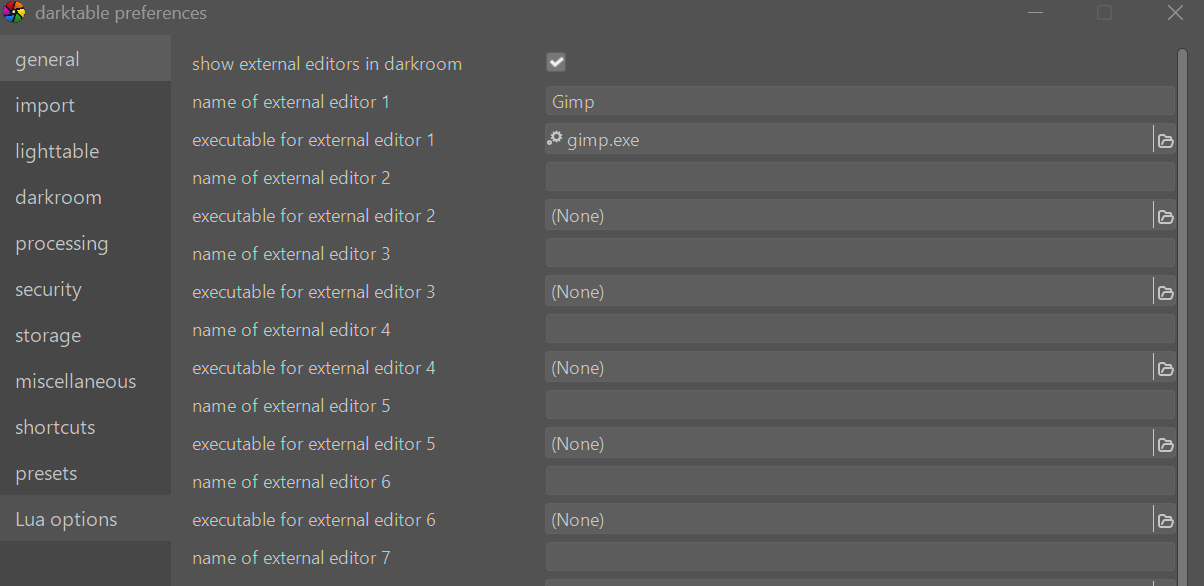
Check your DT preferences. I just went into mine and setup GIMP as external editor. I exported to GIMP, image opened in GIMP, I desaturated image and sent it back to DT with no problems. Windows DT 5.3 so I presume 5.2 will be the same.
DT 5.3 doesn’t exist, I work with the last version DT 5.2.1 I had no problem with 5.0.1 I tried to reinstall it but it is refused because the database was upgraded by DT 5.2.1 no return possible.
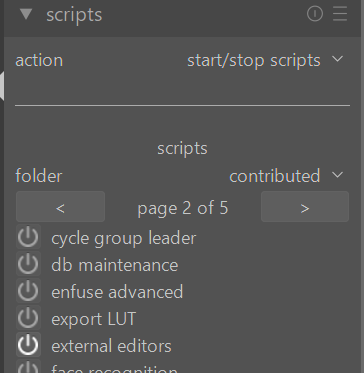
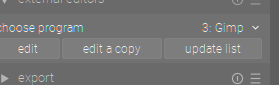
Check your preferences are set correctly for the external editor as per previous supplied screen shot and that you have the external editors lua script activated.
External editors was not enabled, same problem, export to Gimp start a script than a second one but Gimp don’t start ( the invert works ) I see you have a DT 5.3.0 doesn’t exist on the official site.
Seems a problem with a name of a file somewhere…
In scripts start tools->executable_manager. This lists the external executables that the lua scripts know about. I’m guessing you have an entry for GIMP that points to the 2.x version. You can click on the entry, and enter the correct location of GIMP 3.x
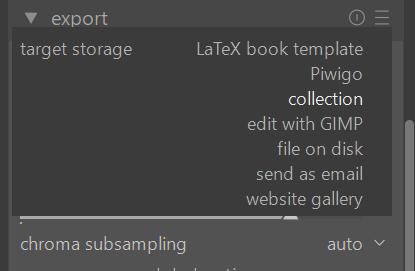
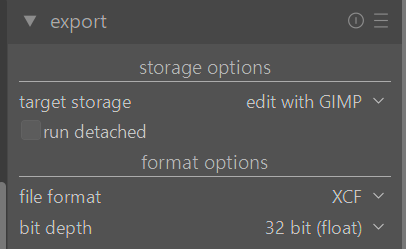
If you have followed the steps me and Bill suggest in the export module you should see the option edit with GIMP in the export module’s target storage. BTW, I am using DT 5.3 which is the latest development version that is updated each week and available through this forum. I only mention I am using that in case the problem you have exists in DT5.2 but is resolved in DT5.3.
Terry you are conflating 2 scripts I believe…this dialogue you show for export is in place because you are using the “gimp” script as well, for external editors if that is all you have running you wont see the export option or at least I don’t think you will…for the external editor you choose the editor from the drop down in the module added by the script and then choose if you will edit the current image or a copy and if you select copy that is created and the image is opened in gimp…you then export from GIMP and close to come back to DT
Yes Todd you are right. It is not something I do often. What I like about the external editor script is the inclusion of collection in the export target option. I then saw GIMP was available there as well so I used that export option. I also like that DT lets you export as an xcf file for GIMP.
There is an insider program posted to this forum each week. Usually by Monday Australian time. Probably Sunday US time. The latest will come out on this forum in the next two days. I doubt that 5.3 will resolve your problem but hopefully it does. I still suspect the the link for GIMP needs updating in preferences. I had to update mine again even though previously I believe I had it set correctly.
You could be right …I think since I updated GIMP is gimp30.exe but I would have to check as I don’t use gimp very often…
Okay I was wrong
“C:\Program Files\GIMP 3\bin\gimp-3.exe”
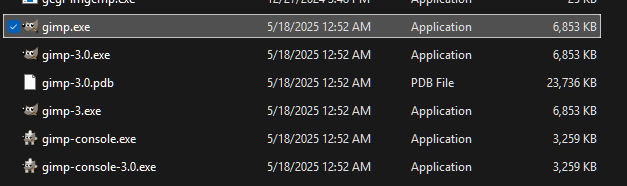
Strange …I have 3 exe files… maybe via updates…yet they are all the same size and version in the details… ie 3.04 The one above is what is in my desktop icon but in the bin folder there are 3
and gimp.exe seems to work fine so the commandline text in the DT preferences should be okay set at gimp.exe but I guess its worth checking what it might be on your own install to confirm
I even don’t find the gimp-3.exe ( or others ) In Program files there is no Gimp well DT or digiKam. I need to go to Users\miche\AppData\Local\GIMP\3.0 BUT it show 2 folders ( crashlog - fontconfig ) but no exe visible.
I reinstal it, setup don’t ask and put everything in Users\miche\AppData\Local\GIMP\3.0 but but file explorer don’t let show the files inside folder 3.0 hidden or not hidden. So in DT impossible to indicate the exe file of Gimp.
The main program likely shouldn’t be in the appdata config folders I’m not sure how you landed there but that location could be messing things up…maybe not…
The program by default would always be in c:\Program Files\GIMP\gimp.exe…… have you looked there??
If you install from the Microsoft Store, it puts apps in %LOCALAPPDATA% and it doesn’t let you override it IIRC. However, you should be able to specify the path manually even if the UI won’t let you navigate to it.
EDIT: Just installed GIMP 3 from the Microsoft Store. It ends in in %LOCALAPPDATA%\Microsoft\WindowsApps. I navigated to it, selected it, and got a system response saying the file couldn’t be selected. So, maybe install from the GIMP website.