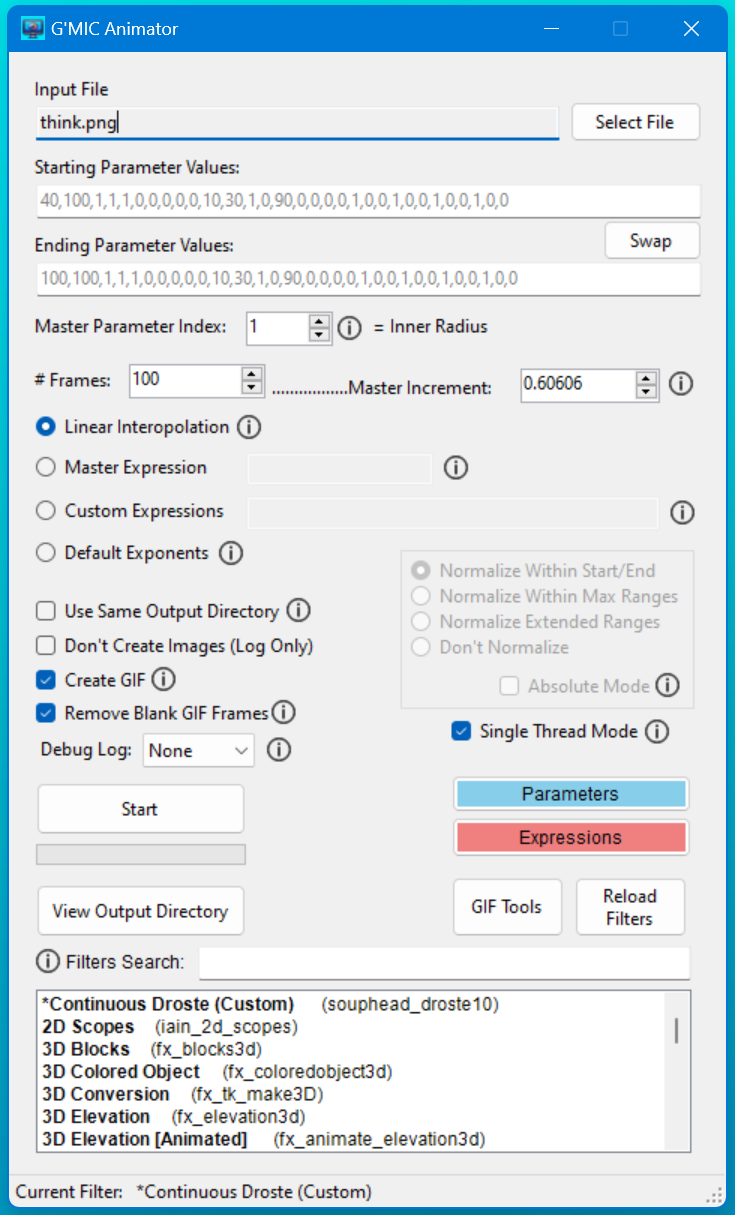
I’ve been working on a pet project that basically lets you animate any G’MIC filter to a crazy degree. It’s ugly as heck because it’s windows forms but it works pretty well.
Here’s a couple examples with the Continuous Droste effect:


I started out just intending for it to be for the Continuous Droste effect, but realized I could just parse the big gmic filter file from the GUI and have it adapt to each filter.
On a basic level it just takes in the set of starting & ending parameter values for a filter, then interpolates the values between each for however many frames, and runs G’mic to generate all the frames with the interpolated values.
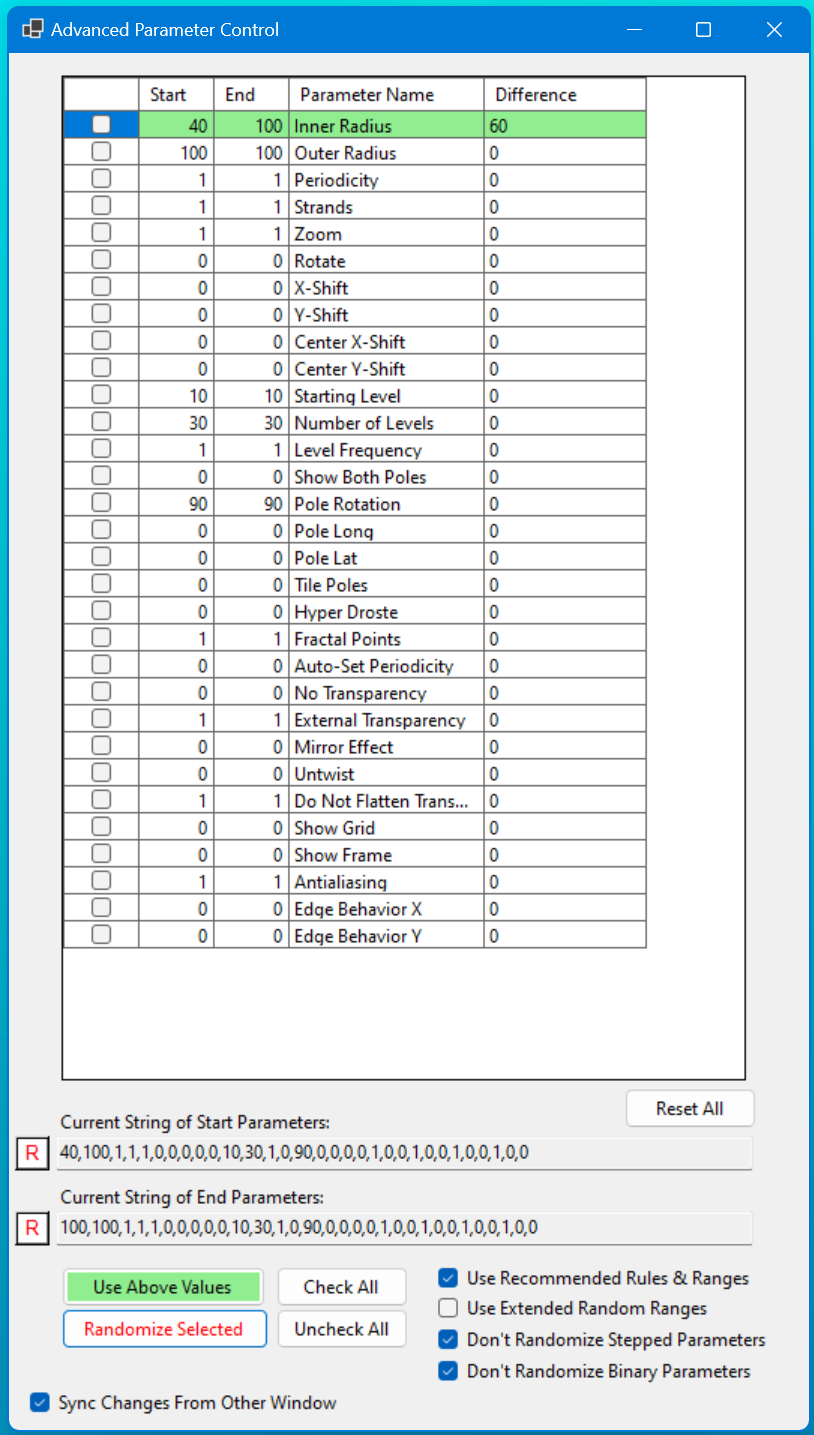
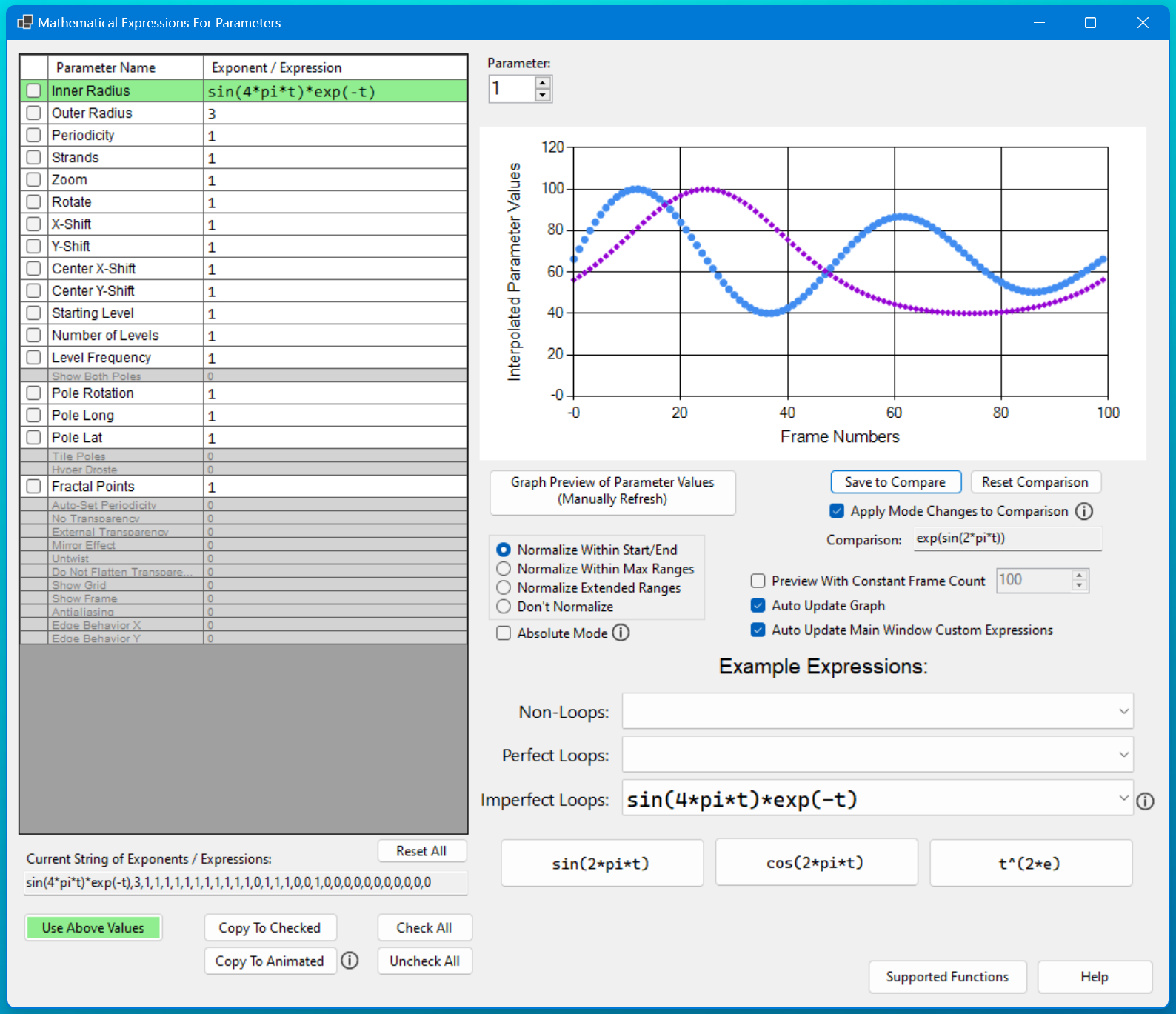
But it also allows way more control over how the values are interpolated, even allowing custom mathematical expressions for individual parameters, which can allow for some pretty wild results.
There’s more info on the GitHub repo: GitHub - ThioJoe/Gmic-Animation-Tools: Tools for creating animations using other normally static image effect tools
And I’ve made a quick start guide here: Quick Start Guide · ThioJoe/Gmic-Animation-Tools Wiki · GitHub
But some highlights are:
- Automatic GIF creation with FFMPEG
- Automatic logging of animation settings for replicating effects later
- Config file for customizing certain default startup options
- Support for (theoretically) every G’MIC filter
- EV certificate signed executable (no Windows warnings about untrusted software)
- Advanced control for animating any parameter(s) for a filter:
- Support for mathematical expressions to animate the interpolated values precisely, including trigonometric functions for perfect looping
- Ability to normalize the expression’s results several ways, including no normalization at all
- Able to animate based on both ‘t’ (normalized time from 0 to 1) or ‘x’ (frame number)
There’s some additional features I will probably add at some point.
