Sorry guys I know this is hard to believe but I’m convinced that sometimes(mostly) the image returned to Siril is NOT the processed image, but an image at an earlier stage.
When I run the image through Graxpert desktop the noise reduction is fine, but mostly through Siril NO noise reduction occursm just a change in contrast…
If this is right, there’s an issue on your side.
I can tell you that my results are always what I want.
So more information needed, as usual.
Yes more info
Fails when using a mono linear image.
If I stretch it first it seems fine
Hope this helps
Paul
System windows
memory 16gb
graphics nvidia 4060
Siril 1.4.0 beta3
Downloaded windows install from main website
Loaded an image file from ASIAIR, see noise
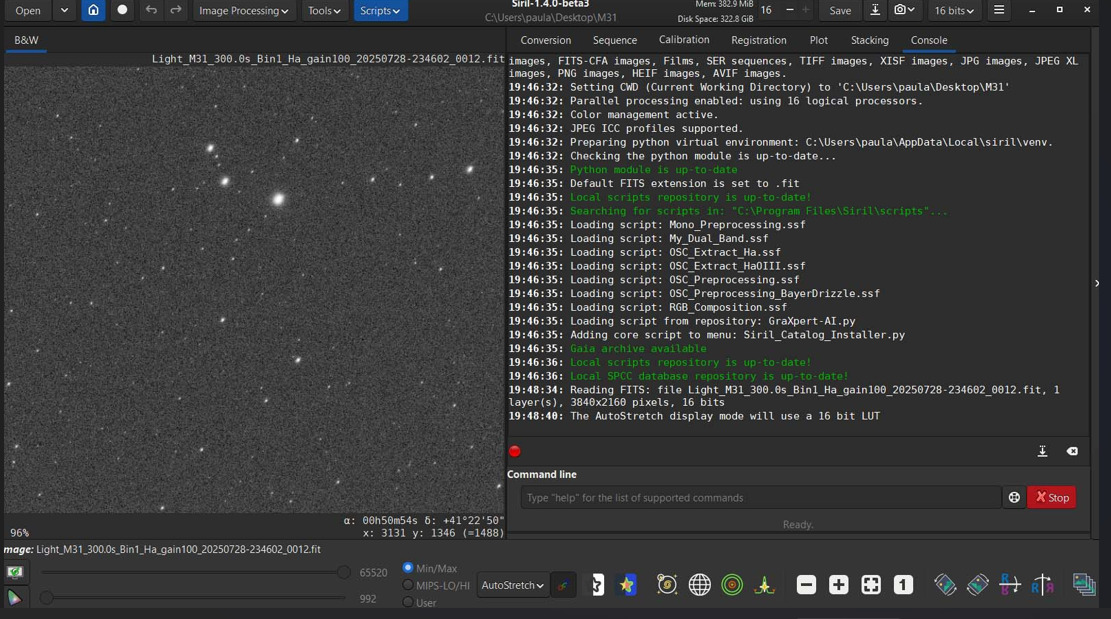
This the run of the script see same noise.
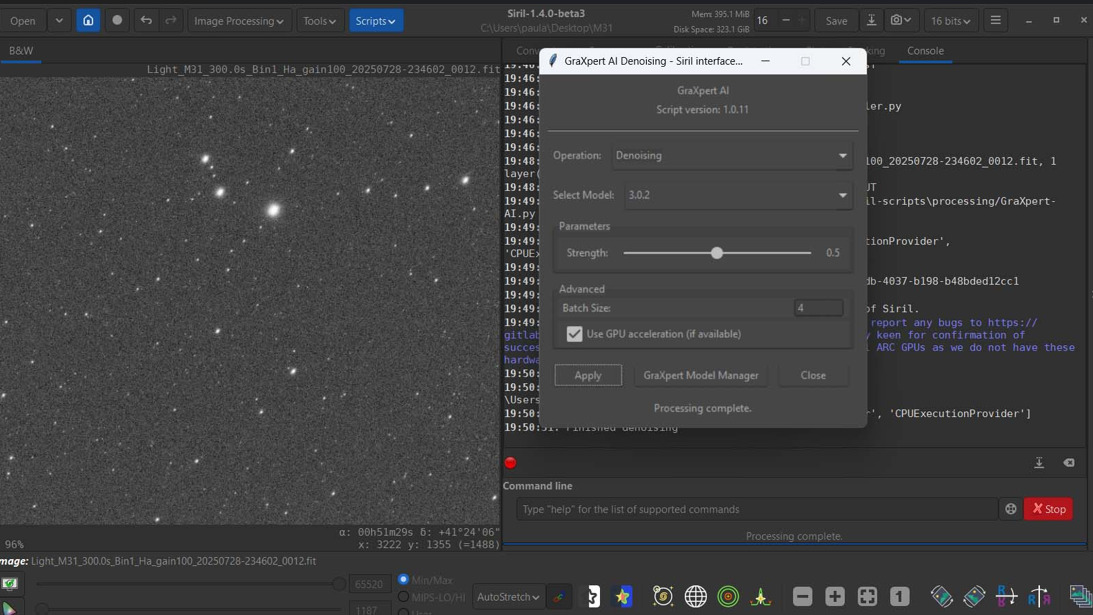
Log
Initializing FFTW multithreading support…
log: Welcome to siril v1.4.0-beta3
log: Supported file types: BMP images, PIC images (IRIS), PGM and PPM binary images, RAW images, FITS-CFA images, Films, SER sequences, TIFF images, XISF images, JPG images, JPEG XL images, PNG images, HEIF images, AVIF images.
log: Setting CWD (Current Working Directory) to ‘C:\Users\paula\Desktop\M31’
log: Parallel processing enabled: using 16 logical processors.
log: Color management active.
log: JPEG ICC profiles supported.
log: Preparing python virtual environment: C:\Users\paula\AppData\Local\siril\venv.
log: Checking the python module is up-to-date…
log: Python module is up-to-date
Failed to execute child process (Invalid argument)
log: Default FITS extension is set to .fit
log: Local scripts repository is up-to-date!
scripts: Error opening directory ?C:\Users\paula\AppData\Roaming\siril\scripts?: No such file or directory
log: Searching for scripts in: “C:\Program Files\Siril\scripts”…
log: Loading script: Mono_Preprocessing.ssf
log: Loading script: My_Dual_Band.ssf
log: Loading script: OSC_Extract_Ha.ssf
log: Loading script: OSC_Extract_HaOIII.ssf
log: Loading script: OSC_Preprocessing.ssf
log: Loading script: OSC_Preprocessing_BayerDrizzle.ssf
log: Loading script: RGB_Composition.ssf
log: Loading script from repository: GraXpert-AI.py
log: Adding core script to menu: Siril_Catalog_Installer.py
scripts: Error opening directory ?C:\Users\paula\AppData\Roaming\siril\scripts?: No such file or directory
log: Gaia archive available
Last available version: 1.4.0-beta3
log: Local scripts repository is up-to-date!
scripts: Error opening directory ?C:\Users\paula\AppData\Roaming\siril\scripts?: No such file or directory
log: Local SPCC database repository is up-to-date!
The URI points to a local file.
nb_elts_at_start: 0
nb_elts_on_exit: 0
Purging previously saved reference frame data.
log: Reading FITS: file Light_M31_300.0s_Bin1_Ha_gain100_20250728-234602_0012.fit, 1 layer(s), 3840x2160 pixels, 16 bits
log: The AutoStretch display mode will use a 16 bit LUT
log: Starting script C:\Users\paula\AppData\Local\siril-scripts\processing/GraXpert-AI.py
log: opencv-python is installed
log: Detected ONNX Runtime with providers: [‘DmlExecutionProvider’, ‘CPUExecutionProvider’]
log: ONNX Runtime is already installed: onnxruntime
log: Connecting to Windows pipe: \.\pipe\60435436-04db-4037-b198-b48bded12cc1
input command:requires 1.4.0-beta2
log: Running command: requires
1753901394: running command requires
log: OK! This script is compatible with this version of Siril.
log: This script is under ongoing development. Please report any bugs to FA / siril-scripts · GitLab. We are also especially keen for confirmation of success / failure from Linux users with AMD Radeon or Intel ARC GPUs as we do not have these hardware / OS combinations among the development team
log: Starting denoising
log: Using cached execution providers from C:\Users\paula\AppData\Local\siril\siril\siril_onnx.conf
log: Using inference providers: [‘DmlExecutionProvider’, ‘CPUExecutionProvider’]
log: Finished denoising
nb_elts_at_start: 0
nb_elts_on_exit: 0
Purging previously saved reference frame data.
Making sure no child is left behind…
It’s really hard to tell anything about noise from a screenshot. Can you type stat in the command entry before and after running the script and report the results?
Autostretch hides a lot of change. I suspect you will see a reduction in the bgnoise figure reported after the script is run, even if the re-stretched preview doesn’t look much different. This is nothing to worry about: the noise is reduced. On an image with nebulosity you typically see greater contrast in autostretch after noise reduction, but in a bit of plain sky with stars like your image, autostretch will bring the remaining noise up to the same level in preview and it looks as if nothing much has happened, but the stats will show the true story.
Before
B&W layer: Mean: 1453.877733, Median: 1456.0, Sigma: 187.590594, Min: 992.0, Max: 65520.0, bgnoise: 54.029728
after
B&W layer: Mean: 1452.985866, Median: 1448.0, Sigma: 182.557534, Min: 1187.0, Max: 65520.0, bgnoise: 28.377532
You are correct
please close off