Handheld HDR bracketing with OM System/Olympus cameras

The following quote is from Compact M43 camera to replace actual compact camera? - #73 by europlatus. I’m opening a new thread in order to keep the discussion somewhat structured.

Olympus IBIS became so good starting with E-M1 II / E-M5 III that handheld exposure times of around 0.5 s became possible quite easily. By being careful (controlling breathing, bracing oneself against a wall or tree), even slower shutter speeds are feasible. With Sync-IS (e.g. with the 12-100 f/4 zoom) even longer exposure times can work.

This means that during all that time the camera is capable to keep the sensor aligned with sub-pixel accuracy!

At the same time, the E-M1 II / E-M5 III gained a usable electronic shutter mode with a readout speed of 1/60 s. (This is even faster on the OM-1. I believe the readout speed is 1/120 s.)

Given the above, I consider it a huge oversight (incompetence?) on the side of the manufacturer that the HDR modes of the above cameras switch back to mechanical shutter and do not compute a Raw file. Handheld High Res Shot helps with DR, but it takes a sequence of shots with identical exposure, I believe.

However, it is possible to configure the camera such that it takes a bracket burst with the electronic shutter, without resetting the stabilizer. See this dpreview thread for details, notably the posts by vmlinuz (=me) and sciencenerd.

Here is the setup that I use for the C-mode on my E-M5 III:

  • A mode, aperture 5.6, EV -0.3, ISO 200
  • AE bracketing active, set to 5 images with 1 EV spread
  • Silent sequential high drive
  • Image stabilizer: fps priority.

(If someone is interested, I can share my complete camera setup notes here.)

This gives me five images for each burst. When I review my shots with geeqie, I check whether all shots of each burst are indeed aligned. I then move all the bursts into a dedicated temporary directory, mark all of them, and run the following “plugin” that I configured by putting the following content into the file ~/.local/share/applications/hdrmerge-batch.desktop:

[Desktop Entry]
Type=Application
Name=hdrmerge batch mode
TryExec=hdrmerge
Exec=hdrmerge -B --no-align --no-crop -o '%%iF[0].dng' %F

# Make it appear in Geeqie
Categories=Graphics;

This creates one DNG file per burst. I keep the DNGs and delete the ORFs one I have made sure that the process went well.

I also have the following ~/.local/share/applications/hdrmerge-gui.desktop:

[Desktop Entry]
Type=Application
Name=hdrmerge GUI mode
TryExec=hdrmerge
Exec=hdrmerge %F

# Make it appear in Geeqie
Categories=Graphics;

This allows to adjust which area of each shot is used in the stacking.


Now why doesn’t Olympus/OM System put more emphasis on this capacity? After all, they could have had handheld in-camera Raw HDR stacking already in 2016 in the E-M1 II! The following points might offer partial answers:

  • The DR of a single shot is more than enough in many cases.

  • Handheld HDR stacking works, but it is an advanced technique that requires care. Perhaps the manufacturer estimates that the nerds likely to be interested in this are not a relevant part of the market.

  • There is certainly some institutional/compatibility inertia there. HDR used mechanical shutter before good electronic shutter became available, and so they kept it that way.

  • The camera’s CPU might be too slow for in-camera HDR stacking like hdrmerge does.
4 Likes

Was hoping maybe Lumix had something similar but doesn’t look like it.

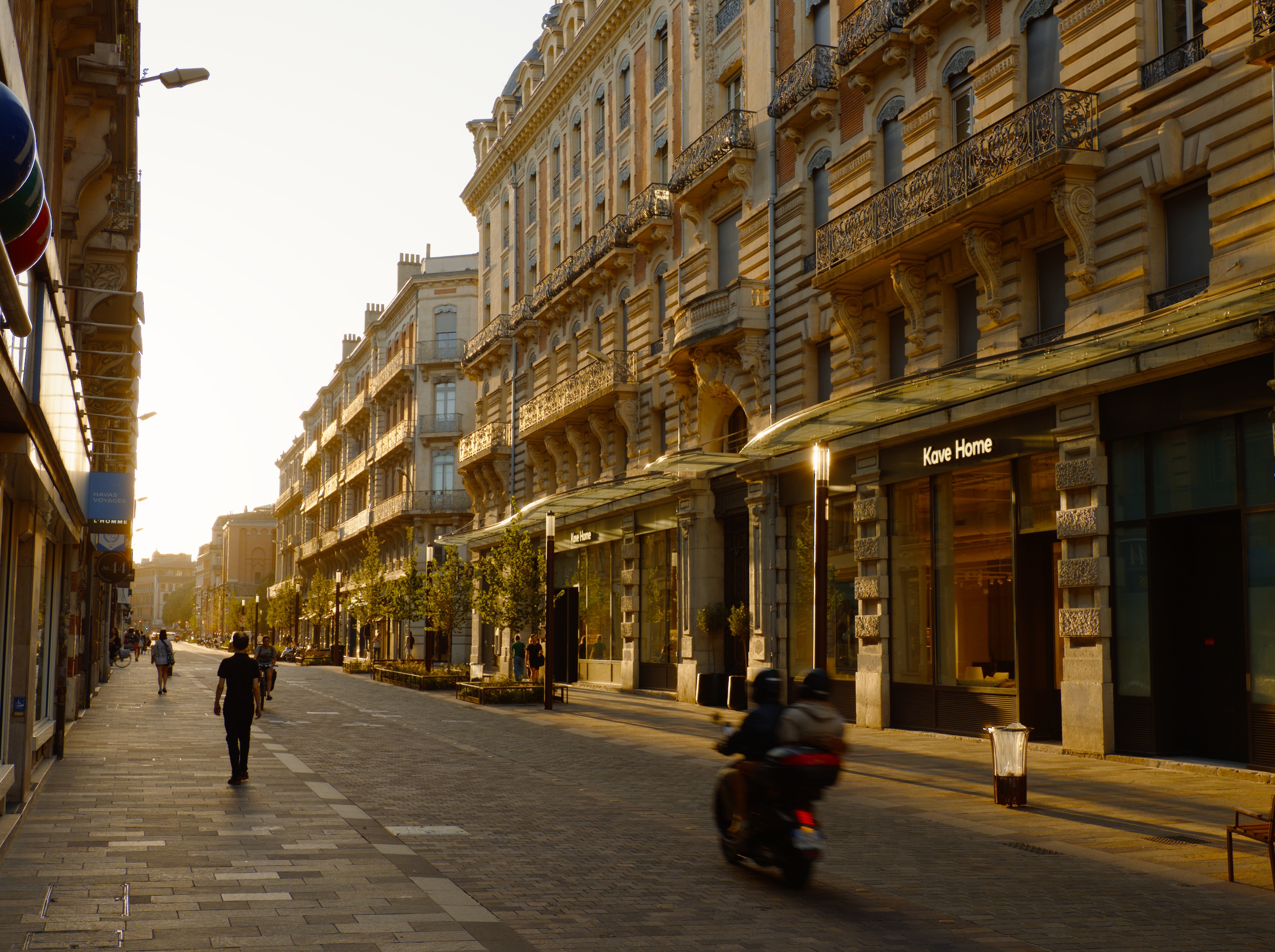
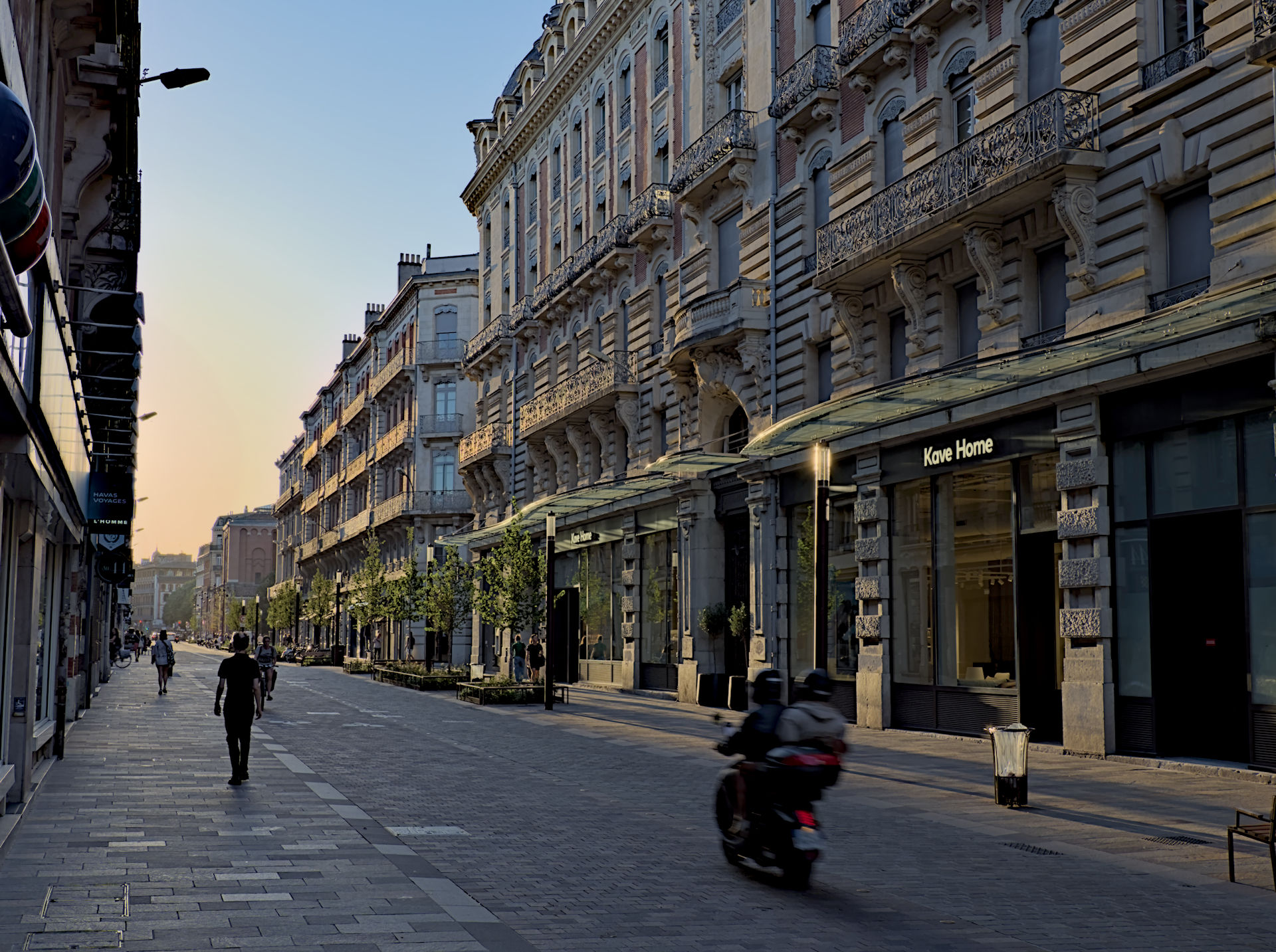
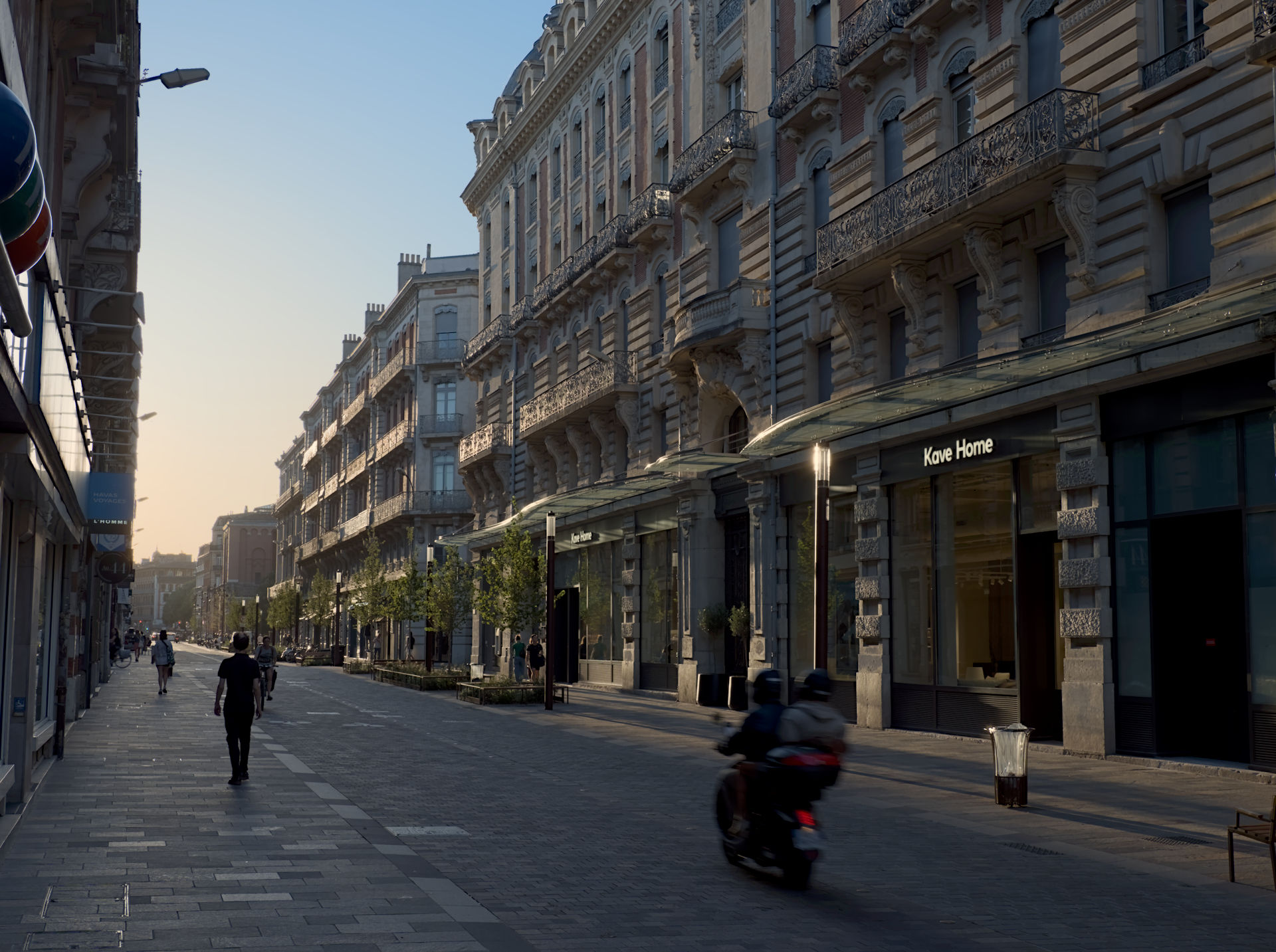
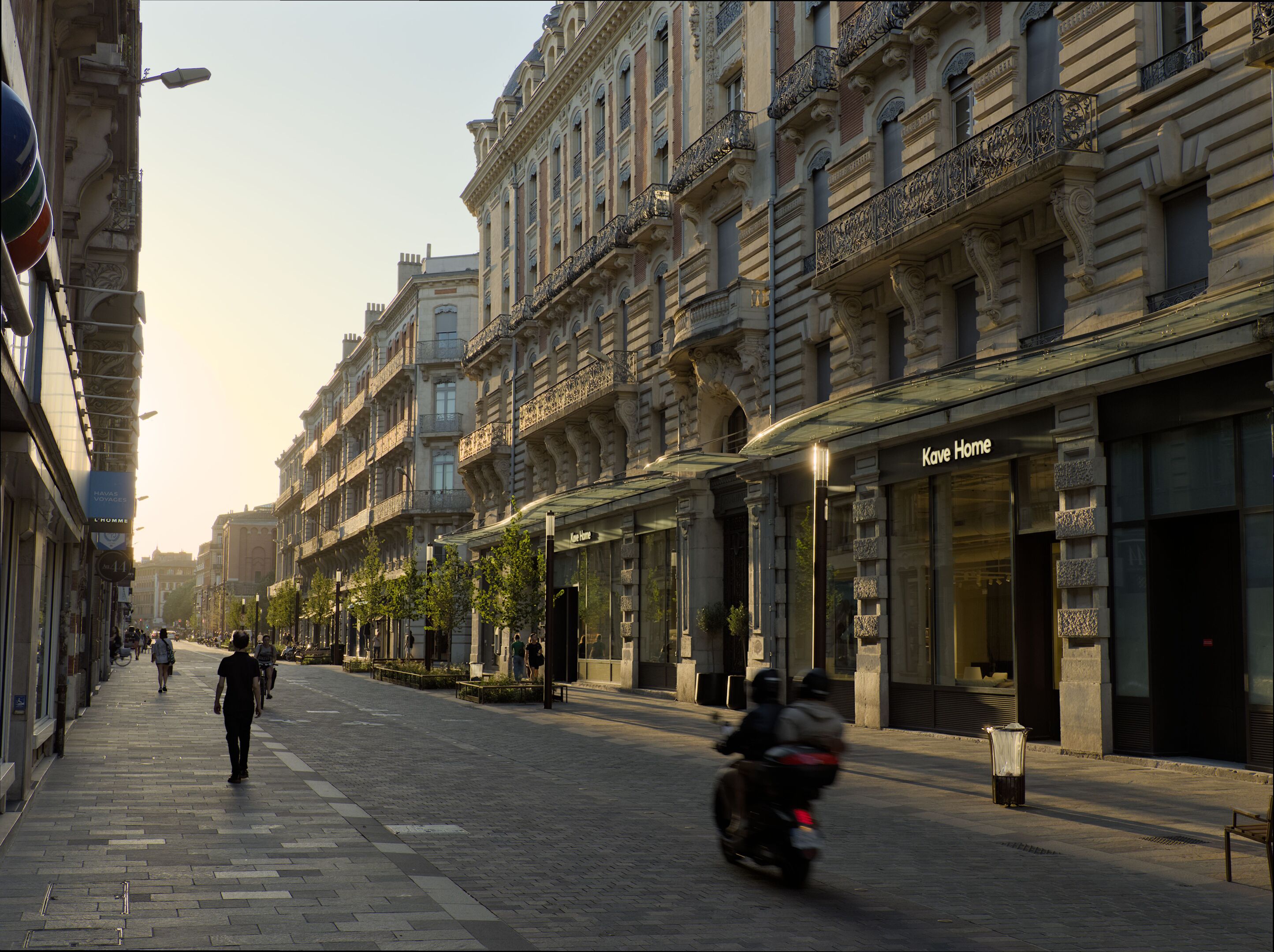
Here is an example photograph obtained with the technique (handheld, with movement in the scene). The shortest exposure time was 1/800. The longest must have been 1/50.

I tried to edit for a natural look, so it hopefully does not look too much like “HDR”. Notice, however, the lack of noise in the shadows!


250919_191313.dng.xmp (13.0 KB)
250919_191313.dng (15.8 MB)

The image files are licensed Creative Commons, By-Attribution, Share-Alike.

3 Likes

Adding clever features but not actually advertising them is a long-standing tradition for micro 4/3.

2 Likes

Can you say how much the movement of the motorbike comes from the bracketing? Looks as if the motion blur had some kind of halo. I actually like the effect, but if you can post a crop from the 1/50 exposure, we could compare.

Thanks for DNG. Downloaded and fiddled with AGX for fun and to my gawdy taste.

3 Likes

The majority of the scene, including the scooter, is from the 1/50 s shot. Unfortunately, I no longer have the ORF files.

Since the camera shoots sequentially at 30 fps, motion blur from subsequent shots would look very strange. In my (limited) experience this problem is rare, since the bright parts of the frame (e.g. the sky) are often static. In any case, when using hdrmerge’s GUI mode, it is possible to manually adjust the blending masks.

1 Like

Looks better than my (flmic) version, IMHO, and still pretty natural. If only a little more blue could be salvaged in the sky.

I started playing with AgX a little bit, and while I like it, I have the impression that compared to filmic with color science v7, the highlights get desaturated a lot. Is one supposed to counteract this effect? How?

1 Like

I was just thinking the same about the sky. Whole pic looks too yellow. I’ve only tried a few quick edits to try out AGX, basically randomly moving the sliders back and forth. Boris has a video and Kofa is obviously the expert. The preserve hue slider seems to add colour back into highlights.

1 Like

Not full edits but tweaked a bit for the sky…first one is filmic and the second agx… They could be brightened or desaturated or whatever and some other elements could be corrected but its one way ie use rgb CB

250919_191313_01.dng.xmp (15.3 KB)
250919_191313.dng.xmp (13.6 KB)

3 Likes

Thanks very much @alpinist for writing this up.
After reviewing your settings, it looks like I had experimented with a very similar setup myself. The missing piece was that “fps priority” setting, although when I checked it, it looks like it was enabled by default anyway.

I have yet to try this out properly in the real world, but from some tests indoors, the total exposure time can still be quite lengthy. So it looks like this technique is still best suited to brighter conditions rather than low-light situations. Some sunsets/sunrises might cause problems, although I’d need to try it out properly.

I’ve also found a strange little quirk: when you press the shutter to take the burst, all the individual frames are automatically taken as long as you keep the shutter button pressed down, but there doesn’t seem to be an obvious end to the last exposure. The image just stays on the screen until you release the shutter button. So I’ve found it a little hard to know when all 5 frames have finished. Do you experience this? It would be good to have a feature like in the HDR mode where you only need to press and release for all 5 exposures to be taken, but I don’t think it’s possible with my camera. You can set a frame limit of 5 for sequential high mode, which might help.

As for merging the exposures, I’ve yet to experiment properly with this. I use Windows, so I can’t use Geeqie and I’ve never tried HDRMerge.

Like you, I think what baffles me most about OM System is that they haven’t implemented a decent Handheld HDR mode that bakes it into the RAW. Maybe they think that Handheld High Res Shot is good enough?
But it seems an obvious one to add because of the criticism that M4/3 gets with regard to dynamic range and noise.

3 Likes

The effectiveness of the stabilization depends on several factors:

  • focal length (it works better for wideangle),
  • object distance (it’s easier to correct rotations than parallax),
  • presence of Sync-IS (=marketing term for a combination of sensor- and lens stabilization).

It also depends a lot on the technique, body position, and condition of the photograph. A freely standing, tired mountain-runner will hold a camera less steadily than someone who is rested and knows how to brace properly against a tree.

I see a sequence of five frames in the viewfinder, with the last being the brightest one. The last shot takes twice as long as the one before it. I tend to press the shutter longer than enough in order to avoid camera shake. In any case, pressing it for 1 s will do the job most of the time.

Darktable itself can also merge multiple exposures into a single DNG:

I prefer hdrmerge, since it allows me to prepare the DNG before even entering darktable. It also allows to tweak the blending masks if necessary.

What I like about Geeqie is that it allows to seamlessly and quickly switch between subsequent shots at any zoom level. That’s useful for stacking, but also for general culling. I’m sure that there must be good programs for this under Windows as well.

2 Likes

I think that they were (are?) simply not that good on the software side, unfortunately. Another example is their in-camera vignetting correction, which is inaccurate and buggy.

They could have had handheld stacked HDR raws with more DR than a Hasselblad in 2016 with the E-M1 II. I think that it would have been a great marketing coup.

3 Likes

But does the image ever disappear for you? For me, as long as I keep the shutter button pressed down, the image remains. So there doesn’t seem to be any visual indicator that the exposure has finished. I don’t want to have to guess when the sequence has finished.
I’ll do some more testing and see if I can get to the bottom of it.

The last time I played with this was several years ago, and it was buggy. I haven’t actually tried merging in a long time with any software, so this is another little project for me to try when I get some free time.

I have heard lots of rave reviews of Sync IS, especially with the 12-100 F4, but I don’t have any lenses that can make use of it. Apparently my Fuji lenses work in combination with my X-T5, but I have never really noticed a big difference with synced IS versus just the IBIS. Do you notice a big difference with the OM solution? On paper, it seems to be just 1 stop difference, and I already find the IBIS to be spectacular.

IBIS is most effective at shorter focal lengths, lens IS at longer ones. In the middle you get a combined effect (not a sum as measured in stops though), but there the separate effects are weaker.

On micro 4/3, very few lenses that top out before 60mm have lens IS, because it would not do much.

My camera behaves exactly like yours, and indeed this is inconsistent and quirky. I do not see any advantage of this, but for me it’s not a problem either.

I have no problem to know when the sequence has finished:

  • If the shutter speeds are fast, the whole process is over very quickly anyway.

  • If the shutter speeds are slower, I can literally see the second-to-last frame appear (that’s the first one that is brighter than the viewfinder preview before), followerd by the last one which is even brighter. Once you see the last frame appear, the process is over.

Up to moderate telephoto (~40 mm on MFT), I find that I almost never have to think about whether IS is good enough, except when really shooting at night. The 12-100 is even better, but I never bothered to test how much. It’s more than enough for me.

My main use case for the 12-100 is various kinds of outdoor action photography (kids, climbing mountain biking, skiing), mostly in good light, but without the time to switch lenses. It’s also great for landscapes.

That’s true, but Lens-IS alone cannot compensate for rotation in the lens axis. I once did some tests at f=200 mm with slow shutter speeds of around 1/25 s: for such relatively long exposures, I got way more keepers with IBIS than with Lens-IS.

2 Likes

I wonder how much extra weight and size it adds. It would be nice to have on my 14-150mm, but maybe it would negate all the compact benefits. It’s interesting that Panasonic and OM System went for very different approaches with their IS. I don’t find Panasonic lenses to be generally bigger, even though a lot more of them have OIS in them.

I guess it depends on how much it compensates for, and the weight of the element it has to move. But the fact that you can find OIS in tiny lenses like the Panasonic 14–42 means that it cannot be that big per se.

1 Like

Indeed! By the way, here is a post containing a wealth of background information about the 12-100, including a photo of its stabilization assembly: Re: Oly 12-100 f4, why so heavy? The linked japanese article (there’s also a link to a translation) has even more.

1 Like

Thanks, this was really instructive. Also, the interview says interesting things about why they keep production in-house: outsourcing would be cheaper, but they would lose the knowledge and fall back in innovation.