Help needed with 'apply_curve'

I’m having a hard time understanding the ‘apply_curve’ command!

I originally needed a simple curve like this:
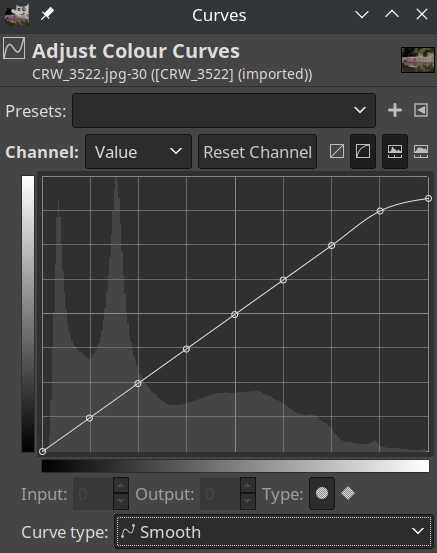
image

So I thought maybe this simple call to apply_curve would do, setting a “control point” at 223, and the ending value as 245 at 255:

apply_curve 1,0,0,223,223,255,245

But it resulted in a very dark and colour-shifted image, so just for testing I tried what I assumed to be an identity ramp (i.e., there should be no change in values):

apply_curve 1,0,0,255,255

Still, I got this instead:
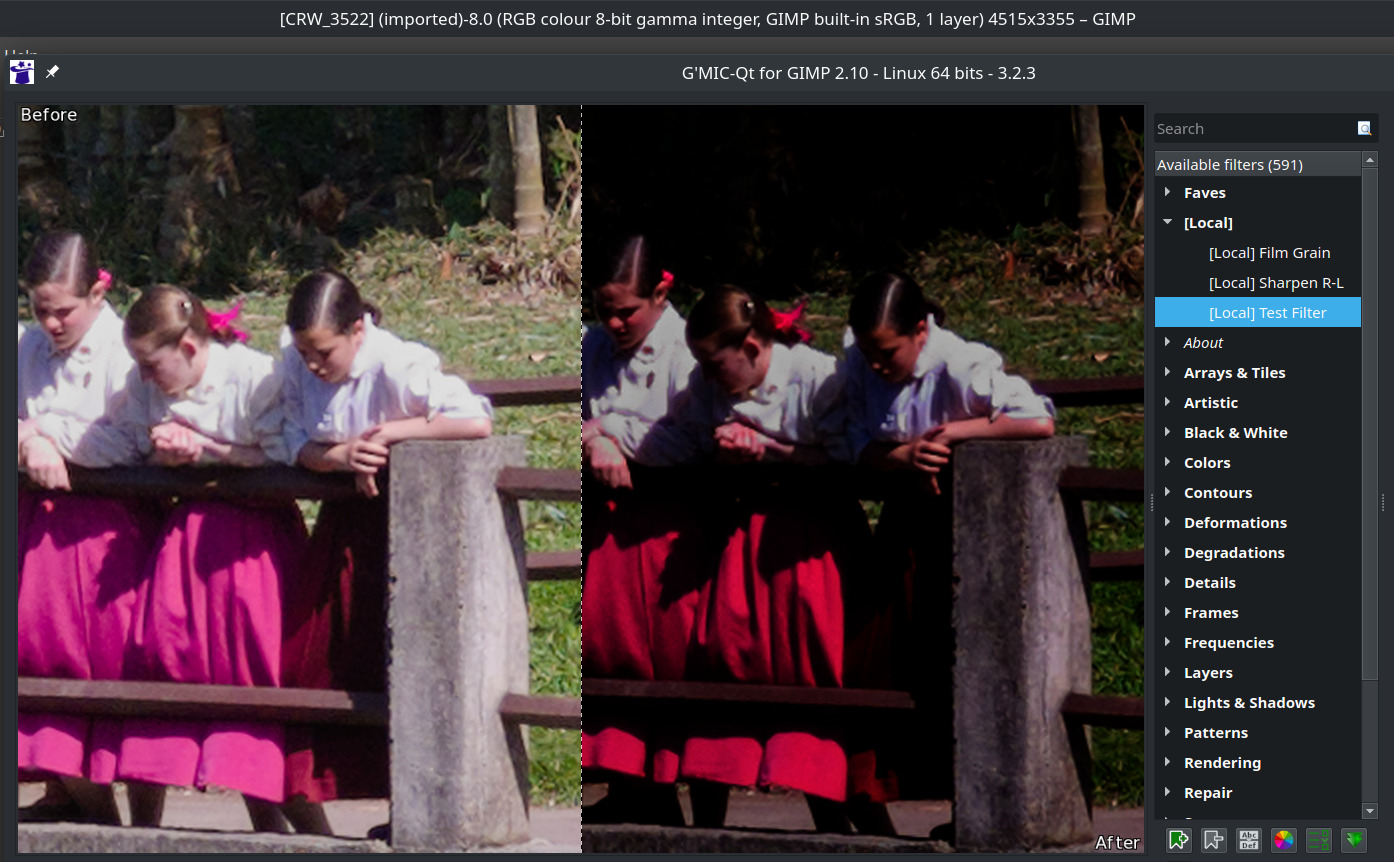
Evidently, I’m missing something very basic here, but looking at the documentation and examples from other filters, I really can’t put my finger on it! I suppose I might have to do with the input colour space assumed (or not…) by G’MIC, but the images I tried this with are all using plain sRGB…

Can anyone put me in the right direction with this rather embarrassing problem?

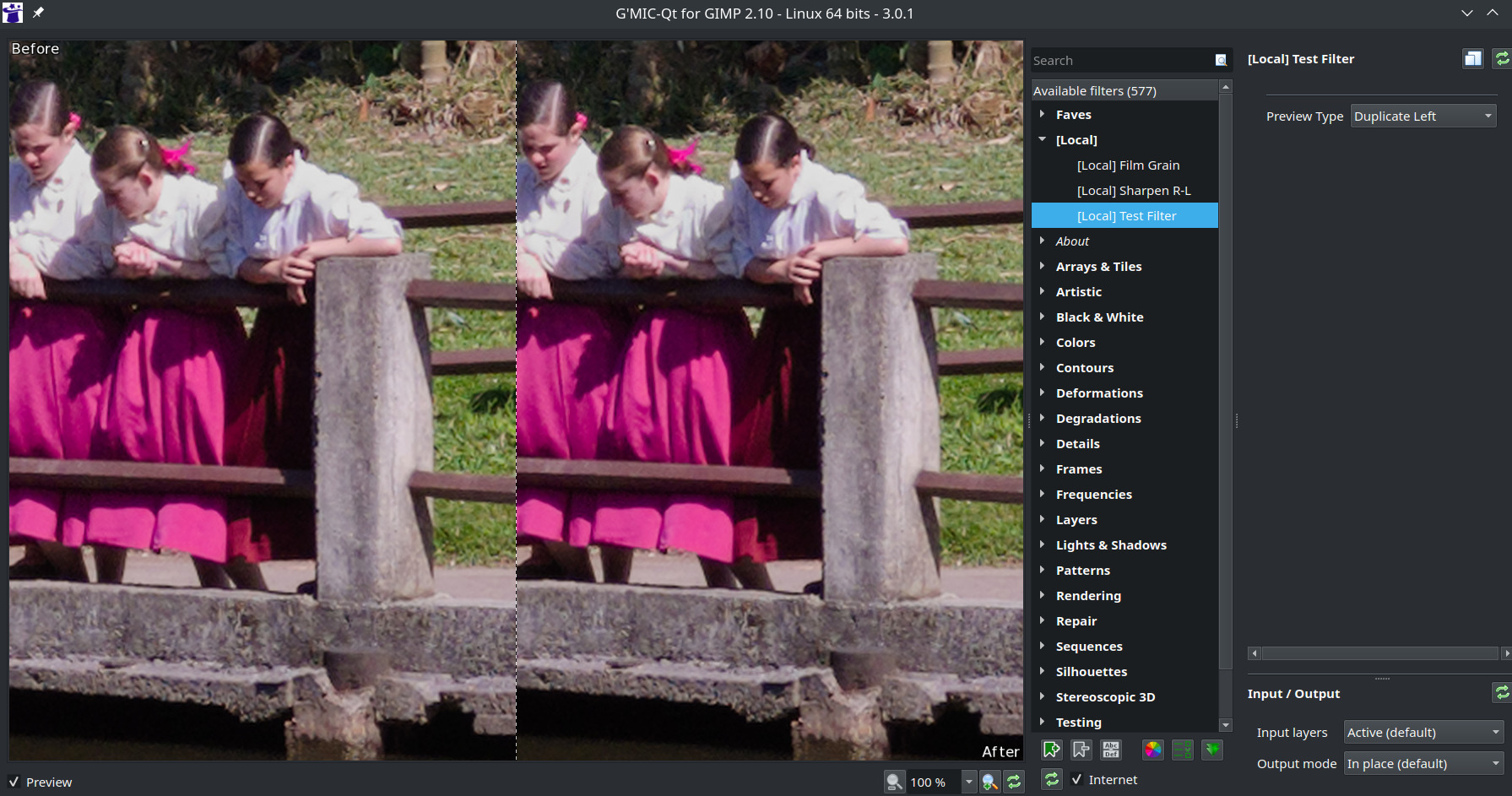
Here’s the minimal reproducing filter for the above test:

#@gui [Local] Test Filter : local_test_filter, local_test_filter_preview(0)
#@gui : sep = separator()
#@gui : Preview Type = choice("Full","Forward Horizontal","Forward Vertical","Backward Horizontal",
#@gui : "Backward Vertical","Duplicate Top","Duplicate Left","Duplicate Bottom","Duplicate Right",
#@gui : "Duplicate Horizontal","Duplicate Vertical","Checkered","Checkered Inverse")

local_test_filter : 
  #apply_curve 1,0,0,223,223,255,245
  apply_curve 1,0,0,255,255
  
local_test_filter_preview : 
  gui_split_preview "local_test_filter $*",$-1

Thanks!
What happens if you test gmic from the command line?

gmic image.jpg +apply_curve 1,0,0,128,255,255,0

Ref: G'MIC - GREYC's Magic for Image Computing: A Full-Featured Open-Source Framework for Image Processing - Reference Documentation - apply_curve

Have fun!
Claes in Lund, Sweden

something like apply_curve 0,0,0,128,128,223,223,255,245
or fx_apply_curve 0,0,0,128,128,223,223,255,245,-1,0,255,0,0,0,0,0

fx_apply_curve is in gimp-qt and it shows the curve on the preview, but it doesn’t really look like Gimp’s.

or this : fx_apply_curve 0,64,64,128,128,160,160,192,192,223,223,245,1,0,0,0,0

Bonjour,

There is a problem with the ‘apply_curve’ command on the latest versions of G’MIC.

Example, this command line does not invert the colors:

gmic sp colorful apply_curve 1,0,255,128,128,255,0

A quick test :
gmic 3.2.0 = no problem
gmic 3.2.1 and + = problem

:o)

Many thanks! I tried the test filter on 3.2.1 and got the same weird output as with 3.2.3, but on 3.0.1 ‘apply_curve’ does seem to work as (I) expected!

I’ll refrain from using ‘apply_curve’ until it’s fixed. :slightly_smiling_face:

Thanks. That’s the same doc page I referred to. I think @samj nailed it: it does seem something is wrong with gmic-qt 3.2.3.

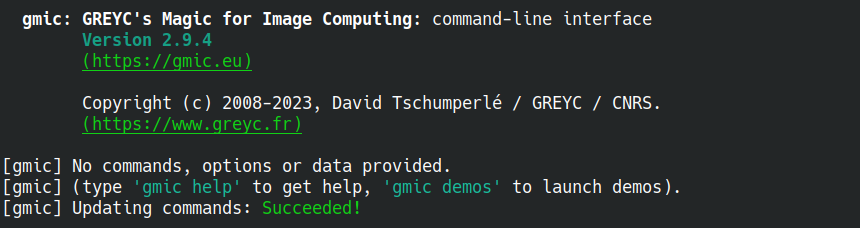
I don’t use G’MIC on the command line, but just checked and the version I have looks pretty old (I’m on Kubuntu 22.04 and got this from the default PPA):

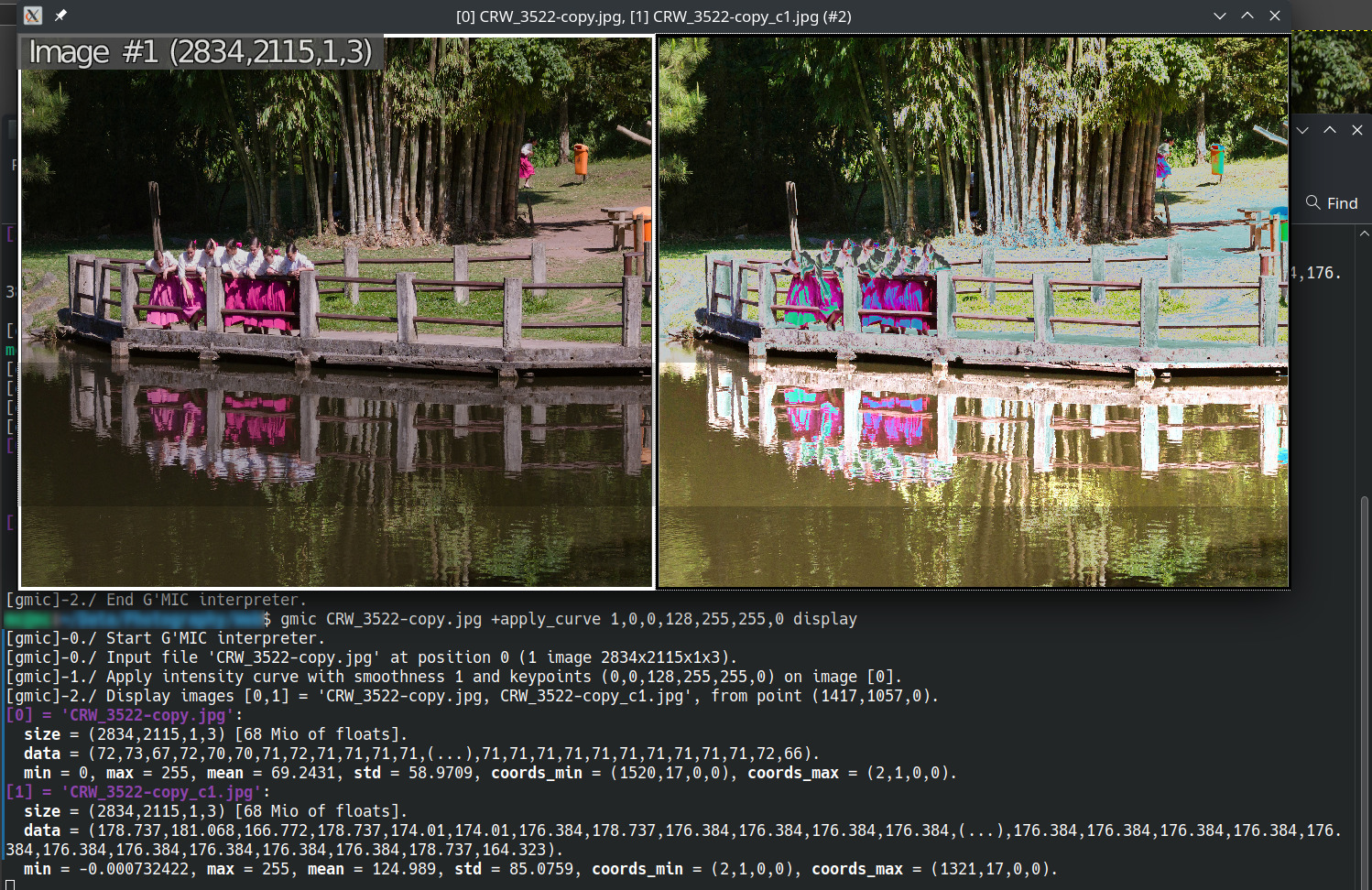
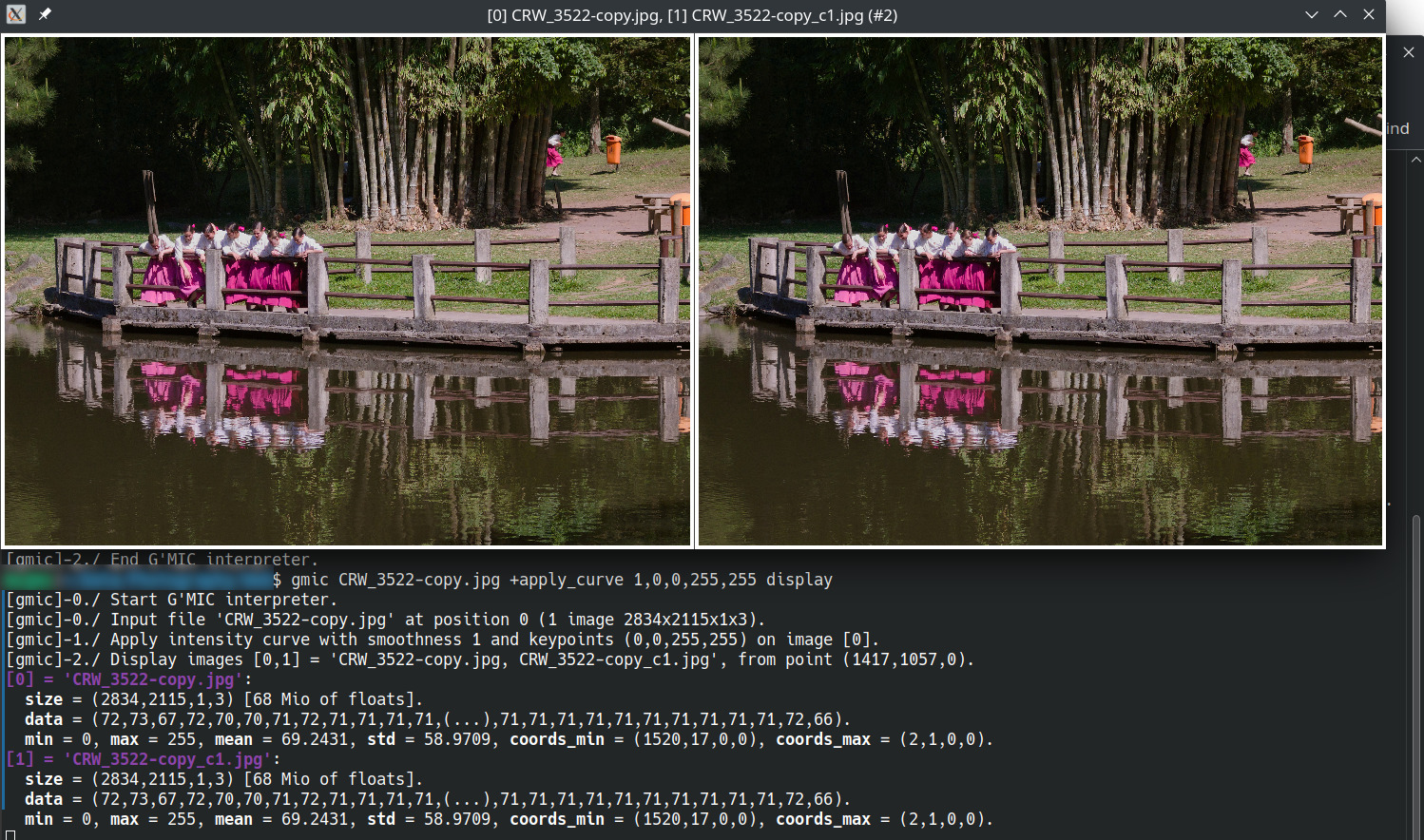
Tried this, which looks ok for the arguments you suggested:

With a 1:1 ramp (0,0,255,255), the image also looks as I expected it to be in gmic-qt 3.2.3:

1 Like

Great, didn’t know about this filter. I think now it’s clear that something really changed about ‘apply_curve’ starting about v3.2.1 as @samj said.

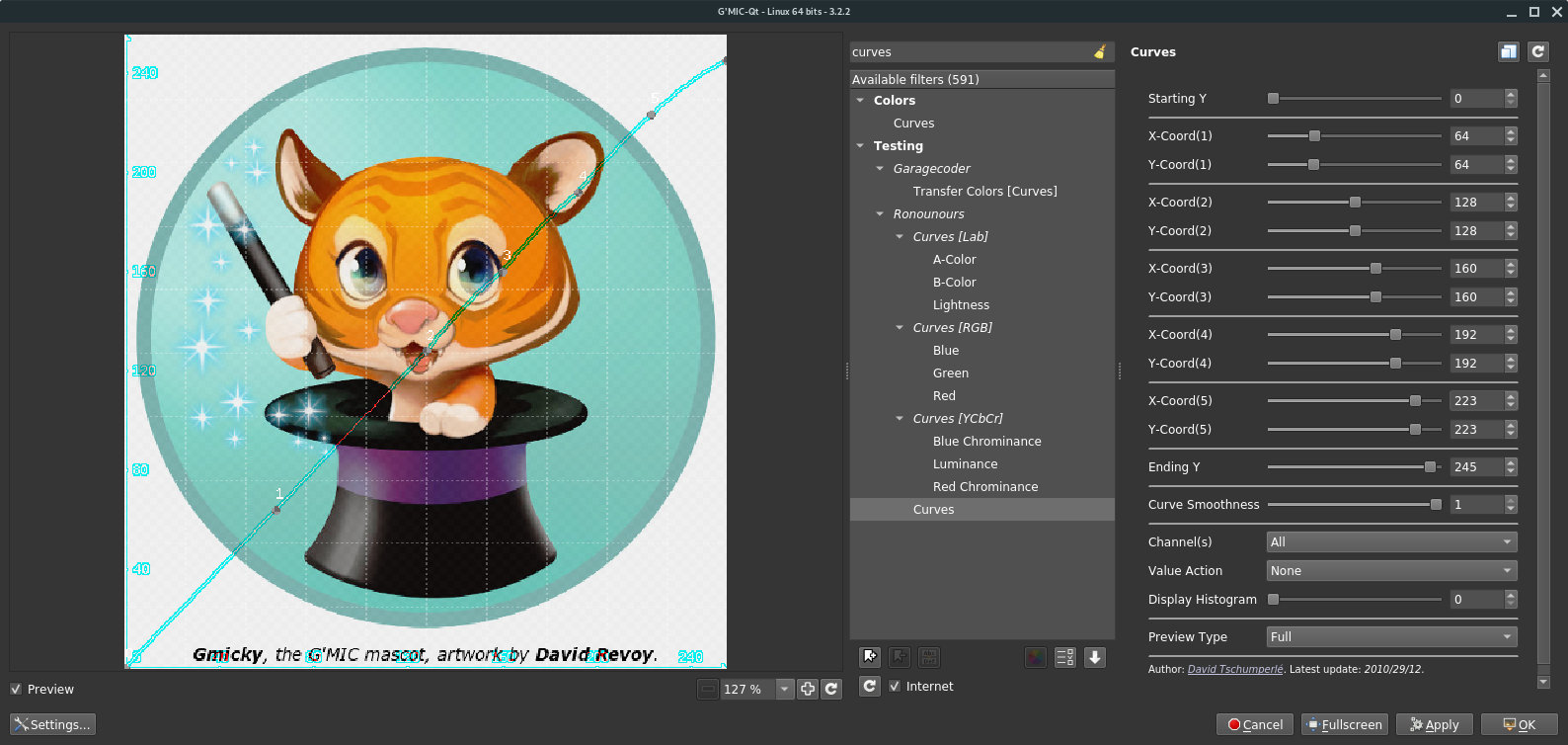
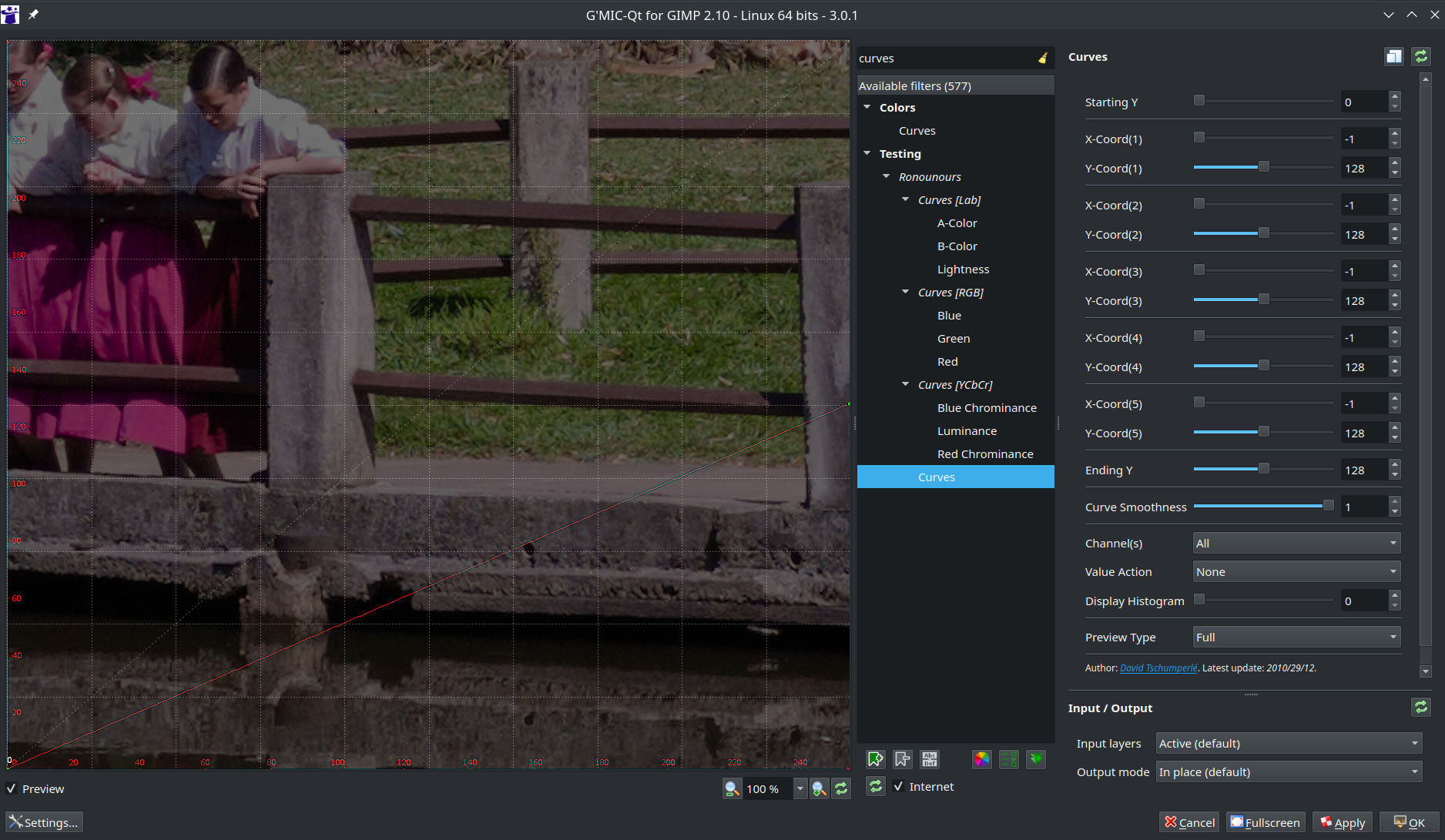
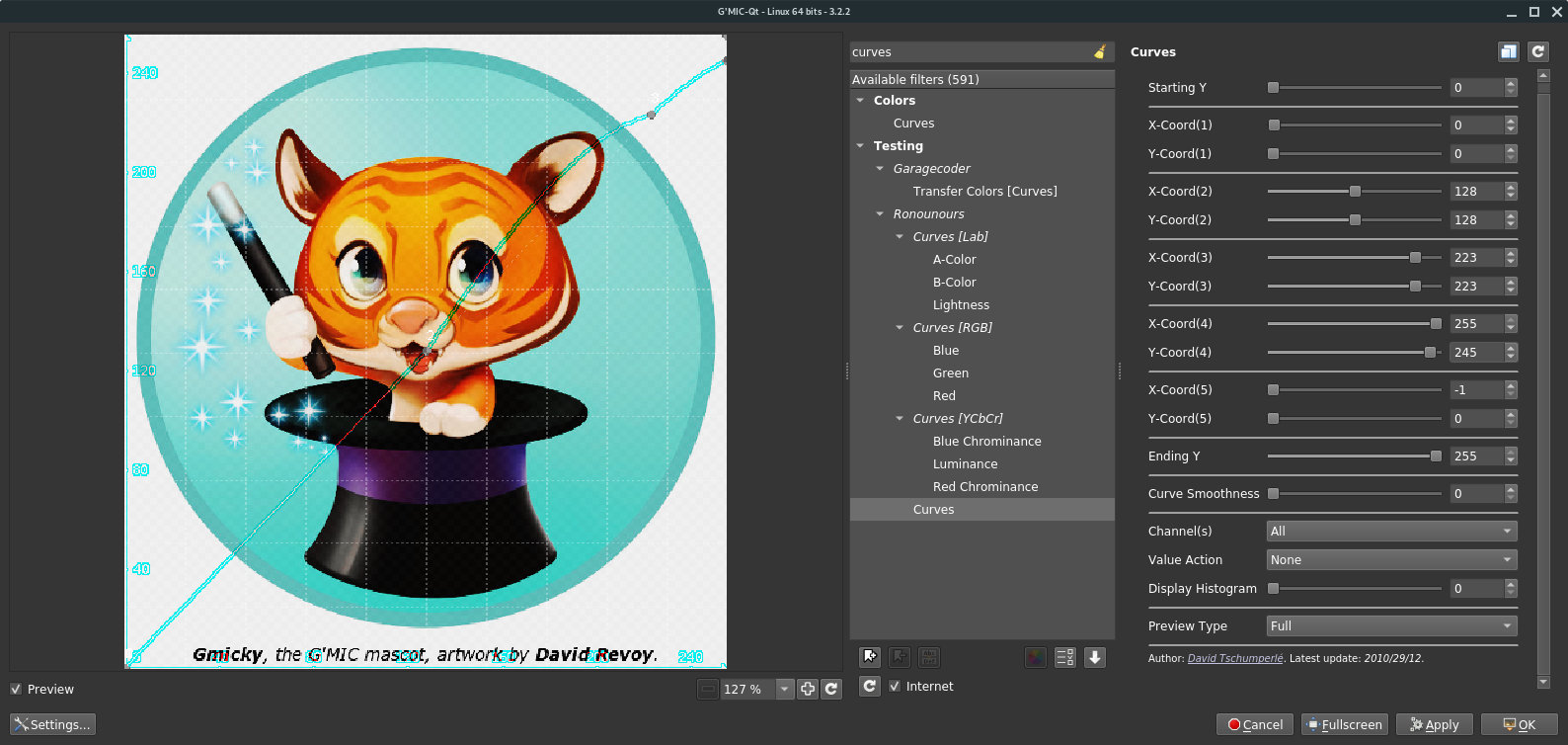
Here’s the Curves filter preview with 3.0.1 with just “Ending Y” set to 128, which results in a straight ramp as expected:

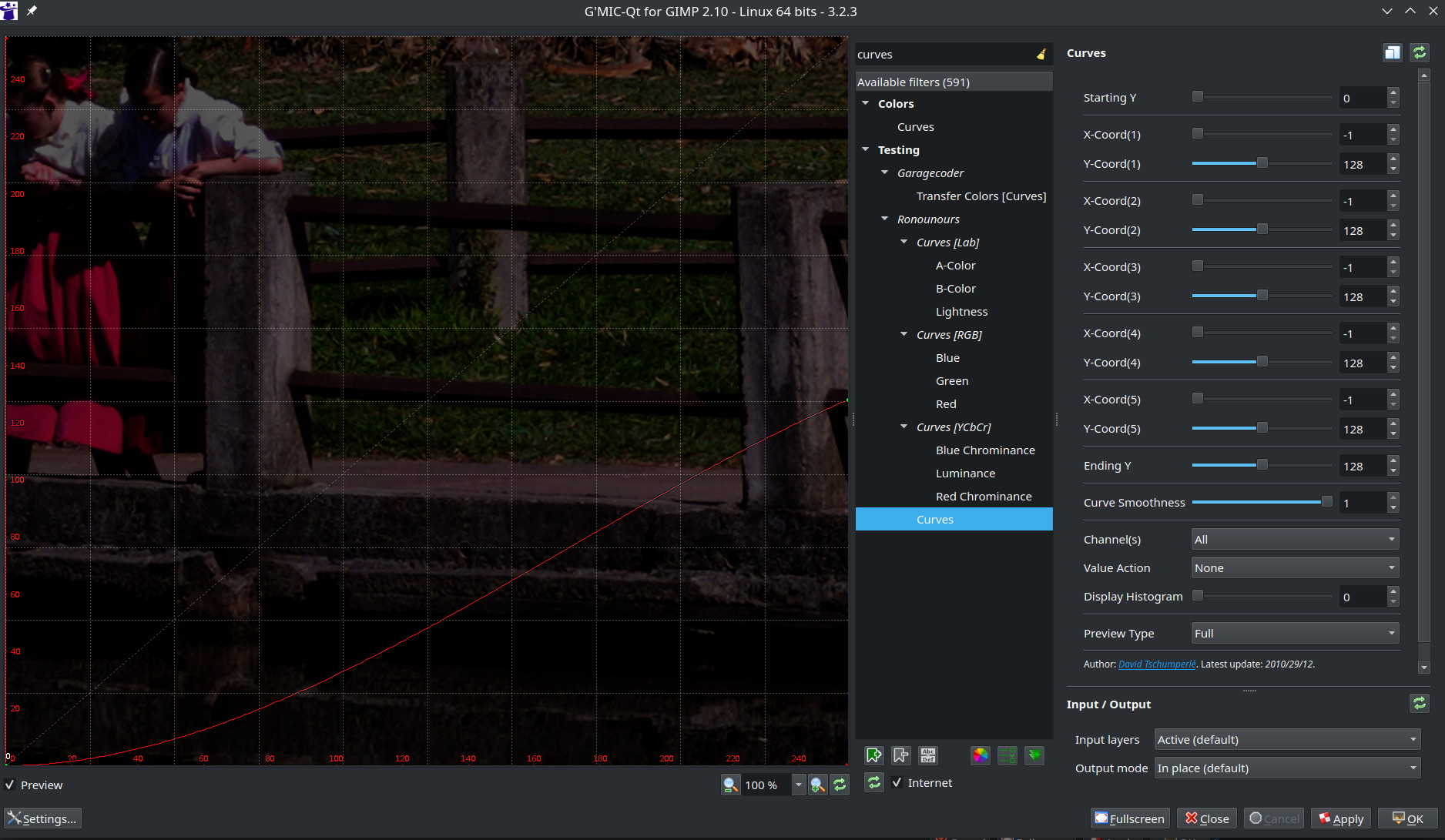
Now with 3.2.3, the same parameters give me a curve (and a very dark image) instead of a ramp!

I confirm the issue.
I’ve pushed a fix:

Should be available with $ gmic update (or pressing the ‘Update filters’ button in the G’MIC-Qt interface).
Could you tell me if that fixes the issue?

2 Likes

Fixed here.
Old behavior. A curve mapping of all values to value 127 fails:

gosgood@lydia ~ $ gmic 256,256,1,3,'x'  +apply_curve. 0,0,127,255,127 
[gmic]-0./ Start G'MIC interpreter.
[gmic]-0./ Input image at position 0, with values 'x' (1 image 256x256x1x3).
[gmic]-1./ Apply intensity curve with smoothness 0 and keypoints (0,127,255,127) on image [0].
[gmic]-2./ Display images [0,1] = '[x], [x]_c1'.
[0] = '[x]':
  size = (256,256,1,3) [768 Kio of float32].
  data = (0,1,2,3,4,5,6,7,8,9,10,11,(...),244,245,246,247,248,249,250,251,252,253,254,255).
  min = 0, max = 255, mean = 127.5, std = 73.9005, coords_min = (0,0,0,0), coords_max = (255,0,0,0).
[1] = '[x]_c1':
  size = (256,256,1,3) [768 Kio of float32].
  data = (0,7.57259e-06,6.05806e-05,0.000204459,0.000484645,0.000946571,0.00163567,0.00259739,0.00387715,0.0055781,0.00764378,0.0101652,(...),111.235,112.603,113.983,115.417,116.819,118.233,119.657,121.094,122.541,124,125.471,126.954).
  min = 0, max = 126.954, mean = 31.8666, std = 36.1976, coords_min = (0,0,0,0), coords_max = (255,0,0,0).
[gmic]-2./ End G'MIC interpreter.

New behavior — post-update:

gosgood@lydia ~ $ gmic -update
[gmic]-0./ Start G'MIC interpreter.
[gmic]-0./ Update command definition file '/home/gosgood/.config/gmic/update323.gmic' from the G'MIC server.
[gmic]-0./ End G'MIC interpreter.
gosgood@lydia ~ $ gmic 256,256,1,3,'x'  +apply_curve. 0,0,127,255,127 
[gmic]-0./ Start G'MIC interpreter.
[gmic]-0./ Input image at position 0, with values 'x' (1 image 256x256x1x3).
[gmic]-1./ Apply intensity curve with smoothness 0 and keypoints (0,127,255,127) on image [0].
[gmic]-2./ Display images [0,1] = '[x], [x]_c1'.
[0] = '[x]':
  size = (256,256,1,3) [768 Kio of float32].
  data = (0,1,2,3,4,5,6,7,8,9,10,11,(...),244,245,246,247,248,249,250,251,252,253,254,255).
  min = 0, max = 255, mean = 127.5, std = 73.9005, coords_min = (0,0,0,0), coords_max = (255,0,0,0).
[1] = '[x]_c1':
  size = (256,256,1,3) [768 Kio of float32].
  data = (127,127,127,127,127,127,127,127,127,127,127,127,(...),127,127,127,127,127,127,127,127,127,127,127,127).
  min = 127, max = 127, mean = 127, std = 0, coords_min = (0,0,0,0), coords_max = (0,0,0,0).
[gmic]-2./ End G'MIC interpreter.

That is, a curve that maps all input values to a single output value, 127, does indeed perform that mapping.

Thank you @David_Tschumperle!

2 Likes

@MarcosC
Thank you for the question that made it possible to discover this problem.

@David_Tschumperle
Thank you, the problem is solved.
Tested on G’MIC 3.2.3

:o)

2 Likes

I can confirm it works for me too! I was afraid we would have to wait for a new G’MIC-Qt version, so I’m really glad it only required an update to the stdlib! :+1: Thanks a lot! :slightly_smiling_face:

1 Like