I’m really new to Darktable so maybe just missing something here.
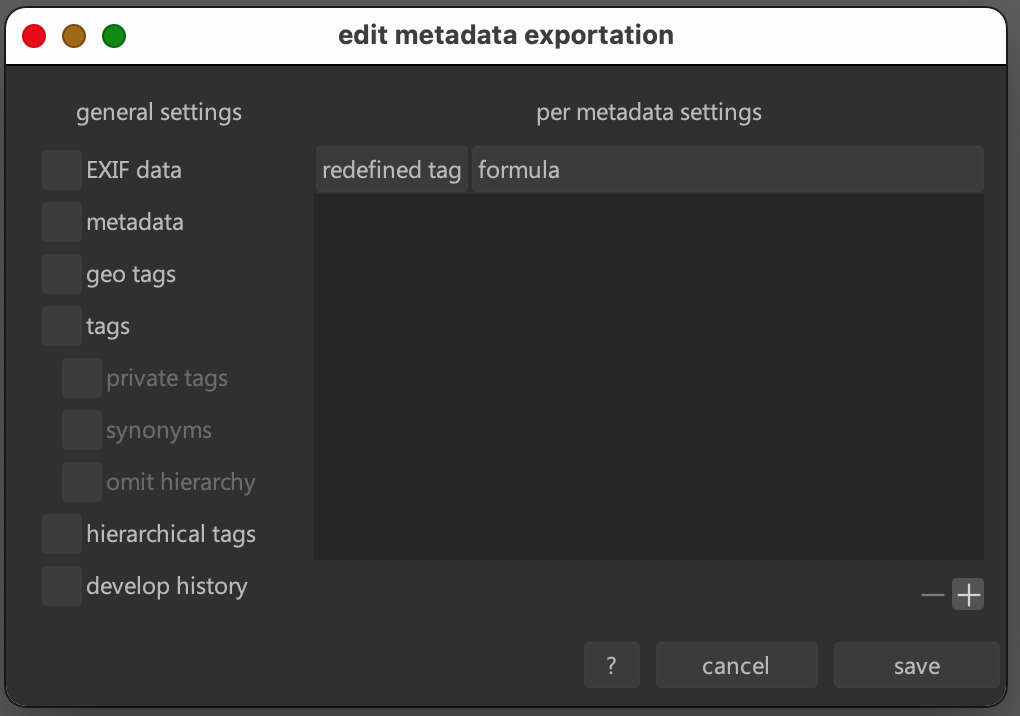
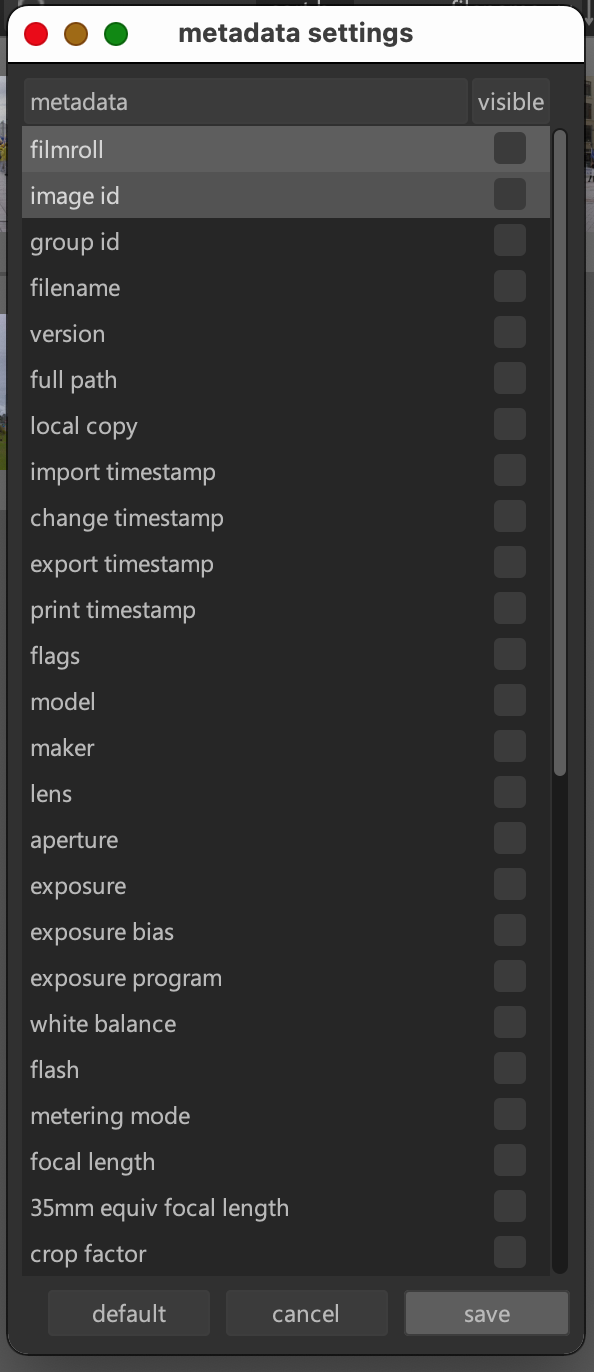
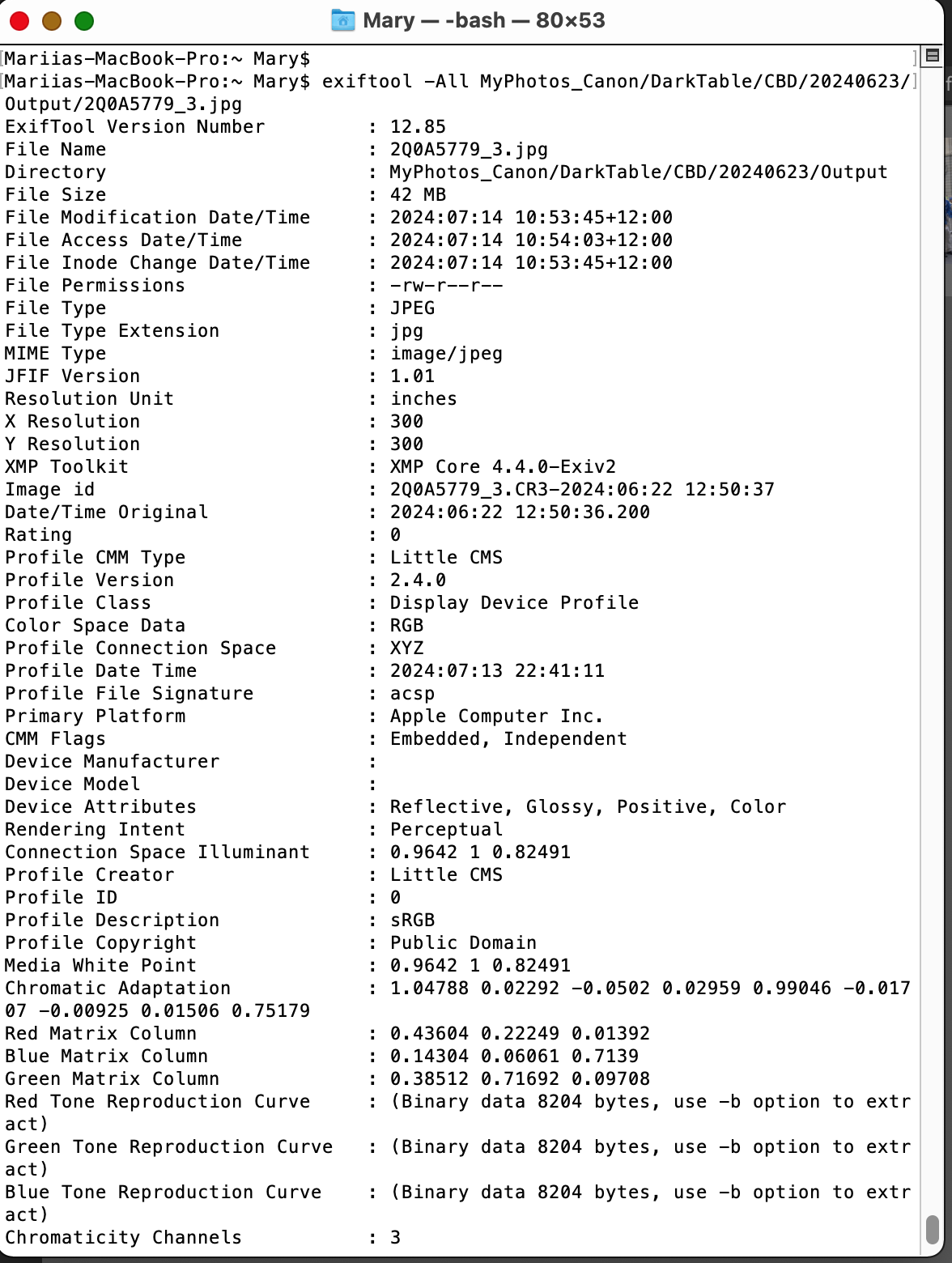
I’m trying to export a jpg with no tags attached at all. I’ve turned off all options in Edit metadata, turned off all image information as well. But regardless these settings exiftool shows plenty of tags exported anyway.
Could you please tell me what I’m doing wrong and how I can export an image with no tags attached.
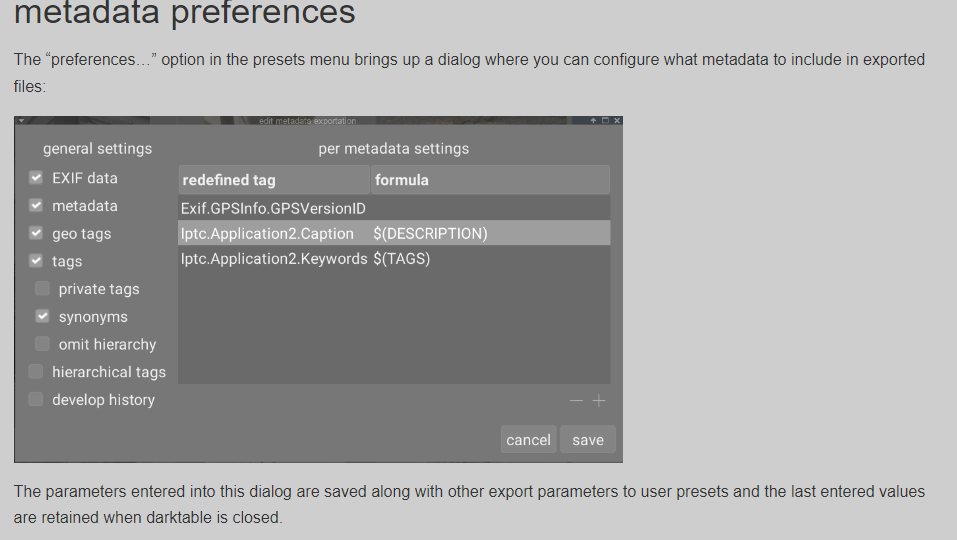
I have no practical experience with this but looking at the manual I found this information which seems to be the answer you need. Here is the link to the online manual and the link to the specific section. Good luck.
According to the manual I should be able to turn off and on ALL tags as I need. It should be up to me to decide which tags I want to export, not up to “applications”.
The manual clearly states that the tags will not be exported if they’re disabled and no exceptions added to the list with an “=” sign and empty formula. Obviously it doesn’t work in my case. Either it is a bug or I’m missing something…
Some of those, like size in pixels and compression method, are not Exif info, but properties of the file itself, required to decode it. The date may come from the file system, not some header - have you checked?
File permissions and inode info definitely come from the file system.
Of course, and they are marked as [System]or [File]. Look at the second column (HEX values), these are [PNG] tags needed for interpretation of image data.
exiv2 confirms there are no Exif headers (check the last line):
kofa@eagle:~$ exiv2 /tmp/image.jpg
File name       : /tmp/image.jpg
File size       : 713 Bytes
MIME type       : image/jpeg
Image size      : 100 x 100
/tmp/image.jpg: No Exif data found in the file
exiftool -all just displays file system info and compression details. If I move the file to another location, those will change. @sepulik , those do not expose anything about you, your camera, your location etc. If you email the image to someone, and they save it and run the same command, they will see their file system info, not yours.
Yes I know how to use exiftool, it is on my screenshot in my first post. exiftool removes a lot of extra tags exported by darktable despite they all are disabled in darktable export settings, leaving only obvious ones like file name/attributes etc.
Right after darktable export (with all tags disabled):
Mariias-MacBook-Pro:~ Mary$ exiftool -All MyPhotos_Canon/DarkTable/CBD/20240623/Output/2Q0A5779_3.jpg
ExifTool Version Number         : 12.85
File Name                       : 2Q0A5779_3.jpg
Directory                       : MyPhotos_Canon/DarkTable/CBD/20240623/Output
File Size                       : 42 MB
File Modification Date/Time     : 2024:07:14 10:53:45+12:00
File Access Date/Time           : 2024:07:14 10:54:03+12:00
File Inode Change Date/Time     : 2024:07:14 10:53:45+12:00
File Permissions                : -rw-r--r--
File Type                       : JPEG
File Type Extension             : jpg
MIME Type                       : image/jpeg
JFIF Version                    : 1.01
Resolution Unit                 : inches
X Resolution                    : 300
Y Resolution                    : 300
XMP Toolkit                     : XMP Core 4.4.0-Exiv2
Image id                        : 2Q0A5779_3.CR3-2024:06:22 12:50:37
Date/Time Original              : 2024:06:22 12:50:36.200
Rating                          : 0
Profile CMM Type                : Little CMS
Profile Version                 : 2.4.0
Profile Class                   : Display Device Profile
Color Space Data                : RGB
Profile Connection Space        : XYZ
Profile Date Time               : 2024:07:13 22:41:11
Profile File Signature          : acsp
Primary Platform                : Apple Computer Inc.
CMM Flags                       : Embedded, Independent
Device Manufacturer             :
Device Model                    :
Device Attributes               : Reflective, Glossy, Positive, Color
Rendering Intent                : Perceptual
Connection Space Illuminant     : 0.9642 1 0.82491
Profile Creator                 : Little CMS
Profile ID                      : 0
Profile Description             : sRGB
Profile Copyright               : Public Domain
Media White Point               : 0.9642 1 0.82491
Chromatic Adaptation            : 1.04788 0.02292 -0.0502 0.02959 0.99046 -0.01707 -0.00925 0.01506 0.75179
Red Matrix Column               : 0.43604 0.22249 0.01392
Blue Matrix Column              : 0.14304 0.06061 0.7139
Green Matrix Column             : 0.38512 0.71692 0.09708
Red Tone Reproduction Curve     : (Binary data 8204 bytes, use -b option to extract)
Green Tone Reproduction Curve   : (Binary data 8204 bytes, use -b option to extract)
Blue Tone Reproduction Curve    : (Binary data 8204 bytes, use -b option to extract)
Chromaticity Channels           : 3
Chromaticity Colorant           : Unknown
Chromaticity Channel 1          : 0.64 0.33
Chromaticity Channel 2          : 0.3 0.60001
Chromaticity Channel 3          : 0.14999 0.06
Device Model Desc               : sRGB
Device Mfg Desc                 : darktable
Current IPTC Digest             : b60a13f43b882cb064d31df57e1781bd
Coded Character Set             : UTF8
Image Width                     : 8191
Image Height                    : 5463
Encoding Process                : Baseline DCT, Huffman coding
Bits Per Sample                 : 8
Color Components                : 3
Y Cb Cr Sub Sampling            : YCbCr4:4:4 (1 1)
Image Size                      : 8191x5463
Megapixels                      : 44.7
After exiftool did its job removing all the extra tags:
Mariias-MacBook-Pro:~ Mary$ exiftool -All MyPhotos_Canon/DarkTable/CBD/20240623/Output/2Q0A5779_3.jpg
ExifTool Version Number         : 12.85
File Name                       : 2Q0A5779_3.jpg
Directory                       : MyPhotos_Canon/DarkTable/CBD/20240623/Output
File Size                       : 42 MB
File Modification Date/Time     : 2024:07:14 19:25:52+12:00
File Access Date/Time           : 2024:07:14 19:27:11+12:00
File Inode Change Date/Time     : 2024:07:14 19:25:52+12:00
File Permissions                : -rw-r--r--
File Type                       : JPEG
File Type Extension             : jpg
MIME Type                       : image/jpeg
Image Width                     : 8191
Image Height                    : 5463
Encoding Process                : Baseline DCT, Huffman coding
Bits Per Sample                 : 8
Color Components                : 3
Y Cb Cr Sub Sampling            : YCbCr4:4:4 (1 1)
Image Size                      : 8191x5463
Megapixels                      : 44.7
But I want to do this in one step right in darktable, to not use exiftool to all the images just exported from darktable every time. Especially that this is stated in darktable manual, that all the tags can be disabled for export. In fact these tags can still be removed by exiftool but still are exported by darktable despite all of them being disabled in settings according to manual.
It just doesn’t make sense to have all these settings inside darktable, and then still use command line exiftool for all exported images to remove a particular set of unwanted tags from each, to finish the job not done by darktable-export properly…
Please if somebody really knows how to disable all these removable tags - just let me know.
It’s probably not supported – you can open a feature request (Issues · darktable-org/darktable · GitHub). As it’s not really a core feature, and there exists a trivial workaround by executing a command on exported files, I don’t think it will be high prio.