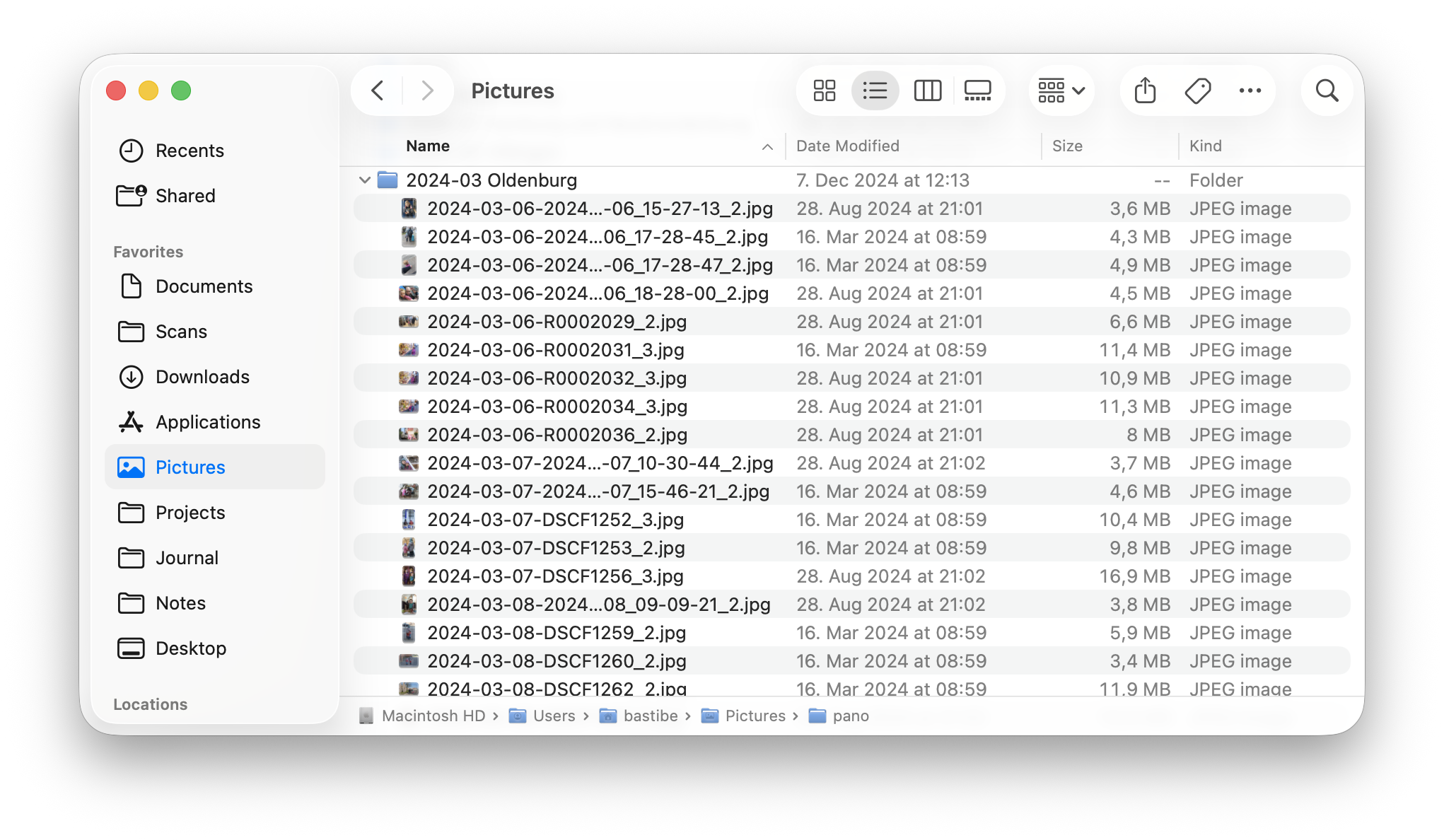
After much deliberation and experiments, I realized that my library needs to be optimized for browsing, not editing. And it should be browsable with any old file explorer, not just some app library. Thus, my library exists first and foremost on my filesystem. It may at various times be imported into DigiKam or whatever other program I’m playing with, but the ground truth is JPGs in directories. This focus on browsing leads to a somewhat different architecture:
Like you, I use one directory per event. However, this gets unwieldy quickly, so I collect older years’ event directories into yearly collections, and eventually into decade directories. Thus my top-level file system remains relatively clean, while recent events remain easily accessible:
Inside these directories, there is a flat list of JPGs, each prefixed with the capture date. This lieaves the directory content correctly sorted for browsing, regardless of application. The file name also contains enough information to find the matching raw file in my archive.
Importantly, there are no raw files here. Raw file directories tend to get messy quickly, what with the various sidecar files and denoised variants and pano stitching projects that various editing programs create. So in order to not pollute my photo library, raw files are stored in an archive elsewhere (more on that below). This is where my organization differs significantly from yours.
All tags and metadata are attached to the JPGs, so the directory listing remains clean and browsable. Additionally, I suffix my rating to the file names, to be able to filter the file list by ratings:
Finally, my raw file archive lives separately in a flat list of directories, ordered by year and day. I access these only very rarely after the initial export, so some overhead of searching is acceptable to me. An additional benefit of this setup is that I can move out old parts of the raw archive to external storage, without disrupting my photo library.
Typically, the raw file archive is imported into my Darktable (or whatever else raw developer I’m playing with), while the JPG library is imported into DigiKam (or what ever else).
I’ve gone down a similar road as you, but after many experiments, I found that keeping raw files and cooked files in the same tree is more trouble than it’s worth. Obviously your mileage may vary.