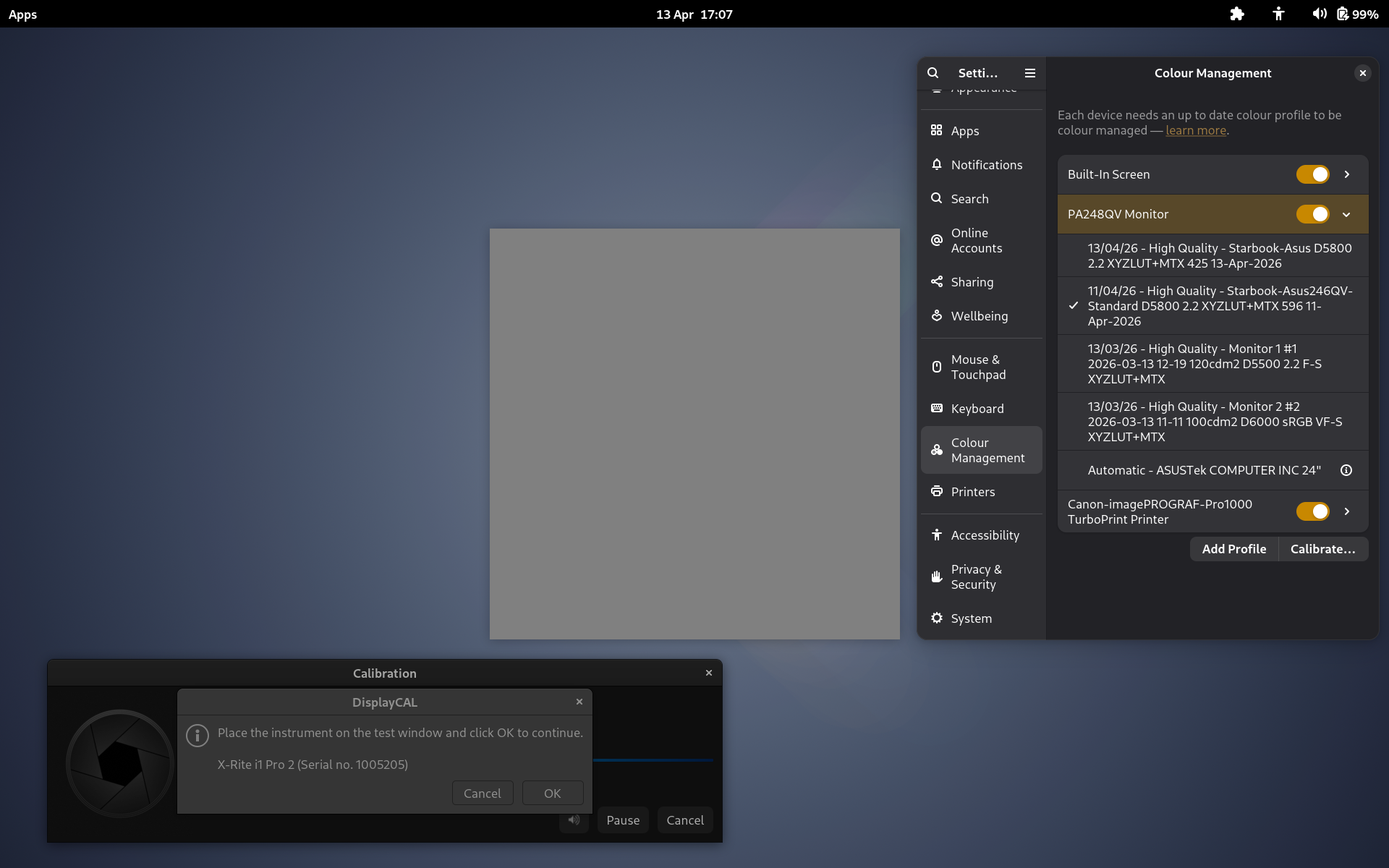
I’ve just noticed that Displaycal doesn’t seem to be able to turn off colour management for my display when measuring patches for new profiles.
If I pause the process and go into GNOME settings > Colour Management I can change display profiles and see the test patch in Displaycal changing colour. Toggling off the graphical switch for the display doesn’t seem to do anything either: selected profiles are still getting applied, even with the switch off.
It depends what you mean by ‘do anything’. It can display and read patches and make profiles, but it can’t set or ‘install’ them. I can manually set display profiles in my system settings though, so that’s not a big deal.
The problem is that it can’t disable colour management for the display in order to do its work on a ‘clean slate’. And neither can GNOME Settings seemingly…
I need to find another way to do that. Otherwise Displaycal is always reading patches through a pre-existing display profile.
I’ve done a bit more testing and searching online.
First of all, it seems that after turning off colour management for a display in GNOME Settings you need to log out and back in again for the change to take effect. Fair enough. I say ‘seems’ and ‘turning off’ because this does have an effect on how colours are displayed but it’s not clear what exactly the ‘turned off’ state actually is. All I’ve been able to find so far is this documentation from GNOME: https://help.gnome.org/gnome-help/color-notspecifiededid.html
The Automatic/Default ‘profile’ appears to be based on a sort of munufacturing QC report embedded in the display. Whether this profile can in turn be disabled I dont know.
For now at least, this seems to be the best option.
If anyone knows differently please let me know though.
Will add anything else I find out to the thread in case it proves useful to others in future.
Sorry for not being more clear. By “not do anything” I think that I mean that displaycal will run in xwayland and I believe that means you’re limited to sRGB. Then the whole profile thing that you mention. And not being able to set the profile.
If you’re on a distro that still has x11, I’d just use that.
Happy to be wrong about all of which I just said, and I’d be super happy to have reports of it working. Just not quite there yet I think.
I do have the option at login to select a ‘GNOME on Xorg’ session. Displaycal behaves the same in this session, and works with the exception of not being able to modify system settings (disable colour management& set display profiles). I think it’s colour managment in GNOME which is either not working, or is working but is simply too opaque for me to really verify that it is!
I have a very vanilla Debian 13 GNOME install and it’s worrying to think how many people might have been making profiles on top of other profiles, trusting that GNOME has been allowing Displaycal to suspend colour management while reading patches.
Regarding profiles made with Displaycal on Wayland: all I can tell about their relationship with sRGB is that their gamuts can have a bigger volume. The ones for my laptop have similar characteristics to Display P3 for example.
 Just not quite there yet I think.