Installed latest version of DT 5.6.0 (build) on my Linux Mint machine.
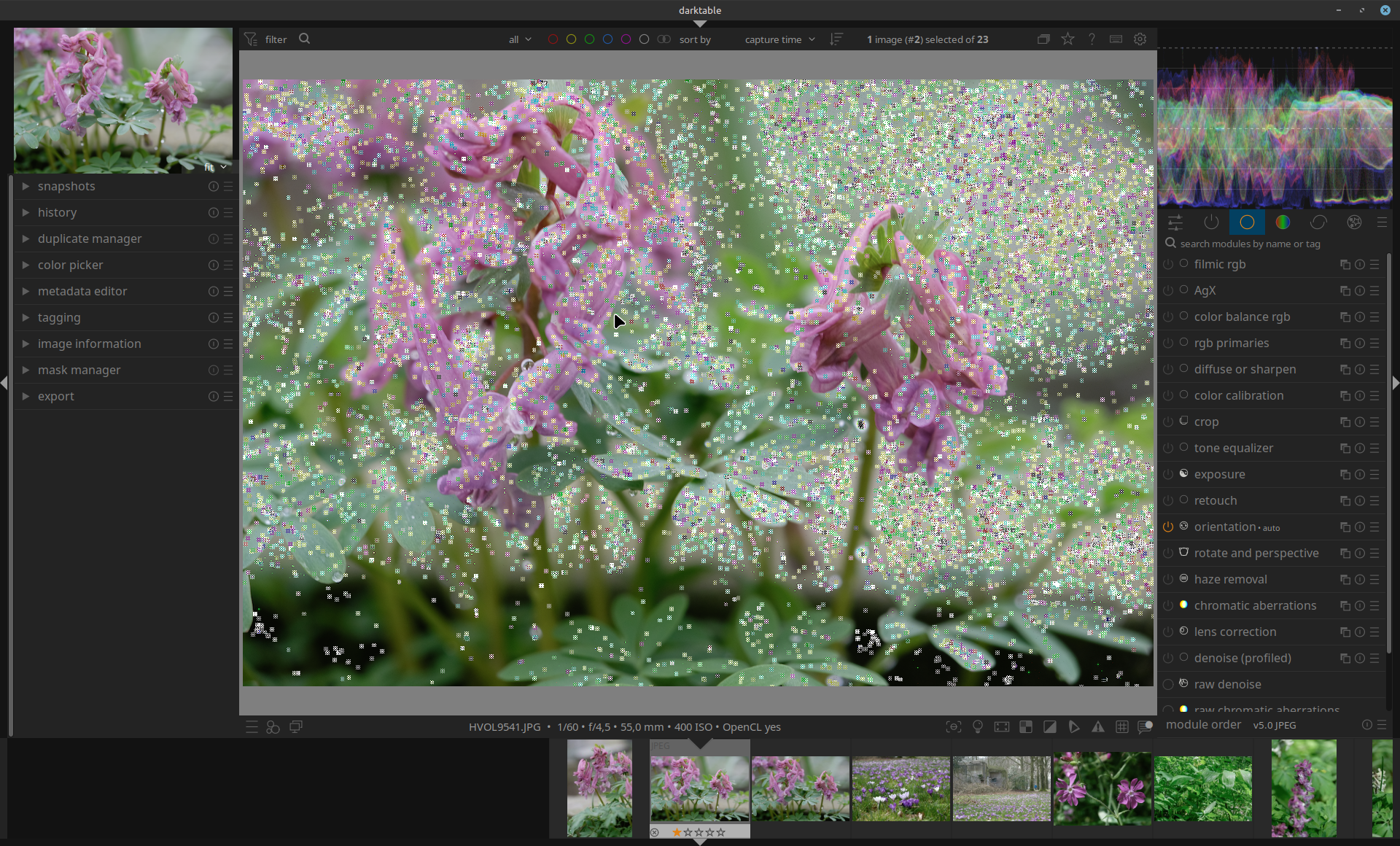
Imported some new photo’s in RAW and JPG to ‘develop’ the RAWs. Comparing the JPG in Darkroom. Eh, surprise, lot of strange white boxes are shown. Checking with some older JPG’s. Same! Is that something new in this version?
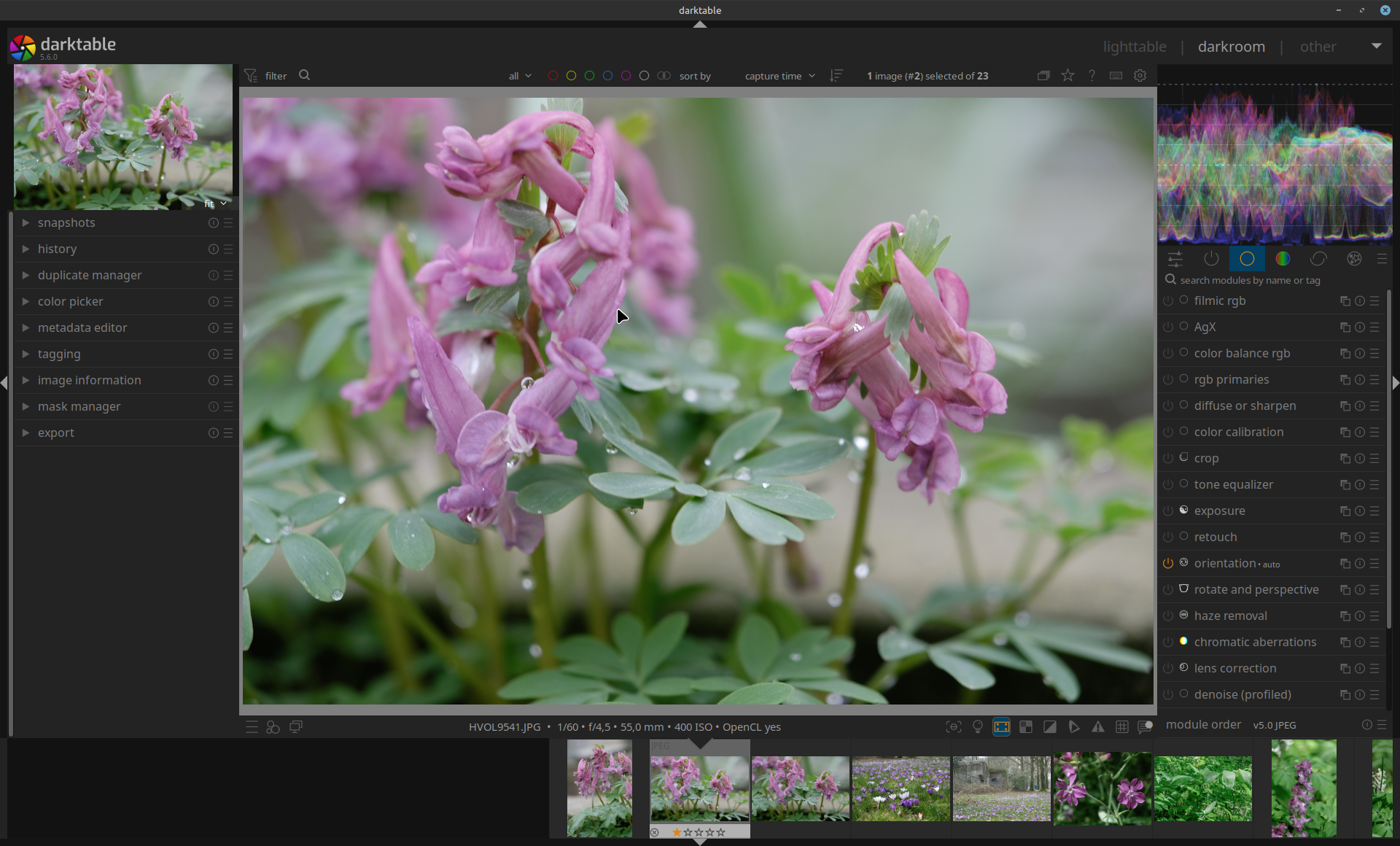
Looks like something like focus peaking is enabled or color assessment but all ‘buttons’ are disabled. Then I tried one by one enabling the buttons in the bottom panel. When I enable HQ-processing, all white boxes disappear and the JPG looks normal again.
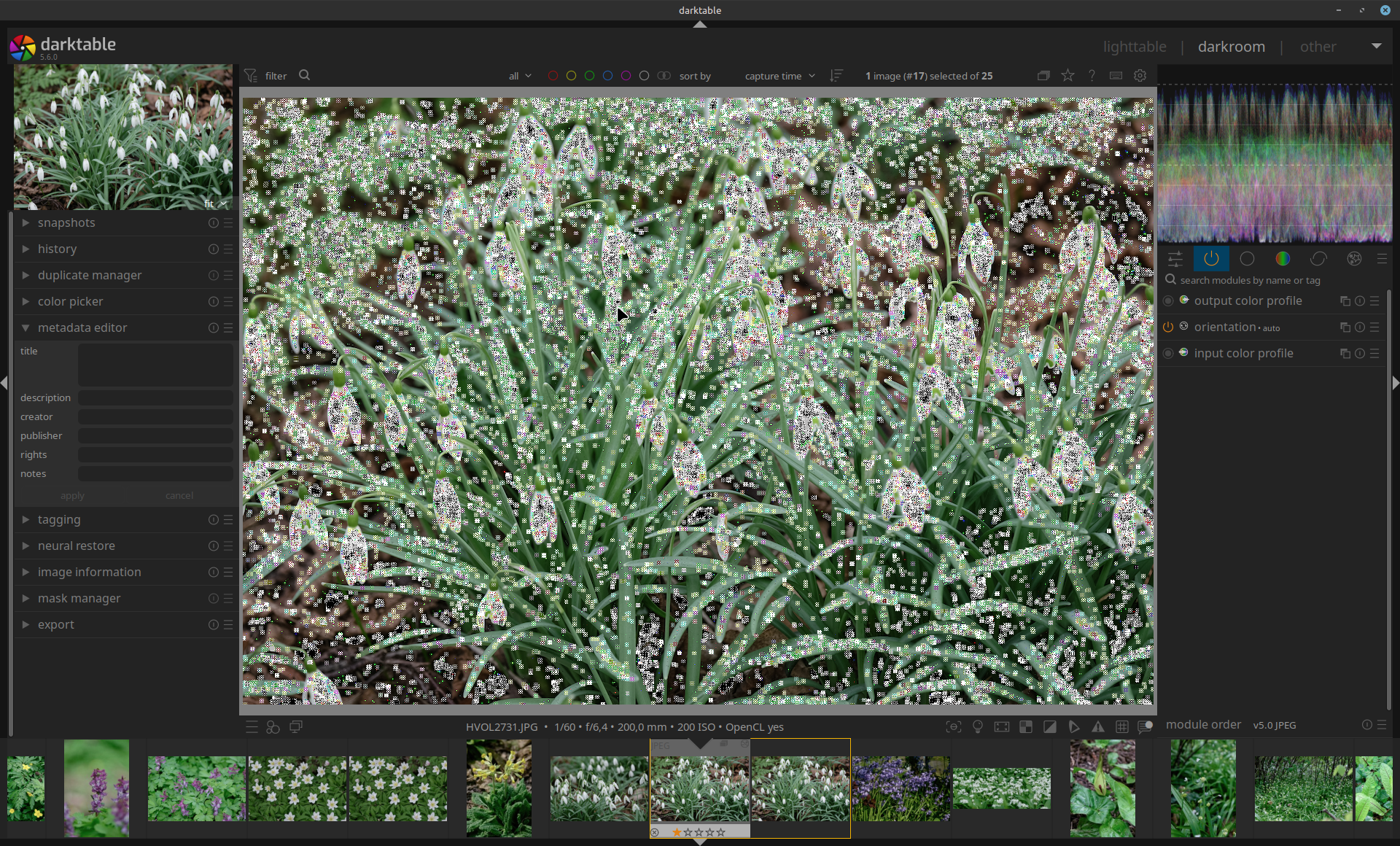
I have seen similar behavior but the whole image looks odd (like the little squares but imagine the whole image is all covered with these to the point that nothing else is there.).
In my case I went down the processing stack to disable the modules and enabled them again and it seems to go away.
It is not something that is persistent but I’ve seen it at least 2-3 times.
It has always been in the UI - not on final export and it is not reproducible for me. Kind of comes and goes away.
I am on the flatpak version of DT.
One more detail - I am using raw not .jpg if that matters.
Your suggestion proves correct. It is OpenCl related. I turned it off, and the boxes disappeared in the JPG.
Next issue arises: when I enable OpenCL on again, restart DT, OpenCL will not load. Will examine that, checking my earlier experiences with OpenCL on my machine with AMD Radeon RX 6600 card.
Installed DT 5.6.0 as a start via the package manager i.s.o my own build.
Will come back later on my findings.
I have never seen such an issue - but i almost never use jpegs so i might very well have missed that
We definitely need the jpeg and the used xmp file while you see that. Without providing such files there is no chance of fixing. Best would be to do that via the github issue tracker but here would be ok too.
it’s not one particular JPG, it is happening to all JPGs.
I did not get OpenCL working again using the checkboxes in the processing preferences by the way. I edited the param opencl in the darktablerc to true. That did the trick.
darktable 5.6.0
Copyright (C) 2012-2026 Johannes Hanika and other contributors.
Compile options:
Bit depth → 64 bit
Exiv2 → 0.27.6
Lensfun → 0.3.4
Debug → DISABLED
SSE2 optimizations → ENABLED
OpenMP → ENABLED
OpenCL → ENABLED
Lua → ENABLED - API version 9.7.0
Colord → ENABLED
gPhoto2 → ENABLED - Camera tethering is available
OSMGpsMap → ENABLED - Map view is available
GMIC → ENABLED - Compressed LUTs are supported
GraphicsMagick → ENABLED
ImageMagick → DISABLED
libavif → ENABLED
libheif → ENABLED
libjxl → ENABLED
LibRaw → ENABLED - Version 0.22.0-Release
OpenJPEG → ENABLED
OpenEXR → ENABLED
WebP → ENABLED
AI → ENABLED
See resources | darktable for detailed documentation.
See Sign in to GitHub · GitHub to report bugs.
[opencl_init] opencl library ‘libOpenCL.so.1’ found on your system and loaded, preference ‘default path’
[opencl_init] found 1 platform
[opencl_init] found 1 device
DEVICE: 0: ‘AMD Radeon RX 6600 (radeonsi, navi23, ACO, DRM 3.57, 6.8.0-136-generic)’
CONF KEY: cldevice_v6_rusticlamdradeonrx6600
PLATFORM, VENDOR & ID: rusticl, Mesa:Mesa/X.org, ID=4098
CANONICAL NAME: rusticlamdradeonrx6600
DRIVER VERSION: 26.1.4 - kisak-mesa PPA
DEVICE VERSION: OpenCL 3.0 API=300
DEVICE_TYPE: GPU, dedicated mem
GLOBAL MEM SIZE: 8192 MB
MAX IMAGE ALLOC: 2048 MB
MAX IMAGE SIZE: 16384 x 16384
MAX CONSTANT BUFFER: 65536 KB
LOCAL MEM SIZE: 64 KB
ADDRESS ALIGN: 512 B
COMPUTE UNITS: 28
MAX WORK GROUP SIZE: 1024 (64)
MAX WORK ITEM DIMENSIONS: 3 [ 1024 1024 1024 ]
ASYNC PIXELPIPE: NO
PINNED MEMORY TILING: NO
SUPPORTED ATOMICS: INT32
EVENTS HANDLED: YES
OPENCL FAST MODE: NO
TILING ADVANTAGE: 0,000
DEFAULT DEVICE: NO
KERNEL BUILD DIRECTORY: /usr/share/darktable/kernels
KERNEL DIRECTORY: /home/henk/.cache/darktable/cached_v6_kernels_for_rusticlAMDRadeonRX6600_2614kisakmesaPPA
CL COMPILER COMMAND: -w -DAMD=1 -I"/usr/share/darktable/kernels"
KERNEL LOADING TIME: 0,3742 sec
[opencl_init] OpenCL successfully initialized. internal numbers and names of available devices:
[opencl_init] 0 ‘rusticl AMD Radeon RX 6600’
[opencl_init] FINALLY: opencl PREFERENCE=YES is AVAILABLE and ENABLED
[opencl_init] opencl_scheduling_profile: ‘default’
[opencl_init] opencl_device_priority: ‘/!0,///!0,*’
[opencl_init] opencl_mandatory_timeout: 400
[opencl_update_priorities] these are your device priorities:
[opencl_update_priorities] image preview export thumbs preview2
[opencl_update_priorities] 0 -1 0 0 -1
[opencl_update_priorities] show if opencl use is mandatory for a given pixelpipe:
[opencl_update_priorities] image preview export thumbs preview2
[opencl_update_priorities] NO NO NO NO NO
[opencl_synchronization_timeout] synchronization timeout set to 200
[opencl_update_priorities] these are your device priorities:
[opencl_update_priorities] image preview export thumbs preview2
[opencl_update_priorities] 0 -1 0 0 -1
[opencl_update_priorities] show if opencl use is mandatory for a given pixelpipe:
[opencl_update_priorities] image preview export thumbs preview2
[opencl_update_priorities] NO NO NO NO NO
[opencl_synchronization_timeout] synchronization timeout set to 200
I agree. The thing is - I can’t reproduce it. And it also went away on the file that did have issues by going up/down the stack. So even if I did report it - there is nothing really to give to the developers.
Will keep an eye on it and if it comes back will report as much as I can.
System is - apart from the artifacts in the JPGs in DT 5.6.0 - running without any problem. When building this system some years ago and trying to get OpenCL running in DT, the mesa driver was needed. When I open the JPGs in DT 5.4.1 these artifacts are not present.
No change when I switch to very fast CPU and restart. Artifacts are still shown. In the top-left preview window as in the preview window on a second monitor the artifacts are not shown.
JPG was included in previous msg.
No clue if it is of importance, but I notice in the .cache/darktable folder that DT 5.6.0 generates a different folder than DT 5.4.1: cached_v6_kernels_for_rusticlAMDRadeonRX6600_2614kisakmesaPPA (84 items)
instead of cached_v5_kernels_for_rusticlAMDRadeonRX6600_2614kisakmesaPPA (80 items).
Tried the flatpak 5.6.0: same artifacts.
I understand that this (probably) could be a unique issue only shown with my system configuration and that devs cannot reproduce. And if that is case, that it is impossible to find the cause.
Since I work mostly on RAWs, happily the artifacts are not shown with the RAWs. And in case of JPGs, I switch the HQ-processing on if I want to get rid of the (virtual) squares. So still a happy user!
There is one important change in darktable 5.4 → 5.6, images like this jpeg get it’s input data scaled down (so it fit’s into the darkroom canvas) with gamma correction (better colors). And exactly this is happening here. (So @vbs if you had such issues …)
In HQ mode (or while exporting in HQ mode) this is not required so no issue for you.
And it’s not about the cache @kofa as this scaling&gamma thing happens before inserting into all pipecache
And also not for preview as that mipmap scaling is also on CPU.
So i am sure we know “where it’s happening”.
It must be the specific opencl kernel doing the gamma correction and that kernel is used nowhere else. I checked the code and that is very simple and leaves almost no room for misbehaving.
ATM i suspect some problem with the OpenCL compiler/SPIRV translator. That’s why i asked about the PPA If any of the spirv related libraries/tools don’t match the mesa library things could go crazy.
Sure you need the mesa library and it’s opencl, but from a PPA? Do you know why and how that person did the build?
I did not hear yet about any alike issue report so i am a bit reluctant to offer some workaround.
Would you be able to compile dt yourself again? If so, i could offer some ideas … or if other users can reproduce.
A last one, the scaler might “run a bit wild” if input has lots of artefacts (Some jpegs have) - it’s generally a good idea to use the bicubic scalers (In preferences, they are stable and don’t overshoot as lancz)
I though about this again and there might be something i could do, IIRC there were problems with AMD navi cards and handling NaN. This could be the issue here. I’ll do a PR as that’s good anyway. Let’s see if that helps you.
For @henkux it only happens for .JPG
For me - I have seen it on RAW. However - extremely rare and not reproducible. But the whole image would be covered with such squares.
The last time I noticed it it was something like the following
An image was close to be done
I was fiddling with the crop and maybe 1-2 more modules
At a point the whole image became like little squares.
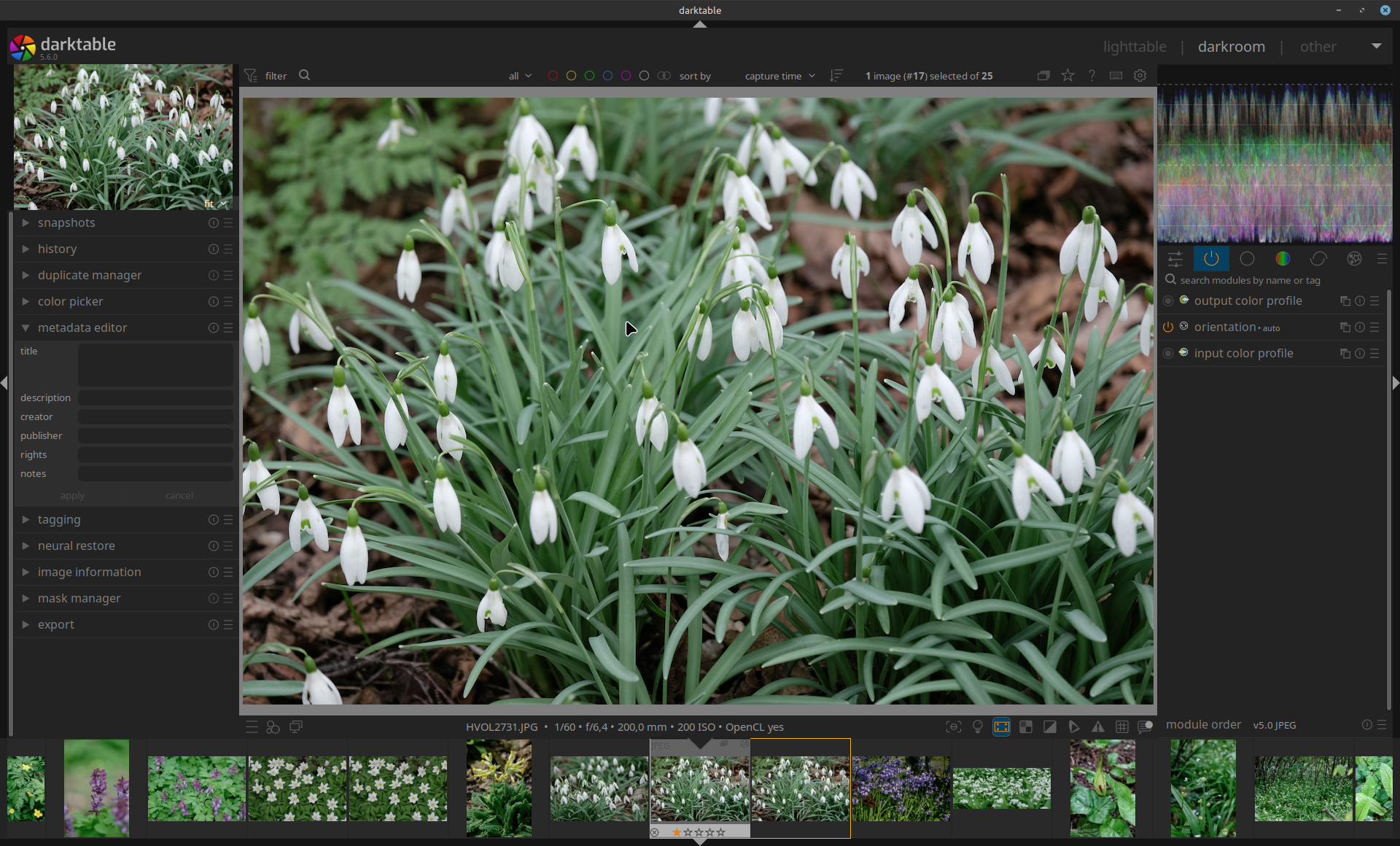
Went back to light table - it was okay
Went back to DT it was squares
Went down the stack (disabled all modules) - the issue disappeared
Went up the stack a few modules at a time - the issue never re appeared.
My workflow can be a bit confusing.
I shoot typically a big amount of pictures ~10k
When I import - I generate caches up to 4k, including full screen preview.
It takes me a long time (months) to finish the final processing
Sometimes a new DT is released before I could finish with certain batch.
I will have to keep an eye on it (if it happens again)
There is
darktable -d >/tmp/log.txt
in the thread above - if I have to collect it.
Currently I am not observing the behavior and I can’t reproduce it.

 .
.