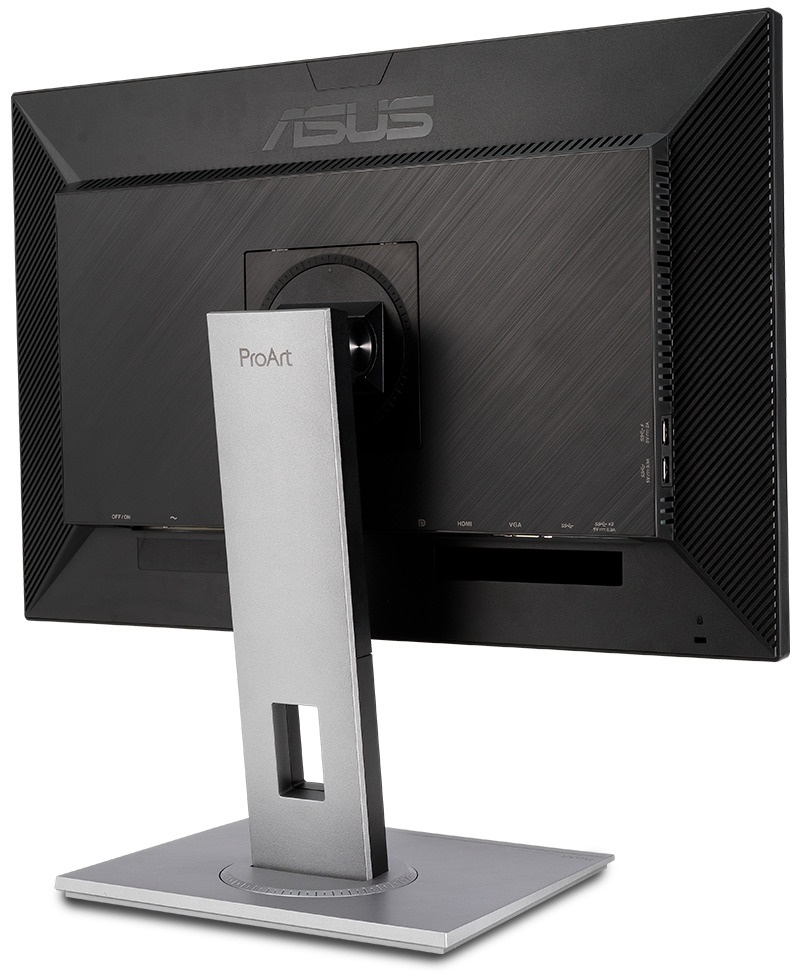
So I’m in a situation where monitors can’t exactly fit on my desk without funky arrangements, as I also have a laptop (the screen of which I don’t want to use). My 21" Asus is fine, I can see the VESA holes. But my editing ProArt PA248QV has by default a telescopic leg that I’m not sure if I can unmount.
Here’s what the PA248QV looks like:
… so I looked into the manual and yes, it can be unmounted easily. I’m thinking whether it’s better to get 2 single VESA arms, or get 1 dual arm. The idea is basically moving my table towards me, while keeping the monitors close to the wall (to get some keyboard-monitor distance). The table is pretty stable, so it should work… what’s your experience?
I bought a cheap articulated gas spring arm for 50-60 euros, a few years ago, must be 5 now… And it is holding up perfectly well, so I’d say buy the cheapest one you can. Two individual arms are better than one in my opinion, as it gives you a lot more possibilities for the future.
Yeah, I think so as well. It will give me some options later on. I’ve found that Alza (a popular electronics goods store) has some single-arms with good reviews for about 65 euros each, so I guess I could go for that…
Ok, so I got two AlzaErgo single-arms and boy it feels great … It looks so “pro”
The 21" and 24" go pretty well together, since they’re both Asus and similar age, their designs match nicely. The 24" ProArt is connected over DisplayPort with an adapter to a Thunderbolt-4 USB-C since laptops rarely have more than 1 port for extra monitors.
Interesting thing – the “No signal” message has full blue (#0000ff) background in HDMI mode, but black bg in DisplayPort mode… Why Asus? Why torture our eyes with that…
My monitor is mounted on an Ergotron arm. I bought it years ago: istr that it was not cheap. I even added an extra arm segment.
My monitor is only 24 inch. But it is hanging on then end of a 30-inch lever! The Ergotron hardware and mount is very strong, but one has to consider the strength of the table itself. Mine seems to be doing fine. I wouldn’t risk it on cheap chipboard.
Anyway, I love it. I assume the most dreadful posture, with my feet up on the desk, along it, and still have the screen in front of my face.