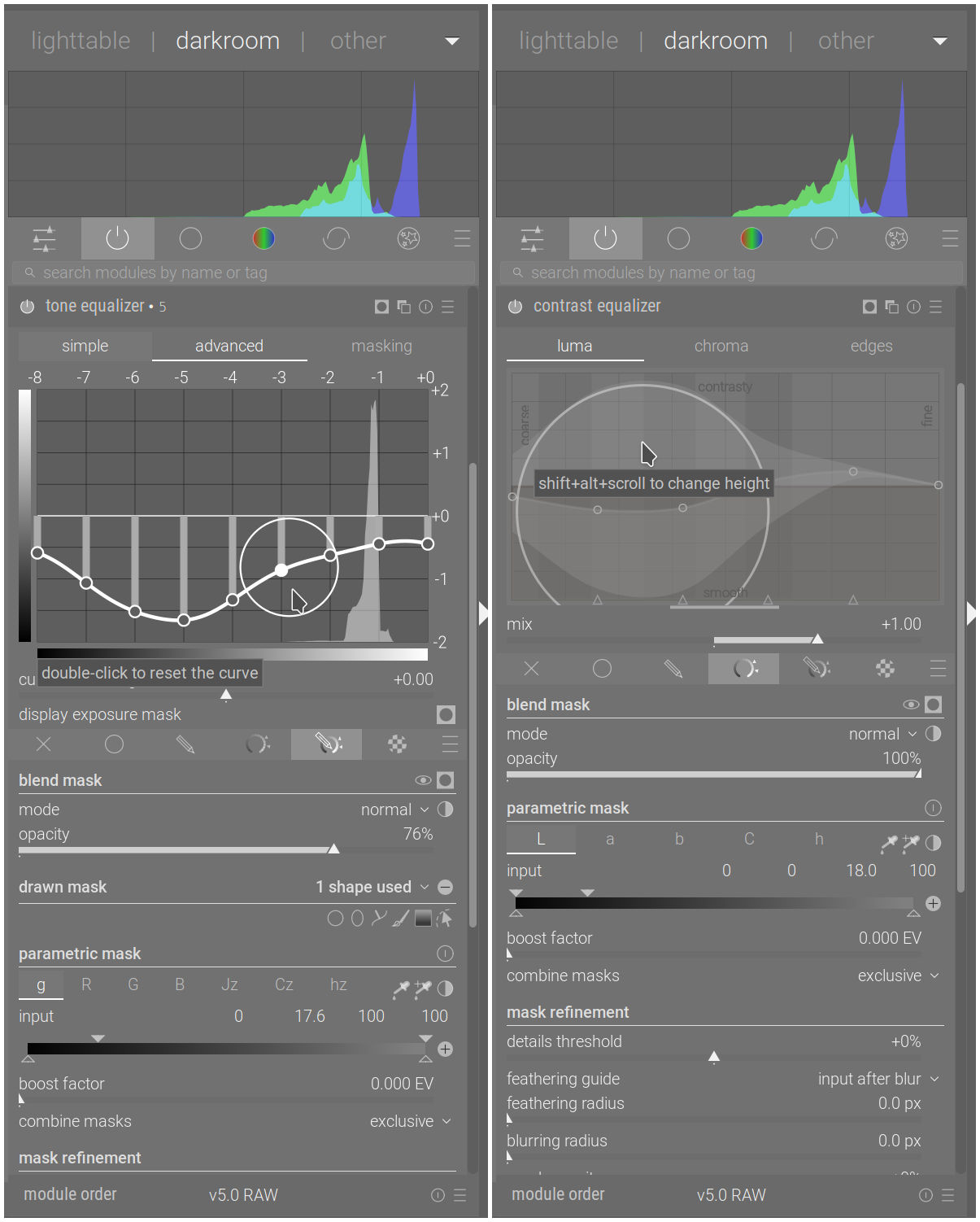
sorry for stupid Q:, I cannot figure it out … How do I increase the circle size as in here https://youtu.be/94yK7YL8Mxw?t=885 (few seconds from 14:45) with touchpad o.O … It doesn’t work for me no matter what I do … I have normally scroll mapped at two fingers like on mac (I have Linux with KDE on modern laptop with touchpad supporting all the usual gestures) …
The two widgets are inherently different: the X axis in TE is for exposure levels, in CE it is for wavelet sizes. Also, in CE you can shift the wavelet boundaries left and right, whereas in TE you cannot move exposure levels around. So, they are quite different beasts. The logic to smooth the curves is also quite different I believe, which may explain why changing the size of the handle may or may not make sense in one case.
That said, I agree that in principle it would be nice if the controls were more consistent. I am not sure if in this instance there are technical limitations that prevent that, or if it’s just that bringing feature parity to the two widgets has never been a top priority.
I didn’t look at the implementation details of those two modules, so maybe someone more knowledgeable than I can say something more informative.
yep, that’s fair point … from the user/tool usage perspective adjusting the circle with Tone EQ would be really viable and useful … In general for all these kind of by-default-flat-curves-with-steps it could be more than usable to have the ability to increase the adjusting range (circle)