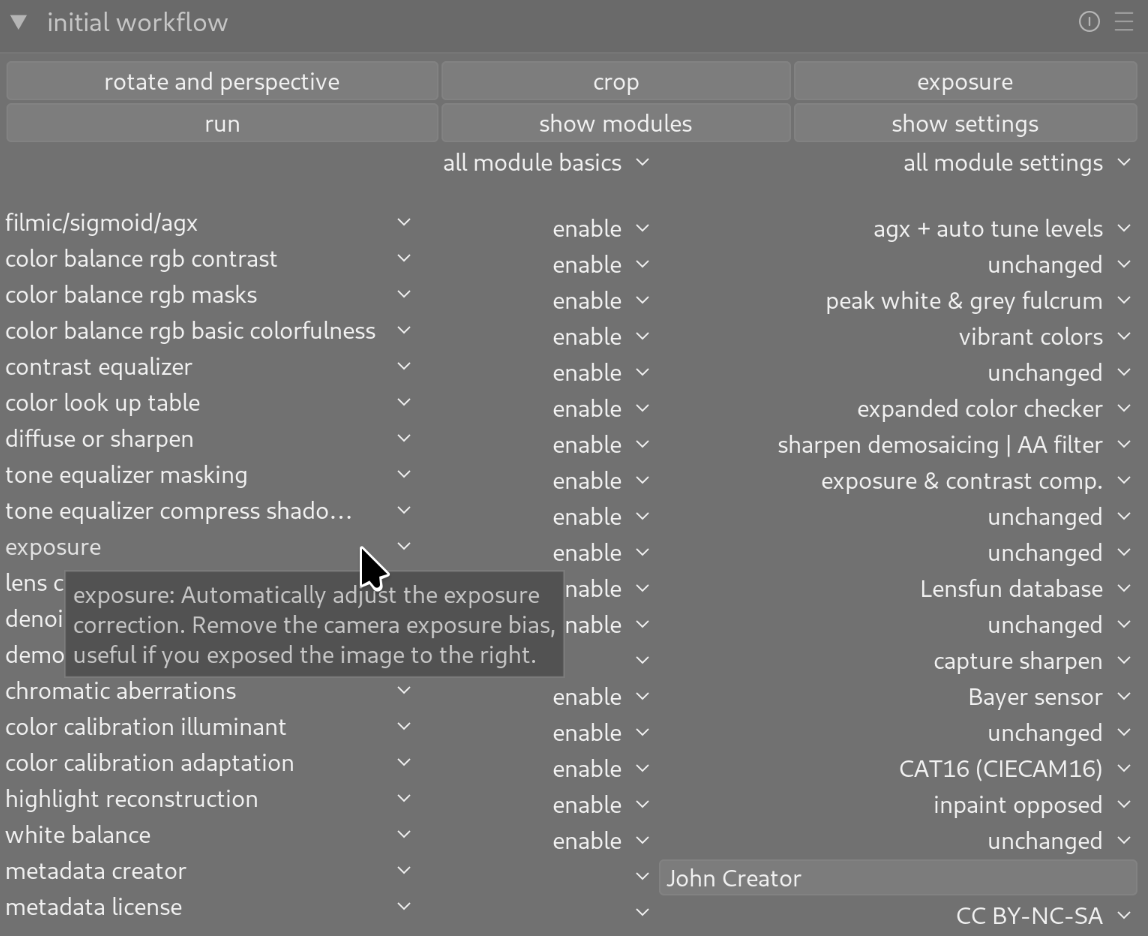
There is a new version of the Initial Workflow Module, now supporting darktable 5.4 and AgX. The script is an add-on for darktable.
Do you use darktable to develop your raw images? Do you often follow the same initial steps for new images? Do you often use the same modules in darkroom view and configure them in the same way before going into the details? Then this script can save you work.
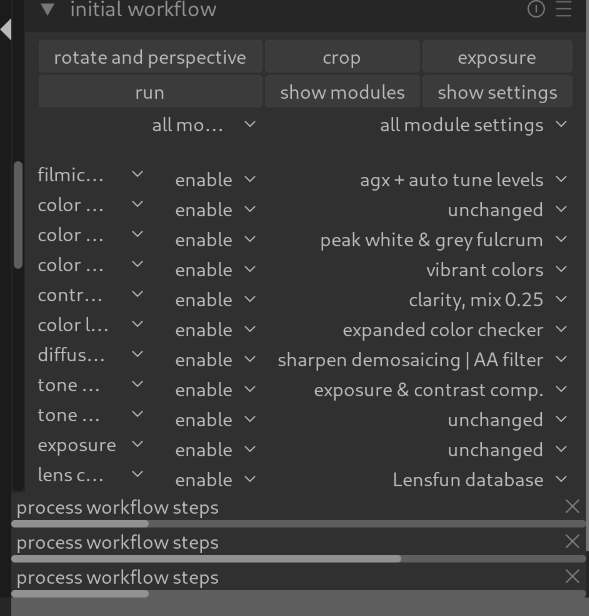
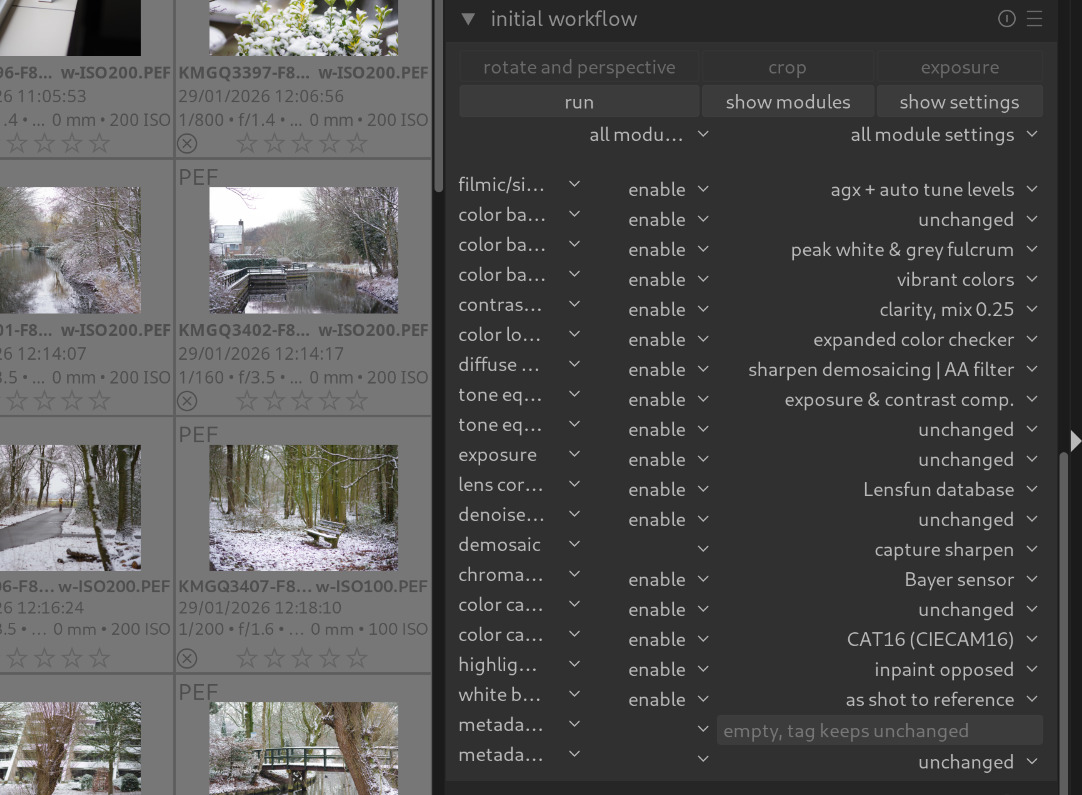
Is it normal for progress to show 3 bars instead of 1 in darkroom view nas well as lighttable view and how can I widen the columns or is this limited view due to the monitor rsolution?
This is extra stuff to install and deal with. So what are the advantages? What does it give that’s better than built-in functionality such as presets and styles?
As all of my 3 DSLRs are Pentax bodies, I added the option _dt("sharpen demosaicing | no AA filter"),
to the StepDiffuseOrSharpen and set it as standard which mimick my standard procedure.
I set the timeout value to 500ms (AMD Ryzen 5500 and 32Gb memory) and set most modules to [ignore] except for AgX, Contrast Equalizer, Diffuse and sharpen, Exposure, Lens correction, Metadata License and Metadata Creator to speed up the initial run and set a whole folder up for manual editing.
Still figuring out if it makes a difference but in some cases like family shoots and similar, it does speed up the whole process and saves time.
Is there any way to have the files autosave either when all images have been processed or per/image?
Hi @Mike_Bing , I tried to reproduce this: The multiple progress bars aren’t intentional. It happens to me when I click “run” several times in quick succession. Does this happen to you too? I’ll try to prevent that in the next version. Semaphores and mutexes are always tricky, though…
The width of the display is indeed limited by darktable and the monitor’s resolution. The three columns take a relatively large amount of space…
PS: Manjaro shouldn’t be a problem; I use EndeavourOS (also Arch-based, fully updated, with KDE).
Hi @Mike_Bing , It’s great to see you’re delving so deeply into the script. The 2000 timeout is quite conservative to support slower computers or those without a dedicated graphics card.
The script currently doesn’t export edited images. You can do this for multiple images in one go using the lighttable view.
Hi @RawConvert , that’s a valid point. This script performs tasks that are comparable to those of the module presets. Depending on your current use case, one or the other is more suitable. Presets are faster, but more static. The script uses some algorithms in darktable, so it takes more time. It mimics manual editing by the user and therefore “reacts” more to the specific image.
If that’s not the case for you, you should use the presets and keep your installation lean.
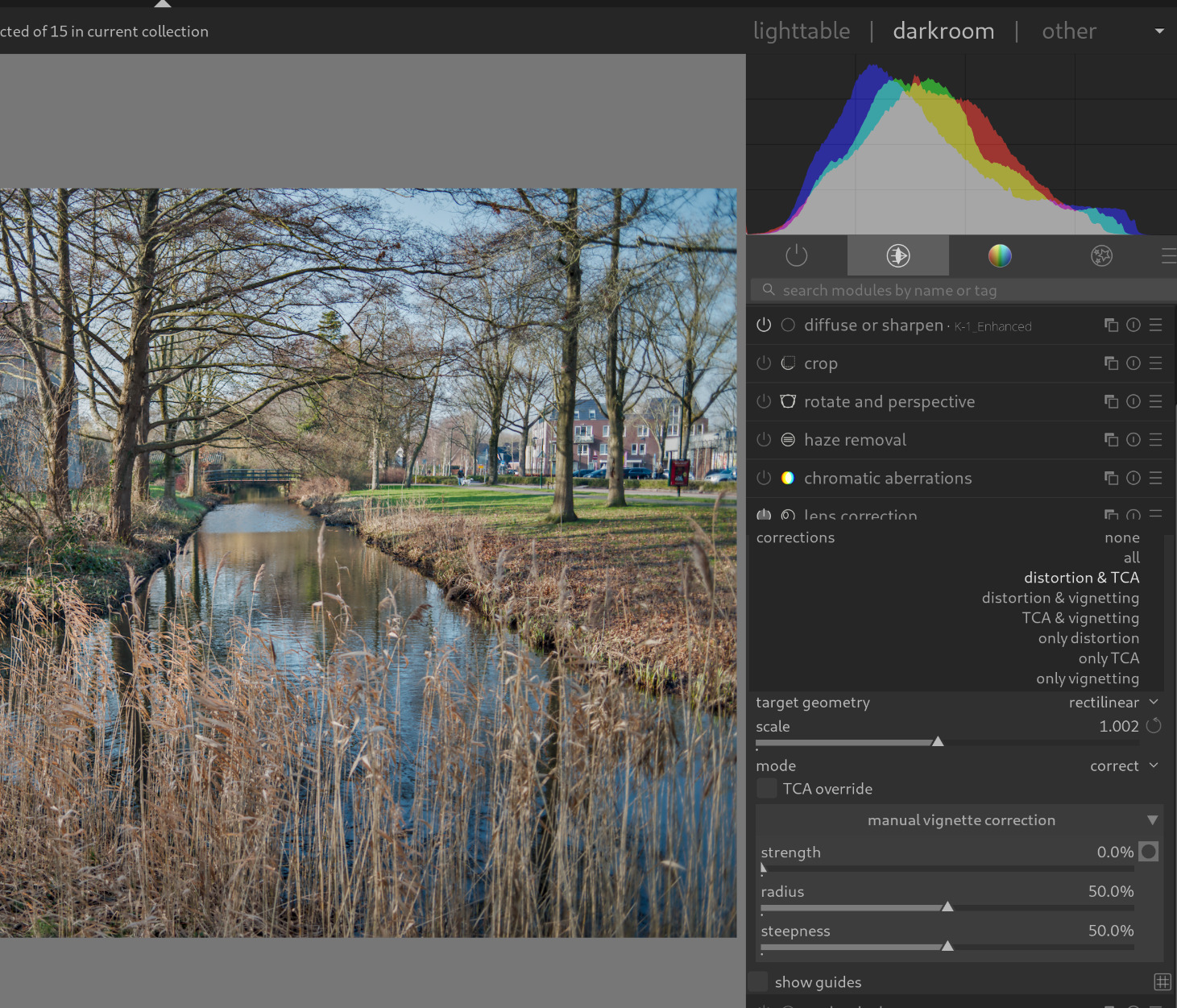
@Ulrich_Gesing Is there any way to use the lens correction module with any of the specific driopdown options? I usually only do “distortion and TCA” because using “all” includes vignetting correction which tends to mess with exposure on some lenses.
Currently that section reads:
StepLensCorrection = Workflow.StepComboBox:new():new {}
table.insert(Workflow.ModuleSteps, StepLensCorrection)
function StepLensCorrection:PostConstructor()
-- darktable internal module name abbreviation
self.OperationNameInternal = 'lens'
-- select subpage containing this step: WidgetStack.Modules or WidgetStack.Settings
self.WidgetStackValue = WidgetStack.Modules
self.lensfunSelection = _dt("Lensfun database")
-- array of configuration values selectable by the user
self.ConfigurationValues =
{
_("unchanged"),
self.lensfunSelection,
}
-- step configurationvalue array index, used if module settings are reset to "unchanged"
self.ConfigurationValueUnchangedIndex = 1
-- step configurationvalue array index, used if module settings are reset to "default"
self.ConfigurationValueDefaultIndex = 2
self.Label = _dt("lens correction")
self.Tooltip = _("Enable and reset lens correction module.")
end
function StepLensCorrection:Init()
-- show step label and tooltip in first column of the inital workflow module
self:CreateLabelWidget()
-- show step initialization combobox in 2nd column: ignore, enable, reset or disable module first
self:CreateDefaultBasicWidget()
-- show main combobox with configuration values in 3rd column
self.Widget = dt.new_widget('combobox')
{
changed_callback = Workflow.ComboBoxChangedCallback,
label = ' ', -- use separate label widget
tooltip = self:GetLabelAndTooltip(),
table.unpack(self.ConfigurationValues)
}
end
function StepLensCorrection:Run()
-- evaluate basic widget
if (not self:RunBasicWidget()) then
return
end
local selection = self.Widget.value
if (selection == _("unchanged")) then
return
end
if (selection == _dt("Lensfun database")) then
local lensCorrectionValues =
{
_dt("embedded metadata"),
self.lensfunSelection
}
local currentSelectionIndex = GuiAction.GetValue('iop/lens/correction method', 'selection')
local currentSelection = lensCorrectionValues[-currentSelectionIndex]
if (self.lensfunSelection ~= currentSelection) then
LogHelper.Info(indent ..
string.format(_("current correction method = %s"), Helper.Quote(currentSelection)))
GuiAction.Do('iop/lens/correction method', 0, 'selection', 'item:Lensfun database', 1.0)
else
LogHelper.Info(indent ..
string.format(_("nothing to do, correction method already = %s"), Helper.Quote(currentSelection)))
end
end
end
Where could I tweak this such that the required drowdown would be activated?
[EDIT]From lens.cc in the darktable source, it appears the correct method would be:
DT_IOP_LENS_MODFLAG_DIST_TCA = DT_IOP_LENS_MODIFY_FLAG_DISTORTION | DT_IOP_LENS_MODIFY_FLAG_TCA, // $DESCRIPTION: “distortion & TCA”
rather than
DT_IOP_LENS_MODFLAG_ALL = DT_IOP_LENS_MODIFY_FLAG_DISTORTION | DT_IOP_LENS_MODIFY_FLAG_TCA | DT_IOP_LENS_MODIFY_FLAG_VIGNETTING, // $DESCRIPTION: “all”
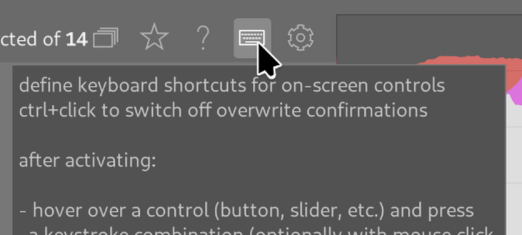
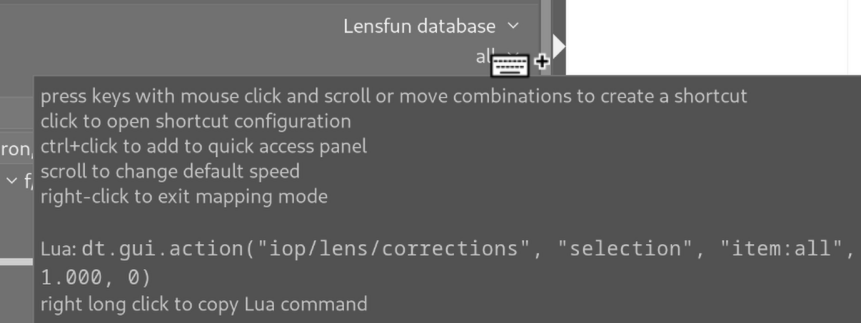
Hi @Mike_Bing , that’s a bit tricky: You can find most lua GuiActions using the darktable function “define keyboard shortcuts”. I couldn’t get that to work for the dropdown menu in the LensCorrection module. But: You’ve already given the right hint with “distortion & TCA”.
Combine the given lua command with “distortion & TCA”:
dt.gui.action(“iop/lens/corrections”, “selection”, “item:distortion & TCA”, 1.000, 0)
Hint: Take a look at lib\IWF_ModuleTests.lua: The header documentation describes how to use TestCustomCode.lua to execute and test these commands easily, without restarting darktable.
Within your script you can use (I did not test this):
GuiAction.Do(‘iop/lens/corrections’, 0, ‘selection’, ‘item:distortion & TCA’, 1.0)
You could add this to your script file. Alternatively, a new second module for “LensCorrection” could be added that offers the values for this dropdown menu.
Only got around to fooling around with this just now and this seems to work exactly as I wanted (edit of IWF_WorkflowSteps.lua). I added in the appropriate action in this function:
 function StepLensCorrection:Run()
        -- evaluate basic widget
        if (not self:RunBasicWidget()) then
            return
        end

        local selection = self.Widget.value

        if (selection == _("unchanged")) then
            return
        end

        if (selection == _dt("Lensfun database")) then
            local lensCorrectionValues =
            {
                _dt("embedded metadata"),
                self.lensfunSelection
            }

            local currentSelectionIndex = GuiAction.GetValue('iop/lens/correction method', 'selection')
            local currentSelection = lensCorrectionValues[-currentSelectionIndex]

            if (self.lensfunSelection ~= currentSelection) then
                LogHelper.Info(indent ..
                    string.format(_("current correction method = %s"), Helper.Quote(currentSelection)))
                GuiAction.Do('iop/lens/correction method', 0, 'selection', 'item:Lensfun database', 1.0)
                GuiAction.Do('iop/lens/corrections', 0, 'selection', 'item:distortion & TCA', 1.0)            else
                LogHelper.Info(indent ..
                    string.format(_("nothing to do, correction method already = %s"), Helper.Quote(currentSelection)))
            end
        end
    end
Hi @Mike_Bing , congratulations! You’ve found a solution for your use case. Perhaps there are other users who would find these dropdown settings useful? If so, please let me know.