Because pure RAW Bayer model has better quality metrics.
1 Like
Wowzers! I just tried this out and it it certainly works. I’m running in Lunux, X11, Nvidia GPU, and ONNX-gpu. I tried it out on a D70 nef from 2007, and this really cuts the noise.
Thanks for the work 
1 Like
@anry Do you think this module will make it for the release in June?
Yes, it is on master and the branch is not cut yet.
4 Likes
I am testing it on the weekly builds for Windows 5.5. It is a nice addition.
I am running darktable-5.5.0+1115. Is it in this version?
Did you go to preferences and look for the AI tab??
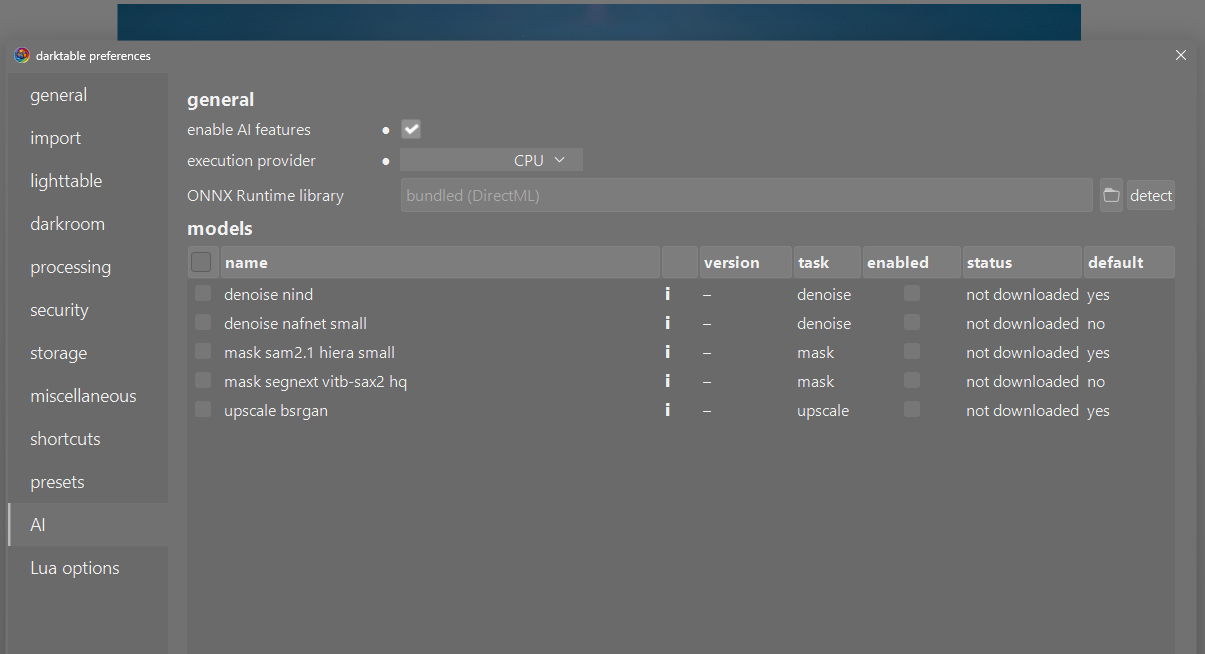
You need to enable the AI and download and enable the associated models…
Where do I learn how to download and install? And I need an ONNX runtime library.
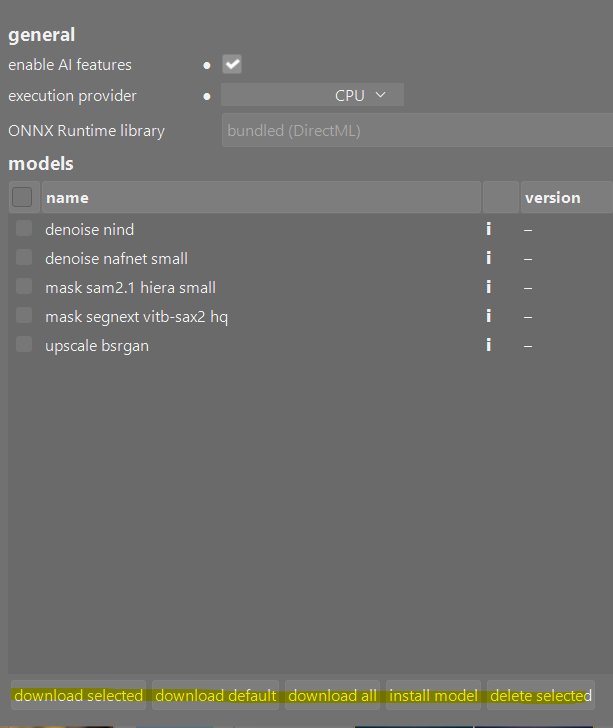
On my hardware the extra steps to install CUDA resulted in much worse performance than the defaults provided…so you just need a version that was built to include the AI using the correct command line options noted in the link above…If you get that working then you can try to look for the CUDA or AMD speedup to see if it helps your hardware
Thanks, Todd.
Just tried 5.5.0+1174 Mac on my Mac Studio M3 Ultra. I am shooting with Fuji GFX100RF (Bayer Sensor) and the DNG file produced by raw denoise had a clean thumbnail but when I opened it to edit turned into a magenta mess.
Forgot to mention that the denoise tab worked correctly with the GFX100RF file.
1 Like
What was the black point value??
Where would I see that?
In the raw black point module or poking around the metadata…
Most probably white balance was written incorrectly to output DNG. You can try to fix it in color calibration module.
To investigate the problem better, can you share an original RAW file and denoised DNG with the problem?
Update
Nightly builds from 20260514 onward contain some improvements to the neural restore tasks (raw denoise, denoise, upscale) – aimed at faster and more stable runs across all platforms and GPUs.
IMPORTANT - you need to delete old and download new models for tasks
rawdenoise,denoise,upscaleto work with this updates.
Feedback welcome.
1 Like
Models deleted and then downloaded with success, but when download of a model finishes an error message ist thrown on terminal (one per model):
(org.darktable.darktable:19791): GLib-CRITICAL **: 08:58:14.083: Source ID 13603 was not found when attempting to remove it
(org.darktable.darktable:19791): GLib-CRITICAL **: 08:58:28.842: Source ID 14498 was not found when attempting to remove it
(org.darktable.darktable:19791): GLib-CRITICAL **: 08:58:47.576: Source ID 15364 was not found when attempting to remove it
Thank you for spotting.
Fix is in [AI] Fix GLib-CRITICAL "Source ID was not found" on AI model download by andriiryzhkov · Pull Request #21018 · darktable-org/darktable · GitHub
I just tested on Fedora Linux.
Removed models and downloaded with succes. When trying to use AI masking, it analyses the image fine. When I go and select a portion of the image DT crashes.
I got a crash log, but i dont know what i can show without giving away sensitive information. Please let me know what you need.